1. Uvod
This manual provides essential information for setting up, operating, maintaining, and troubleshooting your HP 17 Laptop, Model 17t. Please read these instructions carefully to ensure proper use and longevity of your device.
2. Kaj je v škatli
- HP 17 Laptop (Model 17t)
- 45 W pametni napajalnik
- Vgrajen HD Webcam with integrated dual-array digital microphones (integrated into laptop)
3. Izdelek je končanview
The HP 17 Laptop features a 17.3-inch HD+ touchscreen display, powered by a 12th Gen Intel Core i7-1255U processor. It includes 64GB DDR4 RAM and a 2TB PCIe NVMe M.2 Solid State Drive for high performance and ample storage. Key features include Wi-Fi 6 connectivity, a backlit keyboard, and a fingerprint reader for enhanced security.
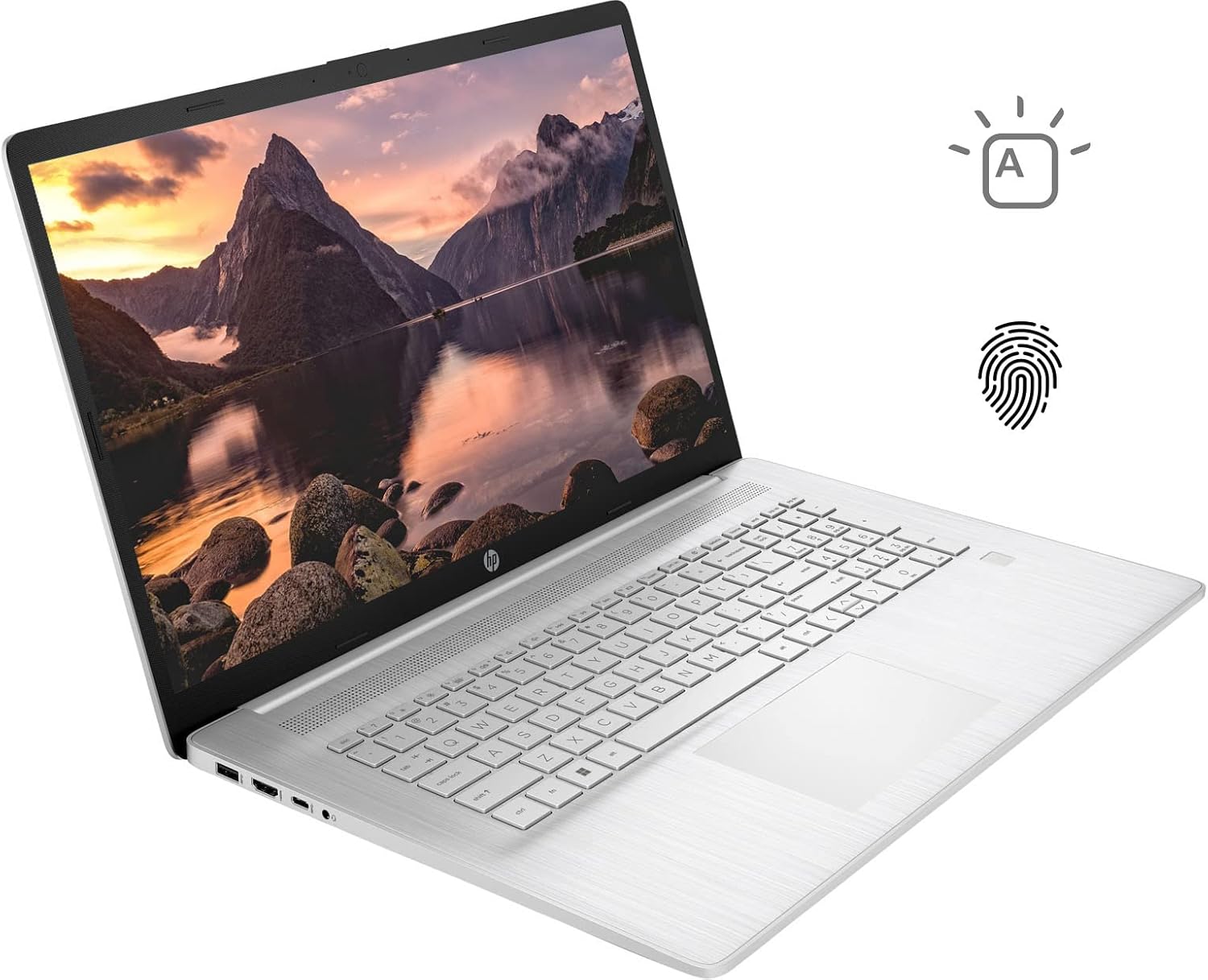
Figure 3.1: HP 17 Laptop with screen displaying a landscape image and keyboard visible.
3.1. Leve stranske odprtine
The left side of the laptop provides essential connectivity options.
- Vrata USB tipa A: Za priklop USB naprav.
- Vrata HDMI: Za povezavo z zunanjimi zasloni.
- Vrata USB Type-C: Za prenos podatkov in povezovanje združljivih naprav.
- Kombinirani priključek za slušalke/mikrofon: Za avdio vhod in izhod.

Figure 3.2: Left side of the HP 17 Laptop, detailing the USB Type-A, HDMI, USB Type-C, and headphone/microphone combo ports.
3.2. Desna stranska vrata
The right side of the laptop includes additional ports and indicators.
- Priključek za napajanje: Za priključitev napajalnika.
- Indikator polnjenja: Prikazuje stanje polnjenja.
- Vrata USB tipa A: Za priklop USB naprav.

Figure 3.3: Right side of the HP 17 Laptop, showing the power connector, charging indicator, and USB Type-A port.
4. Nastavitev
4.1. Začetni vklop
- Connect the 45 W Smart AC power adapter to the power connector on the right side of the laptop and then to a power outlet.
- Odprite pokrov prenosnika.
- Pritisnite gumb za vklop, ki se običajno nahaja v zgornjem desnem kotu tipkovnice.
- Sledite navodilom na zaslonu, da dokončate namestitev sistema Windows 11 Home, vključno z jezikom, regijo, omrežno povezavo in ustvarjanjem uporabniškega računa.
4.2. Povezovanje zunanjih naprav
Use the available USB ports (Type-A and Type-C) to connect external devices such as a mouse, external keyboard, or USB storage devices. The HDMI port allows connection to an external monitor or TV.
5. Operating Your HP 17 Laptop
5.1. Funkcionalnost zaslona na dotik
The 17.3-inch HD+ display supports touch input. You can interact with Windows 11 and applications directly using your fingers for navigation, scrolling, and selection.
5.2. Backlit Keyboard
The keyboard features backlighting for use in low-light conditions. To toggle the backlight, press the F4 key. Repeated presses may cycle through different brightness levels or turn the backlight off.
5.3. Čitalnik prstnih odtisov
For enhanced security and quick login, configure the integrated fingerprint reader through Windows Hello settings. Access these settings via Nastavitve > Računi > Možnosti prijave.
5.4. Brezžična povezljivost
The laptop supports Wi-Fi 6 and Bluetooth 5.2. To connect to a Wi-Fi network, click the network icon in the taskbar, select your desired network, and enter the password if required. Bluetooth devices can be paired via Nastavitve > Bluetooth in naprave.
5.5. Webkamera in mikrofoni
Vgrajeni trdi disk webcam and dual-array digital microphones are suitable for video conferencing and online communication. Ensure privacy settings are configured correctly in Windows to control application access to the camera and microphone.
6. Vzdrževanje
6.1. Čiščenje
- zaslon: Narahlo uporabite mehko krpo, ki ne pušča vlaken dampz vodo ali čistilom za zaslone. Izogibajte se agresivnim kemikalijam.
- Tipkovnica in ohišje: Use a soft, dry cloth. A can of compressed air can help remove dust from between keys.
- Pred čiščenjem se prepričajte, da je prenosnik izklopljen in izklopljen iz električnega omrežja.
6.2. Skrb za baterijo
- Izogibajte se ekstremnim temperaturam.
- For optimal battery life, avoid constantly keeping the laptop at 100% charge or letting it fully discharge frequently.
- Prenosnik shranite delno napolnjen (približno 50 %), če ga ne uporabljate dlje časa.
6.3. Posodobitve programske opreme
Redno preverjajte in nameščajte posodobitve sistema Windows prek Nastavitve > Posodobitev sistema Windows. Also, ensure HP drivers and firmware are up to date using the HP Support Assistant application or HP's official webmesto.
7. Odpravljanje težav
7.1. Prenosnik se ne vklopi
- Prepričajte se, da je napajalnik varno priključen na prenosnik in delujočo električno vtičnico.
- Check the charging indicator light on the right side of the laptop. If it's not lit, try a different outlet or adapter if available.
- Izvedite strojno ponastavitev: Odklopite napajalnik, pritisnite in držite gumb za vklop 15 sekund, nato ponovno priklopite napajalnik in poskusite vklopiti napravo.
7.2. Težave s prikazom
- Brez zaslona: If the laptop powers on but the screen remains black, try connecting an external monitor via HDMI to check if the issue is with the laptop's internal display.
- Zaslon na dotik se ne odziva: Restart the laptop. If the issue persists, check for updated display drivers or run Windows Troubleshooter for hardware and devices.
7.3. Težave z Wi-Fi povezljivostjo
- Prepričajte se, da je Wi-Fi omogočen v nastavitvah sistema Windows.
- Znova zaženite usmerjevalnik in modem.
- Zaženite orodje za odpravljanje težav z omrežjem Windows.
- Posodobite gonilnike brezžičnega adapterja.
8. Specifikacije
| Ime modela | HP 17t Notebook |
| Zaslon | 17.3" HD+ (1600 x 900) BrightView Zaslon na dotik |
| Procesor | 12. generacija Intel Core i7-1255U (10 jeder, do 4.70 GHz) |
| Grafika | Grafična kartica Intel Iris Xe (vgrajena) |
| RAM | 64GB DDR4 |
| Shranjevanje | 2TB PCIe NVMe M.2 SSD |
| Operacijski sistem | Windows 11 Home |
| Brezžična povezljivost | Wi-Fi 6 (2x2), Bluetooth 5.2 |
| Pristanišča | 1x USB Type-C (5Gbps), 2x USB Type-A (5Gbps), 1x HDMI 1.4b, 1x Headphone/Microphone Combo |
| Tipkovnica | Backlit Keyboard, Numeric Keyboard |
| Varnost | Čitalnik prstnih odtisov |
| Kamera | Vgrajen HD Webcam with dual-array digital microphones |
| Baterija | 3-celična, 41 Wh litij-ionska prizmatična |
| Napajalni adapter | 45 W pametni napajalnik |
| Teža | 5.25 funta (približno 2.38 kg) |
| Dimenzije (DxŠxV) | 15.78 x 10.15 x 0.78 palca (približno 40.08 x 25.78 x 1.98 cm) |
| barva | Srebrna |
9. Garancija in podpora
For warranty information, please refer to the documentation included with your product or visit the official HP support website. If you encounter issues not covered in this manual or require further assistance, please contact HP customer support.
Vire za podporo, gonilnike in kontaktne podatke najdete na uradni spletni strani HP webspletno mesto: www.hp.com/support