Uporabniški priročnik za brezžične slušalke Zebronics ZEB-PARADISE
Model: ZEB-PARADISE
1. Izdelek je končanview
The Zebronics ZEB-PARADISE is a versatile wireless headphone designed for an immersive audio experience. It features Bluetooth connectivity, an AUX input, Micro SD card support, and an FM radio function, providing multiple ways to enjoy your music and manage calls.

Image 1: Zebronics ZEB-PARADISE Wireless Headphone. This image displays the over-ear design of the headphone, highlighting its sleek appearance and comfortable earcups.
2. Vsebina paketa
Označite polje za naslednje elemente:
- 1 Unit Headphone
- 1 Unit Charging Cable
- 1 Unit Aux Cable
- 1 Unit User Manual
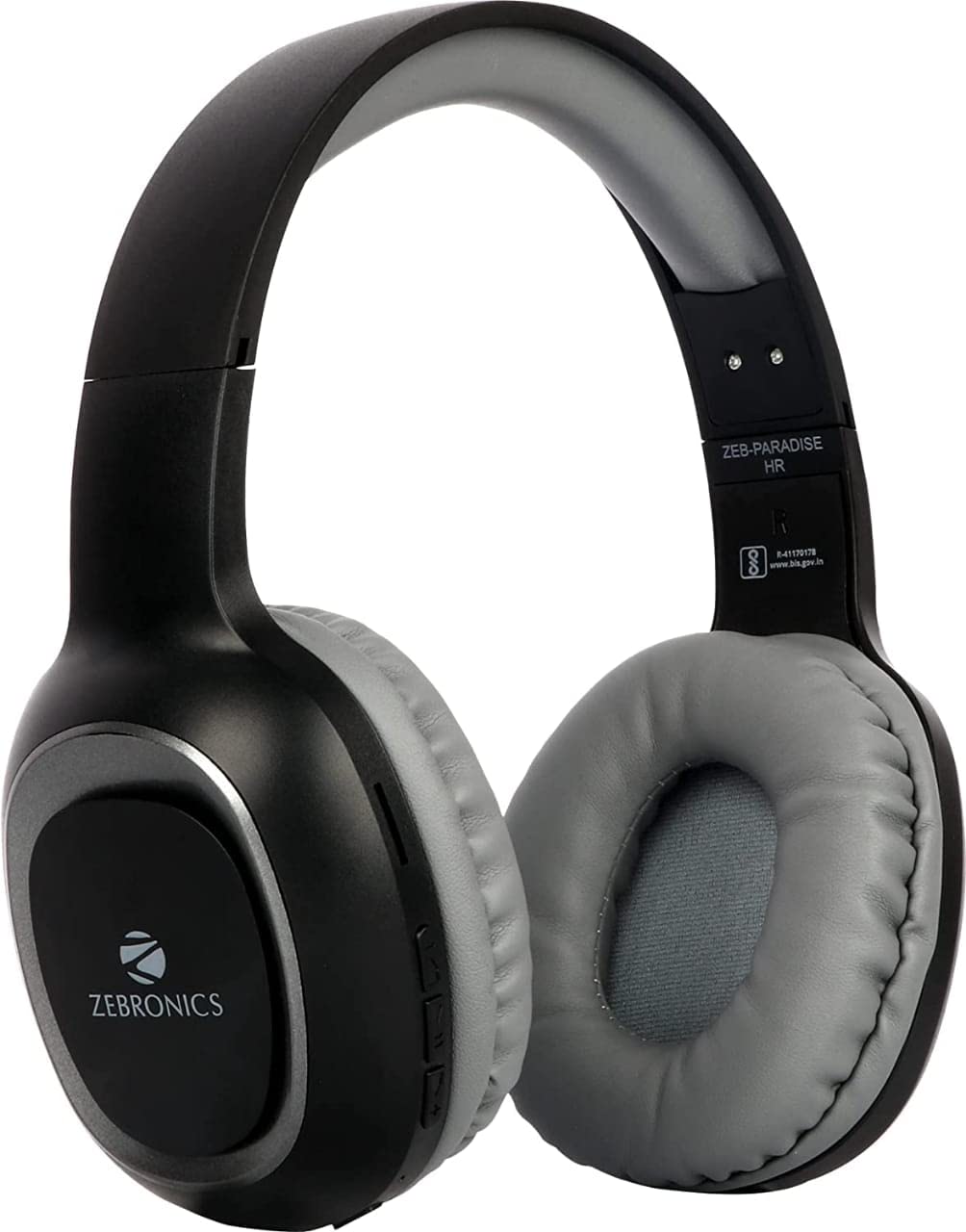
Image 2: Packaging of the Zebronics ZEB-PARADISE Wireless Headphone. This image shows the product box, detailing the package contents and key features printed on the packaging.
3. Varnostne informacije
Pozor:
Please be aware of your surroundings while using the headphone. Constant exposure to high volume may damage your hearing. Please use the headphone at moderate volume to protect your ears.
4. Ključne značilnosti
- Povezljivost Bluetooth v4.2
- AUX Input for Wired Connection
- Micro SD Card Support for MP3 Playback
- Funkcija FM radia
- Call Function with Built-in Microphone
- Media Volume Control
- Dual Pairing Capability
- 40mm Audio Drivers
- Vgrajena polnilna baterija
- Podpora za hitro polnjenje
5. Nastavitev
5.1 Charging the Headphone
- Connect the provided USB charging cable to the charging port on the headphone.
- Drugi konec kabla USB priključite na napajalnik USB (ni priložen) ali na vrata USB računalnika.
- The LED indicator will illuminate to show charging status. It will typically turn off or change color once fully charged.
5.2 Bluetooth seznanjanje
- Ensure the headphone is fully charged.
- Press and hold the Power button on the headphone until the LED indicator flashes blue and red, indicating pairing mode.
- Na pametnem telefonu ali napravi, ki podpira Bluetooth, pojdite v nastavitve Bluetooth in poiščite razpoložljive naprave.
- Select "ZEB-PARADISE" from the list of found devices.
- Ko je naprava seznanjena, bo LED indikator počasi utripal modro ali pa bo neprekinjeno svetil modro.
5.3 Using the AUX Cable
- Connect one end of the provided 3.5mm AUX cable to the AUX input port on the headphone.
- Connect the other end of the AUX cable to the 3.5mm audio output jack of your audio device.
- The headphone will automatically switch to AUX mode.
6. Navodila za uporabo
6.1 Osnovne kontrole
- Vklop/izklop: Pritisnite in držite gumb za vklop.
- Predvajanje/pavza: Enkrat pritisnite gumb Predvajaj/Premor.
- Povečanje glasnosti/naslednja skladba: Press the Volume Up (+) button to increase volume. Press and hold to skip to the next track.
- Zmanjšanje glasnosti/prejšnja skladba: Press the Volume Down (-) button to decrease volume. Press and hold to go to the previous track.
- Stikalo načina: Press the 'M' button to switch between Bluetooth, FM Radio, and Micro SD modes.
6.2 Funkcija klica
- Sprejmi klic: Ko prejmete klic, enkrat pritisnite gumb Predvajaj/Pavza.
- Končaj klic: Med klicem enkrat pritisnite gumb Predvajaj/Pavza.
- Zavrni klic: Ko prejmete klic, pritisnite in držite gumb Predvajaj/Pavza 2 sekundi.
- Ponovno klicanje zadnje številke: Dvakrat pritisnite gumb Predvajaj/Premor.
6.3 Način radia FM
- Preklopite v način FM radia s tipko 'M'.
- Press the Play/Pause button once to auto-scan and save available FM channels.
- Use the Volume Up (+) and Volume Down (-) buttons to navigate between saved channels.
6.4 Predvajanje s kartice Micro SD
- Vstavite kartico Micro SD (z datoteko MP3 files) into the designated slot on the headphone.
- Switch to Micro SD mode using the 'M' button.
- Music playback will start automatically. Use the control buttons for play/pause, next/previous track, and volume adjustment.
7. Vzdrževanje
- Clean the headphone with a soft, dry cloth. Do not use harsh chemicals or abrasive materials.
- Avoid exposing the headphone to extreme temperatures, humidity, or direct sunlight.
- Store the headphone in a cool, dry place when not in use.
- Do not attempt to disassemble or repair the headphone yourself, as this will void the warranty.
8. Odpravljanje težav
- Brez napajanja: Ensure the headphone is fully charged. Connect it to a power source using the charging cable.
- Seznanitev prek Bluetootha ni mogoča: Make sure the headphone is in pairing mode (flashing blue and red LED). Ensure Bluetooth is enabled on your device and it is within range. Try restarting both devices.
- Ni zvoka: Check the volume level on both the headphone and your connected device. Ensure the correct mode (Bluetooth, AUX, SD) is selected. If using AUX, ensure the cable is fully inserted.
- FM radio ne deluje: Ensure you are in an area with good FM signal. Perform an auto-scan to save channels.
- Kartica Micro SD se ne predvaja: Ensure the Micro SD card is inserted correctly and contains compatible audio file(npr. MP3).
9. Tehnične specifikacije
| Funkcija | Specifikacija |
|---|---|
| Model | ZEB-RAJ |
| Povezljivost | Brezžično (Bluetooth v4.2) |
| Vključene komponente | Headphone, Charging Cable, Aux Cable, User Manual |
| Vozniki | 40 mm |
| Baterija | Vgrajen za ponovno polnjenje |
| Posebne lastnosti | FM Radio, Micro SD Card Support, Call Function, Media Volume Control, Dual Pairing, Fast Charging |
| Priključek za slušalke | 3.5 mm Jack |
| Faktor oblike | Nad ušesi |
| barva | Črna |
| Proizvajalec | Zebronics India Private Limited |
10. Garancija in podpora
10.1 Informacije o garanciji
This product comes with a standard manufacturer's warranty. Please refer to the warranty card included in your package or contact customer support for detailed warranty terms and conditions.
10.2 Podpora strankam
For any complaints, feedback, or support inquiries, please contact:
Consumer Care Executive
Naslov: ZEBRONICS INDIA PRIVATE LIMITED, NO. 118, POONAMALLEE HIGH ROAD, CHENNAI-600084.
telefon: 044-4000 0004
E-pošta: ENQUIRY@ZEBRONICS.COM
Obiščete lahko tudi uradno webspletno mesto: www.zebronics.com


