1. Uvod
This instruction manual provides essential information for the proper setup, operation, and maintenance of your LogiLink USB 3.2 Gen2 3-Port Hub, Model UA0395. This device is designed to expand the USB connectivity of your computer or laptop, offering high-speed data transfer and broad compatibility.
The hub features an aluminium housing for durability and includes a protective cap for the USB-A connector. It provides two USB 3.2 Gen2 ports and one USB 2.0 port, supporting data transfer rates up to 10 Gbps. The device is plug-and-play, requiring no driver installation.
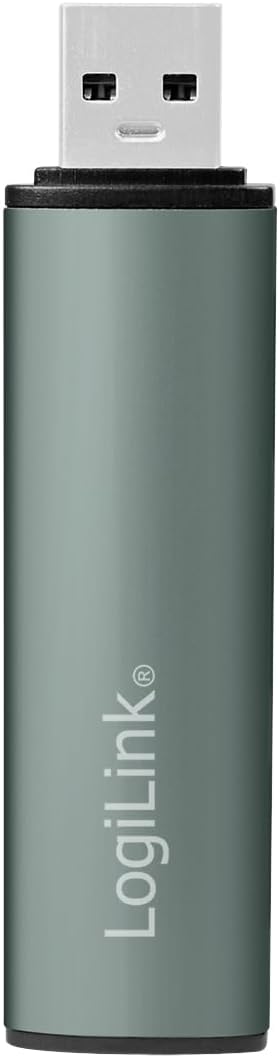
Slika 1.1: Spredaj view of the LogiLink USB 3.2 Gen2 3-Port Hub with its protective cap.
2. Vsebina paketa
- LogiLink USB 3.2 Gen2 3-Port Hub (Model UA0395)
- Zaščitna kapica
3. Navodila za nastavitev
The LogiLink USB 3.2 Gen2 3-Port Hub is designed for simple plug-and-play operation. No software drivers are required for installation.
- Priključite Hub: Insert the USB-A connector of the LogiLink hub into an available USB-A port on your computer or laptop. Ensure the connection is firm.
- Indikacija napajanja: A blue LED light on the hub will illuminate, indicating that the device is powered and ready for use.
- Združljivost operacijskega sistema: The hub is compatible with Windows, Mac OS, Linux, Android, and Chrome OS. Your operating system will automatically detect and configure the hub.
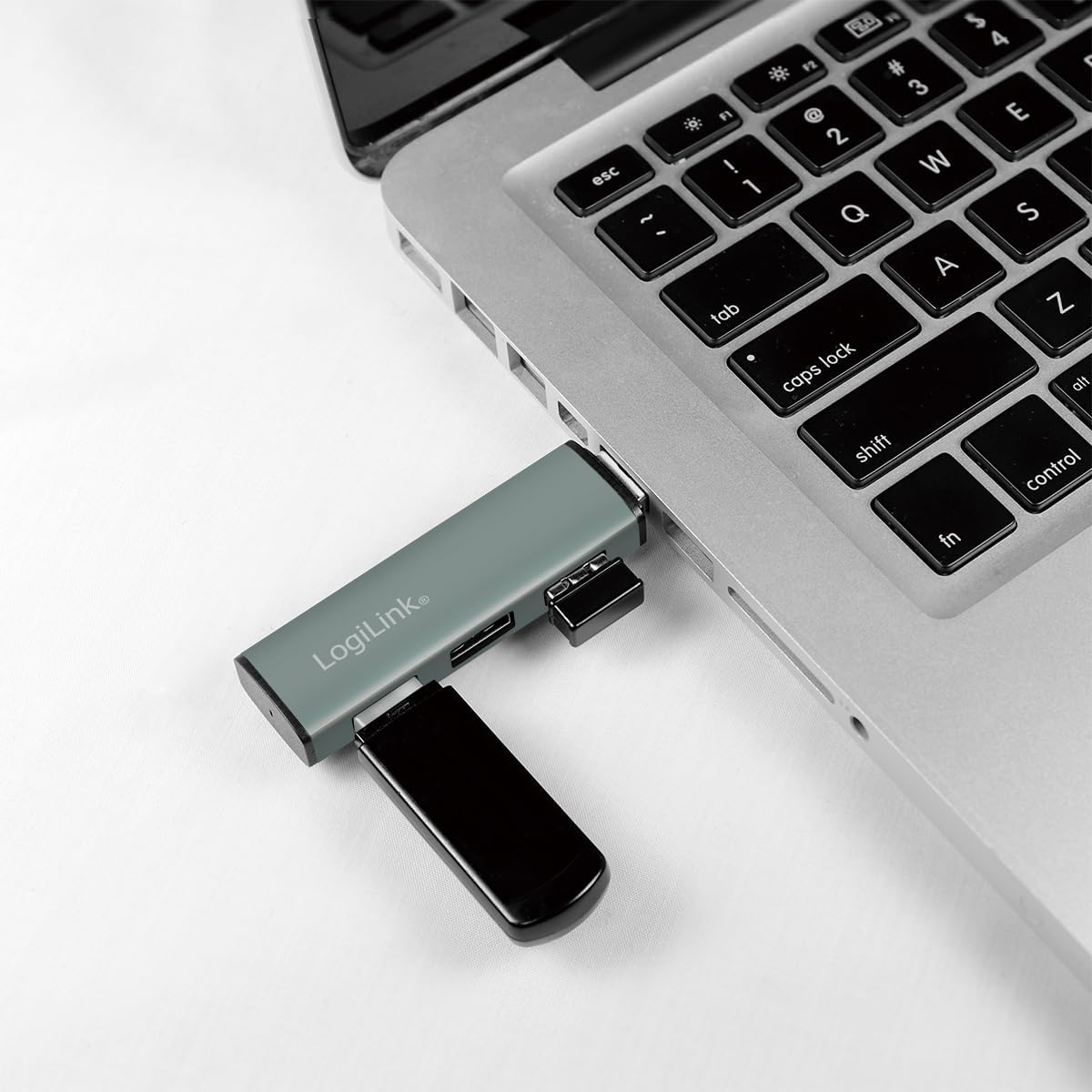
Image 3.1: The LogiLink USB hub connected to a laptop, demonstrating its compact use.
4. Navodila za uporabo
Once connected, the hub allows you to expand your device's USB capabilities.
- Povezovanje USB naprav: Insert your USB devices (e.g., flash drives, external hard drives, keyboards, mice) into the available ports on the hub. The hub features two USB 3.2 Gen2 ports (blue inserts) and one USB 2.0 port (black insert).
- Hot Swap Support: The hub supports hot swapping, meaning you can connect and disconnect USB devices without needing to restart your computer or the hub.
- Prenos podatkov: For optimal performance, connect USB 3.2 Gen2 compatible devices to the blue USB 3.2 Gen2 ports to achieve transfer rates up to 10 Gbps. Older USB generations are also supported, but will operate at their respective maximum speeds.
- moč: The hub is powered via the USB connection from your host device. It includes over-current and over-voltage protection to safeguard connected devices.

Image 4.1: Diagram illustrating the ports and features of the LogiLink USB Hub.

Slika 4.2: Podrobno view vrat vozlišča.
5. Vzdrževanje
To ensure the longevity and optimal performance of your LogiLink USB Hub, follow these simple maintenance guidelines:
- Čiščenje: Use a soft, dry cloth to gently wipe the surface of the hub. Avoid using liquid cleaners or abrasive materials, as they may damage the aluminium finish or internal components.
- Zaščitna kapica: When the hub is not in use, especially during transport, place the protective cap over the USB-A connector to prevent dust and damage.
- Shranjevanje: Pesto shranjujte na hladnem in suhem mestu, stran od neposredne sončne svetlobe in ekstremnih temperatur.
6. Odpravljanje težav
If you encounter issues with your LogiLink USB Hub, please refer to the following common troubleshooting steps:
- Hub Not Recognized:
- Ensure the hub is firmly connected to your computer's USB port.
- Poskusite priključiti zvezdišče na druga vrata USB v računalniku.
- Znova zaženite računalnik in ponovno priključite vozlišče.
- Povezana naprava ne deluje:
- Ensure the device is properly inserted into the hub's port.
- Try connecting the device to a different port on the hub.
- Connect the device directly to your computer's USB port to verify its functionality.
- Some high-power devices may require a direct connection to the computer or a powered USB hub.
- Počasne hitrosti prenosa podatkov:
- Ensure both the connected device and the hub port are USB 3.2 Gen2 compatible for maximum speeds. USB 2.0 devices will operate at USB 2.0 speeds.
- Verify that the computer's USB port to which the hub is connected is also a USB 3.2 Gen2 port.
- Če pride do upočasnitve, se izogibajte hkratnemu povezovanju več naprav z visoko pasovno širino.
- Loose Connection to Computer's USB Port:
- While the hub is designed to be compact, ensure it is not subjected to excessive leverage or movement that could loosen its connection.
- If the connection feels consistently loose, try a different USB port on your computer.
7. Specifikacije
| Funkcija | Podrobnost |
|---|---|
| Številka modela izdelka | UA0395 |
| Strojni vmesnik | USB-A (Input), 2x USB 3.2 Gen2, 1x USB 2.0 (Output) |
| Hitrost prenosa podatkov | Do 10 Gb/s (USB 3.2 Gen2) |
| Združljive naprave | Laptops, PCs, and other devices with USB-A ports |
| Podpora za operacijski sistem | Windows, Mac OS, Linux, Android, Chrome OS |
| Posebna funkcija | Portable, Plug & Play, Hot Swap, Over-current/Over-voltage zaščita |
| Material ohišja | Aluminij |
| barva | siva |
| LED indikator | Modra |
| Dimenzije izdelka | 3.29 x 0.8 x 0.47 palcev (8.36 x 2.03 x 1.19 cm) |
| Teža predmeta | 0.67 unče (19 gramov) |
8. Informacije o garanciji
LogiLink products are covered by a manufacturer's warranty against defects in materials and workmanship. The specific terms and duration of the warranty may vary by region and product. Please retain your proof of purchase for warranty claims.
For detailed warranty information, please refer to the warranty card included with your product or visit the official LogiLink webmesto.
9. Podpora
If you require further assistance or have questions not covered in this manual, please contact LogiLink customer support.
- Spletna podpora: Visit the official LogiLink webspletno mesto za pogosta vprašanja, prenose gonilnikov (če je primerno) in kontaktne podatke za podporo.
- Kontaktni podatki: Refer to the product packaging or the LogiLink webspletno mesto za najnovejše kontaktne podatke za službo za stranke.


