Uvod
The AGPTEK T06S is a versatile WiFi MP3 player designed for music, video, and app usage. Featuring a 4-inch touch screen, Bluetooth connectivity, and a 5MP camera, it offers a comprehensive portable entertainment experience. This manual provides instructions for setting up, operating, maintaining, and troubleshooting your device.

Slika: spredaj view of the AGPTEK T06S WiFi MP3 Player.
Vsebina paketa
Prepričajte se, da so v paketu prisotni vsi elementi:
- AGPTEK T06S MP3 Player
- USB-C kabel
- Slušalke
- Uporabniški priročnik
- Silikonski ovitek
- Screen Protector Film

Image: The AGPTEK T06S MP3 Player and its included accessories: USB-C cable, earphones, manual, silicone case, and screen protector film.
Nastavitev
1. Polnjenje naprave
Before first use, fully charge the AGPTEK T06S. Connect the provided USB-C cable to the device and a power source (e.g., computer USB port or USB wall adapter). A full charge typically takes approximately 2 hours.
2. Vklop/izklop
- Za vklop: Pritisnite in držite gumb za vklop, dokler se zaslon ne prižge.
- To power off: Press and hold the Power button, then select "Power off" on the screen.
3. Začetna povezava z omrežjem Wi-Fi
To access online features and apps, connect to a Wi-Fi network:
- Pojdi na nastavitve.
- Izberite Omrežje in internet, potem Wi-Fi.
- Turn Wi-Fi On.
- Na seznamu izberite želeno omrežje in po potrebi vnesite geslo.
- Pomembno: Ensure the device's date and time are correctly set before attempting to connect to Wi-Fi, as incorrect settings can prevent successful connection.

Image: The AGPTEK T06S display showing the Google Play Store interface with various app icons, indicating its Wi-Fi capabilities.
4. Bluetooth seznanjanje
Za povezavo Bluetooth slušalk ali zvočnikov:
- Pojdi na nastavitve.
- Izberite Povezane naprave, potem Bluetooth.
- Vklopite Bluetooth On.
- Prepričajte se, da je vaša dodatna oprema Bluetooth v načinu seznanjanja.
- Izberite svojo dodatno opremo s seznama razpoložljivih naprav za seznanitev.
- Opomba: Avoid using Bluetooth near 2.4 GHz signal source devices (e.g., routers) to prevent signal interference.

Image: The AGPTEK T06S MP3 Player displaying music playback, with icons for Bluetooth earphones and speakers, illustrating its Bluetooth connectivity.
5. Razširitev shrambe
The device has 16GB of internal storage and supports Micro SD cards up to 128GB for additional storage. Insert a Micro SD card into the designated slot to expand your music and media library.
Navodila za uporabo
1. Navigacija in vmesnik
The AGPTEK T06S features a 4-inch HD full touch screen (480x800 resolution) for easy navigation. Swipe, tap, and pinch gestures are used to interact with the Android 8.1 operating system.
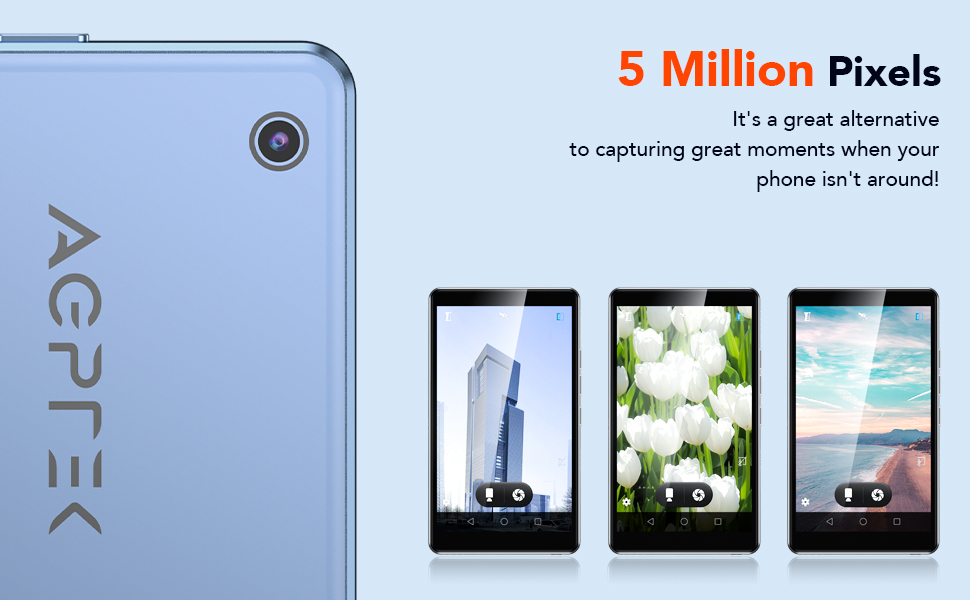
Image: The AGPTEK T06S MP3 Player displaying a video on its 4-inch full touch screen, highlighting its smooth operation and HD display.
2. Predvajanje glasbe
The device supports various audio formats including MP3, OGG, AAC, FLAC, APE, and MAV, offering HiFi lossless sound quality. You can listen to stored music or stream online via Wi-Fi.
- To add music: Connect the device to a computer using the USB-C cable and transfer audio files.
- To play music: Open the Music app and select your desired tracks or playlists.
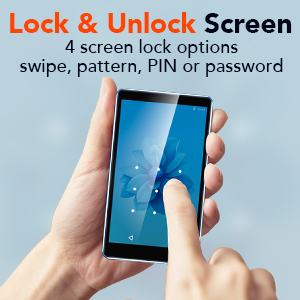
Image: A person using the AGPTEK T06S MP3 Player with wired earphones, demonstrating its music playback capabilities both online and offline.
3. Predvajanje videa
The T06S supports 1080p HD video playback without conversion for formats like RM, AVI, RMVB, 3GP, FLV, MP4, DAT, MKV, MPG, and MOV. Videos can be watched on the 4-inch screen or through the built-in speaker.
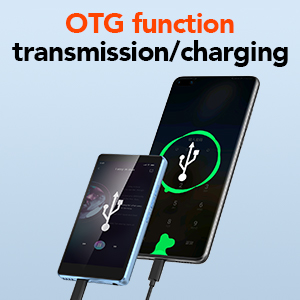
Image: The AGPTEK T06S MP3 Player playing a video, with sound waves emanating from the device, indicating the built-in speaker feature.
4. Funkcija kamere
The device includes a 5MP camera for capturing photos and videos. Open the Camera app to access its functions.

Image: Hands holding the AGPTEK T06S MP3 Player, using its 5-megapixel camera to capture a moment.
5. Namestitev aplikacije
Running on a customized Android 8.1 OS, the T06S supports downloading various applications from the Android market, such as Spotify, TikTok, and Facebook.
6. Druge funkcije
- FM radio: Access the FM Radio app for auto-searching stations between 87.5-108MHz.
- Snemalnik zvoka: Use the built-in voice recorder for audio notes.
- E-knjige: Read e-books on the 4-inch HD screen.
- Funkcija OTG: Supports On-The-Go (OTG) for data transmission and charging with compatible devices.
- Zaklepanje zaslona: Configure screen lock options including swipe, pattern, PIN, or password for security.
- Urejanje slik: Basic image editing and printing functions are supported.

Image: The AGPTEK T06S displaying its lock screen feature, offering swipe, pattern, PIN, or password options.

Image: The AGPTEK T06S connected via OTG for data transfer or charging.

Image: The AGPTEK T06S displaying the FM radio interface with auto-search functionality.
Vzdrževanje
1. Življenjska doba baterije
The device has a built-in 1200 mAh battery. Actual battery life varies based on usage conditions (e.g., screen brightness, volume, Wi-Fi/Bluetooth usage, file type). Refer to the table below for estimated usage times:
| Testno okolje | APP | Način uporabe | Čas uporabe |
|---|---|---|---|
| Offline playback (WiFi and Bluetooth off) | Music (Screen off status) | Žične slušalke | 28 ur |
| Music (Screen off status) | Zvočnik | 14 ur | |
| Video | Žične slušalke | 4 ur | |
| Online play (WiFi and Bluetooth on) | FM Radio (Screen off status) | Žične slušalke | 29 ur |
| FM Radio (Screen off status) | Zvočnik | 10 ur | |
| Music (Screen off status) | Zvočnik | 6 ur | |
| Music (Screen off status) | Bluetooth slušalke | 15 ur | |
| Video | Žične slušalke | 3 ur | |
| Video | Zvočnik | 2.5 ur |
For optimal battery performance, avoid extreme temperatures and use the provided USB-C cable for charging.
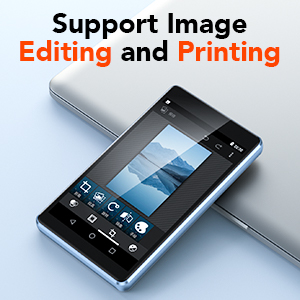
Image: The AGPTEK T06S MP3 Player connected for charging, with an 80% battery level displayed on the screen.
2. Posodobitve programske opreme
Periodically check for system updates in the device settings to ensure optimal performance and access to the latest features. Updates can improve compatibility with apps and overall system stability.
3. Splošna nega
- Napravo hranite suho in stran od ekstremnih temperatur.
- Zaslon očistite z mehko krpo, ki ne pušča vlaken.
- Izogibajte se padcem naprave in je ne izpostavljajte močnim udarcem.
Odpravljanje težav
1. Težave z omrežjem Wi-Fi
If you experience difficulty connecting to Wi-Fi, ensure the device's date and time are set correctly. Incorrect date/time settings can prevent successful network authentication.
2. SD Card Not Detected After Update
If an SD card is not detected after a system update:
- Close any related notifications.
- Odstranite kartico SD.
- Izklopite napravo.
- Znova vstavite kartico SD.
- Vklopite napravo.
- Allow the firmware to update completely without the device going to sleep. You may need to disable sleep mode temporarily or keep the screen active.
3. Bluetooth Interference
If Bluetooth connectivity is unstable or experiences interference, avoid using the device near 2.4 GHz signal sources such as Wi-Fi routers or base stations.
Specifikacije
| Funkcija | Podrobnost |
|---|---|
| Znamka | AGPTEK |
| Ime modela | T06S |
| Tehnologija povezljivosti | Bluetooth, USB, Wi-Fi |
| Zmogljivost pomnilnika | 16 GB (expandable up to 128 GB via Micro SD) |
| Velikost zaslona | 4 palcev |
| Tehnologija zaslona | TFT |
| Podprti zvočni formati | AAC, APE, FLAC, MP3, OGG, MAV |
| Podprti video formati | RM, AVI, RMVB, 3GP, FLV, MP4, DAT, MKV, MPG, MOV, TS (1080p HD without conversion) |
| Kamera | 5 MP |
| Procesor | 8-jedrni |
| RAM | 2 GB |
| ROM | 16 GB |
| Operacijski sistem | Customized Android 8.1 |
| Kapaciteta baterije | 1200 mAh |
| Vrata za polnjenje | USB-C |

Image: A visual representation of the MTK 8-core processor, highlighting the device's internal hardware capabilities.
Garancija in podpora
AGPTEK provides comprehensive support for your T06S MP3 Player:
- 1-letna garancija: Your device is covered by a one-year warranty from the date of purchase.
- Doživljenjska tehnična podpora: Dostopajte do tehnične pomoči za celotno življenjsko dobo vašega izdelka.
- Spletna storitev 7x24: Customer service is available 24 hours a day, 7 days a week.
For support, please refer to the contact information provided in your warranty card or visit the official AGPTEK webmesto.

Image: Icons representing AGPTEK's service commitments: 1-Year Warranty, Lifetime Technical Support, and 7x24 Online Service.


