Uvod
This manual provides detailed instructions for the installation, operation, and maintenance of your INKBIRD IVC-001W 15CM Inline Duct Fan with Smart Controller. This system is designed to provide efficient ventilation, deodorization, dehumidification, and temperature regulation for various indoor environments.
Pred uporabo izdelka natančno preberite ta priročnik, da zagotovite varno in optimalno delovanje.
Varnostne informacije
Za preprečitev poškodb ali škode na napravi upoštevajte naslednje varnostne ukrepe:
- Električna varnost: Ensure the power supply matches the fan's requirements. Do not operate with damaged cords or plugs.
- Namestitev: Install the fan in a stable location, ensuring proper duct connections to prevent air leaks.
- Vzdrževanje: Pred čiščenjem ali kakršnim koli vzdrževanjem izklopite napajanje.
- Otroci in hišni ljubljenčki: Napravo hranite izven dosega otrok in hišnih ljubljenčkov.
- Okolje: Do not expose the fan or controller to water or extreme temperatures.
Sestavine izdelka
The INKBIRD IVC-001W package includes the following:
- 1 x INKBIRD IVC-001W Inline Duct Fan (15CM / 6-inch)
- 1 x Wi-Fi Enabled Smart Controller
- 1 x Temperature and Humidity Probe
- 1 x napajalni kabel
- Mounting Hardware (e.g., straps, screws)
- Uporabniški priročnik (ta dokument)
Nastavitev in namestitev
Follow these steps to properly install your INKBIRD Inline Duct Fan:
- Razpakiranje: Previdno vzemite vse komponente iz embalaže. Preverite, ali so poškodovane.
- Montaža ventilatorja: Secure the inline duct fan in your desired location (e.g., within a grow tent, basement, or kitchen ductwork). Use the provided mounting hardware to ensure it is stable and vibration-free.
- Priključitev zračnih kanalov: Connect appropriate ducting to both ends of the fan. Ensure all connections are sealed to prevent air leakage and maximize efficiency.
- Namestitev krmilnika: Choose a convenient location for the smart controller. It can be wall-mounted or placed on a flat surface.
- Priključitev krmilnika: Connect the fan to the smart controller using the provided cable. Then, connect the temperature and humidity probe to the controller.
- Napajalni priključek: Plug the power cord into a standard electrical outlet. The controller screen should illuminate.
- Nastavitev Wi-Fi: Download the INKBIRD app on your smartphone. Follow the in-app instructions to connect the smart controller to your Wi-Fi network. This enables remote control and monitoring.

Image: The INKBIRD IVC-001W Inline Duct Fan connected to flexible ducting, shown in an indoor growing environment.

Slika: Podrobna view of the duct fan illustrating the direction of air flow (inlet and outlet) and its connection to ductwork.
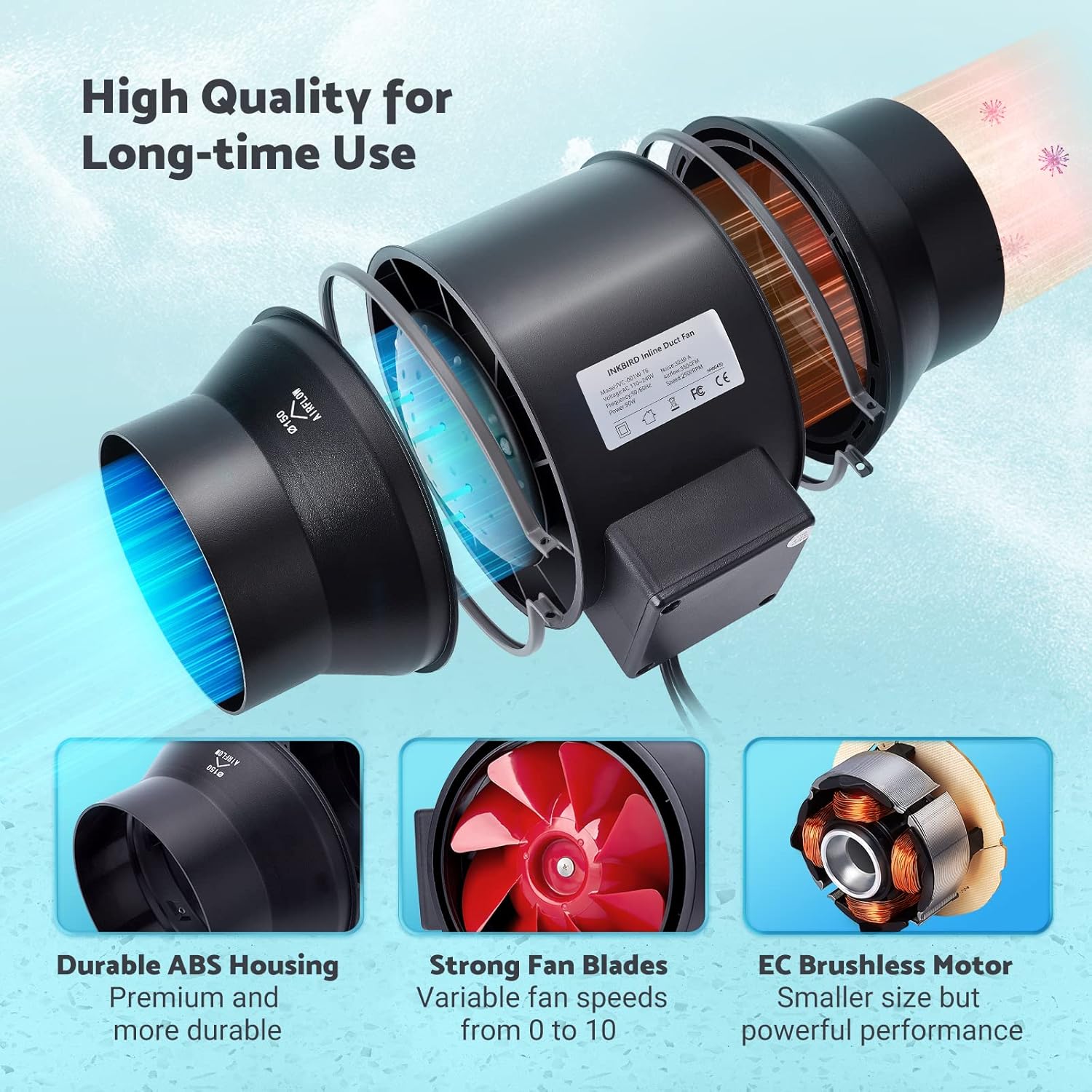
Image: The Wi-Fi enabled smart controller displaying temperature and humidity readings, with its probe connected.
Navodila za uporabo
The INKBIRD IVC-001W offers multiple operating modes for flexible environmental control.
Vmesnik krmilnika
The smart controller features a high-definition VA screen displaying current temperature, humidity, fan status, and settings. Buttons on the controller allow for direct interaction.

Slika: Podrobna view of the smart controller's screen, showing temperature, humidity, and fan speed settings, along with its physical buttons.
Načini delovanja
You can select from Automatic, Manual, or Timer modes:
- Samodejni način:
- Set desired temperature and humidity ranges.
- The fan will automatically adjust its speed (0-10) to maintain these preset conditions.
- Ideal for maintaining a consistent environment without constant manual adjustment.
- Ročni način:
- Manually set the fan speed from 0 (off) to 10 (maximum).
- The fan will operate at the selected speed until manually changed or turned off.
- Način časovnika:
- Program up to 6 individual operating times per day.
- For each time slot, you can customize the start time, running length, and fan speed.
- This mode allows for precise scheduling of ventilation cycles.

Image: Screenshot of the INKBIRD smartphone app demonstrating the Automatic Mode interface, where users can set temperature and humidity thresholds.

Image: Screenshot of the INKBIRD smartphone app demonstrating the Manual Mode interface, allowing users to set a specific fan speed.

Image: Screenshot of the INKBIRD smartphone app demonstrating the Timer Mode interface, where users can schedule multiple fan operations throughout the day.
Smart App Features
The INKBIRD app provides enhanced control and monitoring capabilities:
- Daljinski upravljalnik: Adjust settings and change modes from anywhere.
- Spremljanje: View podatki o temperaturi in vlažnosti v realnem času.
- Zgodovina: Access historical temperature and humidity data.
- Alarmi: Receive notification messages on your phone if detected temperature/humidity reaches preset alarm values.
- Otroška ključavnica: Enable the child lock function via the app or by pressing the '+' and '-' buttons simultaneously on the controller for 2 seconds to prevent unintended changes.
- ECO način: The controller supports ECO mode for power saving.
Ključne značilnosti
- Učinkovito gibanje zraka: Provides 350 CFM air volume and 2500 RPM fan speed for effective ventilation, deodorization, dehumidification, and temperature regulation.
- Tiho delovanje: Features an energy-efficient EC motor, producing only 32 dB of noise during operation (measured at 3 meters from the fan connected to a 1-meter duct).
- Spremenljiva hitrost ventilatorja: Fan speed is adjustable from 0 to 10, allowing precise control over airflow.
- Vzdržljiva konstrukcija: Built with a durable ABS housing and strong fan blades for long-term use.
- Multi-Fan Control: The smart controller can connect and control two INKBIRD fans simultaneously.
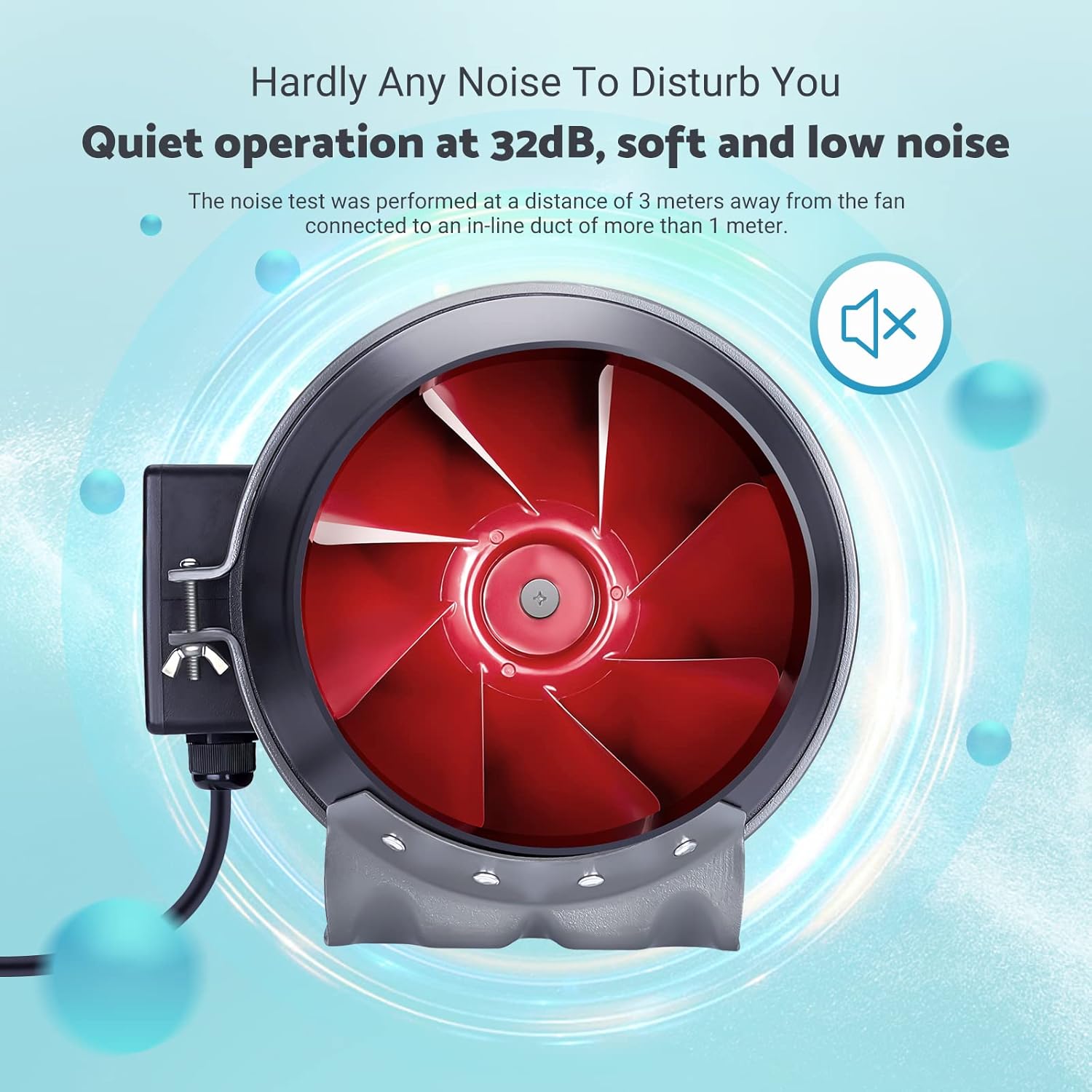
Image: The inline duct fan highlighting its multifunctional capabilities: ventilation, deodorization, humidity regulation, and temperature regulation.

Slika: Notranji view of the fan, emphasizing its quiet operation at 32 dB, with the red fan blades visible.
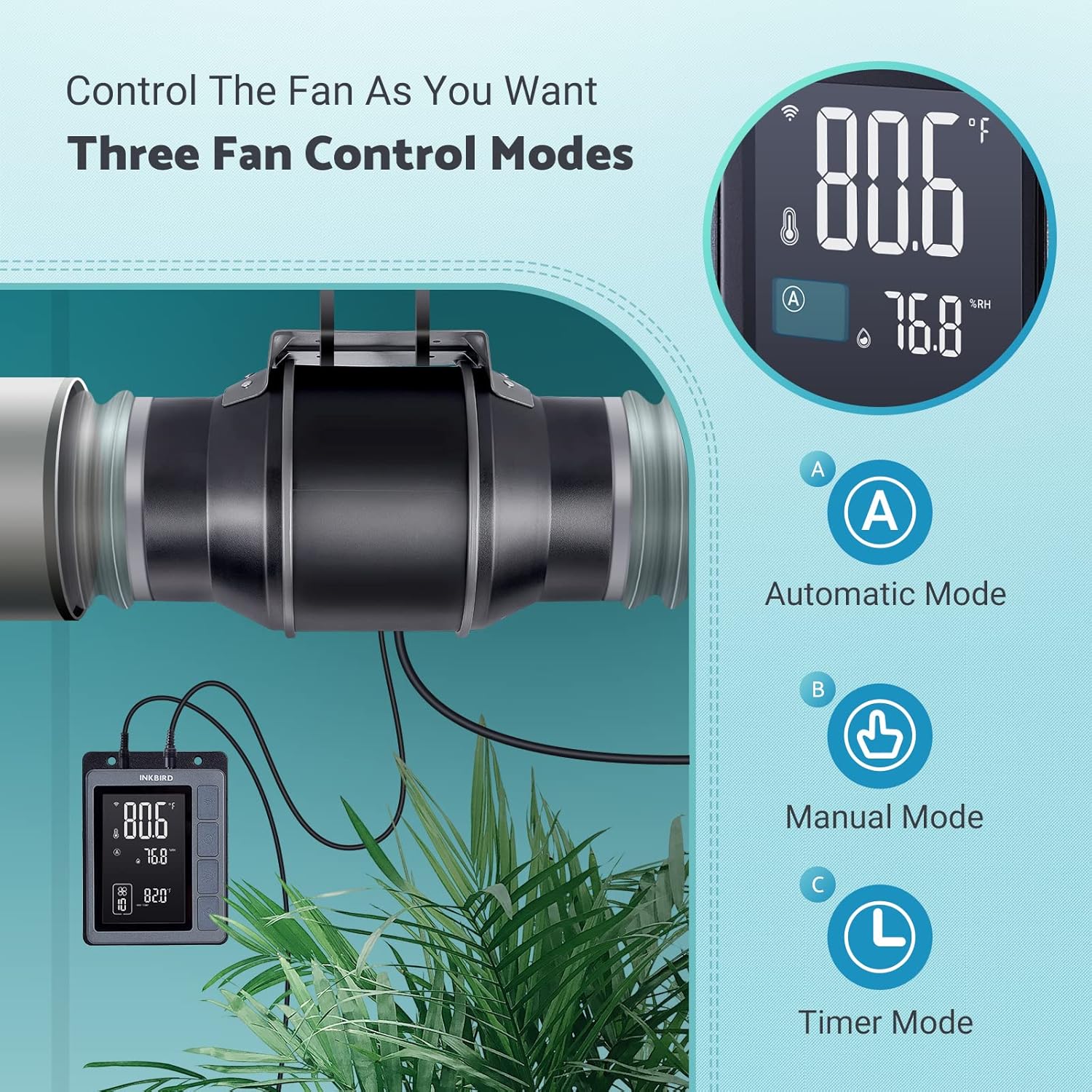
Image: An exploded diagram of the fan, highlighting its durable ABS housing, robust fan blades, and the efficient EC brushless motor.
Vzdrževanje
Regular maintenance ensures the longevity and efficiency of your INKBIRD Inline Duct Fan.
- Odklop napajanja: Always unplug the fan from the power source before performing any cleaning or maintenance.
- Čiščenje zunanjosti: Wipe the exterior of the fan and controller with a soft, damp krpo. Ne uporabljajte abrazivnih čistil ali topil.
- Čiščenje lopatic ventilatorja: Periodically inspect the fan blades for dust and debris accumulation. If necessary, carefully remove the fan from the ducting and gently clean the blades with a soft brush or cloth. Ensure no moisture enters the motor housing.
- Čiščenje sonde: Keep the temperature and humidity probe clean and free from obstructions to ensure accurate readings.
- Pregled zračnih kanalov: Regularly check the ducting for any blockages, tears, or loose connections that could impede airflow.
Odpravljanje težav
If you encounter issues with your INKBIRD Inline Duct Fan, refer to the following common problems and solutions:
| Težava | Možen vzrok | rešitev |
|---|---|---|
| Ventilator se ne vklopi. | No power supply; loose connection; child lock enabled. | Check power cord connection and outlet. Ensure fan cable is securely connected to the controller. Disable child lock via app or controller buttons. |
| Ventilator deluje, vendar je pretok zraka šibek. | Ducting blockage; fan speed set too low; air leaks in ducting. | Inspect ducting for obstructions. Increase fan speed setting. Check duct connections for leaks and seal if necessary. |
| Netočne meritve temperature/vlažnosti. | Probe is dirty or obstructed; probe is placed in an unsuitable location. | Clean the probe. Relocate the probe to an area that accurately represents the environment you wish to monitor. |
| Težave z Wi-Fi povezavo. | Napačno geslo za Wi-Fi; usmerjevalnik predaleč; omrežne motnje. | Verify Wi-Fi password. Move controller closer to the router. Restart router and controller. Ensure 2.4GHz Wi-Fi network is used. |
| Ventilator je hrupen. | High fan speed; loose mounting; debris in fan blades. | Reduce fan speed. Ensure the fan is securely mounted. Disconnect power and inspect/clean fan blades. |
Specifikacije
| Funkcija | Podrobnost |
|---|---|
| Znamka | Inkbird |
| Model | IVC-001W |
| Premer ventilatorja | 15CM (6-inch) |
| Prostornina zraka | 350 CFM |
| Hitrost ventilatorja | 2500 vrt/min (največ) |
| Nivo hrupa | 32 dB (at 3 meters) |
| voltage | 24 V |
| Wattage | 50 W |
| Vir napajanja | Električni na kabel |
| Material | Plastic (ABS Housing) |
| Vrsta namestitve | Stenski nosilec |
| Posebne lastnosti | Timer, Wi-Fi Smart Controller, Temperature & Humidity Control, Child Lock, ECO Mode |
| Dolžina napajalnega kabla | 150 cm (59 palcev) |
| Fan to Controller Cord Length | 240 cm (94.5 palcev) |
| Dolžina sonde | 250 cm (98.43 palcev) |
| Dimenzije izdelka | 35 D x 26.7 Š x 28 V centimetrov |

Image: A technical diagram illustrating the dimensions of the inline duct fan, smart controller, and the temperature/humidity probe, including cable lengths.
Garancija in podpora
The INKBIRD IVC-001W Inline Duct Fan comes with a 2-letna garancija od datuma nakupa.
For technical support, warranty claims, or further assistance, please contact INKBIRD customer service through their official webspletnega mesta ali kontaktnih podatkov, ki so navedeni na embalaži izdelka.
Obiščete lahko tudi Trgovina Inkbird na Amazonu za več informacij o izdelku in vire podpore.


