1. Uvod
This manual provides detailed instructions for the setup, operation, and maintenance of your ORIA Digital Alarm Clock (Model OUS-HY-WA109B). Please read this manual thoroughly before using the product to ensure proper function and safety.
1.1 Vsebina paketa
- ORIA Digital Alarm Clock (Model OUS-HY-WA109B)
- USB napajalni kabel
- Uporabniški priročnik

Figure 1: Package contents including the ORIA Digital Alarm Clock, USB cable, and user manual.
2. Varnostne informacije
- Naprave ne izpostavljajte ekstremnim temperaturam, neposredni sončni svetlobi ali visoki vlažnosti.
- Napravo hranite ločeno od vode ali drugih tekočin.
- Use only the provided USB cable or a certified equivalent for power.
- Naprave ne poskušajte sami razstaviti ali popraviti. Za pomoč se obrnite na podporo strankam.
- Baterije zavrzite v skladu z lokalnimi predpisi.
3. Nastavitev
3.1 Napajanje naprave
The ORIA Digital Alarm Clock offers dual power options:
- DC Cable Power (Recommended): Connect the provided USB power cable to the DC 5V port on the back of the clock and plug the other end into a USB power adapter (not included) or a USB port. The display will remain continuously on.
- Battery Power (Backup/Power Saving Mode): Insert 3 AAA batteries (not included) into the battery compartment on the back of the clock. In battery mode, the screen will automatically turn off after 8 seconds to conserve power. Touch the top button to wake up the screen for 8 seconds.
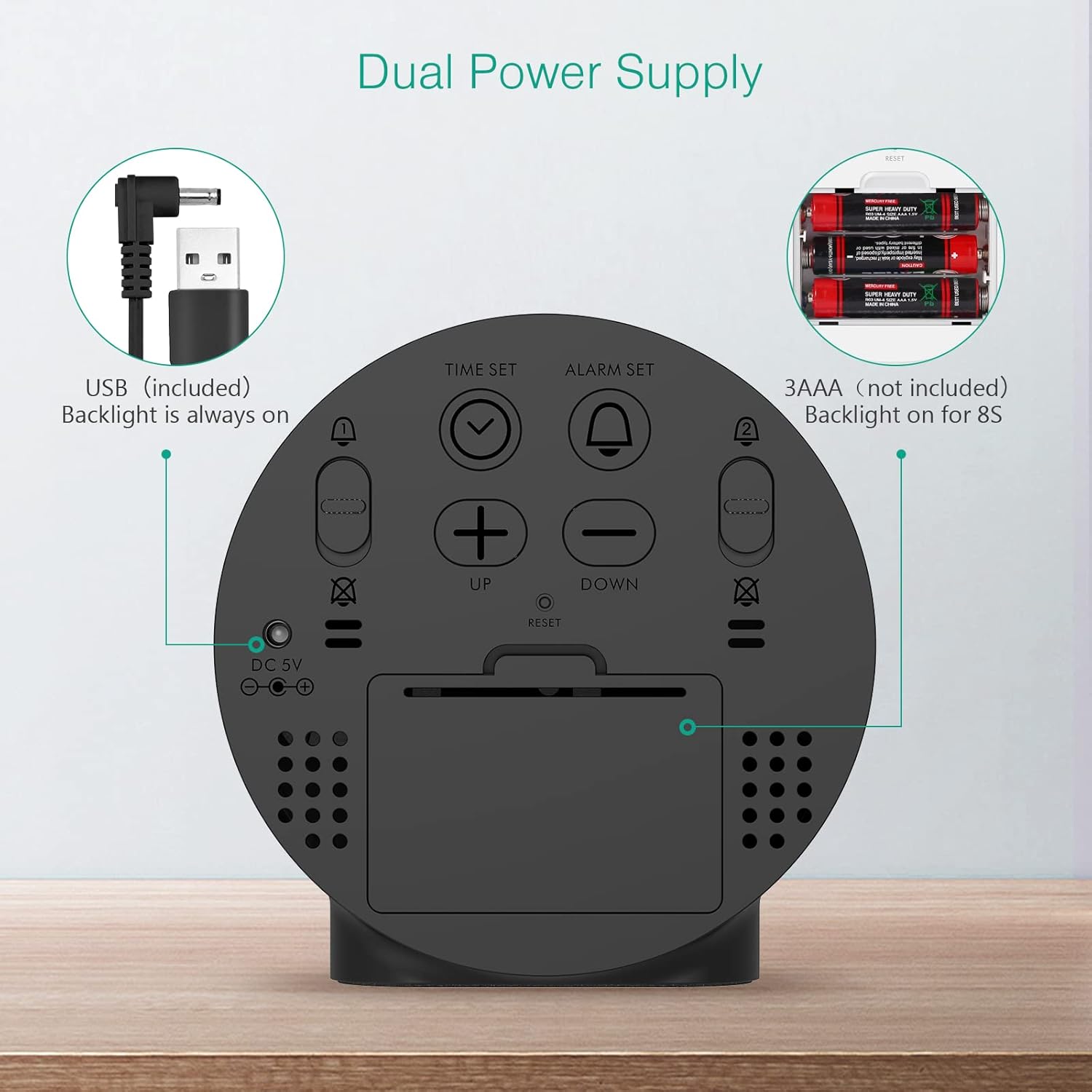
Figure 2: Back panel illustrating the USB power input and battery compartment for dual power supply.
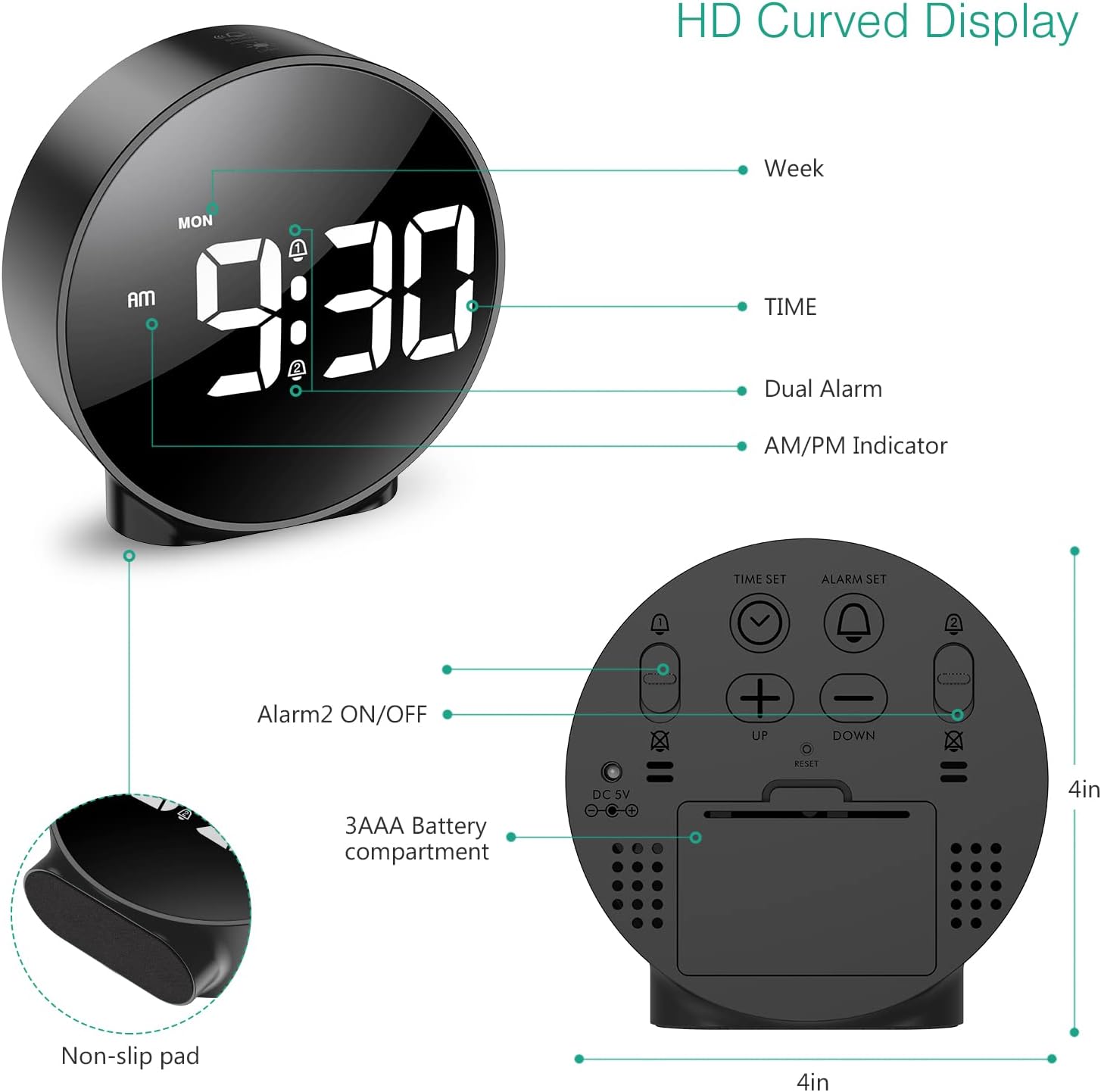
Slika 3: Podrobno view of the clock's back panel, highlighting the DC 5V input, battery compartment, and control buttons.
4. Navodila za uporabo
4.1 Setting the Time (12/24Hr Format)
- Pritisnite in držite ČAS NAST button on the back of the clock for 3 seconds to enter time setting mode. The hour digits will start flashing.
- Uporabite UP or DOL gumbi za nastavitev ure.
- Pritisnite ČAS NAST ponovno pritisnite, da potrdite uro in se premaknete na nastavitev minut. Številke minut bodo utripale.
- Uporabite UP or DOL gumbe za nastavitev minut.
- Pritisnite ČAS NAST again to confirm the minute and exit time setting mode.
- Za preklop med 12-urnim in 24-urnim formatom časa pritisnite 12/24H gumb.
4.2 Nastavitev alarmov (dvojni alarmi)
The clock supports two independent alarms (Alarm 1 and Alarm 2) with 5 alarm modes.
- Pritisnite in držite ALARM NASTAVLJEN gumb (za alarm 1) ali ALARM 2 VKLOP/IZKLOP button (for Alarm 2) for 3 seconds to enter alarm setting mode. The hour digits will flash.
- Uporabite UP or DOL gumbe za nastavitev ure budilke.
- Pritisnite ustrezno ALARM NASTAVLJEN or ALARM 2 VKLOP/IZKLOP Ponovno pritisnite gumb , da potrdite uro in se premaknete na nastavitev minut. Številke minut bodo utripale.
- Uporabite UP or DOL gumbe za nastavitev minute alarma.
- Pritisnite ustrezno ALARM NASTAVLJEN or ALARM 2 VKLOP/IZKLOP button again to confirm the minute and select the alarm mode. The display will show the current mode (e.g., "1-1" for one day).
- Uporabite UP or DOL buttons to cycle through the 5 alarm modes:
- 1-1: Alarm sounds once.
- 1-5: Alarm se oglaša od ponedeljka do petka.
- 1-6: Alarm sounds Monday to Saturday.
- 1-7: Alarm sounds Monday to Sunday.
- 6-7: Alarm sounds Saturday to Sunday.
- Pritisnite ustrezno ALARM NASTAVLJEN or ALARM 2 VKLOP/IZKLOP button one last time to confirm the alarm mode and exit alarm setting.
- To turn an alarm ON or OFF, short press the respective ALARM NASTAVLJEN or ALARM 2 VKLOP/IZKLOP gumb. Ko je aktiviran, se na zaslonu prikaže ikona alarma.
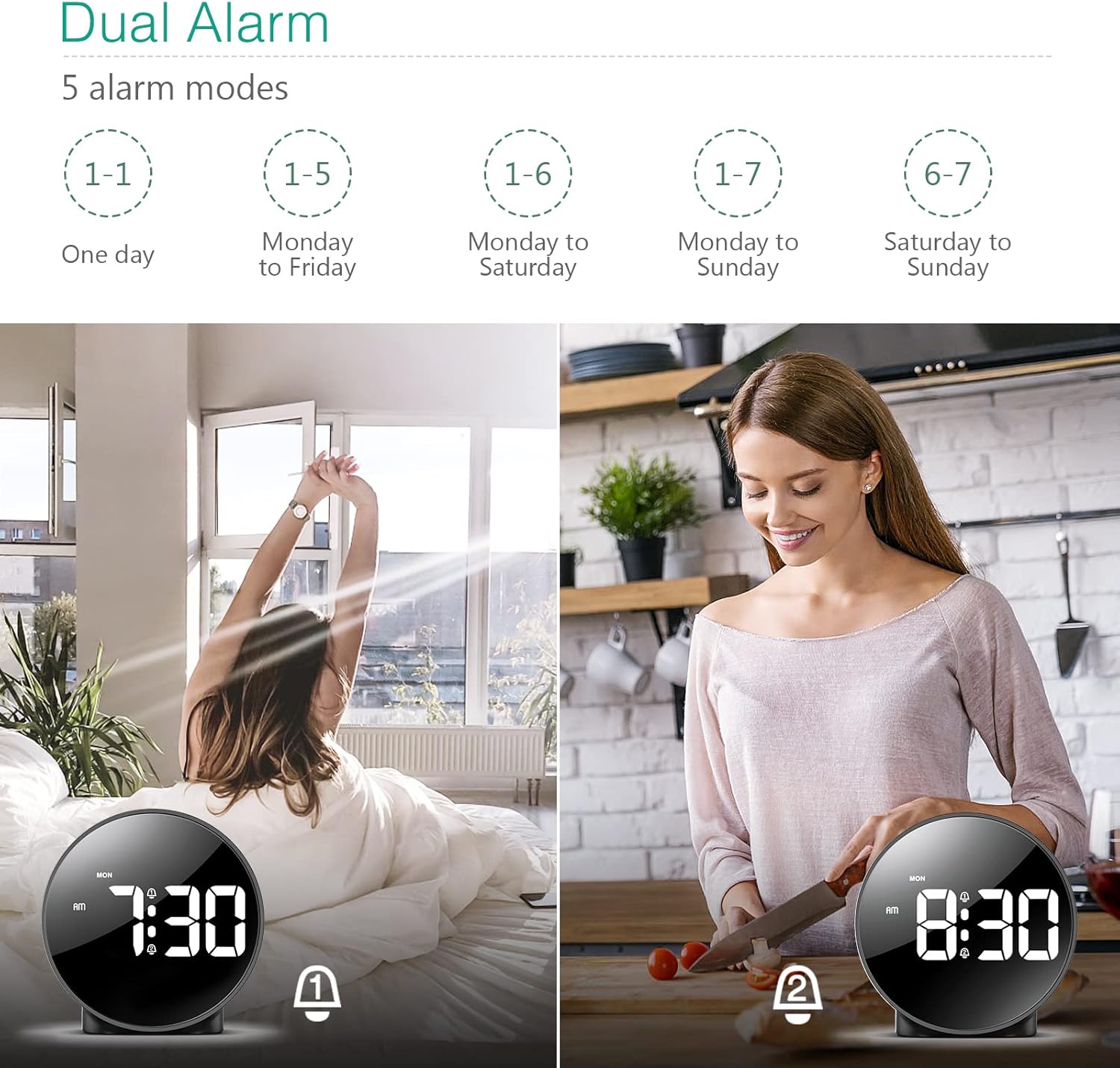
Figure 4: Illustration of the dual alarm functionality with various scheduling modes.
4.3 Funkcija dremeža
Ko se oglasi alarm, pritisnite veliko SNOOZE / LUČ button on the top of the clock to activate the snooze function. The alarm will pause for 5 minutes and then sound again. You can repeat this process multiple times.

Figure 5: Activating the snooze function by touching the top of the clock.
4.4 Prilagoditev svetlosti
The clock features 4 levels of adjustable brightness. Short press the SNOOZE / LUČ button on the top of the clock to cycle through the brightness levels (100%, 80%, 60%, and 0% (off)).

Figure 6: Visual representation of the four adjustable brightness levels of the clock display.
4.5 Poletni čas (DST)
The clock supports Daylight Saving Time adjustment. Refer to the included mini-manual for specific instructions on how to activate or deactivate DST.
5. Lastnosti
- HD LED zaslon: Large, high-definition curved display for clear time reading.
- Dual Alarms with 5 Modes: Set two independent alarms with flexible scheduling options (one-day, weekdays, weekends, or every day).
- Nastavljiva svetlost: Four levels of display brightness, including an off mode, to suit various environments and preferences.
- Funkcija dremeža: Z enim samim dotikom si zagotovite dodatnih 5 minut spanja.
- 12/24-urni format: Easily switch between standard and military time displays.
- Dvojno napajanje: Operates via USB cable for continuous display or AAA batteries for power-saving mode (display turns off after 8 seconds).
- Kompaktna zasnova: Suitable for various locations such as bedrooms, living rooms, offices, or for travel.
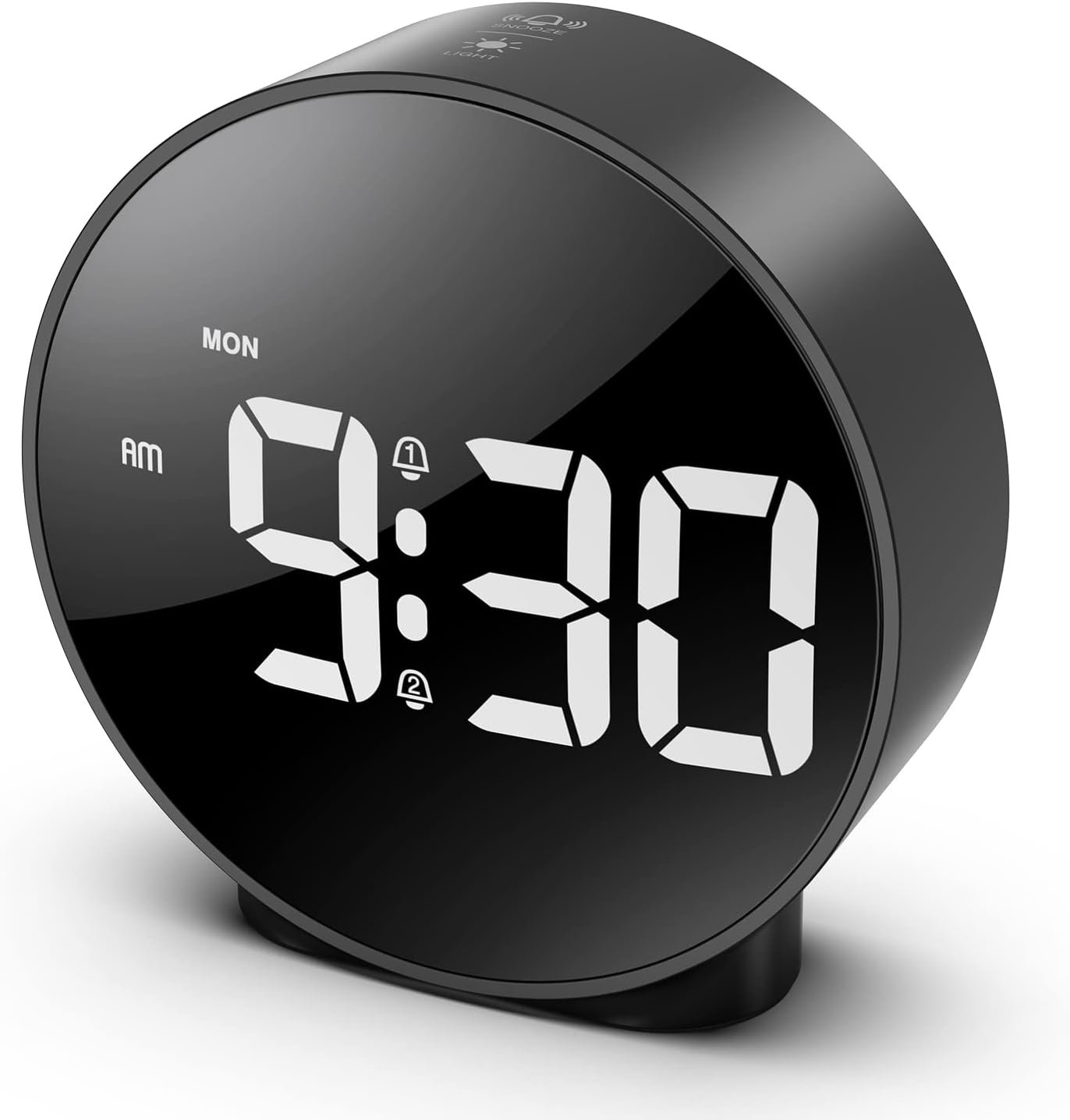
Figure 7: The ORIA Digital Alarm Clock showcasing its clear HD LED display.
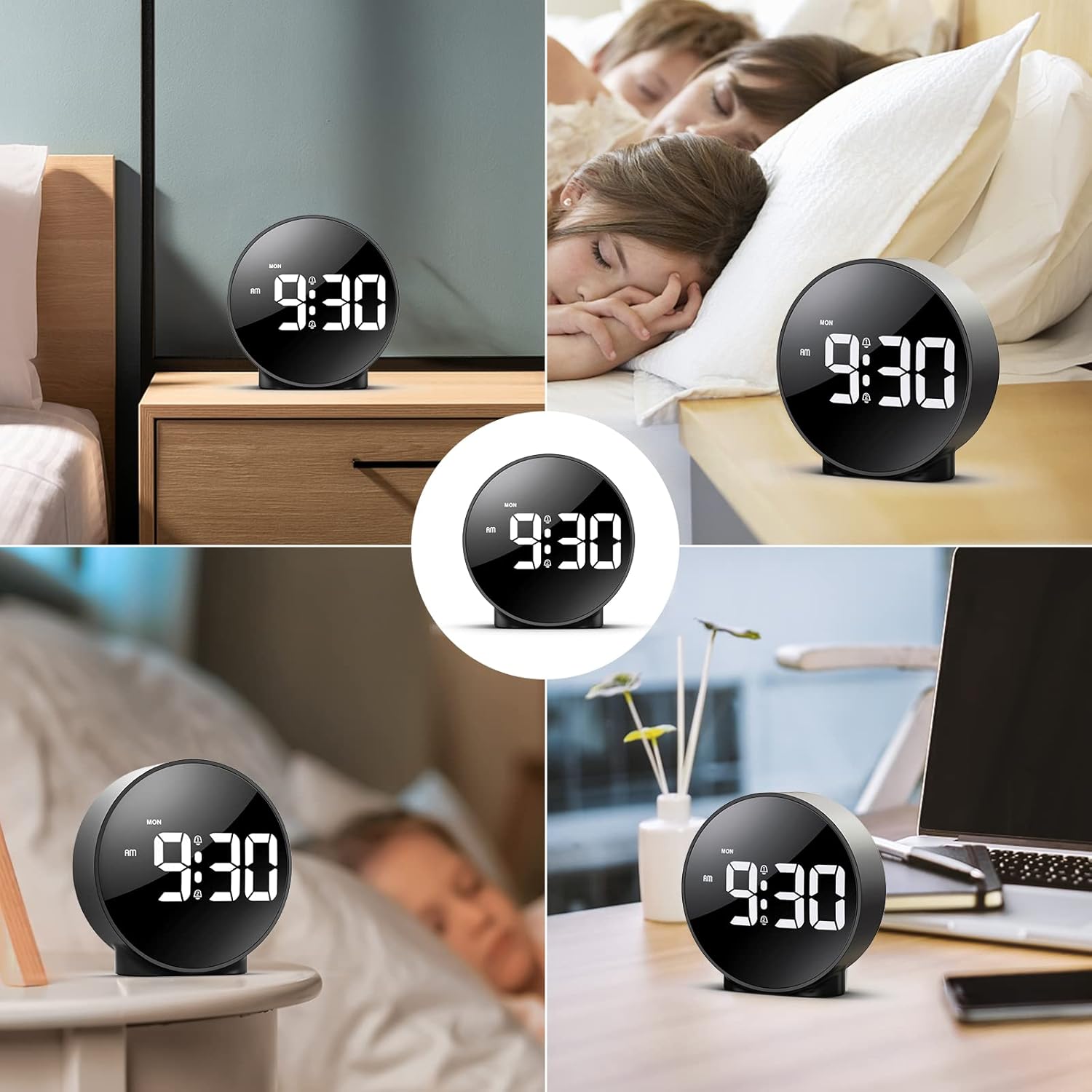
Figure 8: The versatile ORIA Digital Alarm Clock integrated into different environments like a bedroom, office, and living room.
6. Vzdrževanje
- Uro očistite z mehko, suho krpo. Ne uporabljajte abrazivnih čistil ali topil.
- Če naprave dalj časa ne uporabljate, odstranite baterije, da preprečite puščanje.
7. Odpravljanje težav
- Display is off in battery mode: This is normal for power saving. Touch the top button to activate the display for 8 seconds. For continuous display, use the USB power cable.
- Gumbi se ne odzivajo: Try resetting the clock by pressing the small PONASTAVI button located on the back panel using a thin object (e.g., a paperclip).
- Alarm se ne oglasi: Ensure the alarm is activated (alarm icon visible on display) and the volume is not set to zero.
- Napačen čas/datum: Re-enter time setting mode and adjust the time and date as per Section 4.1.
8. Specifikacije
| Znamka | ORIA |
| Številka modela | OUS-HY-WA109B |
| barva | Black Case & White Digit |
| Vrsta zaslona | Digitalna LED |
| Dimenzije izdelka | 4.29 cm Š x 4.8 cm V |
| Teža predmeta | 5.9 unč (0.17 kilograma) |
| Vir napajanja | Corded Electric & Battery Powered (3x AAA, not included) |
| Material | Plastika |
| Posebne lastnosti | Alarm, LED Display, Adjustable Brightness, Dual Alarms, Snooze |
9. Garancija in podpora
- 1-letna garancija: Za izdelek velja 1-letna omejena garancija.
- 90-Day Free Replacements: Enjoy free replacements for eligible issues within 90 days of purchase.
- 30-dnevno brezplačno vračilo: Returns are accepted within 30 days of purchase.
- 24/7 podpora strankam: For any inquiries or assistance, please contact ORIA customer support.
- Doživljenjska tehnična podpora: Izkoristite doživljenjsko tehnično podporo za svoj izdelek.
Za dodatno pomoč obiščite ORIA Store on Amazon.


