1. Uvod
Thank you for choosing the realme TechLife Portable Room Air Purifier. This manual provides essential information for the safe and efficient operation, maintenance, and troubleshooting of your device. Please read this manual thoroughly before use and retain it for future reference.
2. Varnostna navodila
Za zmanjšanje tveganja električnega udara, požara ali poškodb upoštevajte naslednje varnostne ukrepe:
- Pred čiščenjem, vzdrževanjem ali ko čistilnika zraka ne uporabljate, ga vedno izključite iz električnega omrežja.
- Naprave ne uporabljajte s poškodovanim kablom ali vtičem. Če je kabel ali vtič poškodovan, se obrnite na podporo strankam.
- Ne blokirajte dovodnih ali odvodnih odprtin za zrak. Zagotovite dovolj prostora okoli enote za pravilen pretok zraka.
- Čistilnika zraka ne uporabljajte v mokrih ali damp okoljih, kot so kopalnice ali pralnice.
- Napravo hranite stran od virov toplote, neposredne sončne svetlobe in vnetljivih materialov.
- Ta naprava ni namenjena uporabi s strani oseb (vključno z otroki) z zmanjšanimi fizičnimi, senzoričnimi ali duševnimi sposobnostmi ali s pomanjkanjem izkušenj in znanja, razen če jih oseba, ki je odgovorna za njihovo varnost, nadzoruje ali jim daje navodila glede uporabe naprave.
- Only use genuine realme replacement filters.
3. Vsebina paketa
Preverite, ali so v paketu prisotni vsi elementi:
- realme TechLife Portable Room Air Purifier Unit
- HEPA H12 Filter (pre-installed or separate)
- Napajalni adapter
- Uporabniški priročnik
4. Izdelek je končanview
4.1 Komponente
The image below illustrates the main components of the realme TechLife Portable Room Air Purifier.
Slika 1: Spredaj view of the realme TechLife Portable Room Air Purifier. The unit is white with a sleek, minimalist design.
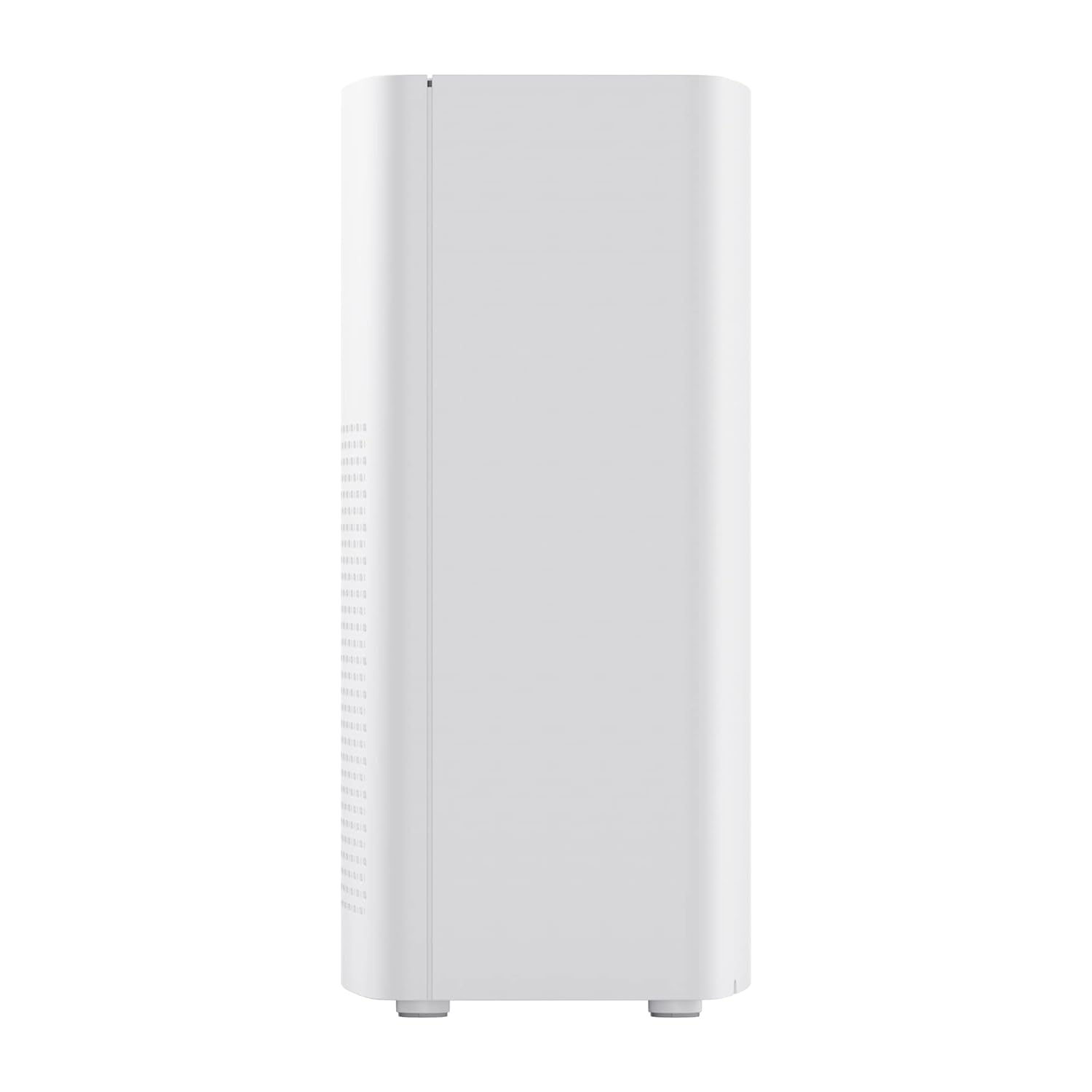
Slika 2: stran view of the realme TechLife Portable Room Air Purifier, showing its compact and lightweight profile.
4.2 Nadzorna plošča
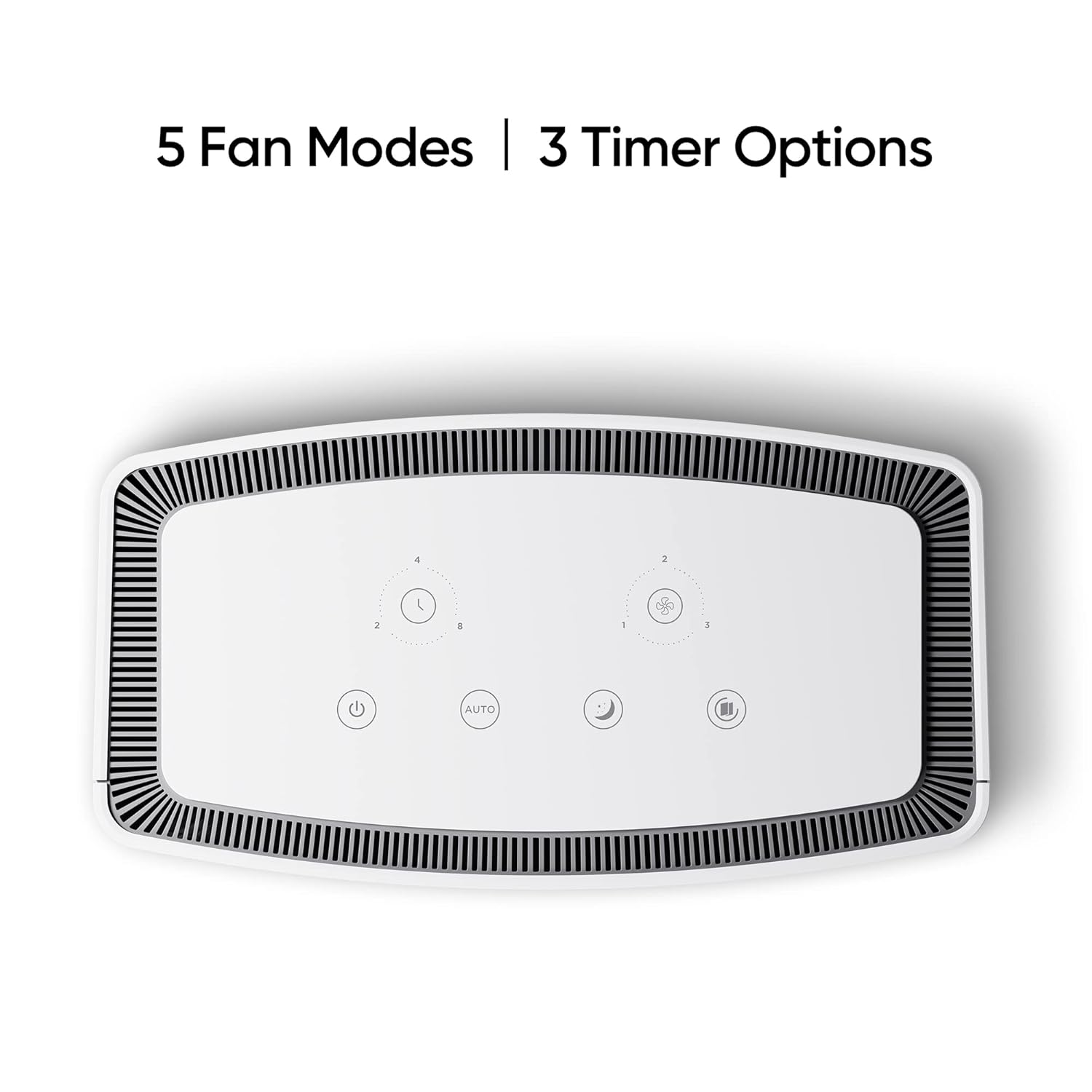
The control panel is located on the top of the air purifier and features touch-sensitive buttons for various functions.

Slika 3: Od zgoraj navzdol view of the control panel, displaying touch buttons for power, auto mode, sleep mode, fan speed, and timer settings.
- Gumb za vklop: Vklopi ali izklopi enoto.
- AUTO Mode Button: Activates automatic fan speed adjustment based on air quality.
- Gumb za način mirovanja: Sets the fan to its lowest speed for quiet operation.
- Gumb za hitrost ventilatorja: Cycles through manual fan speed settings (e.g., Level 1, 2, 3).
- Gumb časovnika: Nastavi trajanje delovanja (npr. 2, 4, 8 ur).
- Kazalnik kakovosti zraka: Displays current air quality (color-coded).
5. Nastavitev
5.1 Namestitev filtra
The HEPA filter may be pre-installed or require installation before first use.
- Unpack the air purifier and place it on a stable, flat surface.
- Locate the filter compartment cover, usually at the bottom or rear of the unit.
- Open the cover and remove any plastic packaging from the HEPA filter.
- Vstavite filter v predal in se prepričajte, da je pravilno nameščen.
- Pokrov predala za filter trdno zaprite.
5.2 Namestitev
For optimal performance, place the air purifier in a location with good air circulation, away from walls or furniture that might obstruct airflow. Avoid placing it near windows or vents.
5.3 Napajalni priključek
Connect the power adapter to the air purifier's power port, then plug the adapter into a standard electrical outlet.
6. Navodila za uporabo
6.1 Vklop/izklop
Pritisnite Gumb za vklop once to turn the air purifier on. Press it again to turn the unit off.
6.2 Fan Speed Modes
- SAMODEJNI način: Pritisnite gumb AUTO. The purifier will automatically adjust its fan speed based on the detected air quality.
- Spanje: Pritisnite Gumb za način mirovanja. The fan operates at its lowest speed for quiet purification, ideal for nighttime use.
- Ročna hitrost ventilatorja: Pritisnite Gumb za hitrost ventilatorja repeatedly to cycle through different fan speed levels (e.g., Level 1, Level 2, Level 3).
6.3 nastavitve časovnika
Pritisnite Gumb časovnika repeatedly to set the desired operating duration (e.g., 2 hours, 4 hours, 8 hours). The unit will automatically turn off after the set time expires.
6.4 Indikator kakovosti zraka
The air quality indicator light changes color to reflect the current air quality:
- zelena: Dobra kakovost zraka
- Rumena/oranžna: Zmerna kakovost zraka
- Rdeča: Slaba kakovost zraka
7. Vzdrževanje
7.1 Zamenjava filtra
The HEPA filter has a limited lifespan and needs regular replacement to maintain purification efficiency. The filter life depends on usage and air quality. A filter replacement indicator light will typically illuminate when replacement is due.
- Odklopite čistilec zraka iz vtičnice.
- Odprite pokrov predala za filter.
- Odstranite stari filter in ga pravilno zavrzite.
- Insert a new, genuine realme HEPA H12 replacement filter.
- Pokrov predala za filter trdno zaprite.
- Plug in the air purifier and reset the filter life indicator (refer to specific model instructions if available, usually by pressing and holding the filter button for a few seconds).
Note: Replacement filters may need to be purchased separately. Ensure availability of replacement filters for continued use of the product.
7.2 Čiščenje enote
Regular cleaning helps maintain performance and appearance.
- Zunanjost enote obrišite z mehko, suho krpo.
- Ne uporabljajte abrazivnih čistil, voskov ali topil.
- Nežno posesajte rešetke za dovod in odvod zraka, da odstranite nakopičen prah.
8. Odpravljanje težav
Če imate težave s čistilnikom zraka, si oglejte spodnjo tabelo za pogoste težave in rešitve.
| Težava | Možen vzrok | rešitev |
|---|---|---|
| Enota se ne vklopi | No power supply; Power adapter not connected; Unit damaged. | Check power cord and outlet; Ensure adapter is securely connected; Contact customer support if damaged. |
| Šibek pretok zraka | Air inlets/outlets blocked; Filter clogged; Filter not installed correctly. | Clear obstructions; Replace filter; Reinstall filter correctly. |
| Nenavaden hrup | Foreign object inside; Unit not on a flat surface; Filter not seated correctly. | Unplug and check for obstructions; Place on a stable surface; Reinstall filter. |
| Air quality indicator always red/orange | High pollution level; Sensor dirty; Sensor malfunction. | Allow more time for purification; Clean the sensor area (if accessible); Contact customer support. |
If the problem persists after trying these solutions, please contact realme customer support.
9. Specifikacije
Technical specifications for the realme TechLife Portable Room Air Purifier:
| Funkcija | Specifikacija |
|---|---|
| Znamka | realme |
| Model | TechLife Portable Room Air Purifier |
| barva | Bela |
| Vrsta filtra | HEPA H12 |
| Contaminant Filtration | 99.97 % |
| Vrsta krmilnika | Nadzor na dotik |
| Posebne lastnosti | High Precision Air Quality Sensor, Lightweight |
| Teža predmeta | 5 kg 780 g |
| Vir napajanja | Battery Powered (Please refer to product label for specific power input) |
10. Garancija in podpora
The realme TechLife Portable Room Air Purifier comes with a limited warranty. Please refer to the warranty card included with your product for detailed terms and conditions, including warranty period and coverage.
For technical support, service, or to purchase genuine replacement parts and filters, please visit the official realme website or contact realme customer service through the contact information provided in your warranty documentation.
Račun shranite kot dokazilo o nakupu za uveljavljanje garancije.


