1. Uvod
This manual provides instructions for the LogiLink ID0209 Wireless Keyboard. This keyboard is designed for comfortable, precise, and quiet typing, featuring an adjustable RGB backlight and a long-lasting battery. It connects wirelessly via 2.4 GHz radio technology and is compatible with various operating systems.

Figure 1: LogiLink ID0209 Wireless Keyboard
2. Vsebina paketa
Prosimo, preverite paket za naslednje artikle:
- LogiLink ID0209 Wireless Keyboard
- USB 2.4 GHz Receiver Dongle
- USB-A to Micro USB Charging Cable
- Uporabniški priročnik (ta dokument)
3. Nastavitev
3.1 Polnjenje tipkovnice
Before initial use, fully charge the keyboard. Connect the supplied USB-A to Micro USB cable to the keyboard's Micro USB port (located on the side) and the other end to a USB power source (e.g., computer USB port, USB wall adapter).
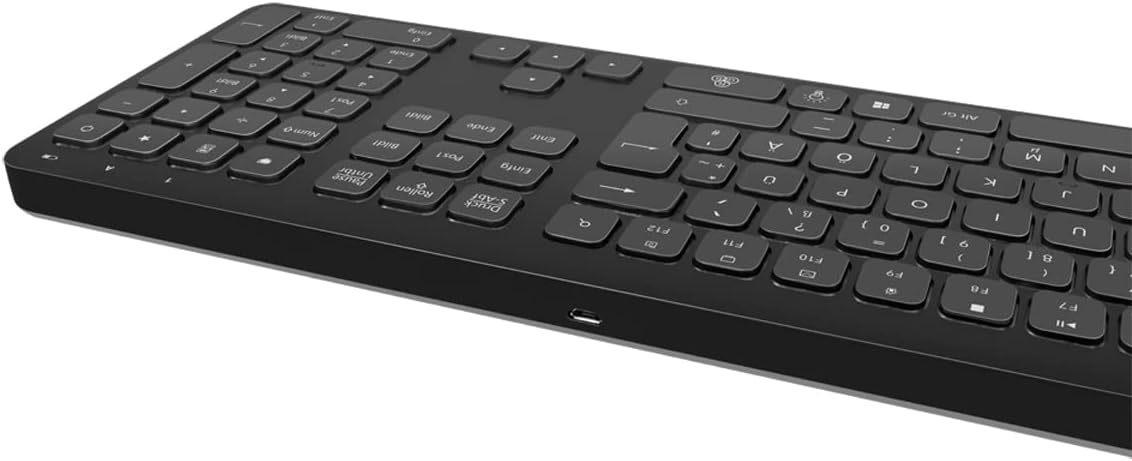
Slika 2: Stran s tipkovnico view with Micro USB charging port
3.2 Connecting the USB Receiver Dongle
Insert the 2.4 GHz USB receiver dongle into an available USB port on your computer or compatible device. The system will automatically detect and install the necessary drivers.

Figure 3: USB 2.4 GHz Receiver Dongle
3.3 Vklop/izklop
Locate the ON/OFF switch on the back of the keyboard. Slide the switch to the 'ON' position to power on the keyboard. Slide it to 'OFF' when not in use to conserve battery life.
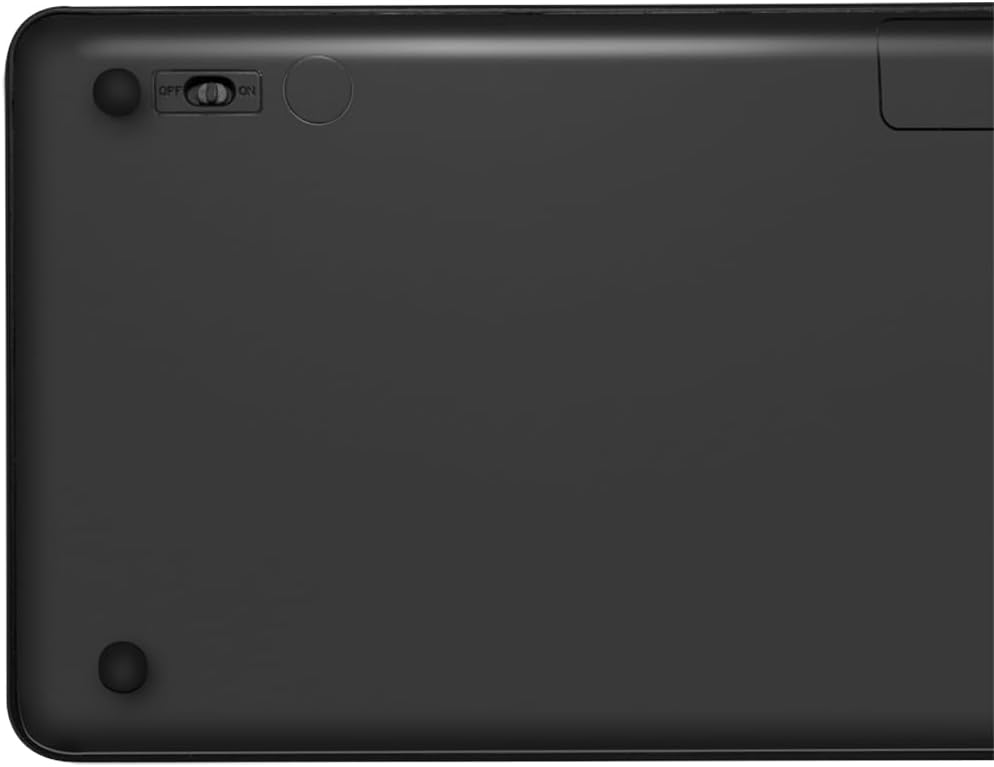
Figure 4: Keyboard back with ON/OFF switch
The keyboard should automatically connect to the USB receiver once both are powered on and within range (up to 10 meters).
4. Navodila za uporabo
4.1 Nadzor osvetlitve ozadja
The keyboard features an adjustable RGB backlight with 7 colors and 3 brightness levels, including a breathing mode.
- Spreminjanje barv: Pritisnite Fn + tipka za žarnico to cycle through the 7 available colors (green, blue, yellow, purple, cyan, white, red).
- Prilagoditev svetlosti: Pritisnite Fn + Up Arrow key za povečanje svetlosti in Fn + Down Arrow key za zmanjšanje svetlosti. Na voljo so 3 stopnje svetlosti.
- Način dihanja: Pritisnite Fn + RGB Cycle key (often depicted as a swirling icon) to activate or deactivate the breathing backlight mode.

Figure 5: Keyboard with RGB backlight in use
4.2 bližnjičnih tipk
The keyboard includes 17 shortcut keys for quick access to various functions. Some shortcut keys are specifically designed for Windows operating systems.
To use a shortcut key, press and hold the Fn key, then press the desired function key (e.g., F1-F12, multimedia keys).
- Večpredstavnostne kontrole: Play/Pause, Stop, Previous Track, Next Track, Volume Up, Volume Down, Mute.
- Produktivnost: Open Mail, Web Browser, My Computer, Search.
- drugo: Lock Screen, Calculator.

Figure 6: Close-up of keyboard keys, including numpad and function row
4.3 Automatic Energy-Saving Mode
The keyboard is equipped with an automatic energy-saving mode. After a period of inactivity, the keyboard will enter a sleep state to conserve battery. Press any key to wake it up.
5. Vzdrževanje
Za zagotovitev dolge življenjske dobe in optimalnega delovanja tipkovnice upoštevajte ta navodila za vzdrževanje:
- Čiščenje: Za brisanje površine tipkovnice uporabite mehko, suho krpo, ki ne pušča vlaken. Za trdovratno umazanijo rahlo obrišiteampkrpo obrišite z vodo ali blago čistilno raztopino. Izogibajte se prekomerni vlagi.
- Shranjevanje: Tipkovnico shranjujte na hladnem in suhem mestu, stran od neposredne sončne svetlobe in ekstremnih temperatur.
- Izogibajte se tekočinam: Do not expose the keyboard to liquids. In case of accidental spills, immediately power off the keyboard and allow it to dry completely before use.
- Ravnajte previdno: Pazite, da vam tipkovnica ne pade na tla ali da je ne izpostavljate močnim udarcem.
6. Odpravljanje težav
If you encounter issues with your LogiLink ID0209 keyboard, refer to the following common problems and solutions:
| Težava | Možen vzrok | rešitev |
|---|---|---|
| Tipkovnica se ne odziva | Keyboard is off Nizka baterija USB sprejemnik ni povezan Izven dosega | Ensure keyboard is ON Napolnite tipkovnico Plug USB receiver firmly into a working USB port Move keyboard closer to the receiver (within 10m) |
| Osvetlitev ozadja ne deluje | Osvetlitev ozadja je izklopljena Nizka baterija | Press Fn + Light Bulb key to turn on/cycle Napolnite tipkovnico |
| Tipke so lepljive ali se ne odzivajo | Umazanija ali ostanki pod ključi | Clean the keyboard as per maintenance instructions |
| Povezava pogosto prekinja | Motnje Izven dosega Nizka baterija | Odmaknite se od drugih brezžičnih naprav Move keyboard closer to the receiver Napolnite tipkovnico |
7. Specifikacije
| Funkcija | Podrobnost |
|---|---|
| Znamka | LogiLink |
| Številka modela | ID0209 |
| Tehnologija povezljivosti | 2.4 GHz Wireless (High-frequency) |
| Brezžično Domet | Do 10 metre |
| Število ključev | 111 ključev |
| Bližnjične tipke | 17 (some Windows-specific) |
| Osvetlitev ozadja | Adjustable RGB (7 colors, 3 brightness levels, breathing mode) |
| Vrsta ključa | Flat keys |
| Združljive naprave | Windows, Mac OS, Android, iOS, Smart TV systems |
| Posebne lastnosti | Ergonomic, Backlit, Automatic Energy-Saving Mode |
| Vrata za polnjenje | mikro USB |
| barva | Črna |
| Material | Plastika |
| Proizvajalec | 2direct GmbH |
| Država izvora | Kitajska |
8. Garancija in podpora
For warranty information and technical support, please refer to the documentation provided with your purchase or visit the official LogiLink webspletnega mesta. Shranite dokazilo o nakupu za uveljavljanje garancije.


