1. Uvod
This manual provides comprehensive instructions for the setup, operation, maintenance, and troubleshooting of your Star Micronics BSH-HR2081BT Wireless Bluetooth 1D/2D Barcode Scanner. Designed for efficiency and durability, this scanner is a reliable solution for various point-of-sale and inventory management applications.
The BSH-HR2081BT scanner is equipped with a high-power CPU, enabling it to effortlessly capture high-density, high-volume, and even distorted barcodes from both printed materials and digital screens. Its robust design, coupled with advanced wireless capabilities, ensures seamless integration into your workflow.
2. Ključne značilnosti
- Visoko zmogljivo skeniranje: Powerful CPU captures high-density, high-volume, and distorted 1D/2D barcodes on paper or screen.
- Podaljšana življenjska doba baterije: Offers up to 12 hours of continuous operation (one scan every six seconds) with its 2200mAh battery.
- Vsestranska povezljivost: Connects directly to the host device via Bluetooth Low Energy (BLE) or wirelessly to a Star printer using the included USB dongle.
- Reliable Wireless Range: Maintains a stable wireless connection to transmit data, with communication distances up to 50 meters (approximately 164 feet).
- Vzdržljiva konstrukcija: Features an IP42-rated design and a drop-resistant housing, capable of withstanding drops from up to 1.2 meters (approximately 4 feet).
3. Navodila za namestitev
3.1. Razpakiranje in prvi pregled
Previdno vzemite vse komponente iz embalaže. Preverite, ali so prisotni naslednji elementi:
- Star Micronics BSH-HR2081BT Barcode Scanner
- USB polnilni kabel
- USB Dongle (for wireless connection to Star printers)
- Stojalo za skener

Figure 3.1: Barcode scanner and its USB dongle.
3.2. Polnjenje skenerja
Before first use, fully charge the scanner. Connect the USB charging cable to the scanner's charging port (located at the bottom of the handle) and plug the other end into a USB power adapter (not included) or a computer's USB port. The charging indicator light will show the charging status.

Figure 3.2: USB charging port at the base of the scanner handle.
3.3. Priključitev skenerja
The BSH-HR2081BT scanner offers two primary connection methods:
3.3.1. Bluetooth Connection (Direct to Host Device)
- Prepričajte se, da je skener vklopljen.
- On your host device (smartphone, tablet, or computer), enable Bluetooth.
- Iskanje available Bluetooth devices. The scanner should appear as "Star Micronics BSH-HR2081BT" or similar.
- Izberite optični bralnik, ki ga želite seznaniti. Za dokončanje postopka seznanjanja sledite navodilom na zaslonu.
3.3.2. Wireless Connection (via USB Dongle to Star Printer)
- Insert the provided USB dongle into an available USB port on your compatible Star printer (e.g., mC-Print, mPOP).
- Power on the scanner. The scanner and dongle should automatically establish a connection.
- Refer to your Star printer's manual for specific instructions on connecting external devices.

Figure 3.3: Barcode scanner placed in its included stand.
4. Navodila za uporabo
4.1. Osnovno skeniranje
To scan a barcode, point the scanner's window at the barcode and press the trigger button. A successful scan will typically be indicated by an audible beep and/or a visual confirmation light.
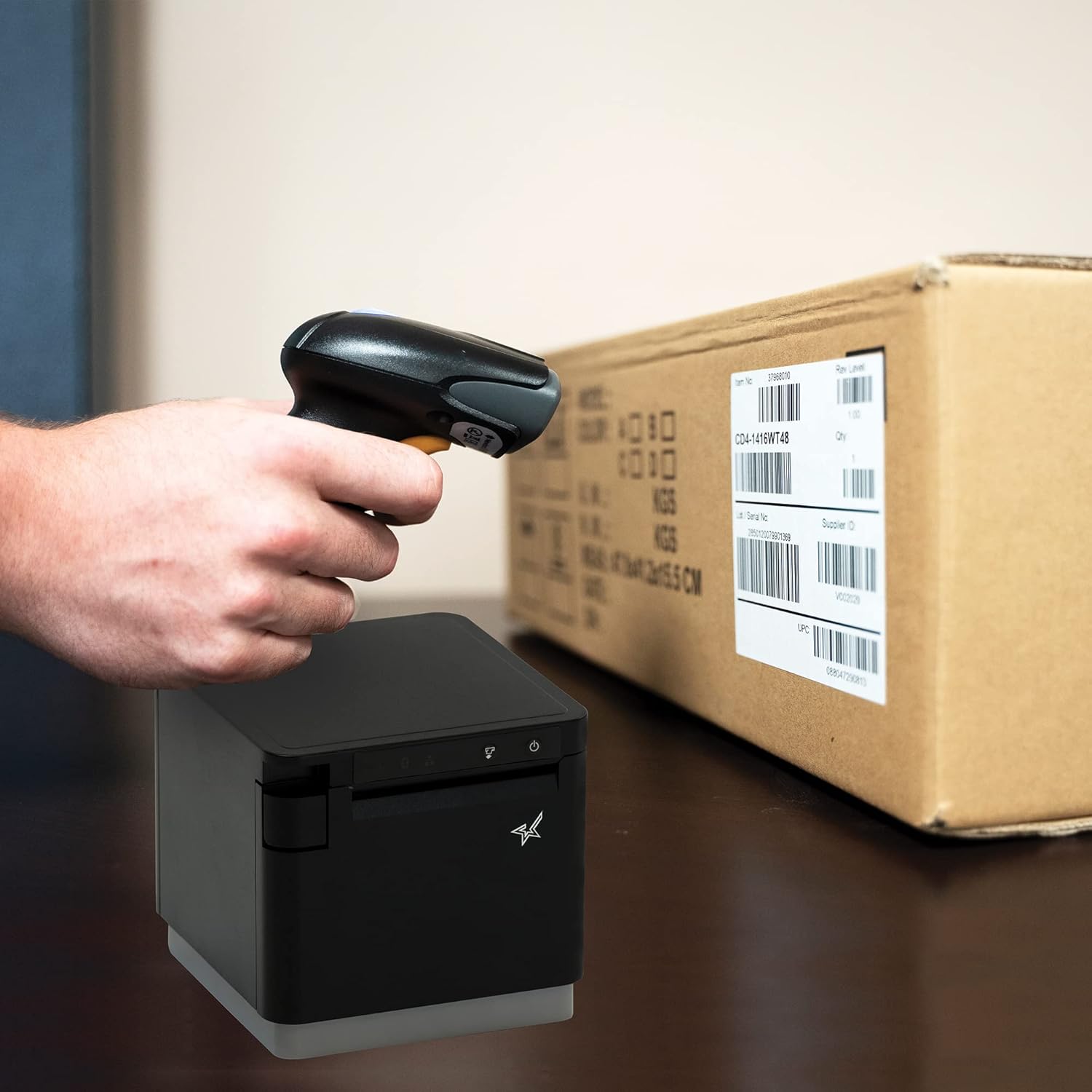
Slika 4.1: Nprample of scanning a barcode on a package.
4.2. Načini skeniranja
The BSH-HR2081BT scanner supports six different scanning modes to accommodate various operational needs:
- Način stopnje: The scanner's trigger will activate the decode session.
- Način sprožilca: A trigger pull activates a decode session.
- Način zaznavanja: The scanner activates a decode session every time it detects a barcode.
- Neprekinjeni način: The scanner automatically starts one decode session after another.
- Pulzni način: When the trigger is pulled and released, scanning is activated until a barcode is decoded or the decode session timeout expires.
- Paketni način: When the trigger is pulled and released, scanning is activated until the trigger is released.
Refer to the full user guide (link in Section 7) for detailed instructions on how to switch between these modes and configure specific settings.
5. Vzdrževanje
5.1. Čiščenje skenerja
To maintain optimal performance, keep the scanner's window clean. Use a soft, lint-free cloth lightly dampened with water or a mild, non-abrasive cleaner. Do not use harsh chemicals or abrasive materials, as they may damage the scanner's surface or optical components.
5.2. Skrb za baterijo
The scanner is equipped with a Lithium Ion battery. To prolong battery life:
- Izogibajte se pogostemu popolnemu praznjenju baterije.
- Ko skenerja dlje časa ne uporabljate, ga shranite na hladnem in suhem mestu.
- Charge the battery regularly, even if the scanner is not in frequent use.
6. Odpravljanje težav
6.1. Scanner Not Connecting
- Preverite moč: Ensure the scanner is fully charged and powered on.
- Bluetooth seznanjanje: For Bluetooth connections, ensure Bluetooth is enabled on your host device and the scanner is in pairing mode. Try unpairing and re-pairing the device.
- USB ključek: If using the USB dongle, ensure it is securely plugged into the Star printer and the printer is powered on.
- Razpon: Ensure the scanner is within the effective communication range (up to 50m) of the host device or dongle.
6.2. Optični bralnik ne bere črtnih kod
- Stanje črtne kode: Prepričajte se, da je črtna koda jasna, ne razmazana, strgana ali pretirano odsevna.
- Razdalja in kot: Adjust the distance and angle of the scanner to the barcode. Try different scanning modes if applicable.
- Osvetlitev: Ensure adequate lighting. Avoid direct glare on the barcode.
- Okno skenerja: Clean the scanner's reading window as described in the Maintenance section.
6.3. Kratka življenjska doba baterije
- Polna napolnjenost: Ensure the scanner is charged until the indicator shows a full charge.
- Usage Pattern: Continuous heavy usage will deplete the battery faster.
- Starost baterije: Over time, rechargeable batteries naturally lose capacity.
7. Tehnične specifikacije
| Specifikacija | Podrobnost |
|---|---|
| Dimenzije izdelka | 5.7 x 4 x 2.7 palcev |
| Teža predmeta | 1.06 funtov |
| Številka modela | BSH-HR2081BT BLK |
| Baterije | Potrebna je 1 litij-ionska baterija (priložena) |
| Proizvajalec | Star Micronics |
| Združljive naprave | Pametni telefon, tablica |
| Vir napajanja | Napajanje na baterije |
| Tehnologija povezljivosti | Bluetooth, USB kabel |
| Ocena IP | IP42 |
| Odpornost na padce | Do 1.2 metre |
8. Garancija in podpora
For warranty information and technical support, please contact Star Micronics directly or visit their official webspletnega mesta. Račun shranite kot dokazilo o nakupu za uveljavljanje garancije.
Podroben uporabniški priročnik v PDF formatu je na voljo za prenos:


