Uvod
Welcome to the user manual for your Majority Homerton 2 Internet Radio, DAB, FM, and CD Player. This comprehensive guide will assist you in setting up, operating, and maintaining your device to ensure optimal performance and enjoyment of its wide range of features, including Internet Radio, DAB/DAB+, FM, CD playback, Bluetooth connectivity, Spotify Connect, and Podcast streaming.

Image: The Majority Homerton 2 unit in oak finish, showing the front panel with display, controls, CD slot, and a remote control in the foreground.
Nastavitev
1. Razpakiranje in namestitev
Carefully remove the Homerton 2 from its packaging. Place the unit on a stable, flat surface away from direct sunlight, heat sources, and excessive moisture. Ensure adequate ventilation around the unit.
2. Priključitev napajanja
Connect the provided power adapter to the DC IN port on the back of the unit, then plug the adapter into a wall outlet. The unit will power on or enter standby mode.
3. Antenska povezava
Extend the telescopic antenna fully for optimal DAB/DAB+ and FM radio reception. For Internet Radio and Wi-Fi features, ensure the unit is within range of your wireless router.
4. Čarovnik za začetno nastavitev
Upon first power-on, the Homerton 2 will guide you through an initial setup wizard. This includes:
- Izbira jezika: Choose your preferred language for the display menu.
- Omrežna povezava: Select your Wi-Fi network and enter the password. This is crucial for Internet Radio, Spotify Connect, and Podcast features.
- Čas in datum: Set the current time and date, or allow the unit to synchronize automatically via network or DAB signal.
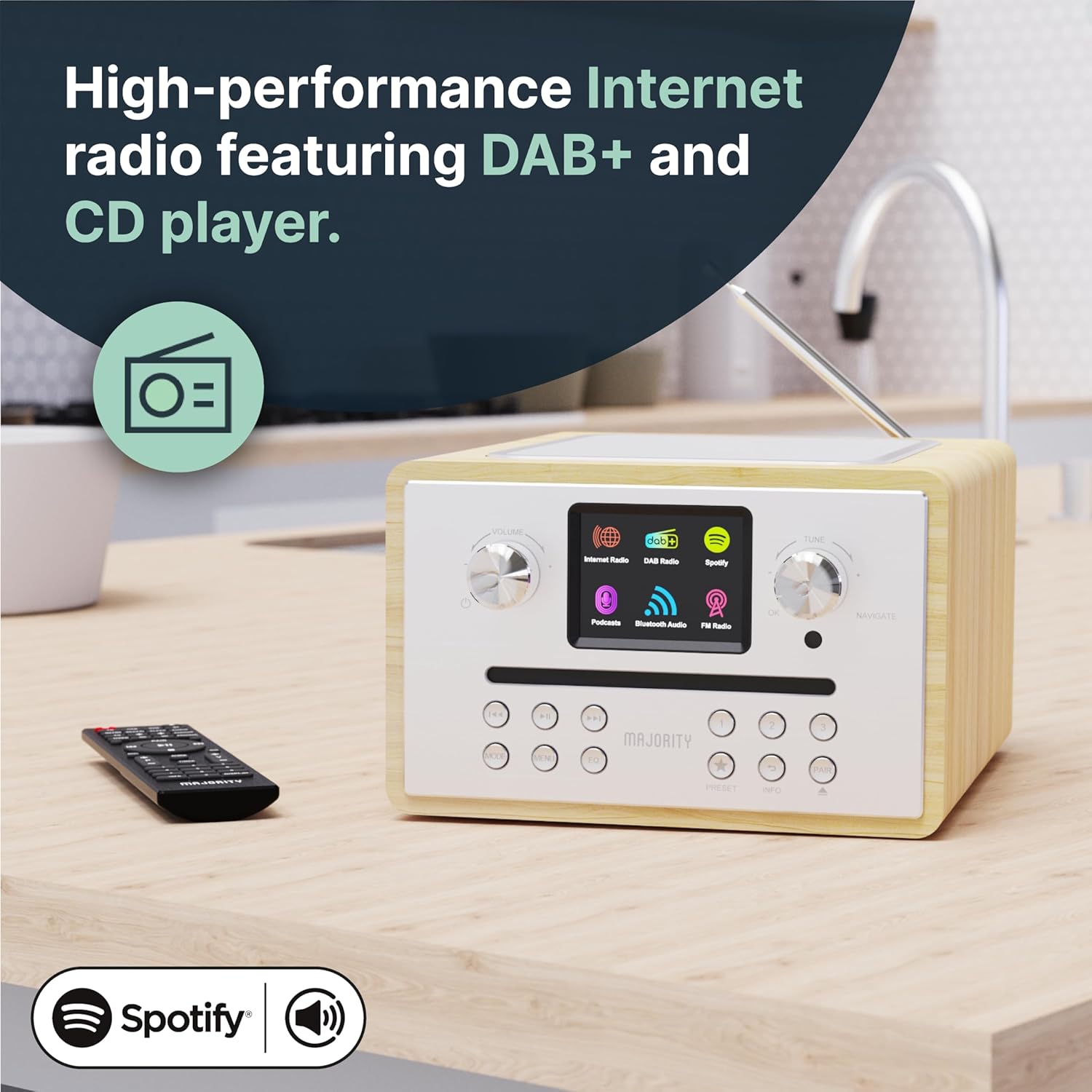
Image: The Homerton 2 unit showcasing its display and control knobs, indicating its readiness for use.
Navodila za uporabo
1. Vklop/izklop in stanje pripravljenosti
Pritisnite Moč button on the unit or remote control to switch the unit on or off. In standby mode, the display may show the clock.
2. Izbira načina
Uporabite Način button on the unit or remote to cycle through available modes: Internet Radio, DAB/DAB+, FM, CD, Bluetooth, USB (MP3), and Auxiliary Input.
3. Internetni radio
Connect to thousands of global radio stations via your Wi-Fi network. Navigate through stations by genre, location, or search. Save your favorite stations as presets for quick access.

Image: The Homerton 2 unit with its display showing the Internet Radio interface, indicating connectivity and available options.
4. DAB/DAB+ and FM Radio
Tune into digital (DAB/DAB+) or analog (FM) radio broadcasts. Perform an auto-scan to find available stations in your area. Use the tuning knob or remote control to select stations. You can store up to 40 presets for your favorite stations.
5. CD predvajalnik
Insert an audio CD or MP3 CD into the front-loading CD slot. The unit will automatically detect and begin playback. Use the playback controls (Play/Pause, Skip, Stop) on the unit or remote control. The integrated CD player allows you to enjoy your physical music collection with ease.

Image: The Homerton 2 unit with a CD being inserted into its front-loading slot, demonstrating the CD playback capability.
6. Bluetooth povezljivost
Pair your smartphone, tablet, or other Bluetooth-enabled device with the Homerton 2 to stream audio wirelessly. Select Bluetooth mode on the unit, then search for "Homerton 2" on your device's Bluetooth settings and connect. Enjoy high-quality audio streaming from your personal library or streaming apps.
7. Spotify Connect & Podcasts
If you have a Spotify Premium account, use Spotify Connect to control music playback directly from the Spotify app on your phone or tablet, streaming audio through the Homerton 2. Access a wide selection of podcasts directly from the unit's menu.

Image: The Homerton 2 unit next to a smartphone showing the Spotify app, illustrating its Spotify Connect and Bluetooth streaming features.
8. USB Playback (MP3)
Vstavite USB-ključ z zvočno datoteko MP3 files into the USB port. The unit will automatically switch to USB mode and begin playing the files. This allows you to enjoy your own media in HD sound.
9. Dvojna budilka
Set up to two independent alarms. You can choose to wake up to a buzzer, FM radio, DAB radio, or Internet radio station. Configure alarm times, sources, and recurrence (daily, weekdays, weekends).

Image: The Homerton 2 unit with a graphic overlay of an alarm clock, emphasizing its dual alarm functionality.
10. Nastavitve izenačevalnika
Adjust the audio output using the built-in equalizer. Select from preset equalization modes (Normal, Jazz, Rock, Classical, Pop) or customize your own 'My EQ' settings for personalized bass and treble levels.
Vzdrževanje
- Čiščenje: Za čiščenje zunanjosti enote uporabite mehko, suho krpo. Ne uporabljajte abrazivnih čistil ali topil.
- Nega predvajalnika CD-jev: Keep the CD slot free of dust and debris. Use a CD lens cleaner if playback issues occur due to a dirty lens.
- Prezračevanje: Prepričajte se, da prezračevalne odprtine niso blokirane, da preprečite pregrevanje.
- Shranjevanje: If storing the unit for an extended period, disconnect it from power and store in a cool, dry place.
Odpravljanje težav
| Težava | Možen vzrok | rešitev |
|---|---|---|
| Brez moči | Napajalnik ni priključen; vtičnica je okvarjena. | Preverite napajalne priključke; poskusite z drugo vtičnico. |
| Brez zvoka | Glasnost je prenizka; Vklopljen je bil izklop zvoka; izbran je napačen vir. | Increase volume; Deactivate mute; Select correct input mode. |
| Slab radijski sprejem | Antena ni iztegnjena; Šibek signal; Motnje. | Fully extend antenna; Reposition unit; Scan for stations again. |
| Težave s povezavo Wi-Fi | Napačno geslo; Izven dosega; Težave z usmerjevalnikom. | Re-enter password; Move unit closer to router; Restart router. |
| CD Playback Errors | Dirty or scratched CD; Incorrect disc type. | Clean CD; Try a different CD; Ensure it's an audio or MP3 CD. |
Specifikacije
- Znamka: Večina
- Številka modela: Homerton
- barva: Hrast
- Tehnologija povezljivosti: Bluetooth, USB, WLAN (Wi-Fi)
- Posebne lastnosti: Integrated Clock, Portable, Dual Alarm
- Združljive naprave: MP3 predvajalnik
- Dimenzije izdelka: 23D x 20.2Š x 12.8V cm
- Tehnologija uglaševanja: Internetni radio, DAB/DAB+, FM
- Podprti radijski pasovi: 3 pas
- vir energije: Električni na kabel
- Vključene komponente: Homerton CD Player, Owner's Manual, Remote Control
Garancija in podpora
The Majority Homerton 2 comes with a 3-letna podaljšana garancija, providing peace of mind for your audio product. For detailed warranty terms and conditions, please refer to the official Majority webspletnem mestu ali garancijskem listu, ki je priložen izdelku.
For technical support, troubleshooting assistance, or to inquire about spare parts availability, please visit the official Majority support website or contact their customer service. Keep your purchase receipt handy as proof of purchase.

Image: An icon representing the 3-year warranty provided with Majority audio products.


