1. Uvod
This manual provides detailed instructions for the installation, operation, and maintenance of your Vivotek IB9380-H 5MP IR Outdoor Network Bullet Camera. Please read this manual thoroughly before using the product to ensure proper setup and optimal performance. This camera is designed for outdoor security surveillance, offering high-resolution imaging and infrared capabilities for reliable monitoring.
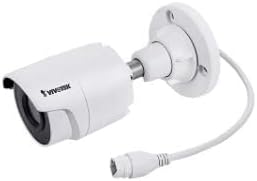
Image 1.1: Vivotek IB9380-H 5MP IR Outdoor Network Bullet Camera overview.
2. Varnostne informacije
- vir energije: Use only the specified AC/DC power adapter. Ensure the power supply is stable and meets the camera's requirements (3.5 watts).
- Okolje namestitve: This camera is rated for outdoor use (IP9380). Avoid installing in locations with extreme temperatures, high humidity, or corrosive substances beyond its operating specifications.
- Ravnanje: Do not drop or subject the camera to severe shock. Avoid touching the lens directly.
- Demontaža: Do not attempt to disassemble or modify the camera. This may void the warranty and cause damage.
- kabli: Ensure all cables are properly secured and protected from environmental damage or tampering.
3. Vsebina paketa
Preverite, ali so v paketu prisotni vsi elementi:
- Vivotek IB9380-H 5MP IR Outdoor Network Bullet Camera
- Montažni komplet (vijaki, stenski sidri)
- Navodila za hitro namestitev
- Waterproof Connector for Ethernet Cable
4. Nastavitev
4.1. Physical Installation and Mounting
The Vivotek IB9380-H camera is designed for wall mount installation. Choose a suitable location that provides the desired field of view in je v dosegu električne energije in omrežnih priključkov.
- Pripravite montažno površino: Mark the drilling points on the wall using the mounting template (if provided) or by holding the camera's base against the surface.
- Vrtanje lukenj: Na označenih mestih izvrtajte pilotne luknje. Če montirate na mavčne plošče ali zid, vstavite stenske sidra.
- Zavarujte kamero: Attach the camera's mounting base to the wall using the provided screws. Ensure it is firmly secured.
- Prilagodi kot: Zrahljajte nastavitvene vijake na ohišju kamere, da nastavite želeni viewing angle. Tighten the screws once the angle is satisfactory.

Image 4.1: Camera dimensions and mounting diagram for installation planning.
4.2. Kabelska povezava
Connect the necessary cables to the camera:
- Ethernet kabel: Connect a standard Ethernet cable (RJ45) to the camera's network port. Use the waterproof connector to protect the connection if exposed to weather.
- Napajalni kabel: Connect the power adapter to the camera's power input. Ensure the connection is secure.

Image 4.2: Close-up of an Ethernet cable connector, similar to what is used for the camera's network connection.
4.3. Začetni vklop
Once all cables are connected, plug the power adapter into an electrical outlet. The camera will power on and initiate its startup sequence. Observe any indicator lights for status.
5. Navodila za uporabo
5.1. Network Configuration and Access
The Vivotek IB9380-H supports Wi-Fi connectivity. For initial setup, it is recommended to connect via Ethernet to configure network settings.
- Odkrijte kamero: Use the Vivotek IP Search utility or your network router's client list to find the camera's assigned IP address.
- Dostop Web Vmesnik: Odpri a web browser and enter the camera's IP address. Log in using the default credentials (refer to the Quick Installation Guide for details).
- Konfiguriraj Wi-Fi: Navigate to the network settings within the web interface. Select your Wi-Fi network, enter the password, and save the settings. Once configured, you may disconnect the Ethernet cable if desired.
5.2. V živo View in Snemanje
After network setup, you can access the camera's live feed and configure recording options.
- V živo View: Od web interface or a compatible mobile application, select the camera to view njegov prenos v živo.
- Nastavitev snemanja: Configure recording schedules, continuous recording, or event-triggered recording (e.g., motion detection). Recordings can be stored on a network video recorder (NVR) or a local storage device if supported.
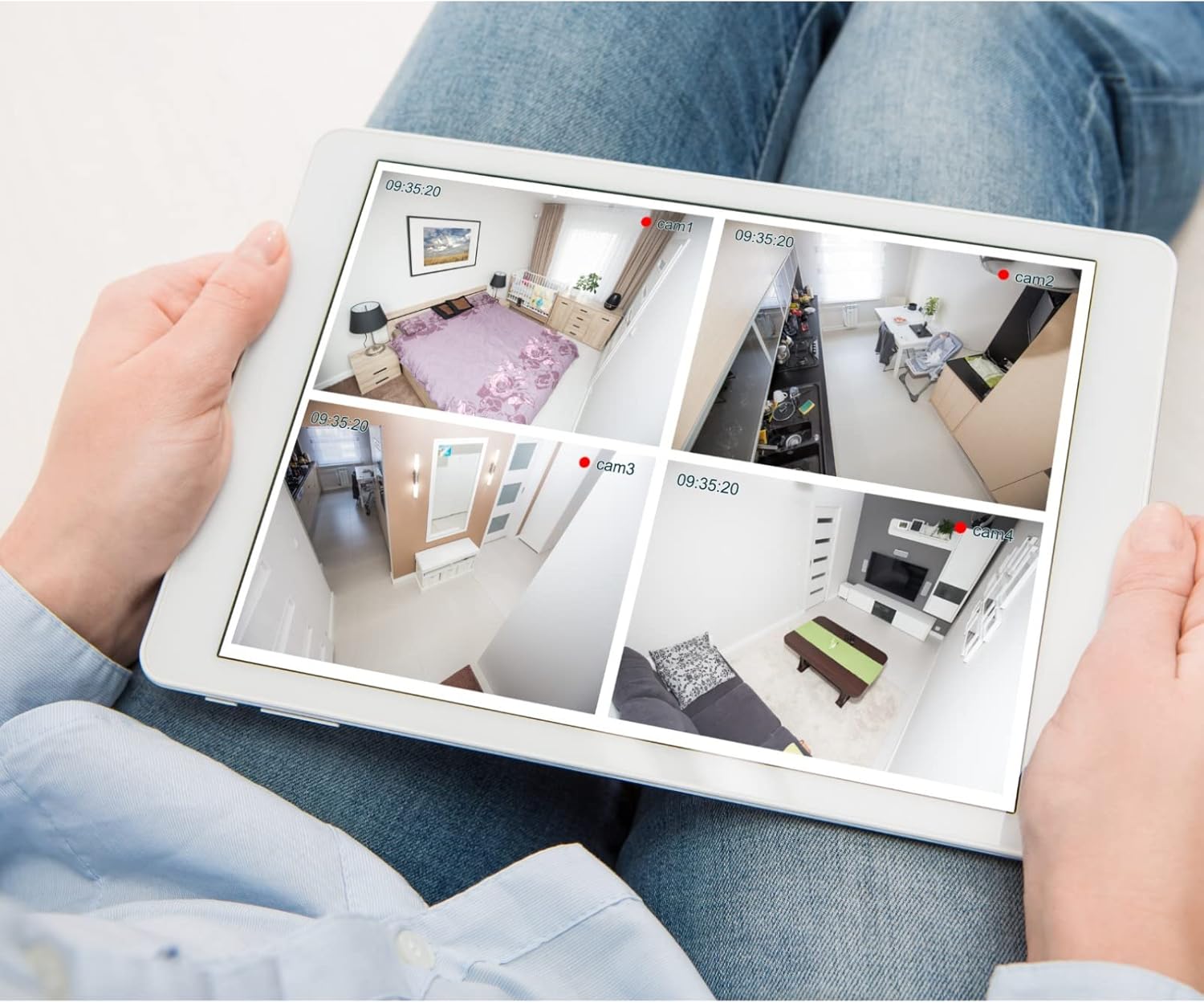
Slika 5.1: Primerample of a tablet displaying multiple camera feeds, illustrating remote monitoring capabilities.
5.3. Motion Detection Setup
The camera supports motion-only alerts.
- Access Alert Settings: In the camera's web interface, navigate to the event or alert settings section.
- Configure Motion Detection: Enable motion detection and define the detection zones and sensitivity levels.
- Set Actions: Specify actions to be taken upon motion detection, such as recording, sending email notifications, or triggering alarms.
5.4. Nočni vid
The camera features IR (Infrared) and Night Color low light technology for clear imaging in various lighting conditions. These features typically activate automatically based on ambient light levels.
6. Vzdrževanje
- Čiščenje leče: Gently wipe the camera lens with a soft, clean cloth. For stubborn dirt, use a lens cleaning solution designed for optical surfaces. Do not use abrasive cleaners.
- Posodobitve vdelane programske opreme: Periodically check the Vivotek webspletno mesto za posodobitve vdelane programske opreme. Posodabljanje vdelane programske opreme zagotavlja optimalno delovanje, varnost in dostop do novih funkcij.
- Okoljski pregled: Regularly inspect the camera and its mounting for any signs of wear, damage, or loose connections, especially after severe weather conditions.
- Cikel moči: If the camera experiences minor issues, try power cycling it by disconnecting and reconnecting the power supply.
7. Odpravljanje težav
| Težava | Možen vzrok | rešitev |
|---|---|---|
| Brez moči | Power adapter unplugged or faulty; power outlet issue. | Check power connections. Test the outlet with another device. Try a different power adapter if available. |
| Ni video vira | Network connection issue; incorrect IP address; camera not configured. | Verify network cable connection or Wi-Fi settings. Confirm camera's IP address. Ensure camera is properly configured in your viewprogramsko opremo. |
| Slaba kakovost slike | Umazana leča; slaba svetloba; napačne nastavitve ločljivosti. | Clean the camera lens. Ensure sufficient lighting or verify night vision is active. Check video resolution settings in the camera's interface. |
| Zaznavanje gibanja ne deluje | Motion detection disabled; incorrect sensitivity; detection zones not set. | Enable motion detection in settings. Adjust sensitivity and define detection zones. |
8. Specifikacije
| Funkcija | Podrobnost |
|---|---|
| Model | IB9380-H |
| Učinkovita še vedno ločljivost | 5 MP |
| Ločljivost zajema videa | 1080p |
| Hitrost sličic | 20 sličic na sekundo |
| Tehnologija slabe svetlobe | Nočna barva |
| Faktor oblike | Metka |
| Notranja/zunanja uporaba | Na prostem |
| Vrsta namestitve | Stenski nosilec |
| Brezžična komunikacija | Wi-Fi |
| Protokol povezljivosti | Wi-Fi |
| Vir napajanja | AC/DC |
| Wattage | 3.5 vatov |
| Vrsta opozorila | Samo gibanje |
| Nadzorna metoda | Daljinsko |
| Dimenzije (D x Š x V) | 3.59 x 3.59 x 6.96 palcev |
| Ocena mednarodne zaščite | IP9380 |
| UPC | 655255870887, 681541834035 |
9. Informacije o garanciji
This Vivotek product is covered by a manufacturer's limited warranty. Please refer to the warranty card included in your package or visit the official Vivotek webZa podrobne pogoje glede garancijskega kritja, trajanja in postopkov za uveljavljanje odškodninskih zahtevkov obiščite spletno mesto. Dokazilo o nakupu shranite za garancijski servis.
10. Podpora strankam
For technical assistance, troubleshooting beyond this manual, or warranty inquiries, please contact Vivotek customer support. You can typically find contact information (phone, email, support portal) on the official Vivotek webspletnem mestu ali v dokumentaciji, ki je priložena vašemu izdelku.
Spletni viri: www.vivotek.com