1. Uvod
This manual provides detailed instructions for the installation, operation, and maintenance of your Hombli Smart Doorbell 2 and Chime 2. Please read this guide thoroughly before using the product to ensure proper functionality and safety. The Hombli Smart Doorbell 2 allows you to see, hear, and speak to visitors from anywhere, while the Chime 2 provides an audible alert inside your home.
2. Varnostne informacije
- Ensure all power is disconnected before installation or maintenance to prevent electric shock.
- Do not expose the doorbell to extreme temperatures, direct sunlight for prolonged periods, or excessive moisture.
- Use only the provided or recommended accessories and power sources.
- Napravo hranite izven dosega otrok.
- Do not attempt to disassemble or repair the device yourself. Contact Hombli support for assistance.
3. Vsebina paketa
Verify that all items are present in your Hombli Smart Doorbell 2 Promo Pack:
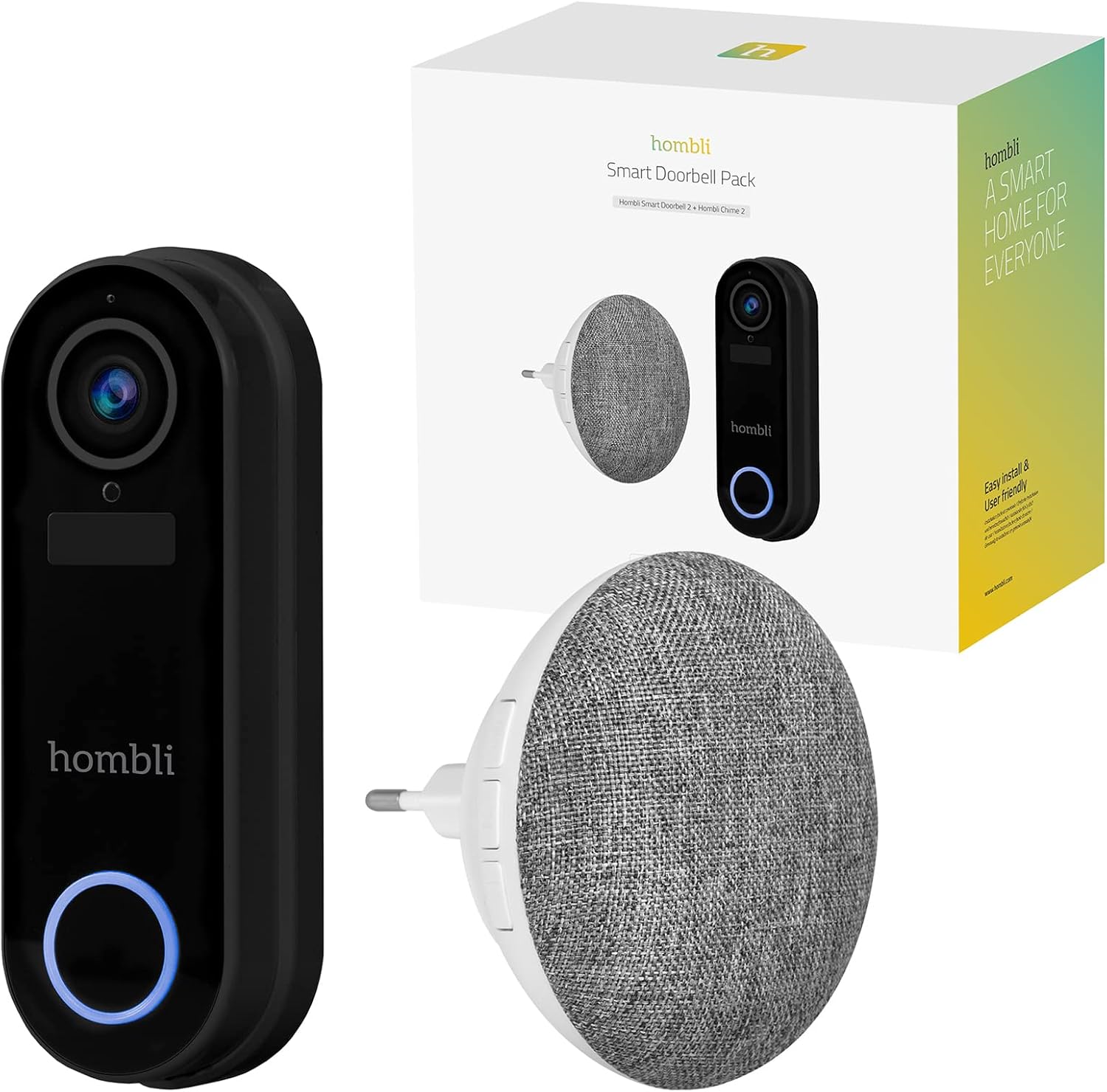
Image: The retail box for the Hombli Smart Doorbell 2 and Chime 2, showing both devices and the packaging.

Image: All components included in the Hombli Smart Doorbell 2 package, including the doorbell unit, mounting bracket, screws, wall anchors, wiring harness, USB charging cable, and adhesive pads.
- Hombli Smart Doorbell 2 (Black)
- Hombli Chime 2
- Montažni nosilec
- Installation Screws and Wall Anchors
- USB polnilni kabel
- Wiring Harness (for optional wired installation)
- Lepilne blazinice
- Uporabniški priročnik (ta dokument)
4. Izdelek je končanview
Familiarize yourself with the components of your Hombli Smart Doorbell 2 and Chime 2.
4.1 Hombli Smart Doorbell 2
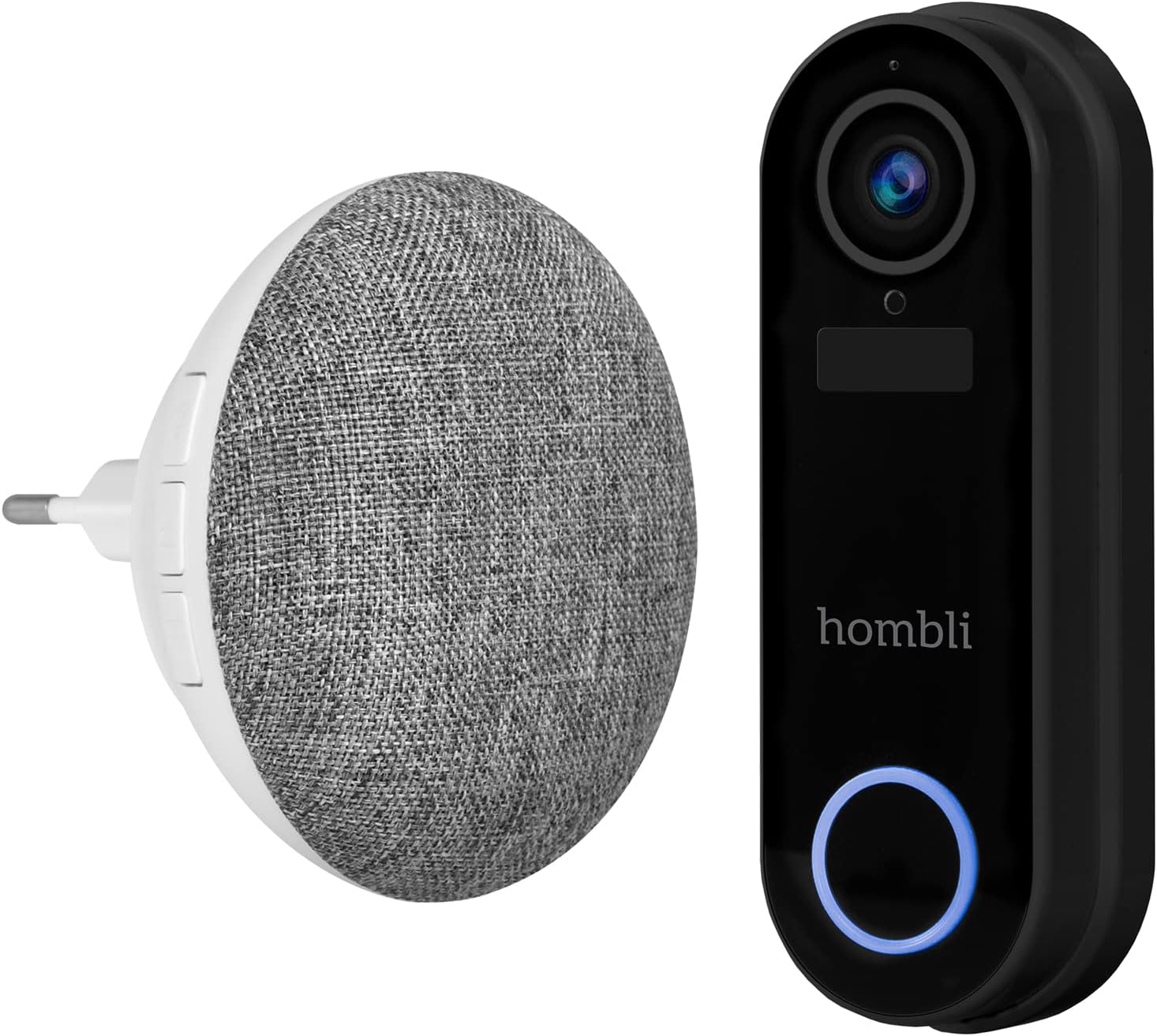
Image: The Hombli Smart Doorbell 2 and the Hombli Chime 2 displayed side-by-side.

Image: A visual representation of the Hombli Smart Doorbell 2 with icons and text highlighting its key features.
- Kamera: Širokokotni 140 ° view, Full HD 1080p resolution at 15 frames per second.
- Zaznavanje gibanja: Opozarja vas na dogajanje pred vašimi vrati.
- Vgrajena baterija: 5000mAh capacity for wireless operation.
- Možnosti shranjevanja: Supports optional cloud storage and a Micro SD card slot (up to 128GB).
- Dvosmerni zvok: Speak and listen to visitors remotely.
- Infrardeči nočni vid: Jasna vidljivost v slabih svetlobnih pogojih.
- Odporen na vremenske vplive: IP65 rating ensures protection against dust and water splashes.
- GDPR Compliant: Designed with data privacy in mind.
4.2 Hombli Chime 2
The Hombli Chime 2 is a wireless indoor chime that pairs with your Smart Doorbell 2 to provide an audible alert when the doorbell is pressed. It plugs directly into a standard wall outlet.
5. Nastavitev
5.1 Polnjenje zvonca
Before installation, fully charge the Hombli Smart Doorbell 2 using the provided USB cable. Connect the USB cable to the doorbell's charging port and a standard USB power adapter (not included). The indicator light will show charging status.
5.2 Installing the Hombli Smart Doorbell 2
The doorbell can be installed wirelessly using adhesive pads or permanently mounted with screws. For wired installation, connect to existing doorbell wiring (5V AC).

Image: The Hombli Smart Doorbell 2 securely mounted on an exterior wall next to a door frame.
- Izberite lokacijo: Izberite primerno mesto v bližini vhodnih vrat in si zagotovite neoviran view in dober Wi-Fi signal.
- Montaža:
- Lepilo: Clean the surface, apply the adhesive pads to the back of the mounting bracket, and firmly press the bracket onto the desired location.
- Vijaki: Use the mounting bracket as a template to mark drill holes. Drill holes, insert wall anchors if necessary, and secure the bracket with screws.
- Wired (Optional): If connecting to existing doorbell wiring, ensure power is off. Connect the doorbell's wiring harness to your existing doorbell wires (5V AC).
- Pritrditev zvonca: Slide the Hombli Smart Doorbell 2 onto the mounted bracket until it clicks into place.
5.3 Installing the Hombli Chime 2

Image: The Hombli Chime 2 plugged into a standard electrical wall outlet, ready for use.
- Plug In: Plug the Hombli Chime 2 into a standard electrical outlet in a central location within your home.
- Seznanjanje: Follow the instructions in the Hombli app to pair the Chime 2 with your Smart Doorbell 2.
5.4 Hombli App Setup
The Hombli app is essential for controlling and managing your Smart Doorbell 2 and Chime 2.
- Prenesite aplikacijo: Download the Hombli app from the App Store (iOS) or Google Play Store (Android).
- Ustvari račun: Odprite aplikacijo in ustvarite nov račun ali se prijavite, če ga že imate.
- Dodaj napravo: Tap the '+' icon to add a new device. Select 'Smart Doorbell' from the list.
- Sledite navodilom na zaslonu: The app will guide you through connecting the doorbell to your Wi-Fi network and pairing the chime. Ensure your Wi-Fi network is 2.4GHz.
6. Delovanje
Once set up, you can use your Hombli Smart Doorbell 2 and Chime 2 to monitor your entrance and communicate with visitors.

Image: A smartphone displaying the Hombli app interface for the Smart Doorbell 2, showing live video feed and control options like screenshot, speak, record, playback, cloud storage, and buzzer.
6.1 Doorbell Functions
- V živo View: Open the Hombli app to view live video from your doorbell camera at any time.
- Dvosmerni zvok: When a visitor presses the doorbell or motion is detected, you will receive a notification. Tap the notification to answer and speak to the visitor using the app's microphone and speaker functions.
- Zaznavanje gibanja: The doorbell will send notifications to your phone when motion is detected. You can adjust sensitivity settings in the app.
- snemanje: Video footage can be recorded manually or automatically upon motion detection/doorbell press. Recordings are stored on a Micro SD card (if inserted) or in optional cloud storage.
- Predvajanje: Access recorded events through the app's playback feature.
6.2 Chime Functions
- Zvočno opozorilo: When the doorbell button is pressed, the Chime 2 will sound an alert inside your home.
- Volume and Tone: Adjust the chime volume and select different melodies through the Hombli app.
7. Vzdrževanje
- Polnjenje baterije: The Smart Doorbell 2's battery life depends on usage. When the battery is low, you will receive a notification. Remove the doorbell from its bracket and charge it using the USB cable.
- Čiščenje: Wipe the doorbell and chime with a soft, damp krpo. Ne uporabljajte močnih kemikalij ali abrazivnih čistil.
- Posodobitve vdelane programske opreme: Periodically check the Hombli app for available firmware updates to ensure optimal performance and security. Follow the app's instructions for updating.
8. Odpravljanje težav
8.1 Pogoste težave in rešitve
- Zvonec se ne povezuje z omrežjem Wi-Fi:
- Prepričajte se, da je vaše omrežje Wi-Fi 2.4 GHz.
- Check Wi-Fi signal strength at the doorbell's location.
- Znova zaženite usmerjevalnik in zvonec.
- Prepričajte se, da je v aplikaciji vneseno pravilno geslo za Wi-Fi.
- Zvonec se ne oglaša:
- Ensure the Chime 2 is plugged in and powered on.
- Verify that the Chime 2 is successfully paired with the doorbell in the Hombli app.
- Check the volume settings for the chime in the app.
- Slaba kakovost videa:
- Preverite moč signala Wi-Fi. Šibek signal lahko vpliva na pretakanje videoposnetkov.
- Prepričajte se, da je objektiv kamere čist in brez ovir.
- Zaznavanje gibanja ne deluje:
- Adjust motion detection sensitivity in the Hombli app.
- Ensure there are no physical obstructions blocking the sensor's view.
- Doorbell battery draining quickly:
- Frequent motion detection events or live view access can consume battery faster. Adjust settings if needed.
- Ensure the doorbell is fully charged after each charging cycle.
9. Specifikacije
9.1 Hombli Smart Doorbell 2

Image: Detailed measurements of the Hombli Smart Doorbell 2, showing its height, width, and depth in centimeters.
| Številka modela | HBDP-0100 |
| Dimenzije (D x Š x V) | 7.28 x 3.94 x 6.81 palcev (18.5 x 10 x 17.3 cm) |
| Teža | 1.61 funtov (0.73 kg) |
| Ločljivost kamere | Full HD 1080p |
| Polje od View | Širok kot 140° |
| Kapaciteta baterije | 5000 mAh |
| Odpornost na vremenske vplive | IP65 |
| Shranjevanje | Micro SD (do 128 GB), shranjevanje v oblaku (neobvezno) |
| Povezljivost | Wi-Fi (2.4 GHz) |
9.2 Hombli Chime 2

Image: Detailed measurements of the Hombli Chime 2, showing its diameter and depth in centimeters.
| Dimenzije (premer x globina) | 9.3 cm x 8.5 cm (plug part 4.9 cm width) |
| Vhodna moč | 5 voltov (AC) |
| Povezljivost | Wireless (paired with Doorbell 2) |
10. Garancija in podpora
Hombli products come with a standard manufacturer's warranty. For specific warranty terms and conditions, please refer to the warranty card included with your product or visit the official Hombli website. If you encounter any issues or require technical assistance, please contact Hombli customer support through their website or the Hombli app.


