MARKLIFE Label Maker Machine User Manual
Model: P50 | Brand: MARKLIFE
Konec izdelkaview
The MARKLIFE P50 Label Maker is a mini portable Bluetooth thermal label printer designed for various labeling needs in homes, offices, and small businesses. It utilizes thermal printing technology, eliminating the need for ink or toner, and supports black and white printing.
Glavne lastnosti vključujejo:
- Široka uporaba: Supports label widths from 0.59'' to 2.24'', suitable for address, clothing, price, cable, jewelry, and ingredient labels.
- Brezžično in prenosno: Lightweight design with Bluetooth 4.0 connectivity for convenient, smooth, and fast printing from smartphones (Android & iOS) within 33 feet.
- Smart Printing Features: Offers voice and image recognition, barcode generation from scans, PDF batch printing, and the ability to print photos on labels. USB connection and online software are available for Windows PC.
- Trajne oznake: Labels are designed to be tear-proof, watertight, and oil-proof, ensuring longevity.
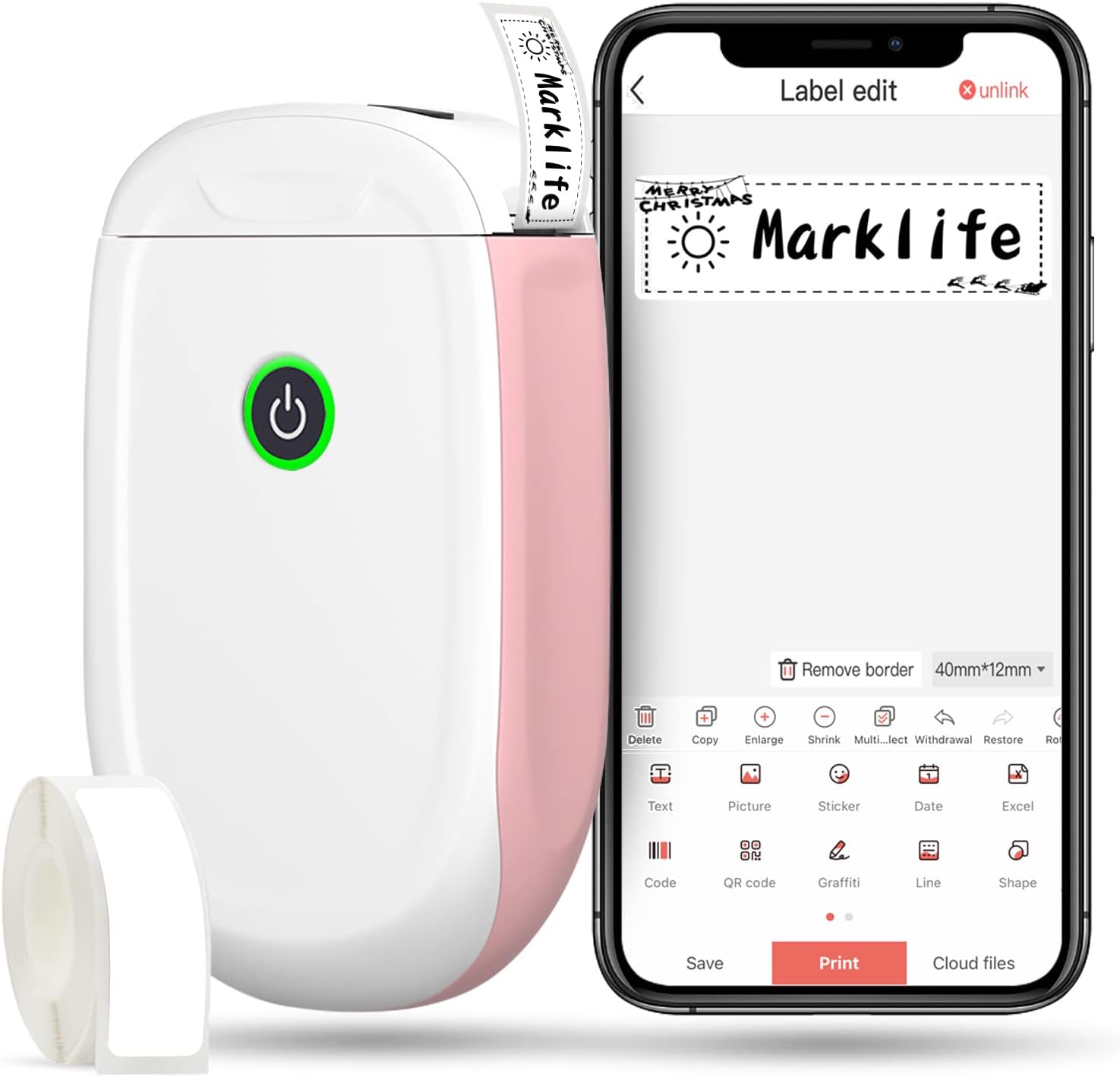
Figure 1: MARKLIFE P50 Label Maker and companion app.
Vodnik za namestitev
Follow these steps to set up your MARKLIFE P50 Label Maker:
- Vstavite papir za etikete: Open the cover and insert the label roll with the printing side facing up. Close the cover securely.
- Prenesite aplikacijo: Iskanje "Marklife" in your smartphone's app store (available for Android and iOS) and install it.
- Vklopite Bluetooth: V pametnem telefonu omogočite Bluetooth.
- Povežite se z napravo: Open the Marklife app, turn on the labeler, and connect to the device via Bluetooth. The device name will typically start with "P11" or "P50".

Figure 2: Quick setup guide for the Marklife P50.
Video 1: Demonstrates the setup and basic usage of the Marklife P11 (similar to P50) label maker, including loading paper, connecting via Bluetooth, and printing a label.
Navodila za uporabo
Once connected, you can begin creating and printing labels:
- Choose a Template: In the Marklife app, select from various pre-designed templates or start a new blank label.
- Urejanje vsebine oznake: Double-click on the label area to input text. You can customize font, size, alignment, and add elements like images, icons, dates, or barcodes.
- Prejview in natisni: Pred tiskom, predview your label to ensure it looks as desired. Then, tap the "Print" button to send the design to the label maker.
- Napredne funkcije:
- Črtna koda/QR koda: Generate barcodes or QR codes directly from the app. Exampčrtna koda: 46745875478655
- Image Recognition (OCR): Use your phone's camera as an OCR scanner within the app to convert text from images into editable label content.
- Serijsko tiskanje: Print multiple labels from a PDF or a list for efficiency.
- Prilagajanje: Access over 600 combinations of templates, 9 languages, 600+ symbols, 27+ frames, and 15+ fonts.

Figure 3: Customize your own labels with various design elements.

Figure 4: Many designing items available in the app.
Vzdrževanje
To ensure the longevity and optimal performance of your MARKLIFE P50 Label Maker, follow these maintenance guidelines:
- Čiščenje: Zunanjost naprave redno brišite z mehko, suho krpo. Za tiskalno glavo uporabite vatirano palčko, ki jo rahlo obrišite.ampened with rubbing alcohol, ensuring the device is off and disconnected from power. Allow it to dry completely before use.
- Shranjevanje: Napravo za označevanje shranjujte na hladnem in suhem mestu, stran od neposredne sončne svetlobe in ekstremnih temperatur.
- Nega zvitka etiket: Keep unused label rolls in their original packaging to protect them from dust and moisture.
- Vzdrževanje baterije: For optimal battery life, charge the device regularly, even if not in frequent use. Avoid completely draining the battery for extended periods.

Figure 5: Thermal printing technology requires no ink, simplifying maintenance.

Figure 6: Labels are designed for durability and resistance to water and oil.
Odpravljanje težav
If you encounter issues with your MARKLIFE P50 Label Maker, try the following solutions:
| Težava | Možen vzrok | rešitev |
|---|---|---|
| Naprava se ne vklopi. | Nizka baterija. | Napravo napolnite s priloženim kablom USB. |
| Povezave ni mogoče vzpostaviti prek Bluetootha. | Bluetooth is off on phone/device, or device is out of range. | Ensure Bluetooth is enabled on your phone and the label maker is within 33 feet. Restart both devices. |
| Slaba kakovost tiska ali prazne nalepke. | Incorrect label paper loading, dirty print head, or low battery. | Re-load label paper correctly. Clean the print head. Charge the device. |
| Aplikacija se sesuje ali zamrzne. | Napaka programske opreme ali zastarela različica aplikacije. | Restart the app. Check for app updates in your app store. Reinstall the app if necessary. |
| Etikete se ne podajajo pravilno. | Paper jam or incorrect paper type. | Open the cover and clear any jammed paper. Ensure you are using compatible Marklife label rolls. |
Specifikacije
| Funkcija | Podrobnost |
|---|---|
| Ime modela | P50 |
| Znamka | MARKLIFE |
| Tehnologija tiskanja | Toplotna |
| Tehnologija povezljivosti | Bluetooth |
| Izhod tiskalnika | Monochrome (Black ink) |
| Največja hitrost tiskanja (enobarvno) | 30 ppm |
| Največja velikost medija | 3 x 5 palcev |
| Območje širine nalepke | 0.59'' - 2.24'' |
| Teža predmeta | 9.6 unče (272 grama) |
| Dimenzije izdelka | 3.14 x 5.5 x 1.18 palca (približno 7.5 x 13.6 x 2.8 cm) |
| Združljive naprave | Android & iOS mobile devices, Windows PC (via USB) |
| Vključene komponente | Label Maker, Label Tape |
Aplikacije
The MARKLIFE P50 Label Maker is versatile and can be used in various scenarios:
- Domača organizacija: Labeling spice jars, storage containers, baby items, and personal belongings.
- Uporaba v pisarni: Organiziranje files, marking cables, labeling office tools, and creating name tags. Nprampčrtna koda: 6953124066961
- Mala podjetja: Ustvarjanje cene tags, product labels, barcode labels, and shipping labels for retail, clothing, and jewelry.
- Osebna uporaba: Labeling gifts, creating custom stickers, and marking food expiration dates.
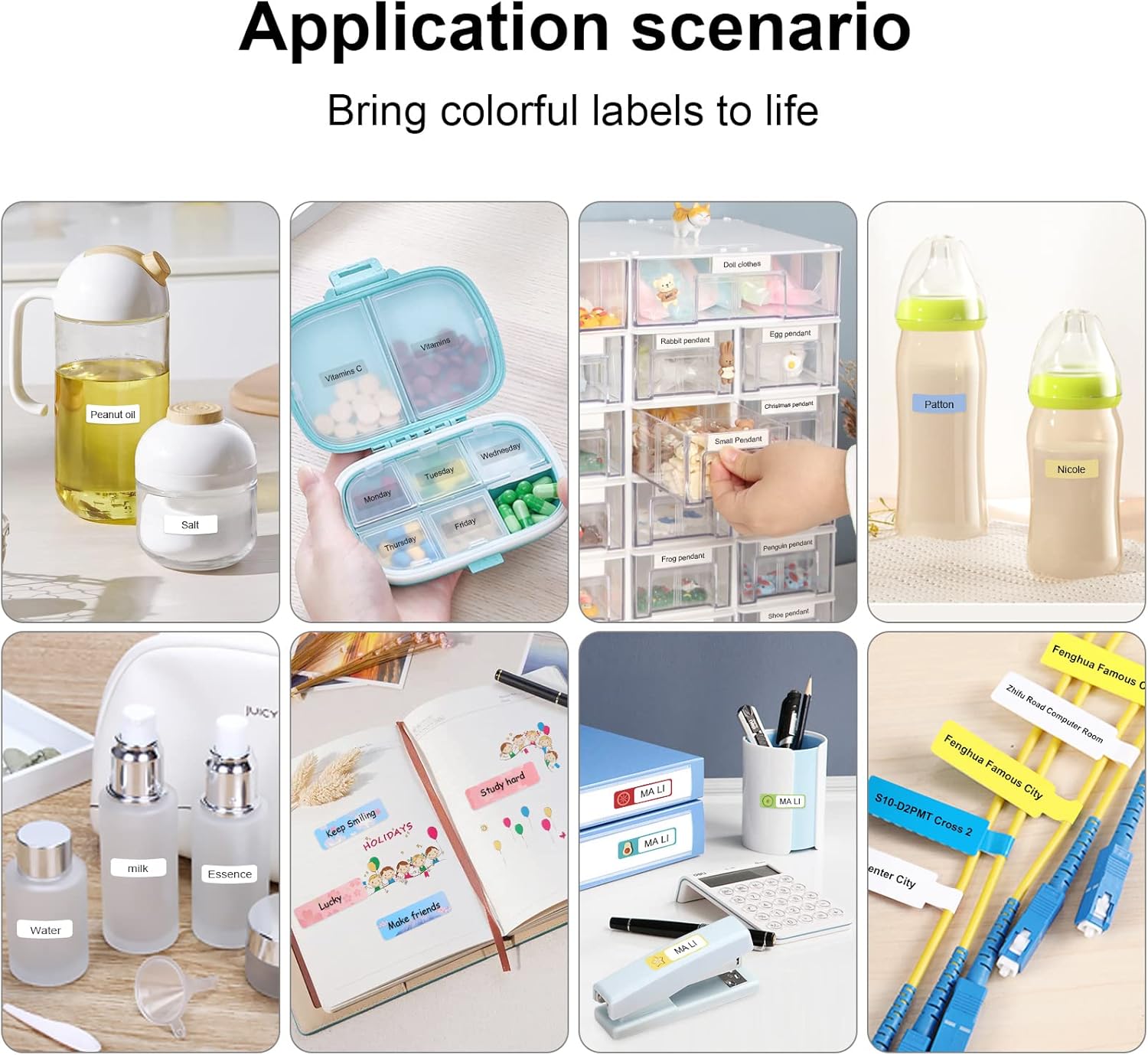
Figure 7: Diverse application scenarios for home and personal use.
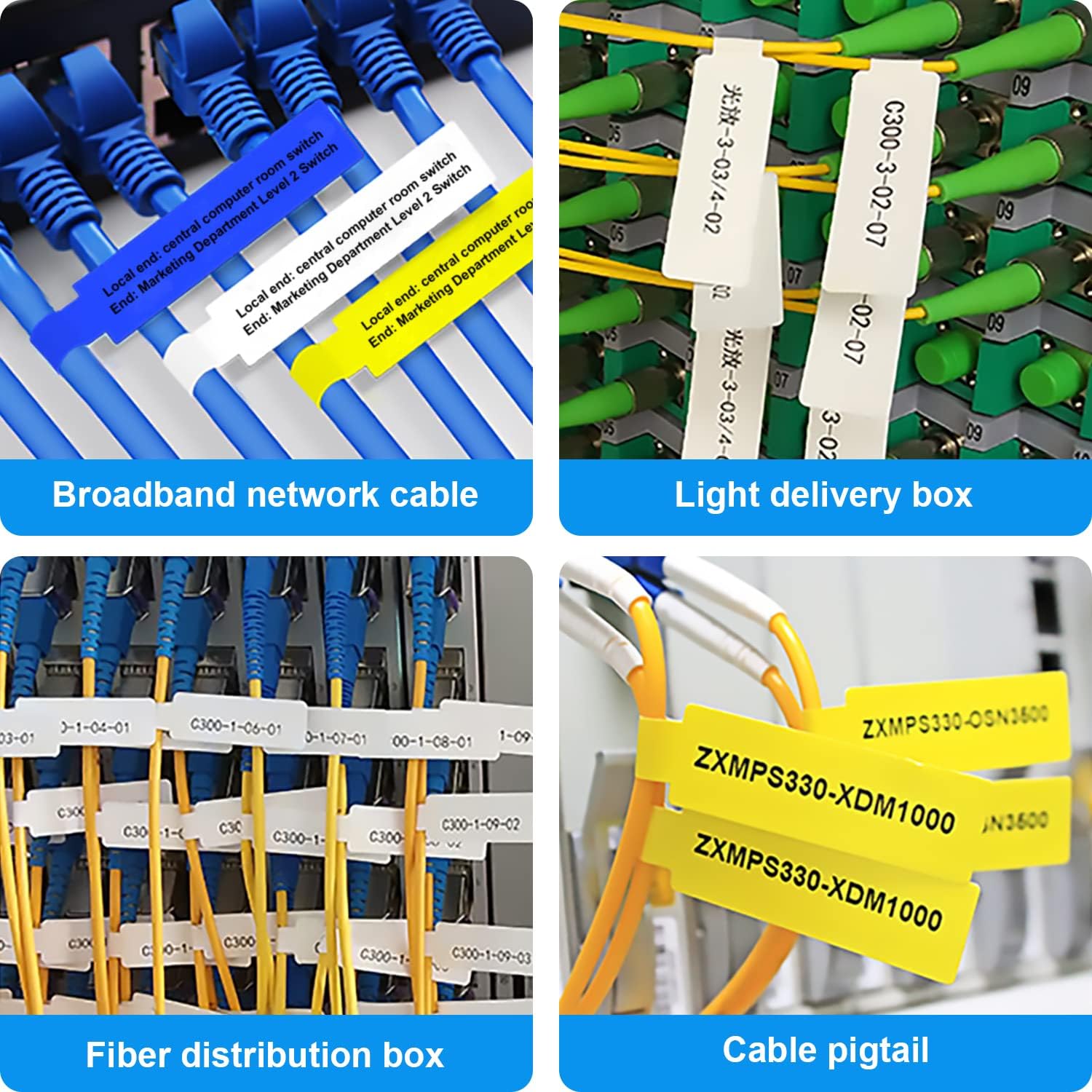
Figure 8: Labeling solutions for various types of cables and wiring.

Figure 9: Practical applications for office organization.

Figure 10: Creative uses for gift labeling.
Garancija in podpora
MARKLIFE products are designed for reliability and performance. For specific warranty information and support, please refer to the warranty card included with your product or visit the official MARKLIFE website. For common inquiries, please consult the troubleshooting section of this manual or the FAQ section within the Marklife app.
You can also visit the official MARKLIFE store on Amazon for more information and product updates: MARKLIFE Store.


