1. Uvod
Thank you for choosing the Bisofice Poooli Mini Thermal Photo Printer L1. This compact and portable printer allows you to print photos, labels, notes, and more directly from your smartphone via Bluetooth. This manual provides essential information for safe and effective use, including setup, operation, maintenance, and troubleshooting.
2. Varnostne informacije
Pred uporabo naprave preberite vsa varnostna navodila, da preprečite poškodbe ali škodo.
- Keep the printer away from water and high humidity.
- Do not expose the printer to extreme temperatures or direct sunlight.
- Pazite, da vam tiskalnik ne pade ali da ga ne izpostavljate močnim udarcem.
- Use only the specified thermal paper. Other paper types may damage the print head.
- Tiskalnika ne poskušajte razstavljati ali popravljati sami. Za pomoč se obrnite na podporo strankam.
- Hraniti izven dosega otrok.
- Charge the printer using the provided USB cable and a compatible power adapter (not included).
3. Vsebina paketa
Preverite, ali so v paketu vsi elementi:
- Bisofice Poooli Mini Thermal Photo Printer L1
- Thermal Paper Rolls (7 rolls total, including one pre-installed)
- USB polnilni kabel
- Vodnik za hiter začetek

4. Izdelek je končanview
Familiarize yourself with the components of your Poooli L1 printer.

- Gumb za vklop: Located on the top surface, typically indicated by a circular icon.
- Paper Exit Slot: Where printed thermal paper emerges.
- Integrirani rezalnik: A safe and convenient mechanism for tearing off printed paper.
- Vrata za polnjenje USB: Za priključitev kabla USB za polnjenje naprave.
- Indikatorska lučka: Provides status information (e.g., charging, connected, printing).
- Parrot Beak Design: A decorative and functional element, featuring a built-in magnet for attaching notes or securing the printer to metallic surfaces.

5. Nastavitev
5.1 Polnjenje tiskalnika
Before first use, fully charge the printer. Connect the provided USB cable to the printer's charging port and the other end to a USB power adapter (e.g., phone charger) or a computer's USB port. The indicator light will show charging status (e.g., red for charging, green for fully charged).
5.2 Vstavljanje termičnega papirja
- Gently slide the printer cover to open it.
- Insert a roll of thermal paper into the compartment, ensuring the paper feeds out from the top.
- Pull a small length of paper out beyond the cutter.
- Pokrov tiskalnika trdno zaprite, dokler se ne zaskoči.
5.3 Namestitev aplikacije
The Bisofice Poooli L1 printer requires a dedicated mobile application for operation. Iskanje "Poooli" in your smartphone's app store (Google Play Store for Android, Apple App Store for iOS) and install it. The app is compatible with Android 5.0 or above and iOS 10 or above.
5.4 Bluetooth seznanjanje
- Ensure the printer is charged and powered on. The indicator light may flash, indicating it's ready for pairing.
- V pametnem telefonu omogočite Bluetooth.
- Open the "Poooli" application.
- Within the app, navigate to the device connection or pairing section.
- Select the "Poooli L1" or a similar device name from the list of available Bluetooth devices.
- Once successfully paired, the printer's indicator light will typically turn solid blue or green, and the app will confirm the connection.

6. Navodila za uporabo
The Poooli app provides various functions for printing. Ensure your printer is connected via Bluetooth before proceeding.
6.1 Printing Photos and Images
- Open the Poooli app and select the "Photo Print" or "Image" option.
- Choose an image from your phone's gallery.
- Adjust the image as needed using the app's editing tools (e.g., filters, crop, rotate).
- Tap the print icon to send the image to the printer.
6.2 Printing Text and Notes
The app supports printing various text-based content:
- Messages/Notes: Type or paste text directly into the app's note editor.
- Seznami: Create to-do lists or shopping lists.
- OCR Text Recognition: Use the app to scan text from an image and print it.
- Web Tiskanje: Vnesite a web address to print the content of a webstrani.


6.3 Uporaba funkcij aplikacije
The Poooli app offers a variety of templates, emojis, and themes to customize your prints. Explore the app's interface to discover all available options for creative and functional printing.
7. Vzdrževanje
7.1 Čiščenje tiskalnika
Za ohranjanje optimalne kakovosti tiskanja in življenjske dobe naprave:
- Ensure the printer is powered off before cleaning.
- Za brisanje zunanjosti tiskalnika uporabite mehko, suho krpo, ki ne pušča vlaken.
- If the print head appears dirty or print quality degrades, gently wipe the print head with a cotton swab lightly dampz izopropilnim alkoholom. Pred uporabo pustite, da se popolnoma posuši.
- Ne uporabljajte abrazivnih čistil ali topil.
7.2 Zamenjava termičnega papirja
When the paper roll is depleted, follow the steps in section 5.2 "Loading Thermal Paper" to replace it with a new roll. Ensure you use thermal paper of the correct size (58mm width x 30mm diameter).

8. Odpravljanje težav
Če imate težave s tiskalnikom, si oglejte naslednje pogoste težave in rešitve:
| Težava | Možen vzrok | rešitev |
|---|---|---|
| Tiskalnik se ne vklopi. | Prazna baterija ali nič polnjenja. | Charge the printer fully using the USB cable. |
| Povezave ni mogoče vzpostaviti prek Bluetootha. | Bluetooth is off on phone, printer is off, or not in pairing mode. | Ensure Bluetooth is enabled on your phone. Turn the printer off and on again. Re-attempt pairing through the Poooli app. |
| Poor print quality (faint, blank, or streaky prints). | Incorrect paper loading, low battery, dirty print head, or non-thermal paper. | Check if thermal paper is loaded correctly. Charge the printer. Clean the print head (see Section 7.1). Ensure you are using thermal paper. |
| Zastoj papirja. | Nepravilno vstavljanje papirja ali tujek. | Open the cover, carefully remove any jammed paper, and re-load the paper correctly. |
| App not detecting printer. | App issue, Bluetooth connection lost. | Restart the Poooli app. Disconnect and re-pair the printer in your phone's Bluetooth settings and then in the app. |
9. Specifikacije
| Funkcija | Podrobnost |
|---|---|
| Znamka | Bisofice |
| Ime modela | L1 |
| Tehnologija tiskanja | Toplotna |
| Izhod tiskalnika | Enobarvno (črno-belo) |
| Resolucija | 200 DPI |
| Tehnologija povezljivosti | Bluetooth 4.0 (Wireless), USB (for charging) |
| Združljive naprave | Pametni telefoni (Android 5.0+, iOS 10+) |
| Tiskalni medij | Thermal Paper (Sticker, Label, Poster Paper) |
| Paper Roll Size | 58mm (width) x 30mm (diameter) |
| Baterija | 1000 mAh (Built-in Lithium Battery) |
| Vsebnost energije baterije | 2 vatnih ur |
| Posebna funkcija | Portable, Inkless Printing, Magnetic Design |
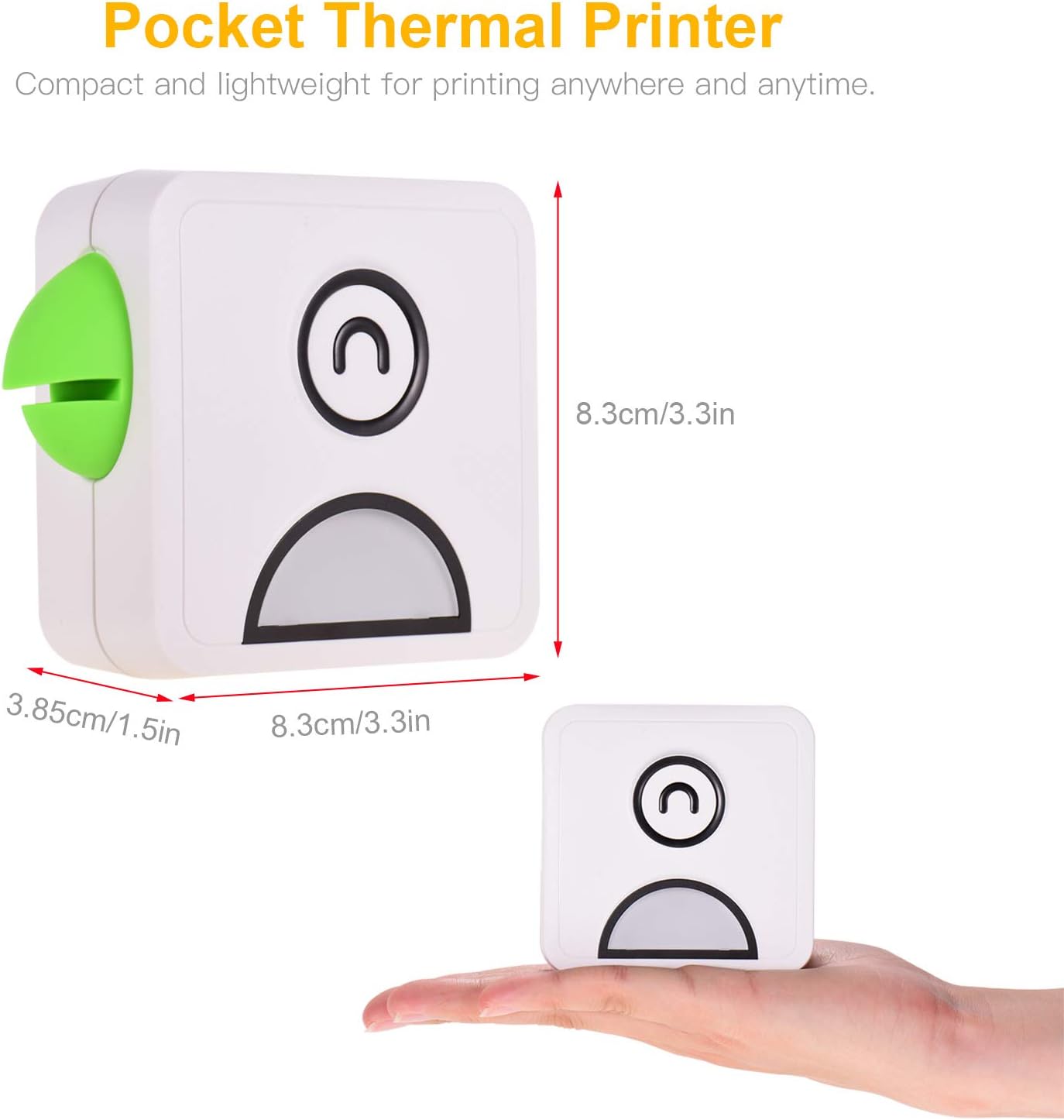
| Dimenzije izdelka | Približno 8.3 x 8.3 x 3.85 cm (3.3 x 3.3 x 1.5 palca) |
| Teža izdelka | Pribl. 500 gramov |
| barva | White with Green accent (as pictured) |
10. Garancija in podpora
Specific warranty details are not provided in the product information. For warranty claims or technical support, please refer to the retailer's return policy or contact Bisofice customer service directly through their official webspletno mesto ali kontaktne podatke, ki ste jih prejeli ob nakupu.


