1. Uvod
The Inateck Redcomets U27 is a high-performance PCIe expansion card designed to add a single USB 3.2 Gen 2x2 Type-C port to your computer. This card provides an exclusive 20 Gbps bandwidth, significantly enhancing data transfer speeds for compatible devices. It is engineered for reliability and ease of use, drawing power directly from the PCIe slot without requiring an external power supply.
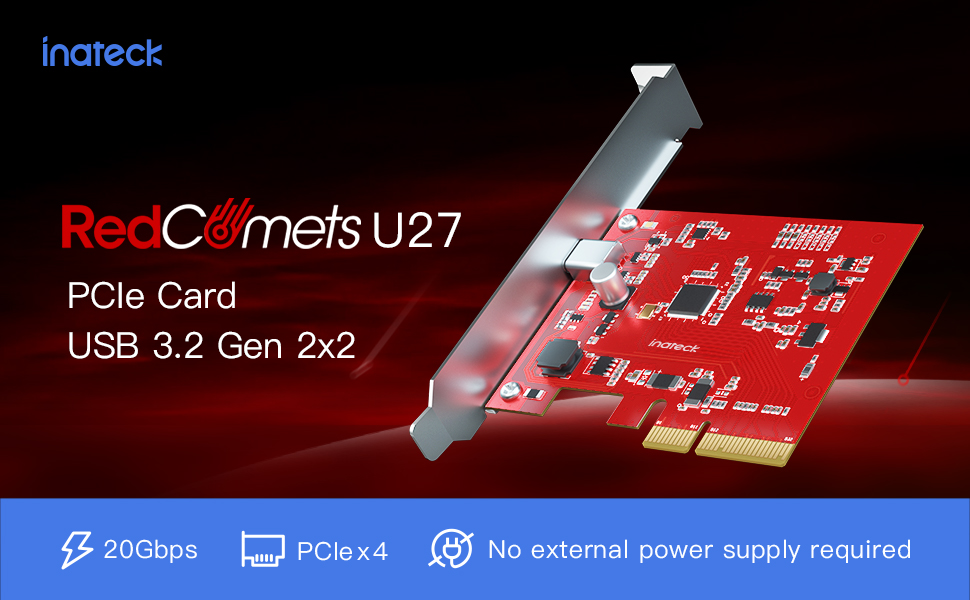
Image 1.1: The Inateck Redcomets U27 PCIe USB 3.2 Gen 2x2 Card, highlighting its 20Gbps bandwidth and self-powered design.
Ključne značilnosti:
- High-speed Transmission: Dedicated USB Type-C port with 20 Gbps bandwidth.
- Široka združljivost: Supports Windows 8/10/11 (32/64 bit) and Linux operating systems.
- Dual Brackets: Includes both standard and low-profile brackets for versatile installation in various PC cases.
- Izboljšana varnost: Features ESD protection to prevent short circuits and over-current protection for connected devices.
- No External Power: Draws all necessary power directly from the PCIe slot.
2. Nastavitev in namestitev
Follow these steps to properly install your Inateck Redcomets U27 PCIe USB 3.2 Gen 2x2 Card into your computer system.
2.1 Vsebina paketa
Pred namestitvijo preverite, ali so v paketu prisotne vse komponente:

Image 2.1: The package includes the Inateck Redcomets U27 PCIe card, a standard bracket, a low-profile bracket, mounting screws, a screwdriver, and an installation guide.
2.2 Sistemske zahteve
- Available PCIe 2.0, 3.0, or 4.0 slot (x4, x8, or x16 recommended for optimal performance).
- Operating System: Windows 8, Windows 10, Windows 11 (32/64 bit), or Linux.
- Opomba: This card is not compatible with Windows 7 or macOS.
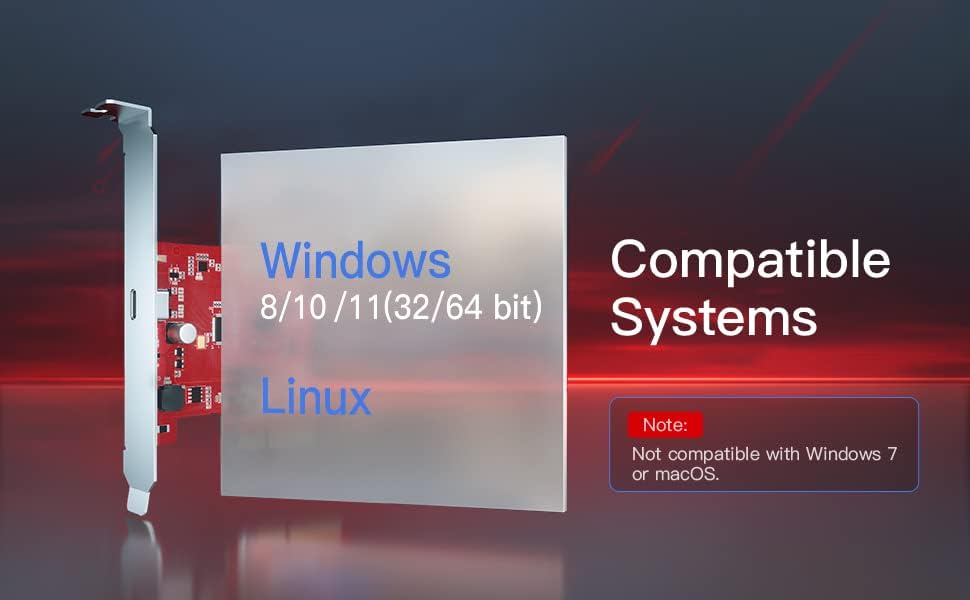
Image 2.2: Visual representation of compatible operating systems, including Windows 8, 10, 11, and Linux, with a note on incompatibility with Windows 7 and macOS.
2.3 Hardware Installation Steps
- Izklop in odklop: Popolnoma izklopite računalnik in izključite napajalni kabel iz stenske vtičnice.
- Odprt primer: Za dostop do matične plošče odstranite stransko ploščo ohišja računalnika.
- Poiščite režo PCIe: Identify an available PCIe x4, x8, or x16 slot on your motherboard. For maximum performance, a PCIe 3.0 or 4.0 x16 slot is recommended.
- Odstranite pokrov reže: Z zadnje strani ohišja računalnika odstranite kovinski pokrov reže, ki ustreza izbrani reži PCIe.
- Namestitev kartice: Carefully align the Inateck Redcomets U27 card with the PCIe slot and press it firmly until it is securely seated. Ensure the card's bracket aligns with the opening in the case.
- Varna kartica: Use the provided screw to secure the card's bracket to the computer case.
- Zapri primer: Replace the computer's side panel and reconnect the power cord.
- Vklop: Turn on your computer. The operating system should automatically detect and install the necessary drivers.

Slika 2.3: Podroben view of a PCIe slot, indicating support for PCIe 2.0, 3.0, and 4.0, and compatibility with x4, x8, and x16 slots.

Image 2.4: The Inateck Redcomets U27 PCIe card correctly installed in a computer's PCIe slot, demonstrating that no additional power cables are required.
2.4 Bracket Replacement (Optional)
Če ohišje vašega računalnika zahteva nizkofile bracket, you can replace the pre-installed standard bracket:
- Carefully unscrew the two small screws holding the standard bracket to the PCIe card.
- Remove the standard bracket.
- Poravnajte low-profile bracket with the screw holes on the card and secure it with the screws.
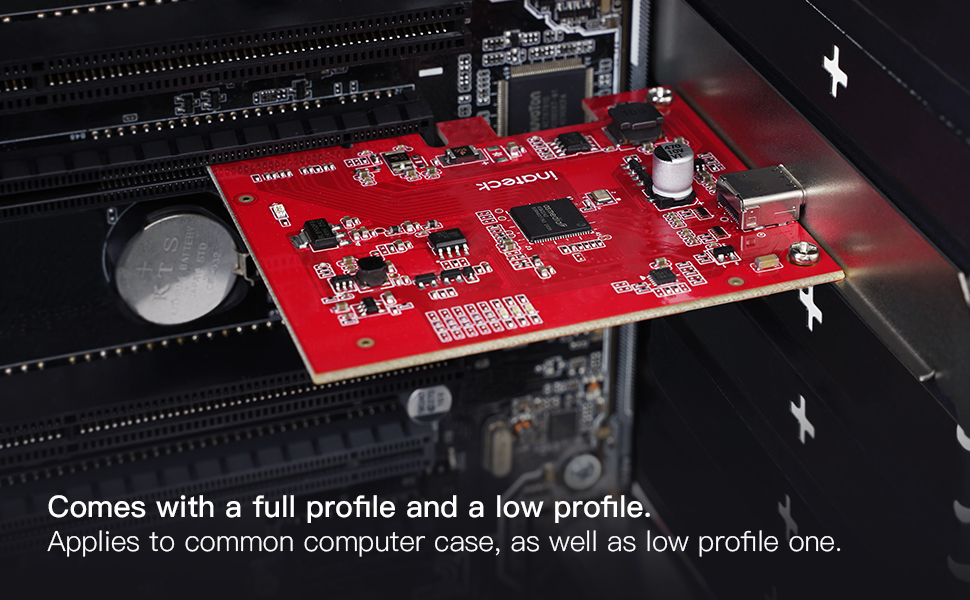
Image 2.5: The Inateck Redcomets U27 PCIe card is supplied with both a full-profile and a low-profile bracket to accommodate different computer case sizes.
3. Navodila za uporabo
Once the Inateck Redcomets U27 card is installed and your computer has booted, the USB 3.2 Gen 2x2 Type-C port is ready for use.
3.1 Povezovanje naprav
Connect your USB 3.2 Gen 2x2 compatible devices (e.g., external SSDs, high-speed storage devices) to the Type-C port on the card. Ensure you use a high-quality USB-C to USB-C cable that supports 20 Gbps data transfer rates to achieve optimal performance.

Image 3.1: A visual comparison illustrating the significant speed advantage of 20Gbps USB 3.2 Gen 2x2 over 5Gbps USB 3.2 Gen 1.
3.2 Namestitev gonilnika
For Windows 8/10/11 and Linux, the card is typically plug-and-play, meaning the operating system will automatically install the necessary drivers upon first boot after installation. No manual driver installation is usually required.
4. Vzdrževanje
Proper maintenance ensures the longevity and optimal performance of your Inateck Redcomets U27 card.
- Vzdržujte čisto: Periodically open your computer case and use compressed air to gently remove dust accumulation from the card and surrounding components. Dust can impede airflow and lead to overheating.
- Varne povezave: Ensure the card remains firmly seated in its PCIe slot. Loose connections can cause intermittent issues or performance degradation.
- ESD zaščita: The card features built-in ESD (Electrostatic Discharge) protection. However, always handle the card by its edges and avoid touching the gold contacts or components directly to prevent static damage during installation or handling.

Slika 4.1: Notranji view of the card's circuitry, illustrating the over-current and ESD protection mechanisms that safeguard connected devices from potential damage.
5. Odpravljanje težav
If you encounter issues with your Inateck Redcomets U27 card, refer to the following troubleshooting tips:
5.1 Card Not Detected or Not Functioning
- Preverite sedeže: Ensure the card is fully and securely seated in the PCIe slot. Power off your PC, open the case, and gently press down on the card until it clicks into place.
- Poskusite z drugim igralnim avtomatom: If available, try installing the card in a different PCIe slot to rule out a faulty motherboard slot.
- Preverite združljivost: Confirm your operating system is Windows 8/10/11 or Linux. The card is not compatible with Windows 7 or macOS.
- Preverite upravitelja naprav (Windows): Open Device Manager and look for any unknown devices or devices with error symbols under "Universal Serial Bus controllers" or "Other devices." If found, try updating the driver (though typically automatic).
5.2 Počasne hitrosti prenosa podatkov
- Pasovna širina reže PCIe: While the card works in x4, x8, or x16 slots, ensure it is installed in a PCIe 3.0 or 4.0 x16 slot for optimal 20 Gbps performance. Installing in a lower bandwidth slot (e.g., PCIe 2.0 x1) will limit the speed.
- Kakovost USB kabla: Use a high-quality USB-C to USB-C cable specifically rated for 20 Gbps (USB 3.2 Gen 2x2) or higher. Lower quality or older cables may limit speeds to 5 Gbps or 10 Gbps.
- Connected Device Capability: Ensure the external device (e.g., SSD enclosure, external drive) connected to the card also supports USB 3.2 Gen 2x2 (20 Gbps) speeds. The overall transfer speed will be limited by the slowest component in the chain.
- Motherboard Configuration: Some motherboards may share PCIe lanes. Refer to your motherboard manual to ensure the chosen PCIe slot has dedicated bandwidth and is not sharing lanes with other components that could reduce performance.
6. Specifikacije
| Funkcija | Podrobnost |
|---|---|
| Znamka | Inateck |
| Številka modela | KU1222 |
| Strojni vmesnik | USB Type C (PCIe) |
| Hitrost prenosa podatkov | 20 Gbps (USB 3.2 Gen 2x2) |
| Združljivost operacijskega sistema | Windows 8/10/11, Linux |
| PCIe Slot Compatibility | PCIe 2.0, 3.0, 4.0 (x4, x8, x16 slots) |
| Napajalnik | PCIe Bus Powered (No external power required) |
| Dimenzije (DxŠxV) | 3.62 x 3.15 x 0.94 palcev (9.2 x 8.0 x 2.4 cm) |
| Teža predmeta | 3.2 unče (90.7 gramov) |
| Vključeni nosilci | Standardni Profile, Low Profile |
7. Garancija in podpora
7.1 Informacije o garanciji
For detailed warranty information regarding your Inateck Redcomets U27 PCIe USB 3.2 Gen 2x2 Card, please refer to the official Inateck website or the warranty card included with your product packaging. Warranty terms and conditions may vary by region and purchase date.
7.2 Tehnična podpora
If you require technical assistance, have questions about installation, or need further troubleshooting, please visit the official Inateck support website. You can typically find FAQs, driver downloads (if applicable), and contact information for customer service there.
Inateck Official Webspletno mesto: www.inateck.com


