1. Uvod
This manual provides detailed instructions for the installation, operation, and maintenance of your VPFET HDMI Extender. This device allows you to extend 1080p HDMI signals up to 200 feet (60 meters) over a single Cat5e/6/7 Ethernet cable. It supports Power over Cable (POC) technology, requiring power only at the Transmitter (TX) unit.
2. Varnostne informacije
- Ensure all cables are connected securely before powering on the device.
- Use only the provided 5V DC power adapter.
- Naprave ne izpostavljajte vlagi ali ekstremnim temperaturam.
- Avoid disassembling the unit; refer servicing to qualified personnel.
- Use high-quality oxygen-free copper Cat5e/6/7 cables for optimal performance and transmission distance.
3. Vsebina paketa
Preverite, ali so v paketu vsi elementi:
- 1 x HDMI Transmitter (TX) Unit
- 1 x HDMI Receiver (RX) Unit
- 1 x 5V DC napajalnik
- 1 x uporabniški priročnik

Image: Contents of the VPFET HDMI Extender package, showing the transmitter, receiver, power adapter, and user manual.
4. Izdelek je končanview in komponente
Familiarize yourself with the ports and indicators on both the Transmitter (TX) and Receiver (RX) units.

Slika: Podrobna view of the Transmitter (TX) and Receiver (RX) units, highlighting HDMI Input/Output, 5V Power Output, EDID Copy button, and RJ45 ports.
Transmitter (TX) Unit:
- Vhod HDMI: Connects to the HDMI source device (e.g., PC, DVD player, game console).
- 5V vhodna moč: Connects to the included 5V DC power adapter.
- EDID Copy Button: Used to copy EDID information from the display.
- RJ45 Output (OUT): Connects to the Receiver (RX) unit via Cat5e/6/7 cable.
Receiver (RX) Unit:
- HDMI izhod: Connects to the HDMI display device (e.g., TV, monitor).
- RJ45 Input (IN): Connects to the Transmitter (TX) unit via Cat5e/6/7 cable.
- Note: The RX unit receives power via the Cat cable (POC) from the TX unit.
5. Navodila za nastavitev
Follow these steps to set up your HDMI Extender:
- Priključite vir HDMI na oddajnik: Connect your HDMI source device (e.g., PC, DVD player, game console) to the Vhod HDMI port of the Transmitter (TX) unit using a high-quality HDMI cable.
- Connect Display to RX: Connect your HDMI display device (e.g., TV, monitor) to the HDMI IZHOD port of the Receiver (RX) unit using a high-quality HDMI cable.
- Connect TX and RX with Ethernet Cable: Povežite RJ45 IZH port of the TX unit to the RJ45 IN port of the RX unit using a single Cat5e, Cat6, or Cat7 Ethernet cable. Ensure the cable is oxygen-free copper for optimal performance.
- Power On TX Unit: Connect the included 5V DC power adapter to the Vhodna napetost 5 V port on the Transmitter (TX) unit. The RX unit will receive power via the Ethernet cable (POC).
- Preverite povezavo: Once all connections are made and the TX unit is powered, check for signal on your display.

Image: Connection diagram illustrating how to connect the HDMI source (laptop, PC, DVD, TV Box) to the Transmitter (TX), the TX to the Receiver (RX) via a Cat5e/6/7 cable, and the RX to the display.
EDID Copy Function:
The EDID (Extended Display Identification Data) copy function ensures the best video and audio signals are transmitted by allowing the TX unit to learn the display's capabilities. It is recommended to perform this step if you experience display issues.
- Connect the Transmitter (TX) unit directly to your monitor/display using an HDMI cable (without the RX unit or Cat cable).
- Connect the 5V power adapter to the TX unit.
- Pritisnite in držite gumb EDID on the TX unit for approximately 3 seconds.
- The signal indicator light will flash 3 times, indicating that the EDID information has been successfully copied and stored.
- You can now proceed with the full setup as described above. The copied EDID will be remembered until the TX unit is reset or a new EDID copy operation is performed.
To restore factory EDID settings, connect the TX unit to power, then press and hold the EDID button for 3 seconds. The signal indicator will light up and then turn off, confirming the reset.

Image: Close-up of the Transmitter (TX) unit, highlighting the EDID button and its function in copying display information.
6. Navodila za uporabo
Once the setup is complete, the VPFET HDMI Extender operates automatically. Ensure your source device is powered on and outputting an HDMI signal, and your display is set to the correct HDMI input.
- Napajalni kabel (POC): The TX unit powers the RX unit through the Ethernet cable, simplifying installation by eliminating the need for a power outlet at the display end.
- Automatic Equalization: The built-in automatic equalization algorithm adjusts for cable transmission distance, ensuring stable signal transmission without manual configuration.
- Podprte ločljivosti: The extender supports resolutions up to 1920x1200@60Hz and 1080p@60Hz.
- Podprti zvočni formati: DTS-HD, Dolby-trueHD, DTS, Dolby-AC3, DSD.
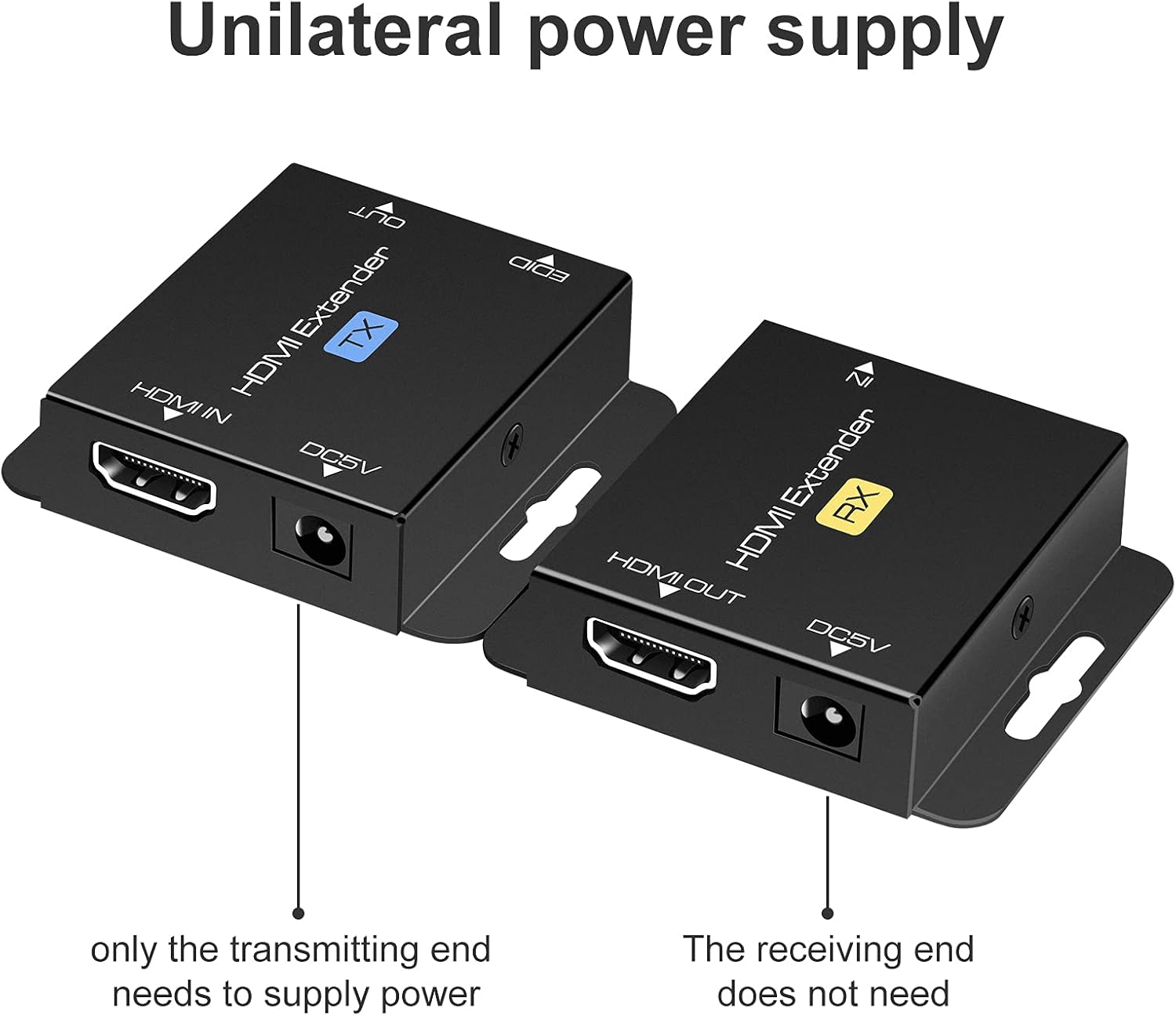
Image: Illustration of the unilateral power supply (POC) feature, indicating that only the transmitting (TX) end requires a power connection, while the receiving (RX) end does not.

Image: An illustration of the HDMI Extender in operation, showing a laptop connected to the TX unit, which is then connected via a long Ethernet cable to the RX unit, and finally to a large display, demonstrating extended transmission distance.
7. Specifikacije
| Funkcija | Podrobnost |
|---|---|
| Podpora za največjo ločljivost | 1920x1200@60Hz / 1080p@60Hz / 3D |
| Transmission Distance (Cat5e/6/7) | Up to 200ft (60m) for 1080p; up to 165ft for 1920x1200@60Hz |
| Podprti zvočni formati | DTS-HD, Dolby-trueHD, DTS, Dolby-AC3, DSD |
| Največja pasovna širina prenosa | 1.65 Gbps |
| Razdalja vhodnega/izhodnega kabla HDMI | Up to 16ft (5m) AWG26 HDMI standard cable |
| Napajalnik | Input: AC 100V-240V (50/60Hz), Output: DC 5V |
| POC Support | Yes (Power on Cat6/7 from TX to RX) |
| Kopija EDID | ja |
| Dimensions (TX/RX Unit) | Approx. 2.4in x 2.1in x 0.63in (6.1cm x 5.3cm x 1.6cm) |
| Teža predmeta | 9.3 unč (skupna teža paketa) |
Image: Dimensions of the VPFET HDMI Extender Transmitter (TX) unit, showing its compact size.
8. Odpravljanje težav
Če naletite na težave, si oglejte naslednje pogoste težave in rešitve:
- Ni slike/signala:
- Ensure all HDMI and Ethernet cables are securely connected.
- Verify the TX unit is powered on with the included 5V adapter.
- Check if the display is set to the correct HDMI input.
- Try performing the EDID Copy procedure (Section 5).
- Test with shorter, certified HDMI and Ethernet cables.
- Ensure the Ethernet cable is Cat5e/6/7 (oxygen-free copper recommended) and not damaged.
- Utripajoč/prekinjen signal:
- Check cable lengths; ensure they are within the specified limits (200ft for Cat cable, 16ft for HDMI).
- Ensure the Ethernet cable is not running parallel to power lines or other sources of interference.
- Poskusite z drugim ethernetnim kablom.
- Perform the EDID Copy procedure.
- Brez zvoka:
- Preverite nastavitve zvoka na izvorni napravi in zaslonu.
- Prepričajte se, da kabli HDMI podpirajo prenos zvoka.
- Perform the EDID Copy procedure.
9. Vzdrževanje
The VPFET HDMI Extender requires minimal maintenance. Follow these guidelines to ensure longevity:
- Napravo hranite na hladnem in suhem mestu, stran od neposredne sončne svetlobe in virov toplote.
- Zunanjost očistite z mehko, suho krpo. Ne uporabljajte tekočih čistil ali aerosolov.
- Zagotovite ustrezno prezračevanje okoli enot, da preprečite pregrevanje.
10. Garancija in podpora
For warranty information or technical support, please refer to the contact details provided with your purchase or visit the official VPFET website. Please have your model number (B099ZCTV74) and purchase date ready when contacting support.


