Uvod
Thank you for choosing the Soul S-GEAR Wireless Bluetooth Earbuds. These earbuds are designed to provide a high-quality audio experience with the convenience of wireless connectivity, active noise cancellation, and a comfortable in-ear fit. Featuring Bluetooth 5.0, IPX4 water resistance, and a long-lasting battery with fast charging, the S-GEAR earbuds are perfect for daily use.
Please read this manual carefully before using your earbuds to ensure proper operation and to maximize their lifespan.
Vsebina paketa
- Soul S-GEAR Wireless Earbuds (Left and Right)
- etui za polnjenje
- Polnilni kabel USB-C
- Več velikosti ušesnih nastavkov
- Uporabniški priročnik
Konec izdelkaview
Familiarize yourself with the components of your Soul S-GEAR earbuds and charging case.
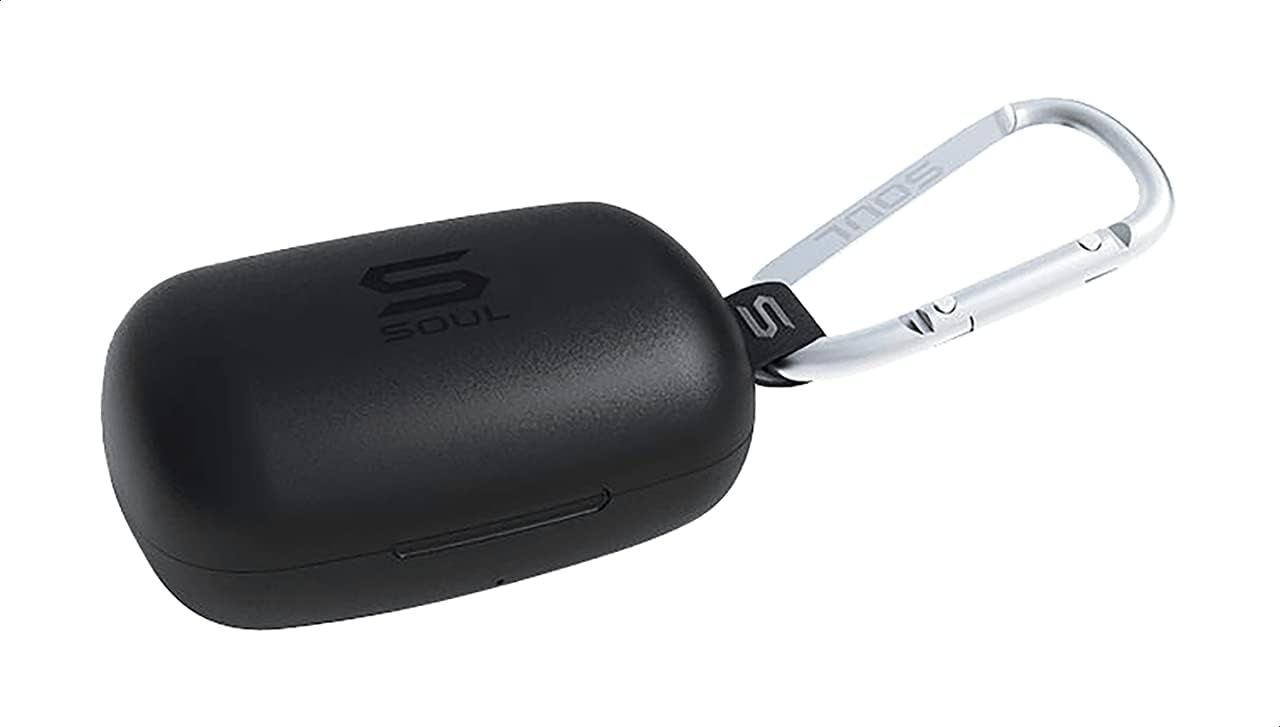
Slika 1: The Soul S-GEAR charging case in black, with the Soul logo visible. A carabiner clip is attached for portability.
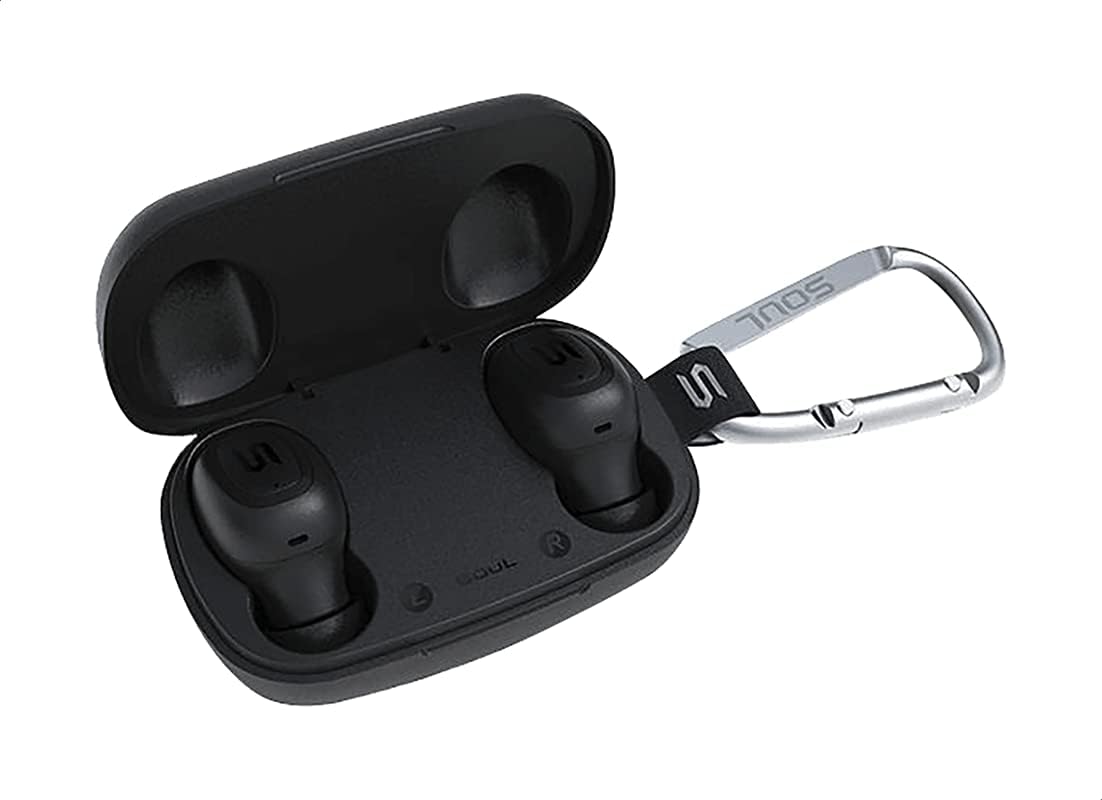
Slika 2: The Soul S-GEAR charging case opened, revealing the two black earbuds securely placed inside their charging slots. The carabiner clip is also visible.
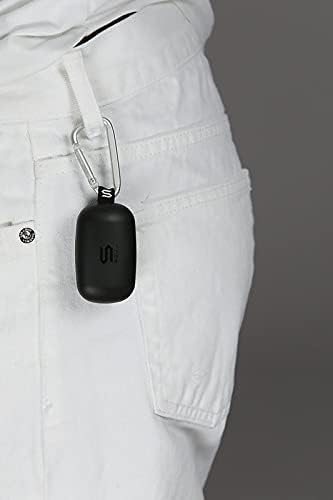
Slika 3: The Soul S-GEAR charging case, with its carabiner clip, attached to the belt loop of white pants, demonstrating its portability.
Nastavitev
1. Polnjenje slušalk in etuija
- Place the earbuds into the charging case. Ensure they are correctly seated in their respective L/R slots.
- Connect the USB-C charging cable to the charging port on the case and plug the other end into a USB power source (e.g., wall adapter, computer USB port).
- The indicator lights on the case will show the charging status. Allow approximately 1-2 hours for a full charge.
- Ko je baterija popolnoma napolnjena, odklopite polnilni kabel.
2. Initial Pairing with a Device
- Odprite polnilno ohišje. Slušalke se bodo samodejno vklopile in preklopile v način seznanjanja. Indikatorske lučke na slušalkah bodo utripale, kar pomeni, da so pripravljene za seznanjanje.
- V napravi (pametnem telefonu, tabličnem računalniku itd.) omogočite Bluetooth in poiščite razpoložljive naprave.
- Select "Soul S-GEAR" from the list of found devices.
- Once connected, you will hear an audible confirmation, and the earbud indicator lights will stop flashing.
- The earbuds feature automatic pairing. After the initial setup, they will automatically connect to the last paired device when removed from the case.
Navodila za uporabo
The Soul S-GEAR earbuds feature touch controls for easy management of audio and calls.
Vklop/izklop
- Vklop: Open the charging case, or press and hold the touch sensor on both earbuds for 3 seconds.
- Ugasniti: Place the earbuds back into the charging case and close the lid, or press and hold the touch sensor on both earbuds for 5 seconds.
Predvajanje glasbe
- Predvajanje/pavza: Enkrat se dotaknite senzorja na dotik na kateri koli slušalki.
- Naslednja skladba: Dvakrat se dotaknite senzorja na dotik na desni slušalki.
- Prejšnja skladba: Dvakrat se dotaknite senzorja na dotik na levi slušalki.
Upravljanje klicev
- Sprejmi/končaj klic: Enkrat se dotaknite senzorja na dotik na kateri koli slušalki.
- Zavrni klic: Press and hold the touch sensor on either earbud for 2 seconds.
Prekinitev aktivnega hrupa (ANC)
- Vklop/izklop ANC: Triple-tap the touch sensor on the left earbud to cycle through ANC On, Ambient Mode, and ANC Off.
Glasovni pomočnik
- Aktiviranje glasovnega pomočnika: Triple-tap the touch sensor on the right earbud.
Polnjenje
The Soul S-GEAR earbuds and charging case provide up to 24 hours of total playtime. The case supports USB-C fast charging.
- Polnjenje slušalk: Place earbuds into the charging case. They will charge automatically.
- Polnjenje ohišja: Connect the USB-C cable to the case and a power source. The LED indicator on the case will show charging status.
- A full charge for the case typically takes 1.5-2 hours.
Vzdrževanje
- Čiščenje: Slušalke in polnilno ohišje redno čistite z mehko, suho krpo, ki ne pušča vlaken. Ne uporabljajte agresivnih kemikalij ali abrazivnih materialov.
- Namigi za ušesa: Odstranite ušesne nastavke in jih po potrebi očistite z vodo in blagim milom. Preden jih ponovno namestite, se prepričajte, da so popolnoma suhi.
- Vodoodpornost: The earbuds are IPX4 rated, meaning they are resistant to splashing water from any direction. They are not designed for submersion in water. Do not expose them to heavy rain or immerse them. Ensure earbuds are dry before placing them back in the charging case.
- Shranjevanje: Slušalke shranjujte v polnilni škatlici, ko jih ne uporabljate, da jih zaščitite in ohranite napolnjene. Izogibajte se ekstremnim temperaturam.
Odpravljanje težav
| Izdaja | rešitev |
|---|---|
| Slušalke se ne seznanijo |
|
| Brez zvoka iz ene slušalke |
|
| Polnilna torbica se ne polni |
|
| Aktivno odpravljanje šumov ne deluje |
|
Specifikacije
| Funkcija | Podrobnost |
|---|---|
| Znamka | duša |
| Ime modela | S-GEAR (Soul S Gemar) |
| Številka modela | SS56BK |
| Tehnologija povezljivosti | Brezžično (Bluetooth 5.0) |
| Faktor oblike slušalk | V ušesu |
| Nadzor hrupa | Aktivno odpravljanje hrupa |
| Mikrofon | Integrirano |
| Nadzorna metoda | Dotik |
| Odpornost na vodo in prah | IPX4 |
| Igralni čas | Do 24 ur (s polnilnim ohišjem) |
| Vrata za polnjenje | USB-C (hitro polnjenje) |
| Združljive naprave | Multiple Bluetooth-enabled devices |
| Material | Plastika |
| barva | Črna |
| Dimenzije paketa | 11.8 x 9.8 x 4.2 cm |
| Teža predmeta | 152 gramov |
Varnostne informacije
- Izdelka ne razstavljajte, popravljajte ali spreminjajte.
- Izdelka ne izpostavljajte ognju ali visokim temperaturam.
- Avoid using the earbuds at excessively high volumes for prolonged periods to prevent hearing damage.
- Izdelek hranite izven dosega otrok in hišnih ljubljenčkov.
- Uporabljajte samo priložene ali certificirane polnilne kable in adapterje.
- Izdelek zavrzite odgovorno v skladu z lokalnimi predpisi.
Garancija in podpora
The Soul S-GEAR Wireless Bluetooth Earbuds come with a standard manufacturer's warranty. For detailed warranty terms and conditions, please refer to the warranty card included in your package or visit the official Soul webmesto.
For technical support, troubleshooting assistance, or any inquiries regarding your product, please contact Soul customer service through their official webspletnega mesta ali kontaktnih podatkov, navedenih na embalaži izdelka.