1. Uvod
This manual provides detailed instructions for the proper installation, operation, and maintenance of your Xprinter XP-N160II thermal receipt printer. Please read this manual thoroughly before using the printer to ensure optimal performance and to prevent damage.
2. Izdelek je končanview
2.1 Ključne lastnosti
- Znamka: Xprinter
- Barva: Črna
- Printer Type: Receipt Thermal Printer
- Številka modela: N160
- Tehnologija povezovanja: USB
- Printer Output: Monochrome
- Print Media: Labels
- Maximum Black and White Print Resolution: 203 dpi
2.2 Komponente tiskalnika
Familiarize yourself with the various parts of your Xprinter XP-N160II printer:
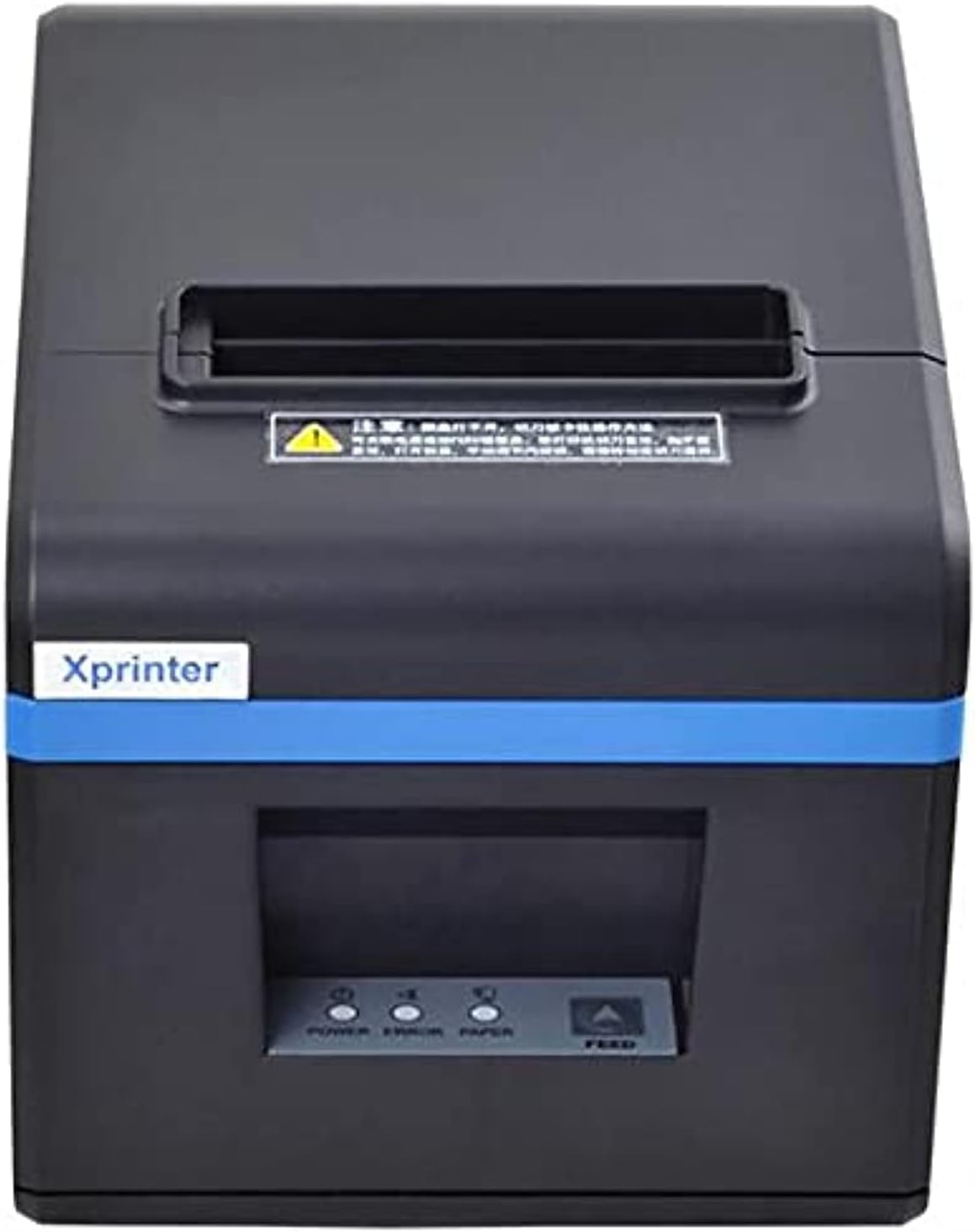
Slika 1: Spredaj view of the Xprinter XP-N160II thermal receipt printer, showing the paper output slot, control panel with indicator lights (POWER, ERROR, PAPER), and FEED button.
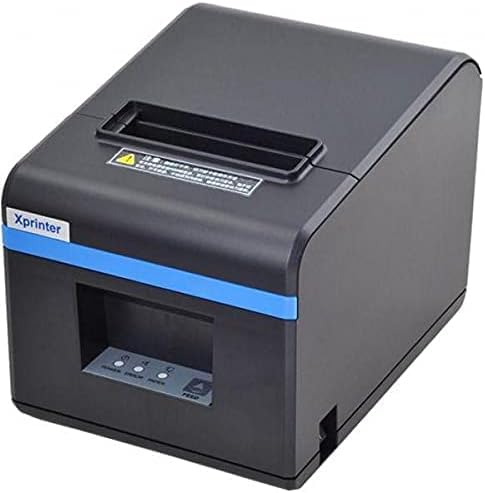
Slika 2: Nagnjena sprednja stran view of the Xprinter XP-N160II, highlighting its compact design and the Xprinter branding on the front.
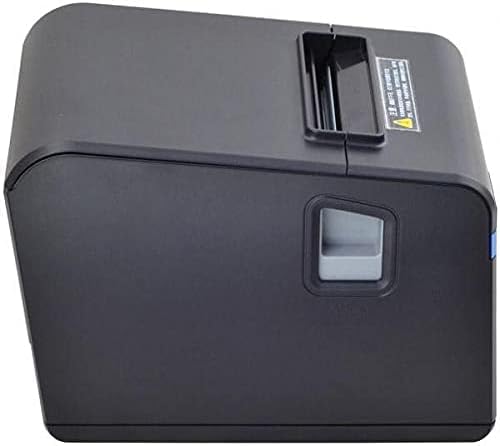
Slika 3: Stran view of the Xprinter XP-N160II, illustrating the paper cover release lever for easy paper roll replacement.

Slika 4: Zadaj view of the Xprinter XP-N160II, displaying the power input port, USB port, and an additional port (likely for cash drawer connection).
3. Navodila za nastavitev
- Razpakiranje: Tiskalnik previdno vzemite iz embalaže. Vse embalažne materiale shranite za kasnejši transport ali shranjevanje.
- Priključite napajanje: Connect the power adapter to the printer's power input port (refer to Figure 4) and then plug the power cord into a suitable electrical outlet.
- Priključite podatkovni kabel: Connect the USB cable from the printer's USB port (refer to Figure 4) to your computer or point-of-sale system.
- Nalaganje papirja v zvitku:
- Press the paper cover release lever (refer to Figure 3) to open the printer cover.
- Insert a new thermal paper roll into the compartment, ensuring the paper feeds from the bottom and the leading edge extends slightly out of the printer.
- Pokrov tiskalnika trdno zaprite, dokler se ne zaskoči.
- Namesti gonilnike: Insert the driver CD (if included) into your computer or download the latest drivers from the official Xprinter webspletno mesto. Sledite navodilom na zaslonu, da dokončate namestitev gonilnika.
- Vklop: Press the power button on the printer. The POWER indicator light should illuminate.
4. Navodila za uporabo
- Self-Test Print: To perform a self-test, turn off the printer. While holding down the FEED button, turn the printer back on. Release the FEED button once the printer starts printing. This will print a configuration page, confirming basic functionality.
- Printing from Application: Ensure the printer is connected and drivers are installed. In your application (e.g., POS software, word processor), select the Xprinter XP-N160II as your default printer and initiate the print command.
- Feeding Paper Manually: Press the FEED button on the front panel to advance the paper by a small amount. Hold the FEED button down to continuously feed paper.
5. Vzdrževanje
- Čiščenje tiskalne glave: Regularly clean the thermal print head with an alcohol swab or a specialized print head cleaning pen. Ensure the printer is turned off and cooled down before cleaning.
- Čiščenje tiskalnega valja: Uporabite mehko, damp cloth to wipe the platen roller (the rubber roller that feeds the paper) to remove any paper dust or debris.
- Zamenjava zvitka papirja: Replace the paper roll when the PAPER indicator light illuminates or when the red line appears on the paper, indicating the end of the roll is near. Follow the steps outlined in Section 3.4.
- Generalno čiščenje: Keep the printer exterior clean by wiping it with a soft, dry cloth. Avoid using harsh chemicals or abrasive cleaners.
6. Odpravljanje težav
| Težava | Možen vzrok | rešitev |
|---|---|---|
| Tiskalnik se ne vklopi | No power supply; faulty power adapter | Check power cable connection; ensure outlet is functional; try a different power adapter if available. |
| No paper feeding / PAPER light on | Paper roll empty or incorrectly loaded | Replace paper roll or re-load correctly (refer to Section 3.4). |
| Print output is blank or faded | Paper loaded incorrectly (upside down); print head dirty or damaged | Ensure thermal paper is loaded with the thermal side facing the print head; clean the print head (refer to Section 5). |
| Računalnik ne prepozna tiskalnika | USB cable disconnected; drivers not installed or corrupted | Check USB cable connection; re-install printer drivers (refer to Section 3.5). |
| Lučka NAPAKA sveti | Paper jam; print head overheating; cover open | Clear any paper jams; allow printer to cool down; ensure printer cover is closed properly. |
7. Specifikacije
| Funkcija | Podrobnost |
|---|---|
| Blagovna znamka | Xprinter |
| Ime modela | N160 |
| barva | Črna |
| Tehnologija tiskalnika | Toplotna |
| Tehnologija povezljivosti | USB |
| Izhod tiskalnika | Enobarvno |
| Tiskarski mediji | Etikete |
| Največja ločljivost črno-belega tiska | 203 dpi |
| Največja kapaciteta listov | 50 (referring to individual labels or a roll capacity equivalent) |
| Dimenzije paketa | 33 x 21.4 x 18.3 cm |
| Teža predmeta | 1.62 kg |
| Proizvajalec | Xprinter |
| Prvič na voljo | 1. junij 2021 |
8. Varnostne informacije
- Do not expose the printer to water or high humidity.
- Tiskalnika ne postavljajte na neposredno sončno svetlobo ali v bližino virov toplote.
- Uporabljajte samo napajalnik, ki je priložen tiskalniku.
- Tiskalnika ne poskušajte razstavljati ali popravljati sami. Obrnite se na usposobljeno servisno osebje.
- Hraniti izven dosega otrok.
- Med delovanjem zagotovite ustrezno prezračevanje okoli tiskalnika.
9. Garancija in podpora
The Xprinter XP-N160II thermal receipt printer comes with a standard manufacturer's warranty. For specific warranty terms and conditions, please refer to the documentation included with your purchase or contact Xprinter customer support directly. For technical assistance or service inquiries, please visit the official Xprinter webspletnem mestu ali se obrnite na njihove pooblaščene servisne centre.


