Konec izdelkaview
The Daytech Wireless Door Sensor Chime system provides a reliable alert solution for various applications. It consists of a wireless magnetic sensor and one or more plug-in receivers. When the sensor detects an opening (e.g., a door or window), it sends a signal to the receiver, which then emits an audible chime and activates an LED indicator. This system is designed to enhance security and convenience in homes, businesses, and care settings.
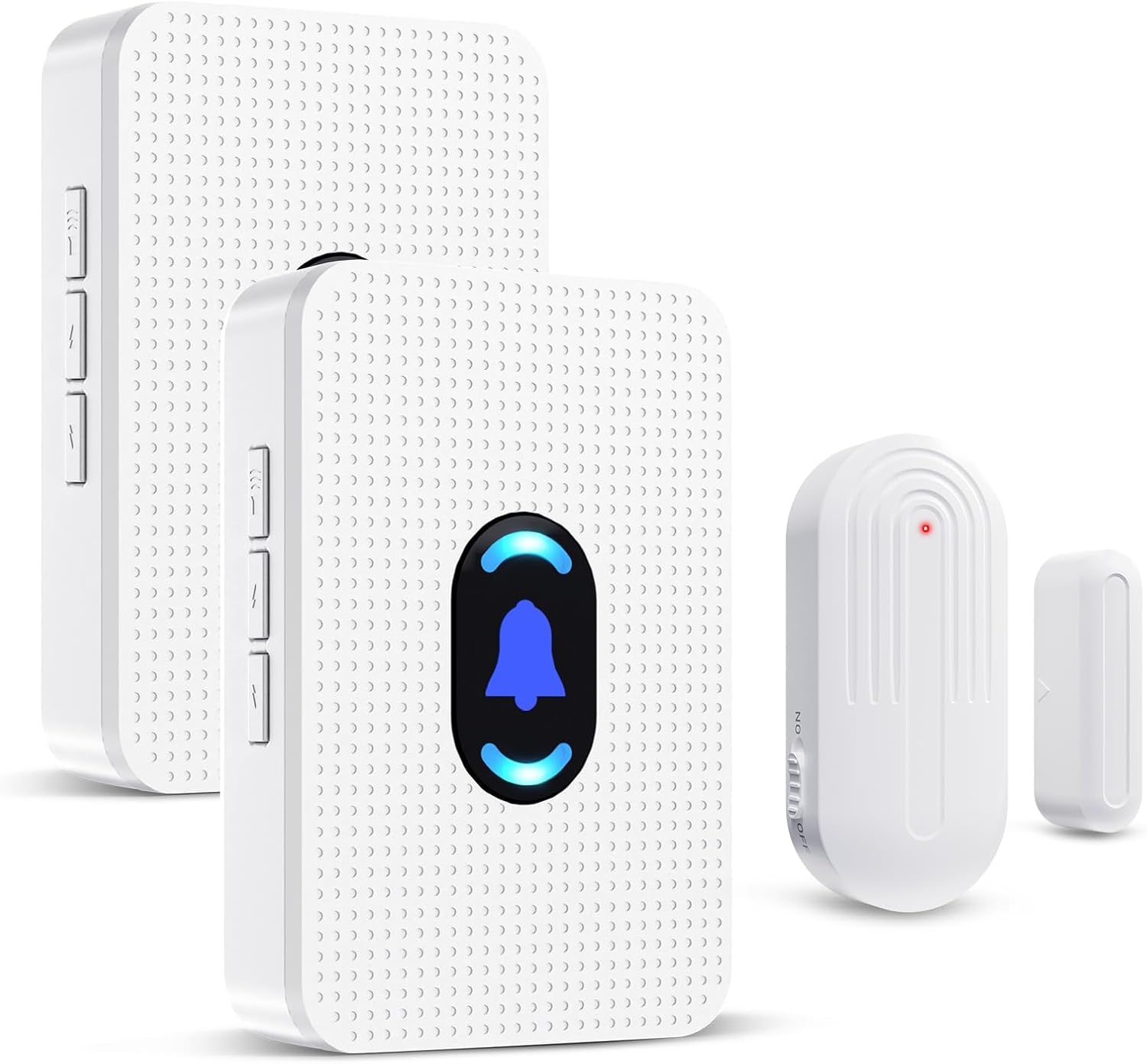
Image: Daytech Wireless Door Sensor Chime system, showing two plug-in receivers and a magnetic door/window sensor.
Ključne značilnosti:
- Brezžično delovanje: Provides flexible placement without the need for complex wiring.
- Razširjen obseg: Operates effectively up to 800 feet (240 meters) in open areas.
- Prilagodljiva opozorila: Offers 20 selectable chimes and 5 adjustable volume levels (0-110 dB), including a mute mode.
- Vizualni indikator: Features an LED indicator on the receiver for visual alerts.
- Vsestranska uporaba: Suitable for home security, business entry alerts, child safety, and monitoring for elderly individuals.
- Enostavna namestitev: Simple setup with adhesive tape for the sensor and plug-and-play for the receiver.
- Durable Sensor: IP44 waterproof rating for the sensor, designed for long-term use.
Vsebina paketa
- 1 x Wireless Magnetic Door Sensor
- 2 x vtični sprejemniki
- Mounting Hardware (e.g., double-sided adhesive tape)
- Uporabniški priročnik
Nastavitev in namestitev
1. Powering the Receiver:
Plug the receiver into any standard electrical outlet. The receiver will power on and be ready for operation.
2. Installing the Sensor:
The wireless sensor consists of two parts: the main sensor unit and a smaller magnetic strip. These two parts must be installed in close proximity to each other, typically on a door/window frame and the door/window itself.
- Identify a suitable location on your door, window, drawer, or cabinet. Ensure the two sensor parts can be aligned when the door/window is closed.
- Očistite površino, na katero bo nameščen senzor, da zagotovite pravilno oprijemljivost.
- Peel the backing from the double-sided adhesive tape provided.
- Attach one part of the sensor to the door/window frame and the other part to the moving door/window. Ensure the alignment marks on both parts are facing each other and the gap between them is less than 0.6 inches (1.5 cm) when closed.

Slika: npramples of sensor installation on doors, windows, drawers, and cabinets.

Image: Visual guide for mounting the door sensor using adhesive tape.
3. Seznanjanje (če je potrebno):
The sensor and receiver are typically pre-paired from the factory. If re-pairing is needed or if you are adding new sensors/receivers, follow these steps:
- Priključite sprejemnik.
- On the receiver, long press the volume button for 5-7 seconds until the LED indicator starts blinking rapidly. This indicates pairing mode.
- Quickly separate the two parts of the door sensor to activate the transmitter and send a signal to the receiver.
- Upon successful pairing, the receiver will sound a chime and the LED will stop blinking, confirming the connection.
Navodila za uporabo
1. Chime Activation:
When the two parts of the magnetic sensor are separated (e.g., a door or window opens), the sensor will trigger the paired receiver(s) to sound the selected chime and illuminate the LED indicator.

Image: Applications for home security, child safety, and elderly care.

Image: Applications for business, store, and office environments.
2. Prilagoditev glasnosti:
The receiver features a volume control button. Press this button repeatedly to cycle through 5 adjustable volume levels, ranging from 0 dB (mute) to 110 dB (maximum volume).

Image: Receiver with adjustable volume levels and LED indicator.
3. Changing Chime Melodies:
The receiver offers 20 different chime melodies. Use the "forward" and "backward" buttons on the side of the receiver to select your preferred melody.
4. Območje delovanja:
The system has a wireless operating range of up to 800 feet (240 meters) in an open environment. Walls, metal structures, and other electronic devices may reduce the effective range.

Image: Illustration of the system's 800ft wireless range.
Vzdrževanje
1. Sensor Battery Replacement:
The wireless sensor is powered by a CR2450 3V lithium battery. When the sensor's performance degrades or it stops transmitting signals, the battery may need replacement.
- Previdno odprite senzor casing using a small screwdriver.
- Odstranite staro baterijo CR2450.
- Insert a new CR2450 3V lithium battery, ensuring correct polarity.
- Zaprite senzor casing varno.
Image: Visual guide for battery replacement in the sensor.
The sensor battery is designed for long life, supporting up to 100,000 uses or 3-5 years of typical operation.

Image: Details on sensor battery life and durability features.
2. Čiščenje:
Wipe the sensor and receiver with a soft, dry cloth. Do not use abrasive cleaners or immerse the units in water.
3. Environmental Conditions:
The sensor is IP44 waterproof, suitable for outdoor use in various weather conditions. The operating temperature range is -4°F (-20°C) to 140°F (60°C).
Odpravljanje težav
| Težava | Možen vzrok | rešitev |
|---|---|---|
| Receiver does not chime when sensor is triggered. |
|
|
| Glasnost zvonjenja je prenizka ali previsoka. | Nastavitev glasnosti je treba prilagoditi. | Press the volume control button on the receiver to cycle through the 5 volume levels. |
| Melodija zvonjenja ni zaželena. | Incorrect melody selected. | Use the "forward" and "backward" buttons on the receiver to select a different melody. |
| Zmanjšan brezžični doseg. | Environmental interference or excessive distance. |
|
Specifikacije
| Funkcija | Podrobnost |
|---|---|
| Številka modela | AUB094VDX2J6 |
| Znamka | Daytech |
| Vir napajanja (sprejemnik) | Plug-in (AC Powered) |
| Vir napajanja (senzor) | 1 x CR2450 3V Lithium Battery (included) |
| voltage | 260 Volts (for receiver, typical for plug-in devices) |
| Brezžično Domet | Do 240 metrov (800 čevljev) na odprtem prostoru |
| Chime Melodies | 20 izbirnih melodij zvonjenja |
| Stopnje glasnosti | 5 adjustable levels (0 dB to 110 dB) |
| Senzorska tehnologija | Contact Sensor (Magnetic) |
| Vrsta namestitve | Door Mount, Window Mount (Adhesive Tape) |
| Sensor Gap Requirement | Less than 0.6 inches (1.5 cm) when closed |
| Material | ABS |
| Vodoodpornost senzorja | IP44 |
| Delovna temperatura | -4°F (-20°C) do 140°F (60°C) |
| Teža predmeta | 8.1 unč (celoten paket) |
| Dimenzije paketa | 4.33 x 3.82 x 3.58 palcev |
Garancija in podpora
For any product inquiries, technical support, or warranty information, please contact Daytech Customer Service. Refer to the product packaging or the official Daytech webspletno mesto za najnovejše kontaktne podatke.
Daytech is committed to providing quality products and customer satisfaction.


