Uvod
Thank you for choosing the Casio CSN 316 Calculator. This manual provides essential information to help you get the most out of your device, including setup instructions, operational guidance, maintenance tips, and troubleshooting solutions. Please read this manual thoroughly before using the calculator and keep it for future reference.
Konec izdelkaview
The Casio CSN 316 is a reliable 12-digit calculator designed for everyday use. It features dual power sources, ensuring consistent performance in various environments. Its clear LCD display makes calculations easy to read.
Ključne značilnosti:
- 12-digit display capacity
- Dual power (Solar and Battery)
- Jasen LCD zaslon
- Standard arithmetic functions
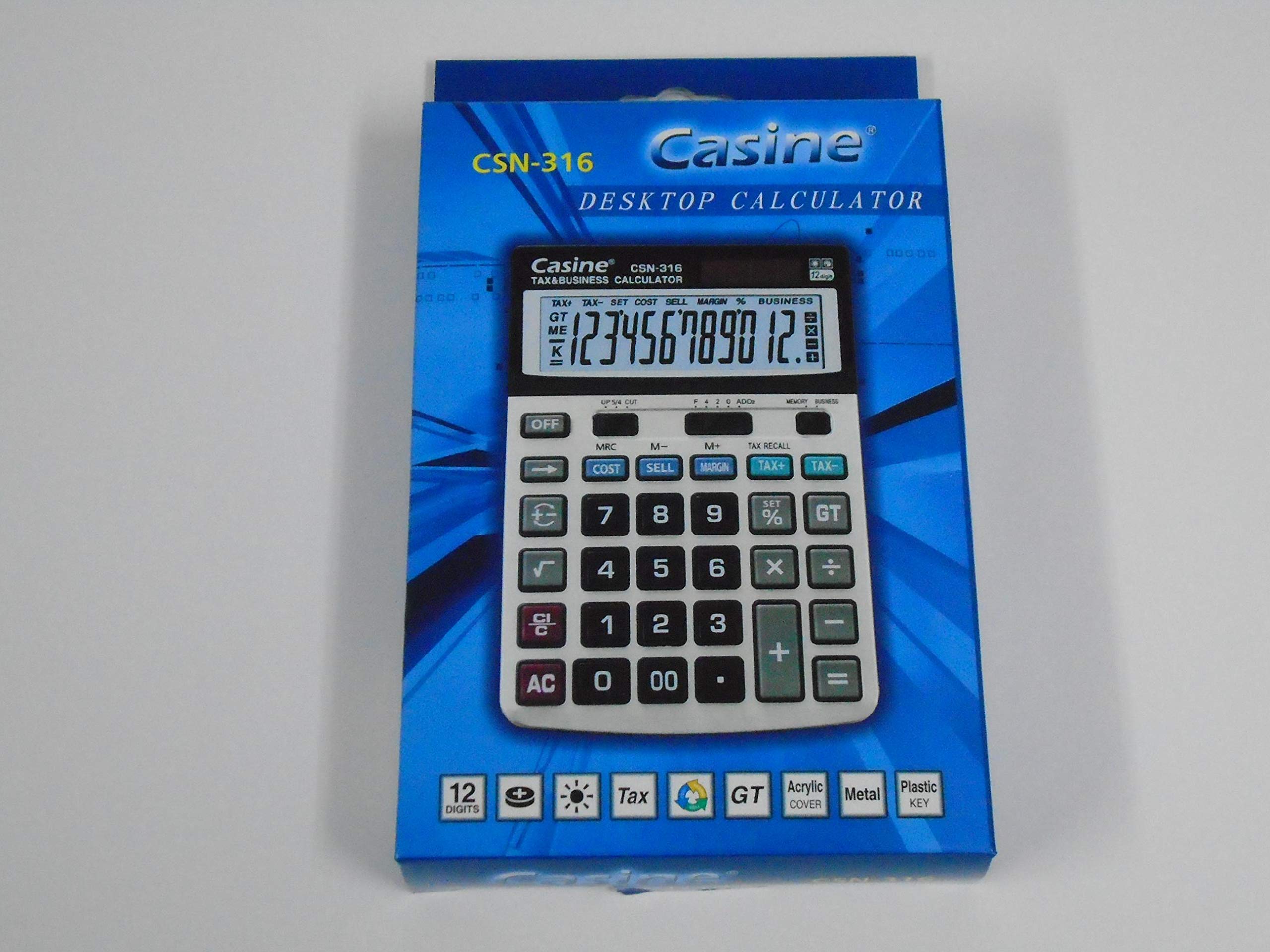
Slika 1: Spredaj view of the Casio CSN 316 Calculator, showing the 12-digit LCD display and key layout.
Nastavitev
1. Vir napajanja
The Casio CSN 316 calculator operates on dual power: solar power and battery power. Under sufficient lighting, the calculator will primarily use solar power. In low light conditions, it will automatically switch to battery power.
2. Namestitev/zamenjava baterije
- Prepričajte se, da je kalkulator izklopljen.
- Poiščite pokrovček predalčka za baterije na zadnji strani kalkulatorja.
- Z majhnim izvijačem previdno odstranite vijak(e), s katerim je pritrjen pokrov predalčka za baterije.
- Odstranite pokrov.
- Insert a new battery (type specified in Specifications section) with the correct polarity (+/-) as indicated inside the compartment.
- Namestite pokrov predalčka za baterije in ga pritrdite z vijakom(-i).
Opomba: Izrabljene baterije zavrzite v skladu z lokalnimi predpisi.
Navodila za uporabo
Osnovni izračuni
- Dodatek (+): Vnesite prvo številko, pritisnite +, vnesite drugo številko in pritisnite =.
- Odštevanje (-): Vnesite prvo številko, pritisnite -, vnesite drugo številko in pritisnite =.
- Množenje (×): Vnesite prvo številko, pritisnite ×, vnesite drugo številko in pritisnite =.
- Delitev (÷): Vnesite prvo številko, pritisnite ÷, vnesite drugo številko in pritisnite =.
Clearing Entries
- Pritisnite AC (All Clear) to clear all entries and reset the calculator.
- Pritisnite CE (Clear Entry) to clear the last entered number without affecting previous calculations.
Pomnilniške funkcije
- M+: Prikazano vrednost doda v pomnilnik.
- M-: Odšteje prikazano vrednost od pomnilnika.
- MR: Prikliče vrednost, shranjeno v pomnilniku, na zaslon.
- MC: Izbriše pomnilnik.
Vzdrževanje
Čiščenje
To clean your calculator, wipe it gently with a soft, dry cloth. Do not use abrasive cleaners, solvents, or spray directly onto the calculator, as this may damage the display or internal components.
Shranjevanje
Store the calculator in a cool, dry place away from direct sunlight and extreme temperatures. Avoid placing heavy objects on top of the calculator.
Odpravljanje težav
| Težava | Možen vzrok | rešitev |
|---|---|---|
| Zaslon je prazen ali temen. | Premalo svetlobe za sončno energijo ali pa je baterija skoraj prazna. | Move to a brighter area or replace the battery. |
| Napačni rezultati izračuna. | Incorrect key input or previous calculation not cleared. | Pritisnite AC to clear all and re-enter the calculation carefully. |
| Tipke se ne odzivajo. | Calculator may be frozen or battery is completely drained. | Replace the battery. If problem persists, contact customer support. |
Specifikacije
- Znamka: Casio
- Ime modela: ČSN 316
- Vrsta zaslona: LCD
- Število števk: 12
- vir energije: Dual Power (Solar and Battery Powered)
- Številka dela proizvajalca: 2724633395248.0
- ASIN: B091BPDPC4
- Prvi razpoložljivi datum: 30. marec 2021
Garancija in podpora
Za podrobne informacije o garanciji glejte garancijski list, ki je priložen embalaži izdelka, ali obiščite uradno spletno stran Casio. website. If you require further assistance or have questions not covered in this manual, please contact Casio customer support through their official channels.
Kontaktne podatke za podporo pogosto najdete na proizvajalčevi strani webspletno mesto: www.casio.com


