1. Uvod
Thank you for choosing the Lenco SCD-720 Boombox. This versatile audio system offers a wide range of playback options, including DAB+ and FM radio, Bluetooth 5.0 connectivity, a CD/MP3 player, a cassette player, and a USB port for digital audio files. It features 2 x 6W RMS audio output with Bass Reflex for enhanced sound and comes with a remote control for convenient operation. This manual provides essential information for setting up, operating, and maintaining your device.
2. Pomembne varnostne informacije
- Pred uporabo naprave natančno preberite vsa navodila.
- Ta priročnik shranite za poznejšo uporabo.
- Naprave ne izpostavljajte dežju ali vlagi, da preprečite požar ali električni udar.
- Zagotovite ustrezno prezračevanje. Ne blokirajte prezračevalnih odprtin.
- Naprave ne postavljajte v bližino virov toplote, kot so radiatorji, grelniki, štedilniki ali druge naprave (vključno z amplifiers), ki proizvajajo toploto.
- Zaščitite napajalni kabel, da se po njem ne pohodi ali stisne, zlasti pri vtičih, vtičnicah in na mestu, kjer izstopa iz naprave.
- Uporabljajte samo priključke/dodatke, ki jih je določil proizvajalec.
- Napravo izklopite med nevihtami ali ko je dlje časa ne uporabljate.
- Za vse servise se obrnite na usposobljeno servisno osebje. Servis je potreben, če je bil aparat kakor koli poškodovan, na primer poškodovan je napajalni kabel ali vtič, je bila polita tekočina ali so v aparat padli predmeti, je bil aparat izpostavljen dežju ali vlagi, ne deluje normalno , ali je bil opuščen.
3. Izdelek je končanview
Familiarize yourself with the main components and controls of your Lenco SCD-720 Boombox.
Spredaj View z vrati USB

This image shows the front of the Lenco SCD-720 Boombox, highlighting the main control panel, speakers, and a USB stick inserted into the USB port on the top left.
Spredaj View with CD Compartment Open

This image displays the Lenco SCD-720 Boombox from the front, with the top-loading CD compartment lid open, ready for CD insertion.
Zadaj View
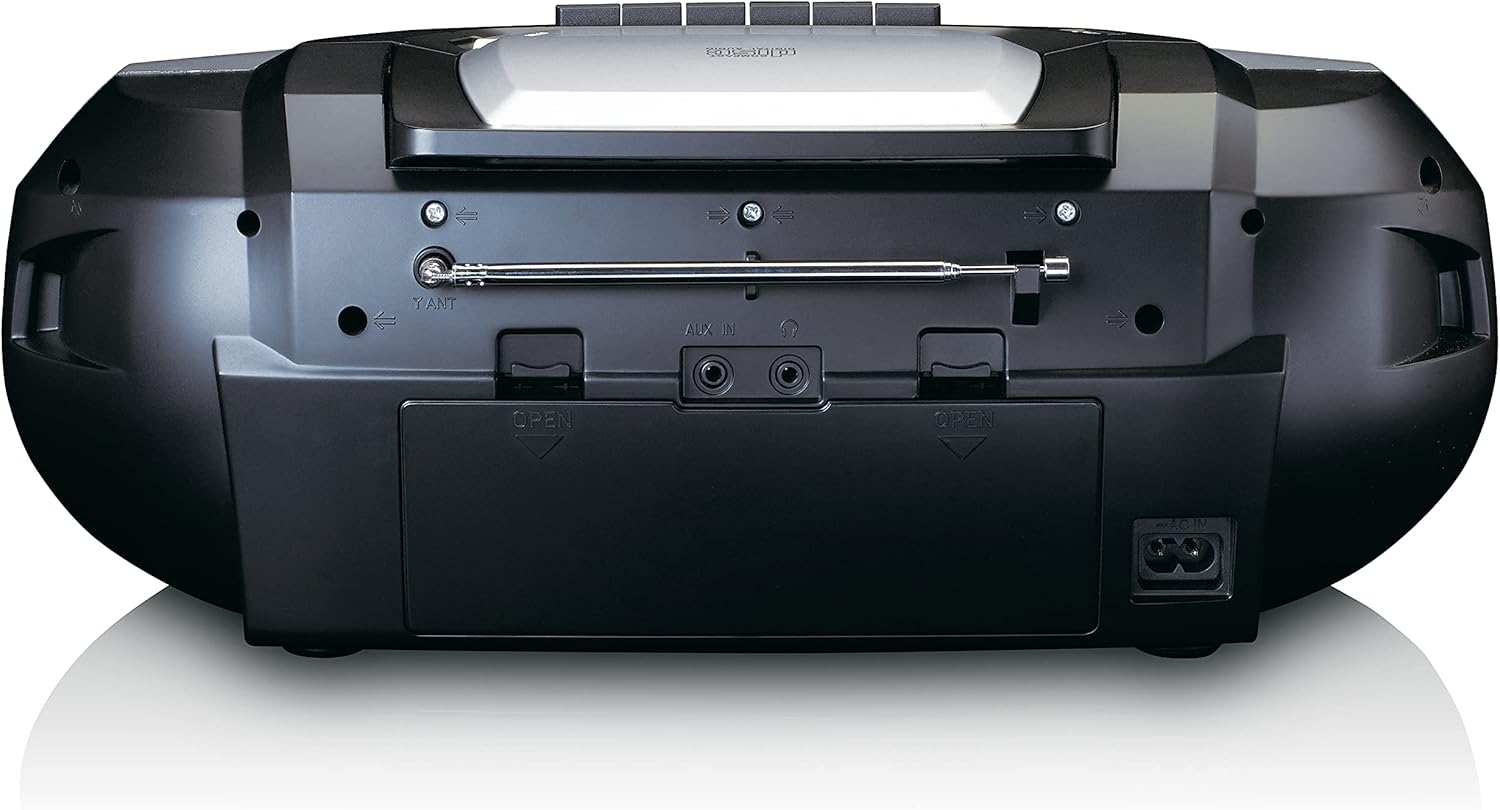
This image shows the back of the Lenco SCD-720 Boombox, featuring the telescopic antenna, AUX input, headphone jack, and the AC power input socket.
Control Panel Close-up

Podrobno view of the Lenco SCD-720 Boombox's central control panel, including the digital display, source selection buttons, tuning/navigation buttons, and the illuminated volume knob.
Boombox with Remote Control
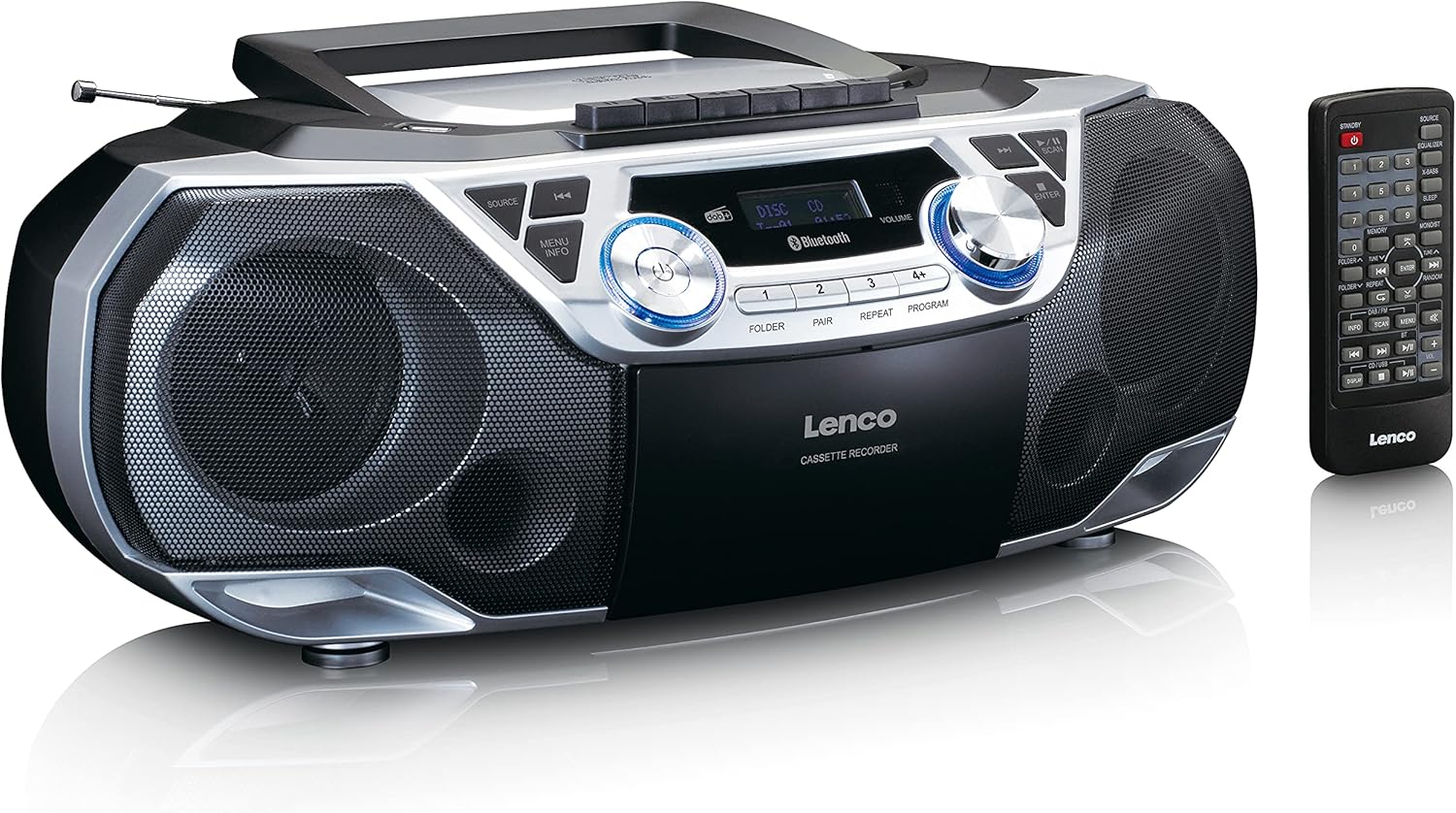
The Lenco SCD-720 Boombox is displayed next to its included remote control, illustrating the complete package.
Postavitev daljinskega upravljalnika

A close-up image of the remote control for the Lenco SCD-720 Boombox, showing all buttons for power, source selection, playback, tuning, and other functions.
4. Nastavitev
4.1 Napajalni priključek
The Lenco SCD-720 Boombox can be powered by AC mains or batteries.
- AC napajanje: Connect the supplied AC power cord to the AC IN socket on the rear of the unit and then to a standard wall outlet.
- Delovanje baterije: For portable use, open the battery compartment on the rear of the unit and insert 8 x 'C' type batteries (not included), ensuring correct polarity. Close the compartment securely.
4.2 Nastavitev antene
For optimal radio reception, extend the telescopic antenna fully. Adjust its position and angle to achieve the best signal quality for both DAB+ and FM broadcasts.
4.3 Začetni vklop
Pritisnite MOČ button on the unit or remote control to turn on the boombox. The display will light up, and the unit will typically start in the last used mode.
5. Navodila za uporabo
5.1 Splošni nadzor
- Vklop/izklop: Pritisnite MOČ gumb.
- Nadzor glasnosti: Zavrtite GLASNOST gumb na enoti ali uporabite GLASNOST + / - gumbi na daljinskem upravljalniku.
- Izbira vira: Pritisnite VIR button on the unit or the dedicated source buttons (DAB/FM, CD/USB, BT) on the remote to switch between modes (DAB+, FM, CD, USB, Bluetooth, AUX).
5.2 Delovanje radia (DAB+/FM)
- Izberite način: Pritisnite VIR button until DAB+ or FM mode is selected.
- Samodejno skeniranje: V načinu DAB+ ali FM pritisnite SCAN gumb za samodejno iskanje in shranjevanje razpoložljivih postaj.
- Ročna nastavitev: Uporabite TUNE < / > gumbe za ročno nastavitev frekvence.
- Prednastavljene postaje: The unit allows you to save your favorite stations. Press and hold one of the numbered preset buttons (1-4) to store the current station. Briefly press a preset button to recall a stored station.
- DAB+ Information: V načinu DAB+ pritisnite INFO button to cycle through various information such as program type, signal strength, time, and date.
5.3 CD/MP3 Playback
- Load CD: Open the CD compartment lid by pressing the ODPRTO button. Place a CD or MP3 CD with the label side facing up. Close the lid securely.
- Predvajanje: The CD will start playing automatically. If not, press the PREDVAJAJ/PAVZA gumb.
- Kontrole: Uporaba SKIP << / >> gumbe za preskakovanje skladb. Pritisnite in držite za hitro previjanje naprej/nazaj.
- Ponovi: Pritisnite PONOVI za ponovitev trenutne skladbe ali vseh skladb.
- Program: Pritisnite PROGRAM to create a custom playback order for tracks.
5.4 Predvajanje in snemanje kaset
- Load Cassette: Open the cassette compartment. Insert a cassette tape.
- Predvajanje: Pritisnite IGRAJ gumb.
- snemanje: To record from Radio, CD, USB, or AUX, select the desired source. Insert a blank cassette. Press the SNEMANJE button (usually red) along with the IGRAJ gumb hkrati.
- Kontrole: Uporaba HITRO NAPREJ in PREVIJAJ NAZAJ gumbi. Pritisnite ZAUSTAVI/IZVRNI to stop playback and open the compartment.
5.5 Bluetooth 5.0 Povezljivost
- Vstopite v način Bluetooth: Pritisnite VIR button until 'BT' or 'Bluetooth' appears on the display. The unit will enter pairing mode, indicated by a flashing Bluetooth icon.
- Seznanjanje: On your smartphone or tablet, enable Bluetooth and search for available devices. Select 'Lenco SCD-720' from the list. Once paired, the Bluetooth icon will stop flashing.
- Predvajanje: Start playing audio on your connected device. The sound will be streamed to the boombox.
5.6 Predvajanje prek USB-ja
- Vstavite USB: Vstavite bliskovni pogon USB, ki vsebuje MP3 files v vrata USB.
- Izberite način USB: Pritisnite VIR button until 'USB' appears. The unit will automatically scan and begin playing MP3 files.
- Kontrole: Uporabite gumbe za nadzor predvajanja (PLAY/PAUSE, SKIP << / >>) za upravljanje glasbe.
5.7 AUX vhod
Connect external audio devices (e.g., MP3 players, smartphones without Bluetooth) to the AUX IN. jack on the rear of the unit using a 3.5mm audio cable (not included). Select AUX mode via the VIR gumb.
5.8 Izhod za slušalke
For private listening, connect headphones to the SLUŠALKE jack on the rear of the unit. The main speakers will be muted automatically.
5.9 Daljinski upravljalnik
The included remote control provides full functionality for the boombox, allowing you to control power, source, volume, playback, tuning, and other settings from a distance. Ensure the remote has working batteries and is pointed towards the front of the boombox.
6. Vzdrževanje
6.1 Čiščenje enote
Wipe the exterior of the boombox with a soft, dry cloth. Do not use abrasive cleaners, waxes, or solvents as they may damage the finish. For stubborn stains, a slightly damp Uporabite lahko krpo, nato pa še suho krpo.
6.2 CD Lens Care
If CD playback becomes erratic, the CD lens may need cleaning. Use a commercially available CD lens cleaner disc. Do not touch the lens directly.
6.3 Cassette Head Cleaning
Glave kasete, valjčke in nosilce redno čistite z vatirano palčko, rahlo navlaženo z izopropilnim alkoholom, da zagotovite optimalno kakovost zvoka in preprečite poškodbe kasete.
6.4 Zamenjava baterije
If the unit is powered by batteries and performance degrades, replace all 8 'C' type batteries with new ones, ensuring correct polarity. Do not mix old and new batteries or different types of batteries.
7. Odpravljanje težav
| Težava | Možen vzrok | rešitev |
|---|---|---|
| Brez moči | Napajalni kabel ni priključen; Baterije so prazne ali nepravilno vstavljene. | Check AC cord connection; Replace batteries, ensuring correct polarity. |
| Brez zvoka | Glasnost je prenizka; Izbran je napačen vir; Priključene so slušalke. | Increase volume; Select correct source; Disconnect headphones. |
| Slab radijski sprejem | Antena ni pravilno iztegnjena ali nameščena; Slab signal. | Extend and adjust the telescopic antenna; Try moving the unit to a different location. |
| CD/USB se ne predvaja | Disc dirty/scratched; USB format not supported; Incorrect mode. | Clean or replace disc; Ensure USB contains MP3 files; Select CD or USB mode. |
| Bluetooth povezovanje ni uspelo | Boombox not in pairing mode; Device too far; Bluetooth off on device. | Ensure boombox is in BT pairing mode; Move device closer; Enable Bluetooth on your device. |
| Cassette recording issues | Incorrect source selected; Cassette write-protect tab engaged. | Select the desired recording source; Ensure the write-protect tab on the cassette is not broken off. |
8. Specifikacije
- Model: SCD-720SI
- Znamka: Lenco
- Povezljivost: DAB+, FM Radio, Bluetooth 5.0, CD/MP3 Player, Cassette Player, USB Playback, AUX Input, Headphone Output
- Avdio izhod: 2 x 6 W RMS
- vir energije: AC 230V ~ 50Hz or 8 x 'C' type batteries (DC 12V)
- Podprti zvočni formati: CD, CD-R/RW, MP3 (from CD/USB)
- Posebne lastnosti: Bass Reflex, Remote Control
- Dimenzije (D x Š x V): Približno 38.5 cm x 23.5 cm x 14.5 cm
- barva: Srebrna
- Proizvajalec: Lenco GmbH
- Država izvora: Kitajska
9. Garancija in podpora
Lenco products are covered by a warranty in accordance with European law. For specific warranty terms and conditions, please refer to the warranty card included with your product or visit the official Lenco website. For technical support, service, or spare parts information, please contact Lenco customer service or your local dealer. Please have your model number (SCD-720SI) and purchase details ready when contacting support.
Information regarding software updates and spare parts availability is not provided at this time.


