Konec izdelkaview
This manual provides instructions for the Sharp NASA Space Shuttle Night Light Alarm Clock. This device combines an alarm clock with a space-themed nightlight and projection feature, designed to enhance a child's bedroom environment.

Nastavitev
Razpakiranje
- Previdno odstranite vse komponente iz embalaže.
- Preverite, ali so prisotni vsi elementi, navedeni v razdelku »Kaj je v škatli«.
Napajalni priključek
The alarm clock can be powered via the included electric adapter. For continuous operation of all features, including the nightlight and projection, direct power is recommended.
For battery backup, insert appropriate batteries (not included) into the battery compartment located at the base of the unit. This ensures timekeeping and alarm function during power outages.

Navodila za uporabo
Nastavitev časa
- Pritisnite ČAS gumb.
- Uporabite + in - gumbe za nastavitev ure in minute.
- Pritisnite ČAS ponovno za potrditev.
Nastavitev alarma
- Pritisnite ALARM gumb.
- Uporabite + in - gumbe za nastavitev želenega časa alarma.
- Pritisnite ALARM again to activate the alarm. An alarm icon will appear on the display.
Funkcija dremeža
To temporarily silence the alarm, tap the top of the unit. The alarm will sound again after a short interval.
Nightlight and Projection Features
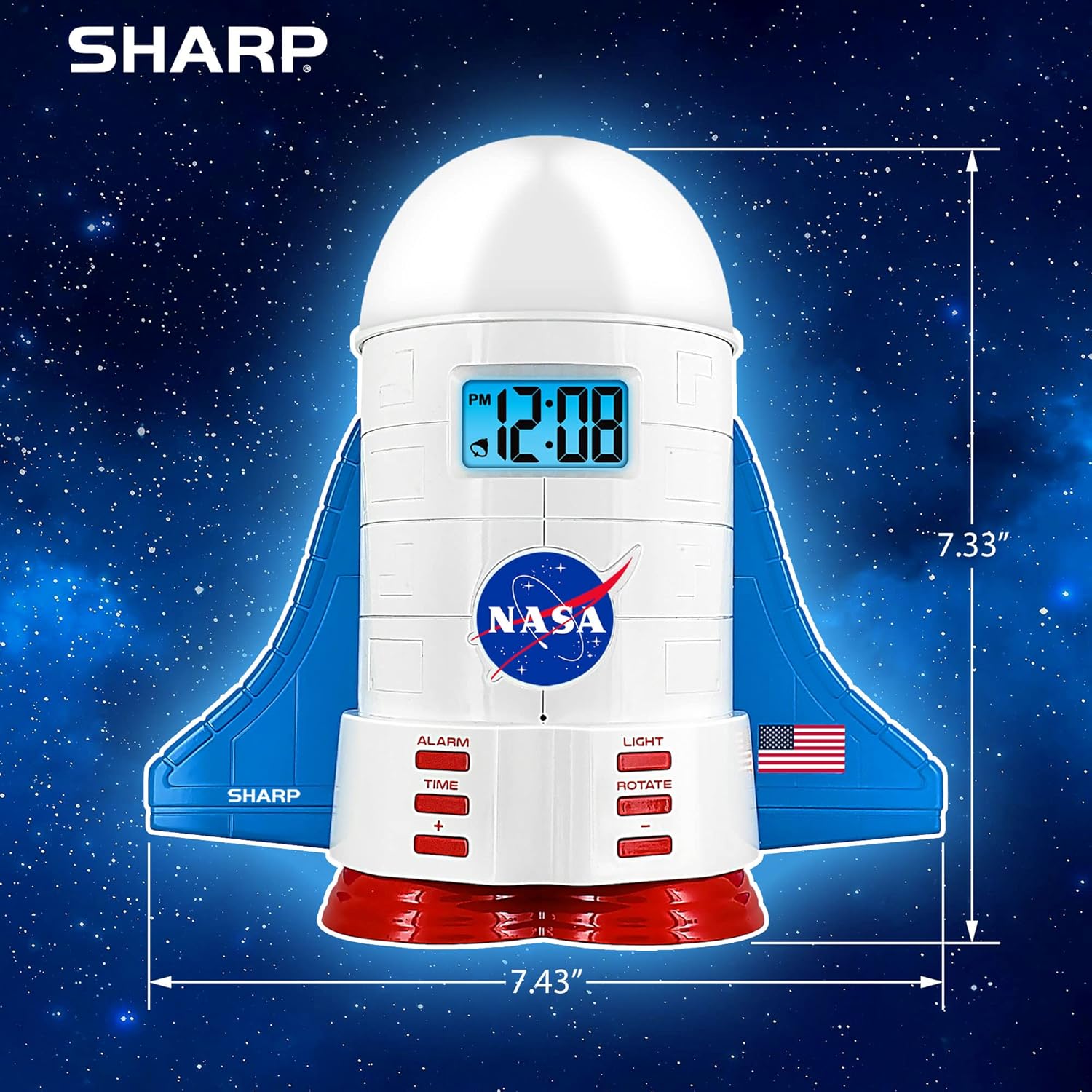
The unit features light-up wings and a rocket booster base, along with a rotating projection cap.

Aktiviranje luči
Pritisnite SVETLOBA button to cycle through the 4 color options for the wings and booster lights.
Projection Caps
The device includes two interchangeable space-themed projection caps and a frosted nightlight cap. Twist counter-clockwise to attach or remove caps.

Vrteča se projekcija
Pritisnite ROTIRANJE button to activate or deactivate the rotation of the projected images.
Vzdrževanje
- Clean the unit with a soft, dry cloth. Avoid abrasive cleaners or solvents.
- Ensure the projection caps are free from dust or smudges for clear image projection.
- Replace batteries in the backup compartment as needed to maintain time settings during power interruptions.
Odpravljanje težav
| Težava | Možen vzrok | rešitev |
|---|---|---|
| Clock not displaying time | Brez moči | Ensure the electric adapter is securely plugged in. Check battery backup. |
| Alarm se ne oglasi | Alarm not set or deactivated | Verify alarm time is set and activated (alarm icon visible). |
| Projection unclear or dim | Dust on cap or insufficient darkness | Clean the projection cap. Ensure the room is sufficiently dark for optimal projection. |
| Projekcija se ne vrti | Rotate function off | Pritisnite ROTIRANJE button to activate the rotation feature. |
Specifikacije
- Znamka: Ostra
- Številka modela: Sharp NASA e Shuttle Alarm Clock
- vir energije: Electric Adapter (Battery backup for timekeeping)
- Vrsta svetlobnega vira: LED
- Nightlight Colors: 4 možnosti
- Teme projekcij: 2 interchangeable space scenes
- Zaslon: LCD z modro osvetlitvijo
- Dimenzije: 7.43 x 1.5 x 7.43 palcev
- Teža: 1.33 funtov
- Material: Plastika
- Posebne lastnosti: Color Changing, Snooze Function, Rotating Projection
Garancija in podpora
Za informacije o garanciji ali tehnično podporo se obrnite na uradno spletno stran proizvajalca webspletno mesto ali se obrnite na njihovo službo za stranke.
Proizvajalec: Ostra
UPC: 049353005447
ASIN: B08PL6K2C5


