Uvod
This user manual provides comprehensive instructions for the setup, operation, maintenance, and troubleshooting of your Trust Ozaa Rechargeable Wireless Mouse. Please read this manual carefully before using the product to ensure optimal performance and longevity.

Image: The Trust Ozaa Rechargeable Wireless Mouse shown with its USB receiver and micro-USB charging cable. This image illustrates the main components included with the mouse.
Vsebina paketa
Preverite, ali so v paketu prisotni vsi elementi:
- Trust Ozaa Rechargeable Wireless Mouse
- USB sprejemnik
- Micro-USB polnilni kabel
- Navodila za uporabo (ta priročnik)

Image: The retail packaging for the Trust Ozaa Rechargeable Wireless Mouse, highlighting its key features such as 10m wireless range, comfortable design, and silent click buttons.
Nastavitev
- Napolnite miško: Before first use, connect the supplied micro-USB charging cable to the mouse's charging port and to a USB power source (e.g., computer USB port, USB wall adapter). The charging indicator light will illuminate. Allow the mouse to fully charge.
- Vstavite USB sprejemnik: Locate the USB receiver, typically stored in a compartment on the underside of the mouse. Remove it and plug it into an available USB-A port on your computer (PC or Mac).
- Vklop: Turn on the mouse using the on/off switch located on the underside.
- Samodejna povezava: The mouse should automatically connect to your computer. No additional drivers are typically required for basic functionality (Plug and Play).

Image: A user operating the Trust Ozaa mouse wirelessly next to a laptop, demonstrating its plug-and-play functionality and 10-meter wireless range.
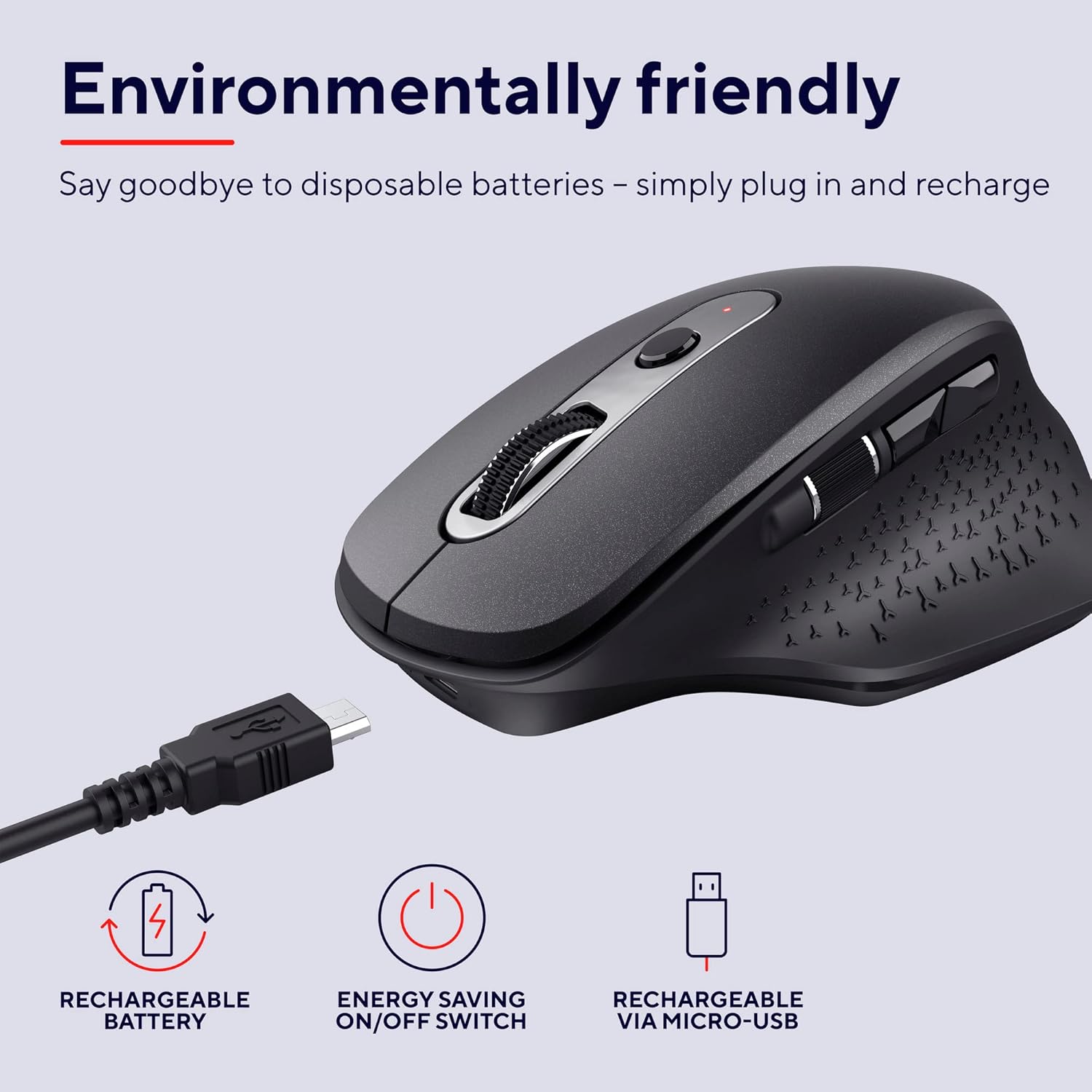
Image: The Trust Ozaa mouse being charged via its micro-USB cable, highlighting its rechargeable battery and energy-saving features.
Navodila za uporabo
Funkcije gumbov
- Levi klik na gumb: Standard primary click. Designed for silent operation.
- Desni klik na gumb: Standard secondary click. Designed for silent operation.
- Scroll Wheel (Middle Button): Navpično se pomikajte po dokumentih in web strani. Za funkcijo klika s srednjim gumbom pritisnite navzdol.
- Gumb za nastavitev DPI: Located behind the scroll wheel. Press to cycle through different cursor speeds (DPI settings: 800, 1200, 1600, 2400 DPI).
- Stransko drsno kolo: Located on the left side. Allows for horizontal scrolling.
- Gumbi naprej/nazaj: Located above the side scroll wheel. Used for navigating forward and backward in web brskalniki oz file raziskovalci.

Slika: Pogled zgornja meja view of the Trust Ozaa mouse, visually indicating the DPI adjustment, silent buttons, and convenient side scroll wheel.
Prilagoditev DPI
The mouse features an adjustable cursor speed (DPI) ranging from 800 to 2400 DPI. To change the DPI, press the dedicated DPI button located behind the main scroll wheel. Each press will cycle through the available settings, allowing you to select the sensitivity that best suits your task or preference.
Varčevanje z energijo
To conserve battery life, the mouse is equipped with an on/off switch on its underside. It also features an automatic sleep mode that activates after a period of inactivity. To wake the mouse, simply move it or click any button.
Vzdrževanje
- Čiščenje: Za čiščenje miške uporabite mehko, suho krpo. Za trdovratno umazanijo rahloamp Uporabite lahko krpo, vendar pazite, da v notranje komponente ne vdre vlaga. Ne uporabljajte agresivnih kemikalij ali abrazivnih čistil.
- Polnjenje: Recharge the mouse when the battery indicator light signals low power or when performance degrades. Use only the provided charging cable or a compatible micro-USB cable.
- Shranjevanje: When not in use for extended periods, turn off the mouse to preserve battery life. Store it in a cool, dry place.
Odpravljanje težav
| Težava | Možen vzrok | rešitev |
|---|---|---|
| Miška se ne odziva. |
|
|
| Premikanje kurzorja je neenakomerno ali poskakujoče. |
|
|
| Gumbi ne delujejo. |
|
|
Specifikacije
| Znamka | Zaupanje |
| Številka modela | 23812 |
| Tehnologija povezljivosti | Radijska frekvenca (brezžično) |
| Brezžično Domet | Do 10 metre |
| Nastavitve DPI | 800, 1200, 1600, 2400 DPI (Adjustable) |
| Število gumbov | 6 (Left, Right, Scroll Wheel Click, DPI, Forward, Backward) + Side Scroll Wheel |
| Glavni gumbi | Silent Left and Right Buttons |
| Vir napajanja | Rechargeable Battery (1 AAA battery included, contained in equipment) |
| Vrata za polnjenje | Mikro-USB |
| Mere izdelka (D x Š x V) | 7.7 x 11.8 x 4.6 cm |
| Teža predmeta | 122 g |
| Združljivost strojne platforme | PC, Mac |
| Združljivost operacijskega sistema | Chrome OS, Windows, Mac OS |
| Posebne lastnosti | Wireless, Rechargeable, Quiet, Ergonomic Design, Energy-saving On/Off Switch |
Garancija in podpora
Za informacije o garanciji in tehnično podporo se obrnite na uradno spletno stran Trust. webspletno mesto ali se obrnite neposredno na njihovo službo za stranke. Shranite dokazilo o nakupu za uveljavljanje garancije.
Trust Official Webspletno mesto: www.trust.com
V ta priročnik ni bilo na voljo nobenih uradnih videoposnetkov izdelkov prodajalca.


