1. Uvod
This manual provides instructions for the setup, operation, maintenance, and troubleshooting of your ROCCAT Vulcan TKL Mechanical PC Gaming Keyboard. The Vulcan TKL is a tenkeyless mechanical keyboard designed for PC gaming, featuring Linear Titan Switches, per-key AIMO RGB lighting, an anodized aluminum top plate, and a detachable USB-C cable.
Glavne lastnosti vključujejo:
- Tenkeyless form factor for increased desk space and mouse movement.
- Titan Switch Mechanical with linear actuation for responsive keystrokes.
- Durable construction with a 50 million keystroke lifecycle.
- Ultra-nizka profile design to reduce wrist strain.
- Key stabilizer technology for solid and sturdy keys.
- AIMO intelligent lighting engine for customizable RGB effects.
- Mixer-style volume dial and dedicated media controls.
2. Kaj je v škatli
Preverite, ali so v embalaži prisotne vse komponente:
- ROCCAT Vulcan TKL Mechanical PC Gaming Keyboard
- Odstranljiv kabel USB-C
- Kratki vodnik (ni vključen v ta priročnik)
3. Nastavitev
Follow these steps to set up your ROCCAT Vulcan TKL keyboard:
- Priključite kabel USB-C: Locate the USB-C port on the back of the keyboard. Connect the smaller end of the provided USB-C cable to this port.
- Povežite se z računalnikom: Standardni konec kabla USB-A priključite v prosta vrata USB na računalniku.

Image 3.1: Connecting the detachable USB-C cable to the keyboard.

Image 3.2: Close-up of the USB-C port on the keyboard.
- Namestitev gonilnika: Vaš operacijski sistem bi moral samodejno zaznati in namestiti potrebne gonilnike.
- Namestite programsko opremo ROCCAT Swarm: For full customization of lighting, key assignments, and macros, download and install the ROCCAT Swarm software from the official ROCCAT website. This software allows you to configure advanced features and update firmware.
4. Navodila za uporabo
The ROCCAT Vulcan TKL keyboard offers a range of functions for gaming and general use.
4.1 Razporeditev in funkcije tipk
The keyboard features a UK layout with standard alphanumeric keys, function keys (F1-F12), and dedicated media controls.

Slika 4.1: Konecview of the ROCCAT Vulcan TKL keyboard layout.
- Funkcijske tipke (F1–F12): These keys can have secondary functions when pressed in combination with the FN key. Refer to the keycaps for specific secondary functions (e.g., media playback, volume, lighting adjustments).
- Gumb za glasnost: Located in the upper right corner, this dial allows for quick adjustment of system volume. Rotate clockwise to increase volume, counter-clockwise to decrease.

Image 4.2: The mixer-style volume dial for audio control.
4.2 AIMO RGB osvetlitev
The keyboard features per-key AIMO intelligent RGB lighting. This lighting system can be customized extensively using the ROCCAT Swarm software. AIMO reacts to your input and other compatible ROCCAT devices to create dynamic lighting effects.
- Prilagajanje: Use the ROCCAT Swarm software to select from various lighting effects, adjust brightness, and create custom lighting profiles.
- Shramba na vozilu: The keyboard supports on-board profile storage, allowing you to save your preferred settings directly to the keyboard for use on different systems without the Swarm software.
4.3 Titan Switch Mechanical
The Vulcan TKL utilizes ROCCAT's Titan Switch Mechanical with linear actuation. This design provides a smooth and consistent keystroke, optimized for speed and responsiveness in gaming scenarios.

Slika 4.3: Podrobno view of the Titan Switch Mechanical.
4.4 Ergonomska zasnova
The keyboard features an ultra-low profile design, which helps to reduce wrist strain during extended use by allowing a more natural hand position.
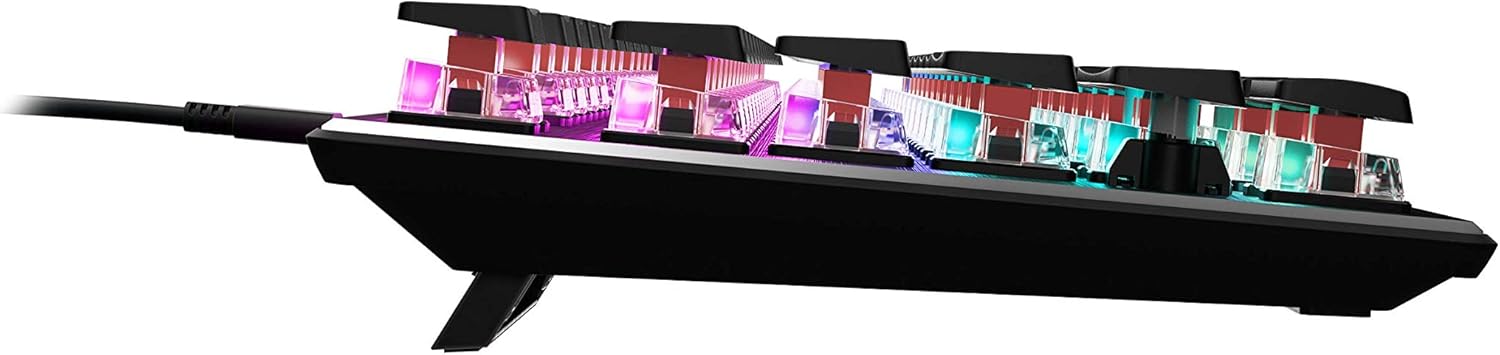
Slika 4.4: Stranski profesionalecfile of the keyboard demonstrating its low-profile oblikovanje.
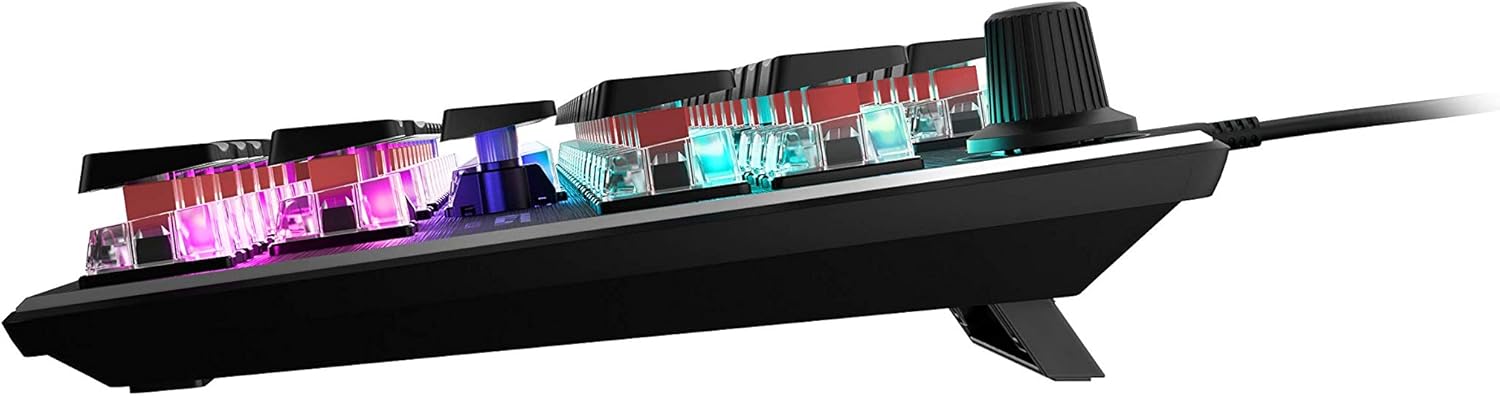
Slika 4.5: Stran view showing the keyboard's adjustable feet for ergonomic tilt.
5. Vzdrževanje
Pravilno vzdrževanje zagotavlja dolgo življenjsko dobo in optimalno delovanje vaše tipkovnice.
- Čiščenje tipkovnice: Regularly clean the keyboard surface and between keycaps to prevent dust and debris buildup. Use a soft, lint-free cloth, slightly dampened with water or a mild cleaning solution. For deeper cleaning, you may carefully remove keycaps (refer to online guides for safe keycap removal for your specific switch type) and use compressed air to clear debris. Ensure the keyboard is disconnected from your PC before cleaning.
- Skrb za kabel: The detachable USB-C cable should be handled with care. Avoid sharp bends or excessive pulling to prevent damage to the cable or the keyboard's port.
- Shranjevanje: Ko tipkovnice dlje časa ne uporabljate, jo shranite v čistem in suhem okolju, stran od ekstremnih temperatur.
6. Odpravljanje težav
If you encounter issues with your ROCCAT Vulcan TKL keyboard, try the following troubleshooting steps:
- Tipkovnica se ne odziva:
- Prepričajte se, da je kabel USB-C varno priključen na tipkovnico in računalnik.
- Try connecting the keyboard to a different USB port on your PC.
- Test the keyboard on another computer to determine if the issue is with the keyboard or your PC.
- Znova zaženite računalnik.
- Dvojno tipkanje ali neregistriranje tipk:
- Ensure the keyboard firmware is up to date via the ROCCAT Swarm software.
- Clean the affected key switches using compressed air to remove any debris.
- Če težava ne izgine, lahko kaže na napako strojne opreme. Glejte razdelek Garancija in podpora.
- Težave z RGB osvetlitvijo:
- Verify that the ROCCAT Swarm software is running and the keyboard is detected.
- Check lighting settings within Swarm to ensure desired effects are enabled.
- Update the keyboard's firmware through Swarm.
- ROCCAT Swarm Software Not Detecting Keyboard:
- Ensure the keyboard is properly connected to your PC.
- Restart the Swarm software.
- Ponovno namestite programsko opremo ROCCAT Swarm.
- Check for any conflicting software or drivers.
7. Specifikacije
| Znamka | ROCCAT |
| Ime modela | Vulcan TKL |
| Številka modela | ROC-12-274 |
| Tehnologija povezljivosti | USB-C (Detachable) |
| Opis tipkovnice | Mehanska igralna tipkovnica |
| Tip stikala | Titan Switch Mechanical (Linear) |
| Razsvetljava | Per-key AIMO RGB Lighting |
| Material | Anodized Aluminum Top Plate |
| Dimenzije (DxŠxV) | 14.17 x 5.25 x 1.34 palcev (36 x 13.3 x 3.4 cm) |
| Teža predmeta | 2.2 funtov (1 kg) |
| Združljive naprave | PC |
| Posebna funkcija | Ergonomic, Tenkeyless Design |
8. Informacije o garanciji
ROCCAT products are covered by a manufacturer's warranty against defects in materials and workmanship. The specific terms and duration of your warranty may vary by region and product. Please retain your proof of purchase for warranty claims.
For detailed warranty information, please visit the official ROCCAT support webmesto.
9. Podpora
For further assistance, technical support, or to download the latest drivers and software, please visit the official ROCCAT support webspletno mesto:
Na strani za podporo najdete tudi pogosta vprašanja in forume skupnosti.


