1. Uvod
This user manual provides comprehensive instructions for the installation, operation, and maintenance of your NETVUE Outdoor Security Camera. This 1080P WiFi surveillance camera is designed for home security, featuring night vision, 8X digital zoom, A.I. motion detection, instant alerts, IP66 waterproofing, and two-way audio communication. It supports both cloud storage and SD card recording.

Slika 1.1: Spredaj view of the NETVUE Outdoor Security Camera.
2. Značilnosti izdelka
- AI Human Motion Detection with Real-time Alert: The camera can upload snapshots and videos, supporting customized motion detection zones and real-time motion alerts via the NETVUE APP. Motion sensibility adjustment and accurate motion detection minimize false alarms. AI detection specifically aims to avoid false alarms caused by pets, wind, or leaves, providing more accurate alerts. If a human face is detected, the NETVUE App will alert you immediately.
- 1080P Outdoor Camera with FHD Night Vision: Provides clear recordings for home security. Remote real-time viewing is available through the NETVUE App with a 100° viewing angle. Equipped with Vigil 2 infrared LEDs, it offers clear night vision up to 60 feet, ensuring visibility even in dark environments.
- Easy Installation and High Compatibility: Designed for quick setup within minutes. It is wired only, requiring no battery. Connects to a 2.4GHz WiFi network or Ethernet cable for smooth video streaming. Note that 5G networks are not applicable.
- 2-Way Audio and IP66 Waterproof: Enables real-time conversation with individuals through the camera. Supports up to 20 family members for shared access. Compatible with Alexa, Echo Show, Echo Spot, or Fire TV. The IP66 rating ensures the camera is strong enough to withstand rough weather and is vandal resistant, operating in temperatures from -4°F to 122°F.
- Two-Way Storage for All Day Protection: Offers free cloud storage for up to 14 days via Amazon Web Services Cloud. Also supports local storage via a Micro SD card (up to 128GB, not included) for continuous video recording. Data storage is secured with bank-level AES 256-bit encryption and TLS Encryption Protocol.

Image 2.1: Illustration of the camera's 1080P HD and wide-angle viewing zmogljivosti.
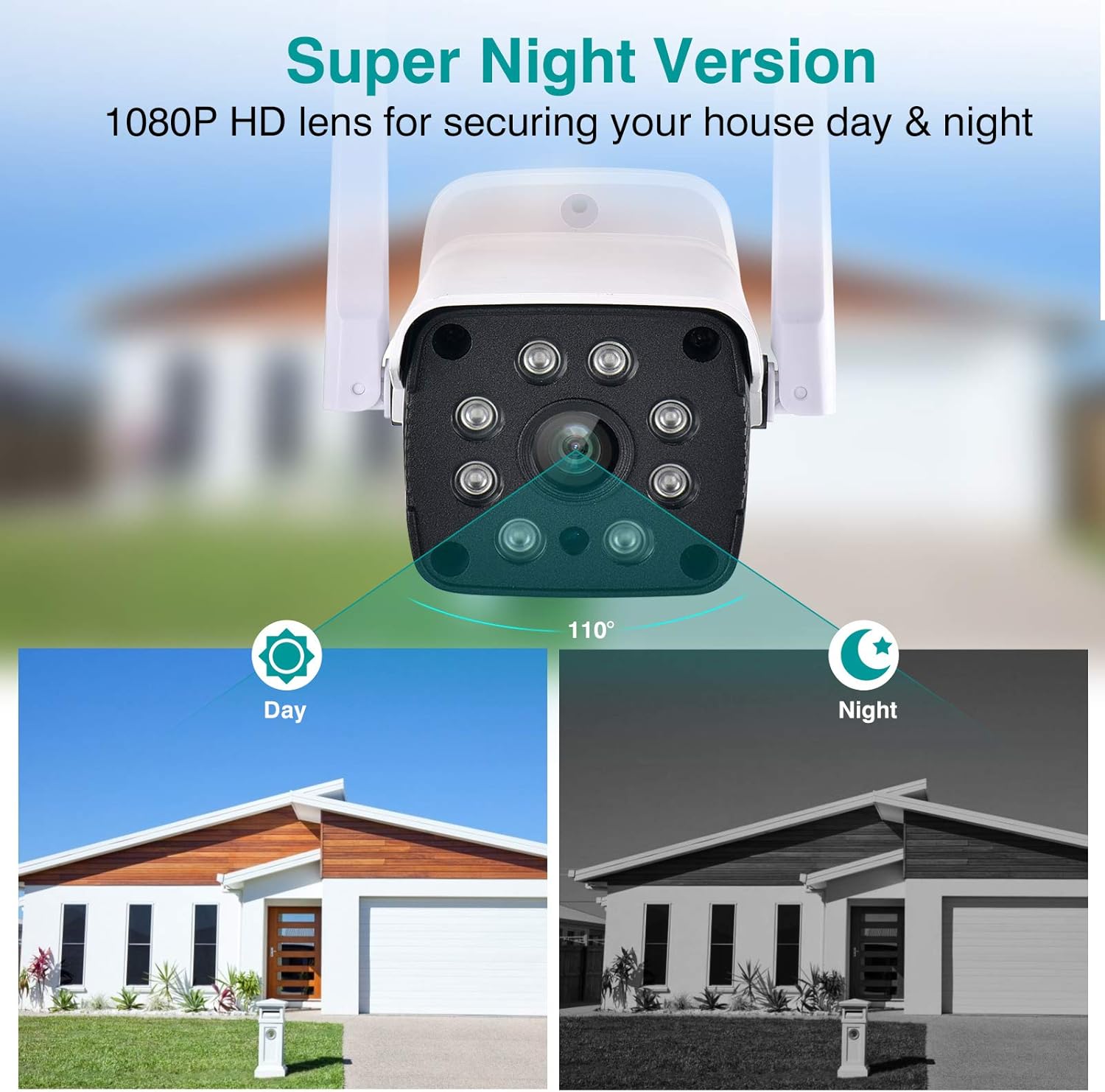
Image 2.2: Demonstration of the camera's Super Night Vision feature, showing day and night views.
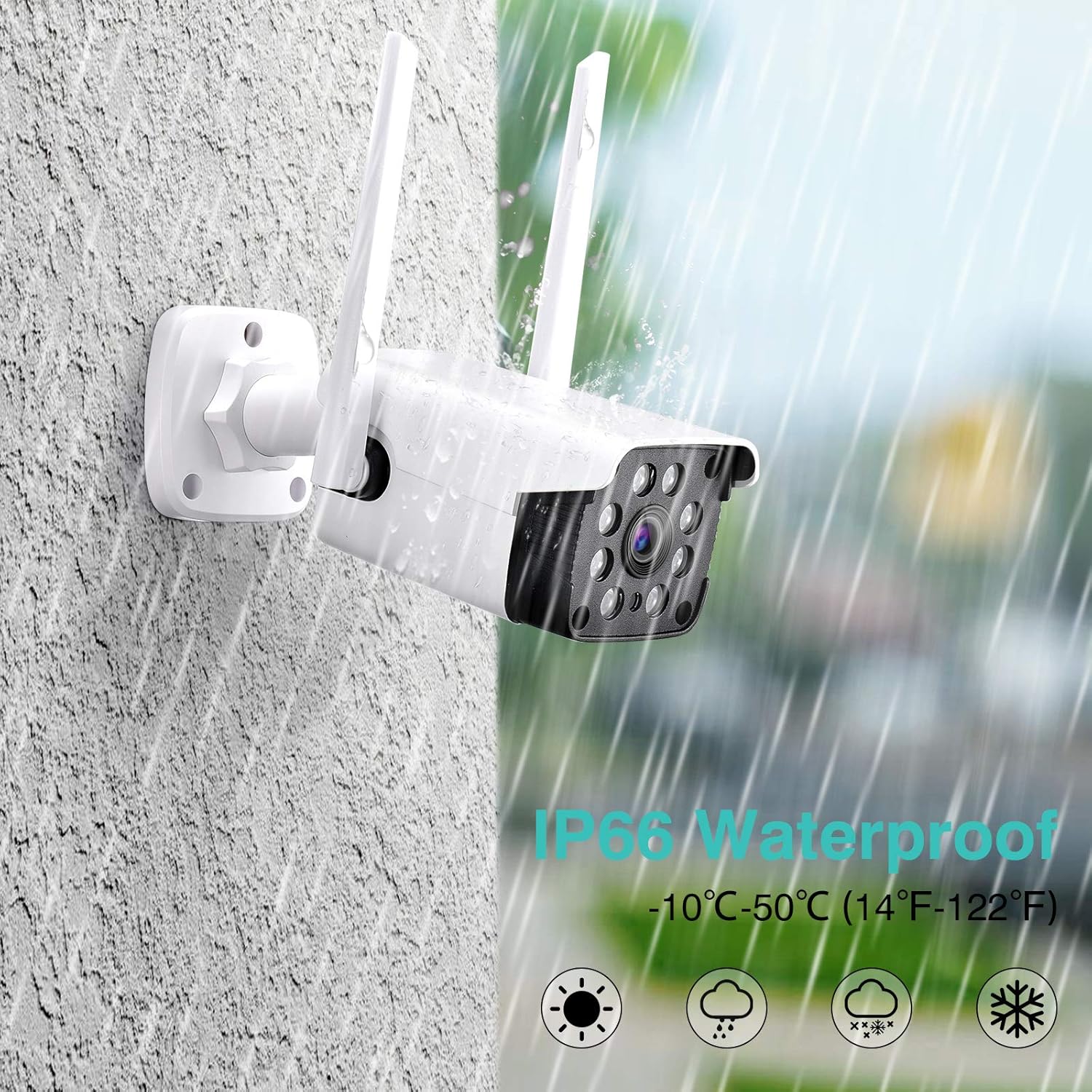
Image 2.3: Visual representation of the camera's IP66 waterproof rating, showing it withstands rain.
3. Vsebina paketa
Pred začetkom namestitve se prepričajte, da so v paketu prisotne vse komponente:
- NETVUE Outdoor Security Camera
- Napajalni adapter
- Pritrdilni vijaki in stenska sidra
- Kratek vodnik
- Vodoodporni priključek (za ethernetni kabel, če je primerno)

Image 3.1: All items included in the NETVUE Outdoor Security Camera package.
4. Nastavitev in namestitev
Za hitro in enostavno nastavitev sledite tem korakom:
- Napajalni priključek: Plug the camera into a power outlet using the provided power adapter. Ensure the power cable is securely connected.
- Download NETVUE App: Download the official NETVUE App from the App Store (for iOS devices) or Google Play Store (for Android devices). Iskanje "NETVUE".
- Account Registration & Device Addition: Open the NETVUE App, register for an account, and follow the in-app instructions to add your new camera. Ensure your mobile device is connected to a 2.4GHz Wi-Fi network during setup.
- Montaža kamere: Izberite primerno zunanjo lokacijo za optimalno viewing and Wi-Fi signal strength. Use the included mounting screws and wall anchors to securely attach the camera to a wall or other stable surface. The camera is designed for wall mounting.
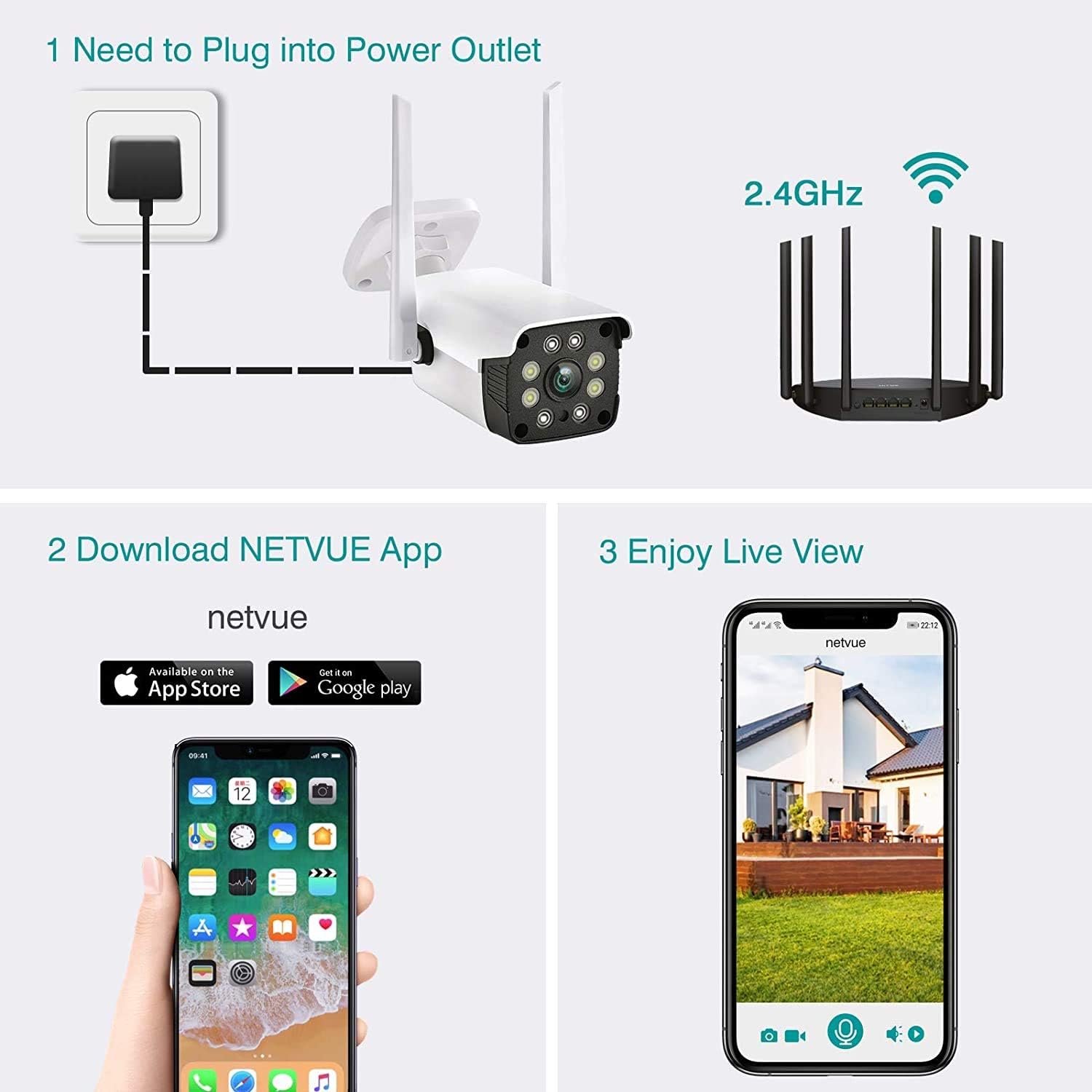
Image 4.1: Visual guide for the three main setup steps: power connection, app download, and live view aktiviranje.
5. Navodila za uporabo
5.1 V živo View in Predvajanje
Once connected, you can access the live feed from your camera through the NETVUE App. The app allows you to view real-time video and playback recorded footage. Recorded footage can be stored on a Micro SD card (up to 128GB, not included) or via the optional cloud storage service.

Image 5.1: Illustration of cloud storage and Micro SD card options for recording playback.
5.2 Dvosmerni zvok
The integrated two-way audio feature allows you to communicate with individuals near the camera. To use this function, open the live view in the NETVUE App and activate the microphone icon to speak. You will hear audio from the camera's location through your device's speaker.
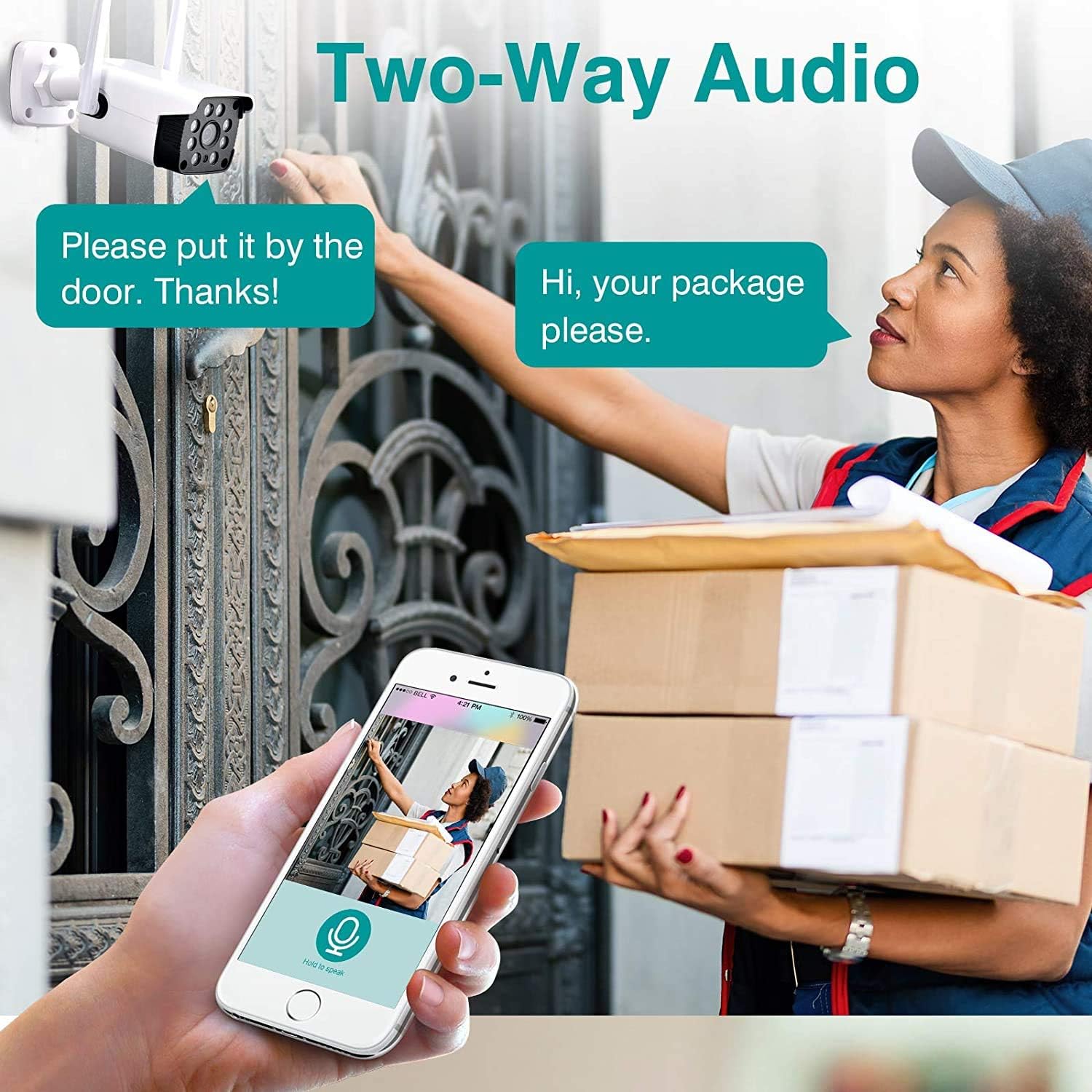
Image 5.2: Depiction of the two-way audio feature, showing a user speaking through the app to a person at the door.
5.3 Zaznavanje gibanja in opozorila z umetno inteligenco
The camera utilizes AI human motion detection to minimize false alarms. You can customize motion detection zones and adjust sensitivity settings within the NETVUE App. When motion is detected, the app will send real-time alerts to your mobile device, including snapshots and video clips.
5.4 Integracija z Alexo
The NETVUE camera is compatible with Amazon Alexa. You can use voice commands with Alexa-enabled devices like Echo Show, Echo Spot, or Fire TV to view the camera's live feed. For example, say "Alexa, show me the front door" to display the camera's view on your compatible device.

Image 5.3: A user interacting with an Alexa device to view posnetek kamere, ki prikazuje integracijo pametnega doma.
6. Vzdrževanje
- Čiščenje: Objektiv in ohišje fotoaparata občasno očistite z mehko krpoamp krpo, da zagotovite jasno kakovost slike. Izogibajte se uporabi agresivnih kemikalij ali abrazivnih materialov.
- Posodobitve vdelane programske opreme: Keep the camera's firmware updated through the NETVUE App to ensure optimal performance and access to the latest features and security enhancements.
- Varstvo okolja: While the camera is IP66 waterproof, ensure its mounting location provides adequate protection from extreme weather conditions if possible, to prolong its lifespan.
7. Odpravljanje težav
If you encounter issues with your NETVUE camera, please refer to the following common solutions:
- Kamera brez povezave:
- Preverite priključek za napajanje, da se prepričate, da kamera prejema napajanje.
- Preverite, ali je vaše omrežje Wi-Fi aktivno in stabilno.
- Prepričajte se, da je kamera v dosegu vašega 2.4 GHz Wi-Fi usmerjevalnika.
- Restart the camera by unplugging it for 10 seconds and then plugging it back in.
- Slaba kakovost slike:
- Očistite objektiv fotoaparata, da odstranite prah ali madeže.
- Preverite moč signala Wi-Fi; šibek signal lahko vpliva na kakovost videa.
- Težave z zaznavanjem gibanja:
- Adjust the motion detection sensitivity settings in the NETVUE App.
- Review the customized motion detection zones to ensure they cover the desired areas.
- Težave z dvosmernim zvokom:
- Ensure your phone's volume is up and the microphone is enabled in the app.
- Check for any obstructions near the camera's microphone or speaker.
For further assistance, please contact NETVUE customer support.
8. Specifikacije
| Funkcija | Podrobnost |
|---|---|
| Znamka | NETVUE |
| Številka modela | NI-1911 |
| Tehnologija povezljivosti | Brezžično (Wi-Fi 2.4 GHz) |
| Ločljivost zajema videa | 1080p |
| Viewkota | 100 stopinj |
| Območje nočnega vida | 60 čevljev |
| Digitalni zoom | 8X |
| Ocena vodotesnosti | IP66 |
| Delovna temperatura | -4°F do 122°F (-20°C do 50°C) |
| Možnosti shranjevanja | Shranjevanje v oblaku, kartica Micro SD (do 128 GB) |
| Avdio | 2-smerni zvok |
| Združljive naprave | Alexa, Echo Show, Echo Spot, Fire TV |
| Vir napajanja | Wired (No Battery) |
| Vrsta namestitve | Stenski nosilec |
| Dimenzije (D x Š x V) | 9.37 x 4.02 x 3.66 palcev |
| Teža predmeta | 10.9 unč |
9. Garancija in podpora
NETVUE provides customer support for their products. For any inquiries, technical assistance, or warranty claims, please refer to the contact information provided in your product packaging or visit the official NETVUE website. The NETVUE App also offers a customer service team to answer your questions during your use.
Note: Specific warranty terms and conditions may vary and are subject to the policies at the time of purchase.


