1. Uvod
This manual provides comprehensive instructions for setting up, operating, and maintaining your Microsoft Surface Go 2 tablet. The Surface Go 2 is a versatile 10.5-inch touch-screen device, powered by an Intel Pentium processor, 8GB of RAM, and a 128GB SSD, running Windows 10. It is designed for portability and efficiency, suitable for various tasks from productivity to entertainment.
2. Komponente in vrata
Familiarize yourself with the physical components and connection ports of your Surface Go 2.
2.1 Naprava končanaview
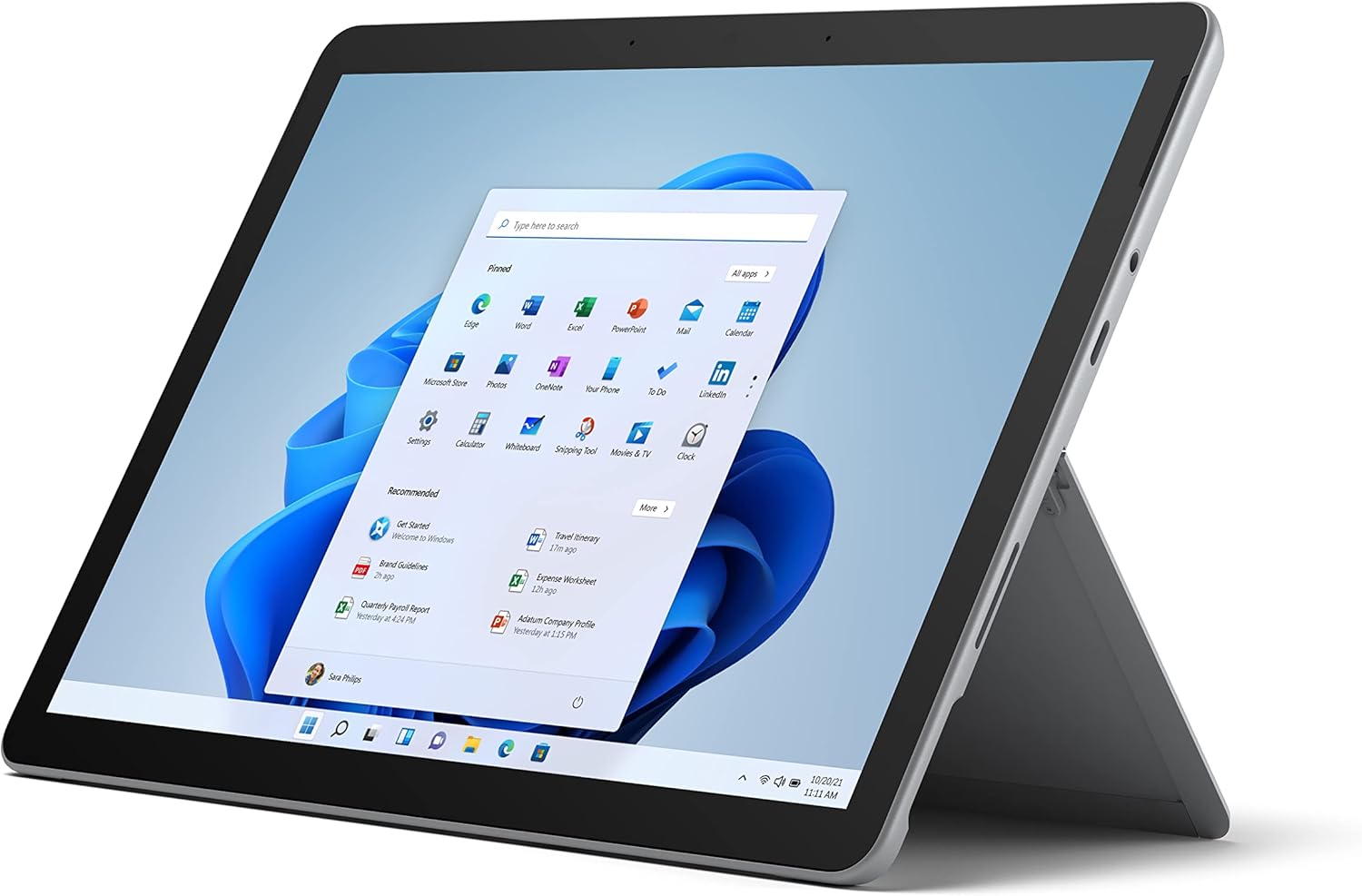
Figure 2.1: Microsoft Surface Go 2 tablet in landscape orientation, showcasing the Windows desktop interface.
2.2 Side Ports and Buttons
- Vrata USB Type-C: Za prenos podatkov, video izhod in polnjenje.
- 3.5 mm priključek za slušalke: Za priklop slušalk ali zunanjih avdio naprav.
- Vrata Surface Connect: Magnetic port for charging and connecting to Surface Dock (sold separately).
- Čitalnik kartic MicroSD: Za razširitev pomnilnika z microSD kartico.
- Gumbi za glasnost: Za nastavitev glasnosti zvoka.
- Gumb za vklop: Za vklop/izklop naprave ali njen preklop v stanje mirovanja.

Slika 2.2: Stranski profesionalecfile of the Surface Go 2, illustrating the various ports and buttons along its edge.
2.3 Integrirano stojalo
The Surface Go 2 features an integrated kickstand on the back, allowing for multiple viewing angles. This enables comfortable use in various modes, such as tablet, laptop (with Type Cover), or studio mode.

Figure 2.3: The Surface Go 2 with its Type Cover keyboard attached and the kickstand deployed, demonstrating its laptop-like configuration.
3. Začetna nastavitev
Follow these steps to set up your Surface Go 2 for the first time.
3.1 Vklop in osnovna konfiguracija
- Napolnite napravo: Connect the included power adapter to the Surface Connect port on your device and plug it into a power outlet.
- Vklop: Press and hold the power button located on the top edge of the device until the Microsoft logo appears on the screen.
- Sledite navodilom na zaslonu: The device will guide you through selecting your region, language, and connecting to a Wi-Fi network.
- Microsoft Account Setup: Sign in with an existing Microsoft account or create a new one. This is essential for accessing Microsoft services and applications.
- Nastavitve zasebnosti: Review and adjust your privacy settings as prompted.
- Pozdravljeni v sistemu Windows: Set up facial recognition for faster and more secure sign-in (optional).
4. Navodila za uporabo
The Surface Go 2 offers flexible interaction methods.
4.1 Navigacija po zaslonu na dotik
The 10.5-inch PixelSense display supports 10-point multi-touch. You can navigate Windows 10 using gestures similar to a smartphone or tablet:
- Tapnite: Izberite elemente ali odprite aplikacije.
- Povlecite: Pomikajte se po vsebini ali se premikajte med zasloni.
- Povečava s ščipanjem in ščipanjem prstov: Enlarge or reduce content size.
- Pritisnite in držite: Access context menus (right-click equivalent).
4.2 Using the Type Cover Keyboard (Sold Separately)
Attach the Type Cover keyboard to transform your Surface Go 2 into a laptop. The keyboard connects magnetically to the bottom edge of the tablet.
- priponka: Align the Type Cover with the magnetic connector at the bottom of the Surface Go 2 until it snaps into place.
- Tipkanje: Use the physical keys for efficient text input.
- Sledilna ploščica: The integrated trackpad allows for precise cursor control and multi-touch gestures.

Figure 4.1: The Surface Go 2 tablet separated from its Type Cover keyboard, illustrating the modular design.
4.3 Using the Surface Pen (Sold Separately)
The Surface Pen (sold separately) enhances creativity and productivity, allowing for natural writing and drawing directly on the screen.

Figure 4.2: The Surface Go 2 tablet displayed with a compatible Surface Pen, highlighting its digital inking capabilities.
5. Vzdrževanje
Proper care ensures the longevity and performance of your Surface Go 2.
- Čiščenje zaslona: Uporabite mehko krpo, ki ne pušča vlaken, dampened with water or an approved screen cleaner. Avoid harsh chemicals.
- Čiščenje ohišja naprave: Obrišite zunanjost z mehko, suho krpo.
- Posodobitve programske opreme: Redno preverjajte in nameščajte posodobitve sistema Windows, da zagotovite optimalno delovanje in varnost. Pojdite na Nastavitve > Posodobitev in varnost > Windows Update.
- Vzdrževanje baterije: To maximize battery lifespan, avoid extreme temperatures and try to keep the battery charge between 20% and 80% when possible.
- Upravljanje shranjevanja: Občasno očistite začasno files and unnecessary data to free up storage space. Go to Nastavitve > Sistem > Shramba.
6. Odpravljanje težav
Pogoste težave in njihove rešitve.
- Naprava se ne vklopi: Prepričajte se, da je naprava napolnjena. Priključite napajalnik in počakajte nekaj minut, preden jo poskusite znova vklopiti.
- Zaslon na dotik se ne odziva: Restart the device. If the issue persists, check for pending Windows updates or consider a system restore.
- Težave s povezavo Wi-Fi: Verify your Wi-Fi network is active. Restart your router and the Surface Go 2. Check Wi-Fi settings on the device.
- Počasno delovanje: Zaprite nepotrebne aplikacije. Preverite, ali procesi v ozadju porabljajo veliko virov (Upravitelj opravil). Zagotovite dovolj prostega prostora za shranjevanje.
- Hitro praznjenje baterije: Adjust screen brightness, disable unnecessary background apps, and ensure all software is up to date.
7. Specifikacije
| Funkcija | Podrobnost |
|---|---|
| Zaslon | 10.5" PixelSense 10-Point Touch Display |
| Resolucija | 1920 x 1280 (216 ppi) |
| Procesor | 1.6 GHz Intel Pentium 4425Y Dual-Core Processor |
| RAM | 8 GB |
| Shranjevanje | 128 GB SSD |
| Grafika | Vgrajena grafična kartica Intel HD 615 |
| Brezžično | Wi-Fi 5 (802.11ac) | Bluetooth 4.1 |
| Kamere | 8MP Rear Camera | 5MP Front Camera |
| Pristanišča | USB Type-C, 3.5 mm Headphone Jack, Surface Connect, MicroSD Card Reader |
| Življenjska doba baterije | Do 9 ur (običajna uporaba) |
| Operacijski sistem | Windows 10 |
| Teža | 1.15 lbs (približno) |
| Dimenzije | 6.8 x 9.64 x 0.32 palcev |
8. Garancija in podpora
This Microsoft Surface Go 2 is a renewed product. Renewed products are eligible for replacement or refund under the Amazon Renewed Guarantee if you are not satisfied with your purchase. For specific terms and conditions, please refer to the Amazon Renewed program details.
For further technical support or inquiries, please visit the official Microsoft Surface support webspletno mesto ali se obrnite na njihovo službo za stranke.


