Uvod
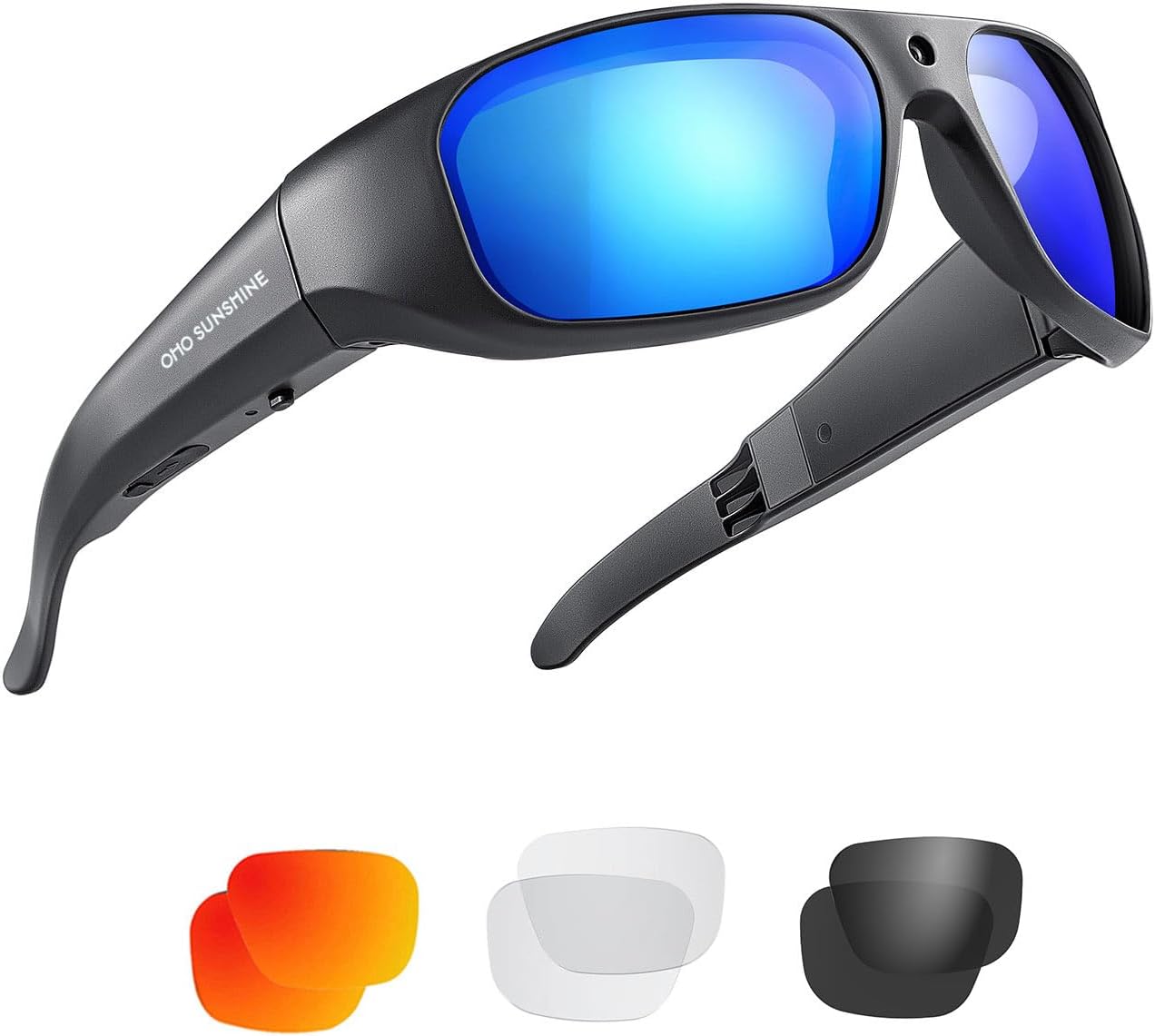
Thank you for choosing the OhO 4K 256GB Ultra HD Water-Resistant Action Camera Sports Sunglasses. These innovative sunglasses are designed to capture high-quality video and photos while keeping your hands free, making them ideal for various sports and outdoor activities. Featuring a built-in 4K camera, 256GB of internal memory, and UV400 polarized lenses, they offer a convenient and durable solution for recording your adventures.
Nastavitev
Polnjenje naprave
Before first use, fully charge your OhO sunglasses. Connect the provided USB charging cable to the charging port on the sunglasses and to a UL certified power charger or a computer's USB port. A full charge typically takes approximately 1 hour. The device will indicate charging status (e.g., LED indicator changes color or turns off when fully charged).

Vklop/izklop
To power on the sunglasses, locate the power button (refer to the diagram in the included quick start guide) and press and hold it for a few seconds until you feel a vibration or see an indicator light. To power off, press and hold the same button until the device vibrates again or the indicator light turns off.
Navodila za uporabo
Snemanje videa
To begin video recording, simply press the designated recording button once. The sunglasses will alert you with a vibration to confirm that recording has started. To stop recording, press the same button again. Another vibration will confirm that recording has stopped. Videos are saved in MOV H264 format at 1920x1080 resolution at 30 frames per second.

Fotografiranje
In addition to video, the sunglasses can capture 16-megapixel still photos. Consult the quick start guide for the specific button press sequence to switch to photo mode and take a picture. Photos are stored directly on the built-in 256GB memory.

Dostopanje Files
To access your recorded videos and photos, connect the sunglasses to your computer using the supplied USB cable. The device will appear as a removable storage drive. You can then copy files to your computer. The sunglasses are compatible with Windows ME/2000/XP/2003/Vista/7/8/8.1 and Mac OS. For playback, standard media players like Windows Media Player or KM Player are recommended.
Vzdrževanje
Čiščenje
To maintain optimal performance and clarity, regularly clean the lenses and frame. Use the provided cleaning cloth to gently wipe the lenses. For stubborn smudges, a small amount of lens cleaning solution can be applied to the cloth, not directly to the lenses. Avoid abrasive materials or harsh chemicals that could damage the lenses or frame.
Shranjevanje
When not in use, store the sunglasses in the provided hard case to protect them from scratches, dust, and impact. Store in a cool, dry place away from direct sunlight and extreme temperatures.
Odpravljanje težav
- Naprava se ne vklopi: Ensure the battery is fully charged. Connect to a power source and allow it to charge for at least 1 hour.
- Not recording video/taking photos: Check if the memory is full. Connect to a computer and transfer files to free up space. Ensure the correct button sequence is followed for recording/photo capture.
- Ni mogoče vzpostaviti povezave z računalnikom: Try a different USB port or cable. Ensure the sunglasses are powered on when connecting. Verify your computer's operating system is compatible.
- Slaba kakovost videa/fotografij: Ensure lenses are clean. Record in well-lit conditions. While the device features some image stabilization, excessive movement can still affect clarity.
Specifikacije
| Funkcija | Podrobnost |
|---|---|
| Številka modela | TH628-4K-256GB |
| Video ločljivost | 1920 x 1080p @ 30 fps (MOV H264) |
| Ločljivost fotografij | 16 milijonov slikovnih pik |
| Notranji pomnilnik | 256 GB |
| Življenjska doba baterije | Approx. 60 minutes video recording (fully charged) |
| Čas polnjenja | Approx. 1 hour (via USB charger) |
| Operacijski sistem | Windows ME/2000/XP/2003/Vista/7/8/8.1, Mac OS |
| Zaščita leč | UV400 Polarized, ANSI/ISEA Z87.1-2015 Impact Resistant |
| Povezljivost | USB |
| Teža | 39 gramov |
| Material okvirja | TR90 |
| Vodoodpornost | Vodoodporen |


Dodatki
The following accessories are included with your OhO 4K Sports Sunglasses:
- UL Certified Power Charger
- Nastavljiv trak
- Nosne blazinice
- Protective Cleaning Bag
- Čistilna krpa
- 1m USB Charging and Data Cable
- Težek primer
Garancija in podpora
For information regarding warranty coverage and terms, please refer to the documentation provided at the time of purchase or contact OhO sunshine customer support directly. For technical assistance or further inquiries, please visit the official OhO sunshine webali se obrnite na njihov oddelek za pomoč uporabnikom.


