1. Uvod
The TP-Link Archer TX50E is an AX3000 Wi-Fi 6 and Bluetooth 5.2 PCIe Adapter designed to upgrade your desktop computer's wireless capabilities. It provides ultra-fast Wi-Fi speeds, improved network efficiency, and broader Bluetooth connectivity, making it ideal for demanding applications like online gaming, 4K/8K video streaming, and VR experiences. This adapter features a specialized heatsink for enhanced stability and includes high-gain antennas for extended signal coverage.

Image: The Archer TX50E PCIe adapter installed in a desktop computer, showcasing its Wi-Fi 6 and Bluetooth 5.3 capabilities.

Image: Key features of the Archer TX50E, including Wi-Fi 6, Bluetooth 5.3, WPA3 security, Windows 11/10 compatibility, and included low-profile oklepaji.
2. Vsebina paketa
Preverite, ali vaš paket vsebuje naslednje elemente:
- TP-Link Archer TX50E AX3000 Wi-Fi 6 Bluetooth 5.2 PCIe Adapter
- Two High-Gain Antennas
- Low-Profile Nosilec
- Quick Installation Guide (not listed in JSON, but typical)
- CD z viri (za gonilnike)

Image: The retail box for the Archer TX50E adapter, showing the product and its main features.
3. Navodila za nastavitev
Follow these steps to install your Archer TX50E adapter into your desktop computer.
3.1 Namestitev strojne opreme
- Izklopite računalnik: Turn off your computer and unplug the power cable from the wall outlet.
- Odprite ohišje računalnika: Za dostop do matične plošče odstranite stransko ploščo ohišja računalnika.
- Install the PCIe Adapter: Locate an available PCIe X1 slot on your motherboard. Carefully insert the Archer TX50E adapter into the slot until it is firmly seated. Secure the adapter with a screw if your case requires it.
- Priključite kabel Bluetooth USB: Connect the provided Bluetooth USB cable to the adapter and then to an available F_USB connector on your motherboard. This connection is essential for Bluetooth functionality.
- Pritrdite antene: Connect the two high-gain antennas to the antenna connectors on the adapter. Adjust their orientation for optimal signal reception.
- Zaprite ohišje računalnika: Replace the side panel of your computer case and plug the power cable back into the wall outlet.
- Vklop: Vklopite računalnik.

Image: The Archer TX50E adapter with its two high-gain antennas, installed in a desktop computer's PCIe slot.

Image: Illustration demonstrating how the high-gain antennas extend Wi-Fi coverage for the desktop PC.
3.2 Namestitev gonilnika
After hardware installation, you need to install the drivers for both Wi-Fi and Bluetooth functionality. The Archer TX50E supports Windows 11/10 (64-bit) only.
- Vstavite CD z viri: Insert the provided resource CD into your computer's CD/DVD drive. If you do not have a CD/DVD drive, download the latest drivers from the official TP-Link webspletno mesto (www.tp-link.com).
- Zaženite namestitveni program: Open the CD/DVD drive or the downloaded driver package and run the setup file (e.g., Autorun.exe).
- Namestite gonilnik za Wi-Fi: Follow the on-screen instructions to install the Wi-Fi driver. This typically involves accepting the license agreement and choosing an installation type.
- Namestite gonilnik Bluetooth: After the Wi-Fi driver installation is complete, proceed to install the Bluetooth driver by following the on-screen prompts.
- Znova zaženite računalnik: Restart your computer to ensure all driver changes take effect.
Opomba: Do not run the Bluetooth and Wi-Fi driver installers at the same time. Install them sequentially.
4. Navodila za uporabo
4.1 Povezovanje z Wi-Fi
Once the Wi-Fi driver is installed, your computer can connect to Wi-Fi 6 networks.
- Click the Wi-Fi icon in the system tray (usually bottom-right corner of your screen).
- Na seznamu izberite želeno omrežje Wi-Fi.
- Vnesite omrežni varnostni ključ (geslo), če ste pozvani.
- Kliknite »Poveži se«.
The Archer TX50E supports Wi-Fi 6 (802.11ax) for speeds up to 2402 Mbps on the 5 GHz band and 574 Mbps on the 2.4 GHz band, offering a smoother experience with 75% lower latency. Technologies like MU-MIMO and OFDMA boost network throughput and efficiency, especially in multi-device environments.
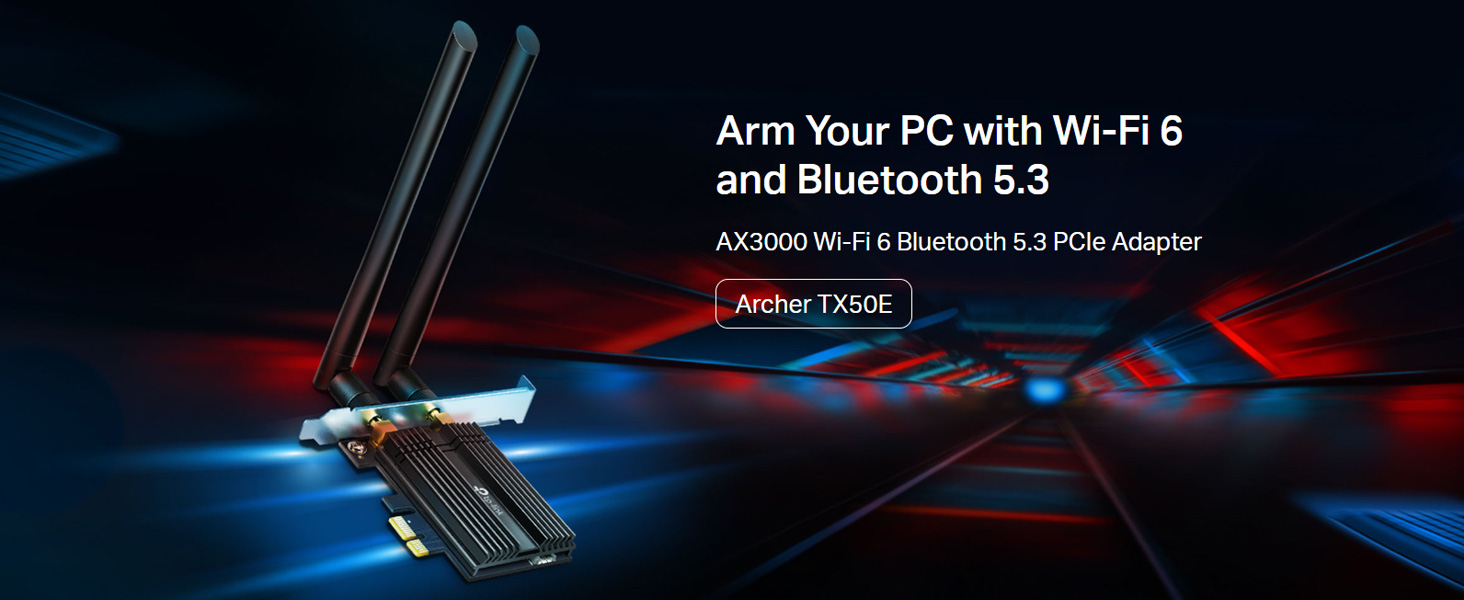
Image: Comparison of Wi-Fi 6 (2402 Mbps) and Wi-Fi 5 (867 Mbps) speeds, illustrating the performance benefits for VR.

Image: Diagram explaining how MU-MIMO and OFDMA reduce latency and improve network efficiency for multiple devices.
4.2 Uporaba Bluetooth
With the Bluetooth driver installed and the USB cable connected, you can pair Bluetooth devices.
- Prepričajte se, da je vaša naprava Bluetooth v načinu seznanjanja.
- V računalniku pojdite na Nastavitve > Naprave > Bluetooth in druge naprave.
- Turn on Bluetooth and click 'Add Bluetooth or other device'.
- Izberite »Bluetooth« in na seznamu izberite napravo, ki jo želite seznaniti.
The adapter features Bluetooth 5.2, offering faster speeds and broader coverage compared to previous Bluetooth versions, ensuring reliable connections for your peripherals.

Image: The Bluetooth 5.2 adapter connecting to various devices such as headphones, game controllers, mouse, and keyboard.
5. Odpravljanje težav
If you encounter issues with your Archer TX50E adapter, refer to the following common solutions:
- Brez Wi-Fi-ja ali Bluetootha: Ensure the adapter is correctly seated in the PCIe slot and the Bluetooth USB cable is securely connected to both the adapter and the motherboard's F_USB header. Verify that drivers are installed correctly in Device Manager.
- Počasna hitrost Wi-Fi-ja: Check antenna connections and orientation. Ensure your router supports Wi-Fi 6 and is configured for optimal performance. Update drivers to the latest version from the TP-Link webmesto.
- Naprava Bluetooth se ne seznanja: Make sure the Bluetooth device is in pairing mode and within range. Confirm the Bluetooth driver is installed and enabled in Device Manager.
- Prekinjena povezava: This could be due to interference. Try repositioning your computer or antennas. Ensure your operating system is up to date.
- Težave z namestitvijo gonilnikov: If the CD does not work, download drivers directly from the TP-Link support website. Ensure you are installing the correct 64-bit drivers for Windows 10 or Windows 11.
6. Specifikacije
Detailed technical specifications for the TP-Link Archer TX50E:
| Funkcija | Opis |
|---|---|
| Številka modela | Archer TX50E |
| Brezžični standard | IEEE 802.11ax/ac/n/a (5 GHz), IEEE 802.11ax/n/g/b (2.4 GHz) |
| Različica Bluetooth | Bluetooth 5.2/5.0/4.2/4.0 |
| Hitrost prenosa podatkov | Do 3000 Mbps (2402 Mbps na 5 GHz, 574 Mbps na 2.4 GHz) |
| Vmesnik | PCIe X1 |
| Antene | Dve dvopasovni anteni z visokim ojačenjem |
| Podpora za operacijski sistem | Windows 11/10 (64-bit) only |
| Varnost | WPA3, WPA2, WPA, WEP |
| Dimenzije (D x Š x V) | 15 x 20 x 3.9 cm (izdelek) |
| Teža predmeta | 200 g |
| Posebne lastnosti | Heat Sink, MU-MIMO, OFDMA, Ultra-Low Latency |

Slika: Bližnji posnetek view of the Archer TX50E's specialized heatsink and gold-plated connectors, designed for stability and reliability.
7. Garancija in podpora
Za informacije o garanciji, tehnično podporo in registracijo izdelka obiščite uradno spletno stran TP-Link webspletno mesto ali se obrnite na njihovo službo za stranke.
- Uradno Webspletno mesto: www.tp-link.com
- TP-Link India Support: Toll Free 1800-209-4168, support.in@tp-link.com
Za uveljavljanje garancije shranite račun.


