Uvod
Thank you for choosing the MageGee Pink Gaming Keyboard. This mechanical keyboard is designed to enhance your gaming and typing experience with its responsive blue switches, dynamic backlighting, and durable construction. This manual provides detailed instructions for setup, operation, maintenance, and troubleshooting to ensure optimal performance.

Nastavitev
The MageGee Pink Gaming Keyboard is designed for simple plug-and-play functionality, requiring no additional drivers for most operating systems.
Priključitev tipkovnice
- Poiščite prosta vrata USB na vašem računalniku (PC ali Mac).
- Insert the USB connector of the keyboard into the USB port. The keyboard features a gold-plated USB port for stable data transmission.
- Wait for your operating system to recognize the device. This usually happens automatically within a few seconds.
- The keyboard's backlight will illuminate upon successful connection, indicating it is ready for use.

Navodila za uporabo
This section details the various functions and features of your MageGee Gaming Keyboard.
Ključne značilnosti
- Professional Blue Switches: Equipped with linear, top-to-bottom switches that offer a smooth and responsive typing experience with a distinct tactile and audible click.
- Preklop tipke N: Features 100% anti-ghosting across all 104 keys, ensuring that every simultaneous key press is registered accurately, crucial for fast-paced gaming.
- Dinamična osvetlitev ozadja: Offers 18 distinct backlight models to customize your typing environment.
- Izjemna vzdržljivost: Built with a solid base and double injection ABS keycaps, designed for long-term use and resistance to wear.
- Široka združljivost: Supports Windows 10, Windows 8, Windows 7, Mac OS X, Windows XP, Windows VISTA, and other common operating systems.
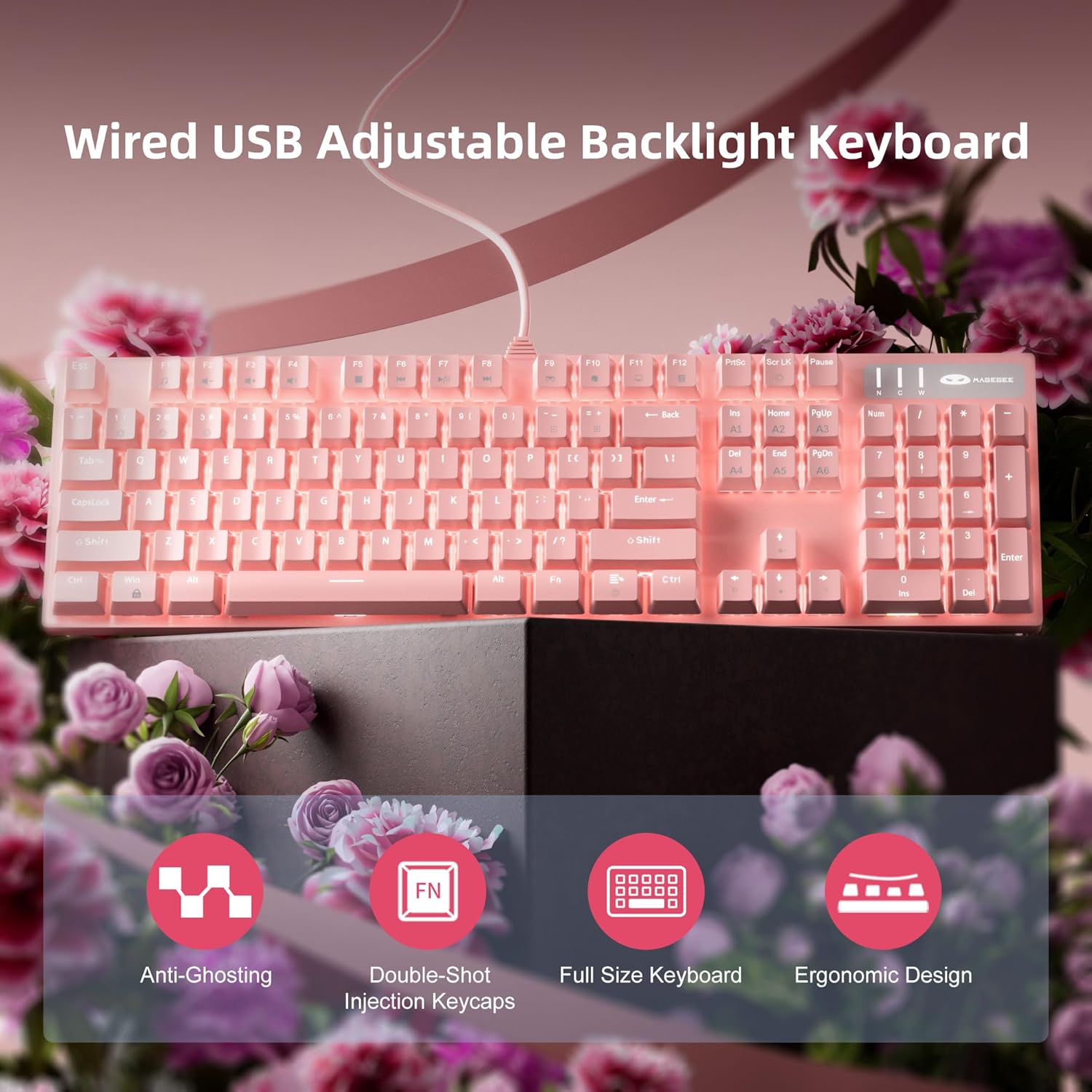
Nadzor osvetlitve ozadja
The keyboard offers various backlight settings for customization:
- Prilagodi svetlost: Pritisnite FN + Up Arrow Key to increase backlight brightness. Press FN + Down Arrow Key to decrease backlight brightness.
- Spremeni način osvetlitve ozadja: The keyboard has 18 different backlight modes. Refer to the keyboard's function key combinations (e.g., FN + F1-F12, or specific keys) to cycle through these modes. Detailed mode switching instructions may vary; experimentation is encouraged.

Vzdrževanje
Proper care will extend the life and maintain the performance of your keyboard.
- Čiščenje: Za brisanje površine tipkovnice uporabite mehko, suho krpo. Za temeljitejše čiščenje uporabite stisnjen zrak, da odstranite prah in umazanijo med tipkami.
- Odstranitev tipkovnice: The double injection ABS keycaps are designed for durability. If you need to remove keycaps for cleaning or replacement, use a keycap puller to avoid damaging the switches. Gently pull straight up on the keycap.
- Razlitje tekočine: While the keyboard is designed to be splash-proof, avoid direct exposure to large amounts of liquid. In case of a spill, immediately disconnect the keyboard from your computer and allow it to dry completely before reconnecting.

Odpravljanje težav
Če imate težave s tipkovnico, poskusite naslednje rešitve:
| Težava | Možna rešitev |
|---|---|
| Tipkovnica se ne odziva |
|
| Osvetlitev ozadja ne deluje ali je zatemnjena |
|
| Tipke se ne registrirajo ali tipkajo dvakrat |
|
Specifikacije
| Funkcija | Podrobnost |
|---|---|
| Dimenzije izdelka | 17 x 5 x 1.5 palcev |
| Teža predmeta | 2.74 funtov |
| Proizvajalec | MageGee |
| Številka modela | Storm Pink |
| Tehnologija povezljivosti | USB |
| Opis tipkovnice | Mehanski |
| Priporočene uporabe | Igranje |
| Posebna funkcija | Lighting, Multimedia Keyboard |
| barva | Roza |
| Število ključev | 104 (Full Size) |
| Podpora za barve osvetlitve ozadja | RGB (nastavljivo) |
| Slog | Moderno |
| Prvi razpoložljivi datum | 17. april 2020 |
Garancija in podpora
MageGee products are built with quality and durability in mind. For specific warranty information, please refer to the warranty card included with your product or visit the official MageGee website. If you require technical assistance or have questions not covered in this manual, please contact MageGee customer support through their official channels.
Za več informacij in posodobitve izdelkov obiščite MageGee Store on Amazon.


