Uvod
This manual provides detailed instructions for the assembly, operation, and maintenance of your RFIVER TF3001 TV Floor Stand. Please read these instructions carefully before installation to ensure safe and correct usage. This stand is designed for televisions ranging from 32 to 65 inches, with a maximum VESA pattern of 400x400mm and a weight capacity of up to 35 kg (77 lbs).
Varnostne informacije
- Ne prekoračite največje dovoljene nosilnosti 35 kg (77 lbs).
- Prepričajte se, da je vzorec VESA vašega televizorja združljiv (100 x 100 mm do 400 x 400 mm).
- Stojalo vedno sestavite na mehki, čisti površini, da preprečite praske.
- Verify all screws and bolts are securely tightened before placing the TV on the stand.
- Med sestavljanjem hranite otroke in hišne ljubljenčke proč.
- Stojala ne poskušajte spreminjati na kakršen koli način.
Vsebina paketa
Pred začetkom montaže preverite, ali so vse komponente prisotne in nepoškodovane. Če kateri koli deli manjkajo ali so poškodovani, se obrnite na podporo strankam.
- Glavni podporni drog
- Osnova iz kaljenega stekla
- TV montažni nosilec
- VESA Adapter Plates (if applicable)
- Hardware Kit (screws, washers, spacers, nuts)
- Posnetki za upravljanje kablov
- Orodja za montažo (npr. imbus ključ)
- Navodila za uporabo
Navodila za namestitev
Za pravilno sestavljanje natančno sledite tem korakom.
Step 1: Assemble the Base and Support Pole
Attach the main support pole to the tempered glass base using the provided hardware. Ensure the pole is securely fastened to the base for stability.

Image: The assembled RFIVER TF3001 TV Floor Stand, ready for TV mounting.
Step 2: Determine VESA Pattern and Attach Brackets to TV
Identify your TV's VESA mounting pattern (the distance between the mounting holes on the back of your TV). Select the appropriate screws, washers, and spacers from the hardware kit. Attach the TV mounting brackets to the back of your television. Ensure the brackets are level and securely tightened.

Slika: nprample of VESA mounting holes on a TV back panel.

Image: VESA compatibility chart and stand dimensions.
Korak 3: Namestitev televizorja na stojalo
Carefully lift the TV (with assistance if necessary) and hook the attached brackets onto the mounting plate of the stand. Ensure the TV is centered and level. Secure the TV using the safety lock mechanism to prevent accidental dislodgement.

Image: Detail of the safety lock for securing the TV.
Navodila za uporabo
Nastavitev višine
The TV stand allows for height adjustment between 1000mm and 1300mm. To adjust the height, loosen the securing bolts on the main support pole, carefully raise or lower the TV to the desired position, and then securely tighten the bolts. Always ensure the TV is stable after adjustment.

Image: Illustration of the height adjustment mechanism.
Vrtljiva funkcija
The TV mounting bracket can swivel 60 degrees (30 degrees left and 30 degrees right) to provide optimal viewing angles. Gently rotate the TV to your preferred position. No tools are required for this adjustment.
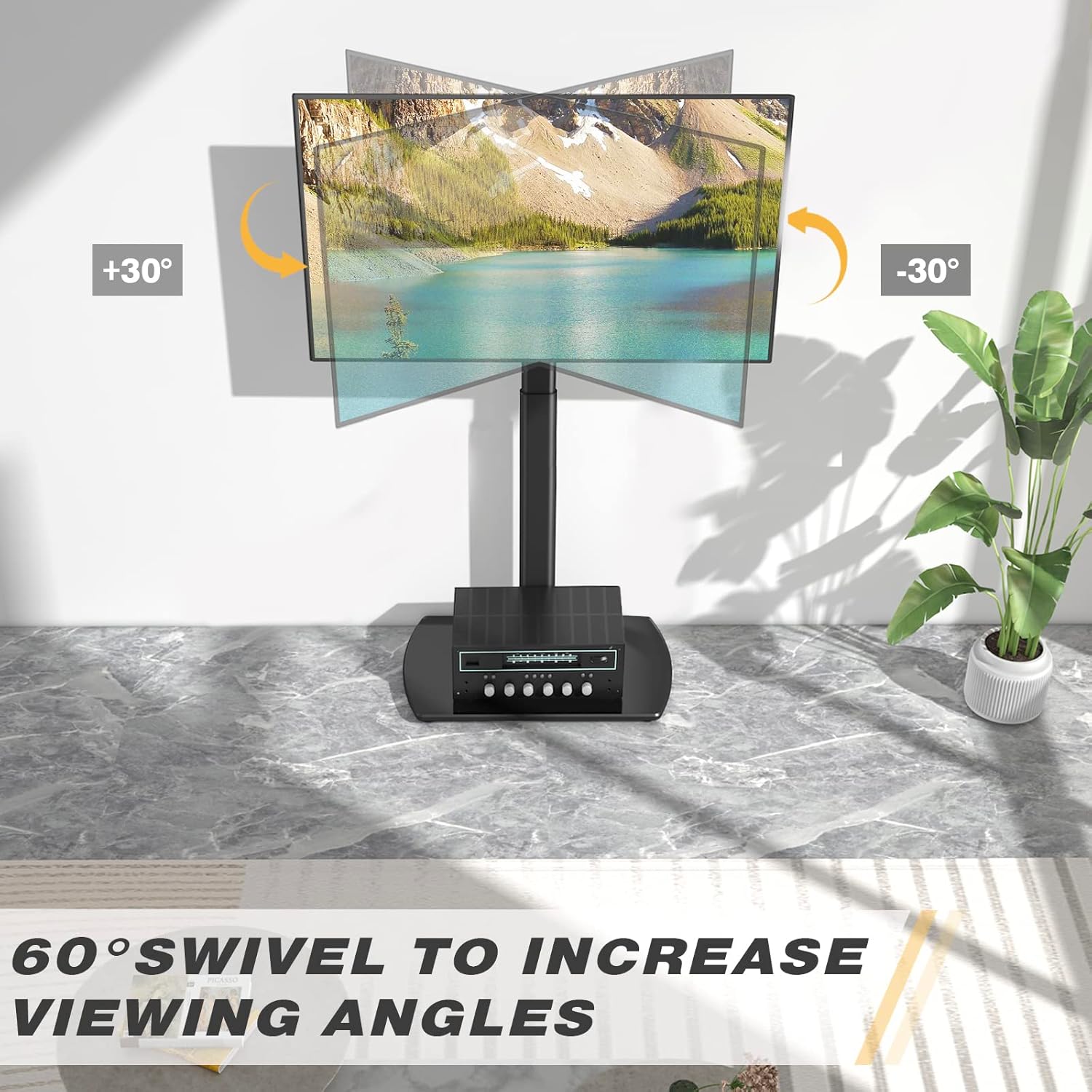
Image: Visual representation of the 60-degree swivel range.

Image: Close-up of the swivel joint.
Upravljanje kablov
Utilize the integrated cable management clips on the rear of the main support pole to organize and conceal TV cables. This helps maintain a tidy appearance and prevents cable clutter.

Image: Cable management clips on the stand's pole.
Vzdrževanje
- Čiščenje: Stojalo obrišite z mehko krpoamp krpo. Izogibajte se abrazivnim čistilom ali topilom, ki lahko poškodujejo površino.
- Periodični pregledi: Občasno preverite vse vijake in matico, da se prepričate, da so trdno priviti. Po potrebi jih ponovno privijte.
- Glass Base Care: The tempered glass base is durable but can be scratched. Use coasters for items placed on it and avoid dropping heavy objects.
Odpravljanje težav
| Težava | Možen vzrok | rešitev |
|---|---|---|
| Televizor ni poravnan. | Mounting brackets are not aligned or tightened unevenly. | Re-check the alignment of the TV mounting brackets and ensure all screws are tightened evenly. |
| Stojalo se zdi nestabilno. | Loose connections or uneven floor surface. | Verify all assembly bolts are securely tightened. Ensure the stand is placed on a flat, stable surface. Check non-slip feet. |
| Televizorja ni mogoče namestiti. | Napačen vzorec VESA ali velikost/teža televizorja. | Confirm your TV's VESA pattern and weight are within the stand's specifications (Max VESA 400x400mm, Max 35kg/77lbs). |
Specifikacije
| Znamka: | RFIVER |
| Model: | TF3001 |
| Združljive velikosti televizorjev: | 32 - 65 palcev |
| Max VESA Compatibility: | 400x400mm (also supports 100x100, 100x200, 200x100, 200x200, 300x200, 200x300, 300x300, 400x200, 400x300) |
| Največja nosilnost: | 35 kg (77 lbs) |
| Območje nastavitve višine: | 1000 mm - 1300 mm |
| Kot vrtenja: | ±30 degrees (60 degrees total) |
| Material: | Legirano jeklo, kaljeno steklo |
| barva: | Črna |
| Mere izdelka (D x Š x V): | 55 x 38 x 130 cm (approximate, at max height) |
| Teža izdelka: | 8.8 kg |
Garancija in podpora
RFIVER products are designed for durability and performance. For any questions, missing parts, or support needs, please contact RFIVER customer service. Please retain your proof of purchase for warranty claims.
For further assistance, please visit the official RFIVER webspletnega mesta ali se obrnite na njihove kanale za podporo strankam.


