1. Uvod
This manual provides detailed instructions for the installation, operation, and maintenance of your Tonton 3MP Ultra HD Wireless Security Camera System with 8-Channel NVR Recorder. This system is designed for reliable surveillance, offering high-definition video recording and remote access capabilities.
The Tonton NVR supports up to 16 channels and is compatible with 4K, 8MP, 5MP, 4MP, 3MP, 2MP, and 1080P IP cameras. It features H.265 & H.264 compression technology, VGA & HDMI output (up to 4K), and supports various recording modes including full-time, scheduled, and motion detection. Remote viewing is available via a free app on smartphones, as well as software or web browsers on Mac and PC.
2. Vsebina paketa
Prosimo, preverite, ali so v vašem paketu priloženi vsi spodaj navedeni artikli:
- 1 x Tonton 8-Channel NVR Recorder (1TB Hard Drive Pre-installed)
- 1 x USB miška
- 1 x napajalnik za snemalnik
- 1 x Uporabniški priročnik (ta dokument)
Note: Security cameras are sold separately or as part of a complete kit. This NVR is designed to work with Tonton wireless IP cameras.
3. Nastavitev sistema
3.1 Initial NVR Connection
- Priključitev snemalnika (NVR): Plug the provided power supply into the NVR's DC12V port and then into a power outlet.
- Poveži zaslon: Connect a monitor to the NVR using either the HDMI or VGA port.
- Povežite miško: Priključite miško USB v enega od vrat USB na snemalniku (NVR).
- Omrežna povezava (neobvezno za začetno nastavitev, potrebno za oddaljeno viewing): Connect an Ethernet cable from the NVR's NET port to your router for internet access.

Figure 3.1: Rear panel of the NVR with connection ports.
3.2 Camera Pairing (Plug and Play)
The Tonton wireless security camera system is designed for true plug-and-play operation. Cameras automatically connect to the NVR's dedicated WiFi network.
- Vklop kamer: Connect each wireless camera to its respective power adapter and plug it into a power outlet.
- Samodejna povezava: The cameras will automatically search for and connect to the NVR's internal WiFi network. Live video feeds should appear on your connected monitor within minutes.
- Funkcija brezžičnega repetitorja: Cameras can act as repeaters, extending the wireless range. They connect to the NVR's WiFi, not your home WiFi.

Figure 3.2: Wireless solution range and connectivity diagram.
3.3 Daljinski upravljalnik Viewnastavitev
Za view your camera feeds remotely, you need to connect the NVR to the internet and configure the mobile application or PC software.
- NVR Internet Connection: Prepričajte se, da je NVR povezan z usmerjevalnikom prek ethernetnega kabla.
- Prenesite aplikacijo: Download the free Tonton security app from your smartphone's app store (iOS or Android).
- Dodaj napravo: Open the app, create an account, and follow the on-screen instructions to add your NVR. This typically involves scanning a QR code displayed on the NVR's monitor interface.
- PC/Mac Software: For desktop viewing, install the dedicated software from the Tonton support webmesto.
4. Navodila za uporabo
4.1 Načini snemanja
The NVR comes with a pre-installed 1TB hard drive for automatic recording. You can configure the recording mode via the NVR's on-screen menu:
- Full-time Recording: Continuous recording 24/7.
- Schedule Time Recording: Določite določene čase za snemanje.
- Snemanje zaznavanja gibanja: Recording starts only when motion is detected.
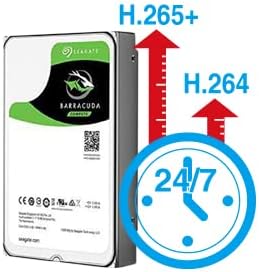
Figure 4.1: H.265+ compression for efficient storage.
4.2 Zaznavanje gibanja in e-poštna opozorila
The NVR supports motion detection and can send email alerts when motion is detected.
- Configure Motion Detection: Access the NVR's menu to define motion detection zones and sensitivity for each camera.
- Set Up Email Alerts: In the NVR's network settings, configure your email server details to enable email notifications. Any detected motion will trigger an email alert to your specified address.
4.3 Predvajanje in varnostno kopiranje
Lahko ponovnoview posnet footage directly from the NVR or remotely via the app/software.
- Lokalno predvajanje: Use the NVR's interface to search for recordings by time or event.
- Oddaljeno predvajanje: Access recorded videos through the mobile app or PC software.
- Varnostna kopija USB: Connect a USB flash drive to the NVR's USB port to back up important video files.
5. Vzdrževanje
Redno vzdrževanje zagotavlja optimalno delovanje in dolgo življenjsko dobo vašega varnostnega sistema.
- Čista oprema: Periodically wipe the NVR and camera lenses with a soft, dry cloth. Avoid abrasive cleaners.
- Posodobitve vdelane programske opreme: Check the Tonton official website for any available firmware updates for your NVR and cameras. Follow instructions carefully for updates.
- Upravljanje trdega diska: The 1TB HDD will overwrite older footage when full. Regularly back up critical recordings.
- Preverjanje napajanja: Prepričajte se, da so vsi napajalniki varno priključeni in nepoškodovani.
6. Odpravljanje težav
Ta razdelek obravnava pogoste težave, na katere lahko naletite.
- Brez video prikaza:
- Check NVR power connection.
- Verify monitor connection (HDMI/VGA) and input source.
- Ensure cameras are powered on.
- Kamere se ne povezujejo:
- Ensure cameras are within range of the NVR's wireless signal.
- Check camera power.
- If using an extension antenna, ensure it is properly installed.

Figure 6.1: Wireless extension antenna setup.
- Daljinsko ViewNe deluje:
- Confirm NVR is connected to the internet via Ethernet.
- Preverite internetno povezavo vašega usmerjevalnika.
- Ensure the app/software is updated and the NVR is correctly added.
- Brez snemanja:
- Verify the 1TB hard drive is detected and functioning.
- Check recording schedule and motion detection settings.
If issues persist, please contact Tonton technical support.
7. Specifikacije
| Znamka | Tonton |
| Model | 8CH NVR Recorder (B082HC5GPC) |
| Tehnologija povezljivosti | HDMI, USB, VGA, Wireless |
| Ločljivost zajema videa | Supports up to 4K 8MP/5MP/4MP/3MP/2MP 1080p |
| Posebna funkcija | Brezžično |
| Število kanalov | 8 (NVR supports up to 16 channels) |
| Zmogljivost pomnilnika | 1TB trdi disk (prednameščen) |
| barva | Črna |
| Vir napajanja | Električni na kabel |
| Združljive naprave | Cameras, Desktop, Smartphones, Tablets |
| Tehnologija slabe svetlobe | Nočni vid |
| Skupno število vrat USB | 2 |
| Video vhod | HDMI, USB, VGA |
| Proizvajalec | Tonton security |
| UPC | 740385275593 |
| ASIN | B082HC5GPC |
| Prvič na voljo | 8. december 2019 |
8. Garancija in podpora
Your Tonton Security Camera System comes with a 1-letna garancija od datuma nakupa.
For technical assistance, troubleshooting, or warranty claims, please contact Tonton Technical Support. Refer to the contact information provided on the Tonton official webspletno mesto ali dokumentacijo o nakupu.


