Uvod
The Philips PH805 Active Noise Canceling (ANC) Over-Ear Wireless Bluetooth Performance Headphones are designed to deliver high-quality audio with advanced noise cancellation. Enjoy your music without distractions, whether you're traveling or in a busy environment. These headphones offer a comfortable fit, long battery life, and intuitive controls for an enhanced listening experience.
Kaj je v škatli
- Philips PH805 Wireless Headphones
- Zaščitna torbica
- Audio Cable (2.5 mm to 3.5 mm)
- USB polnilni kabel
- Aircraft Adapter
- Uporabniški priročnik
Konec izdelkaview
Familiarize yourself with the key components and features of your Philips PH805 headphones.
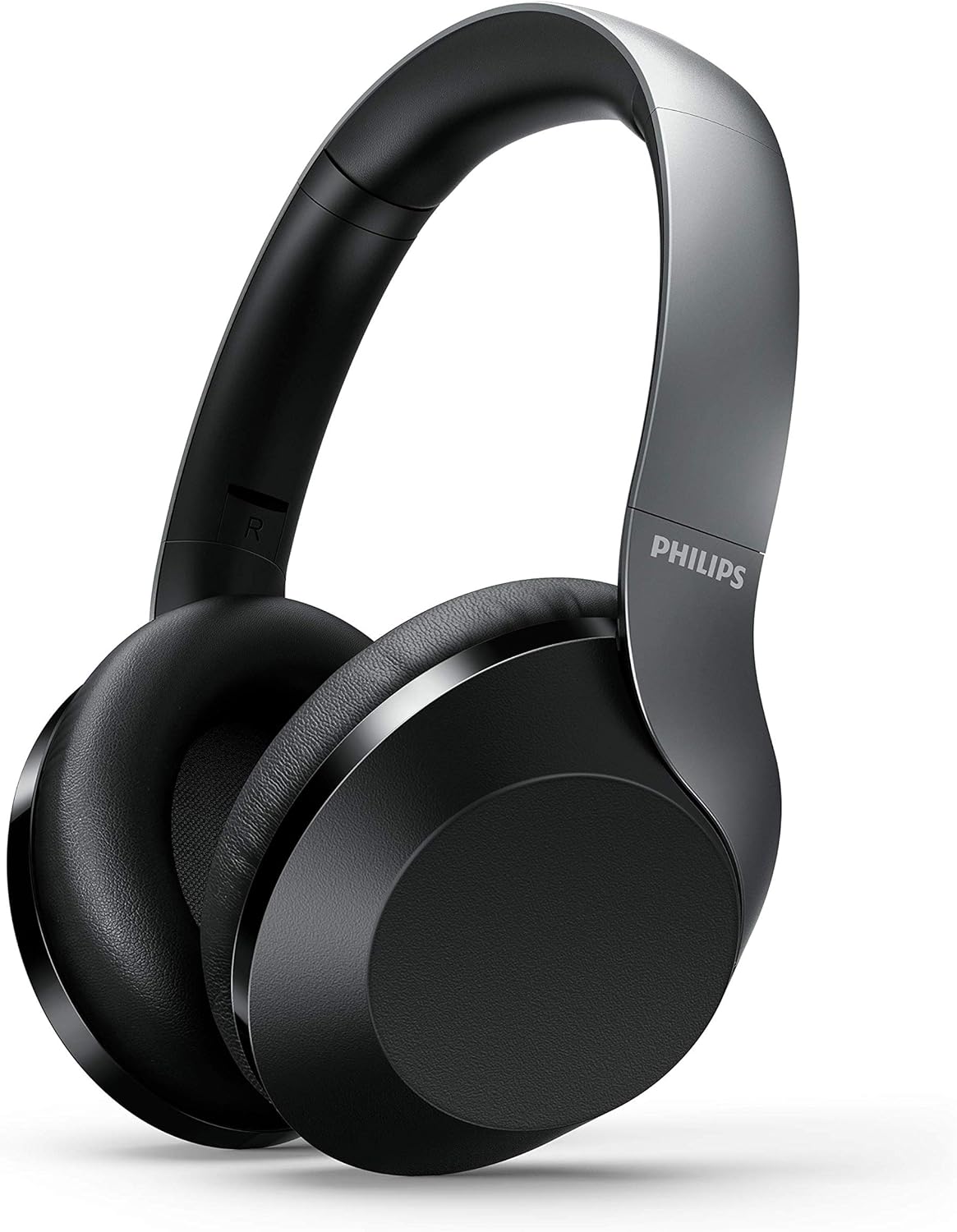
Figure 1: Philips PH805 Active Noise Canceling Wireless Headphones.
Udobje in dizajn
- Soft Ear-Cup Cushions: Designed with soft leatherette padding for comfortable wearing and superior noise isolation.
- Smooth Adjustable Headband: Lightweight and easily adjustable to prevent tangling with your hair and ensure a secure fit.
- Flat and Compact Folding: The headphones can be folded flat and compactly for easy storage in your desk drawer or the included carrying case, making them ideal for travel.

Figure 2: Headphones shown in their flat and compact folded state.
Kontrole in vrata
The headphones feature intuitive controls for power, volume, track navigation, and Active Noise Canceling (ANC) management.

Slika 3: Bližnji posnetek view of the control buttons and ports on the ear cup.
- Gumb za vklop: Used to turn the headphones on/off and initiate Bluetooth pairing mode.
- ANC/Awareness Mode Button: Toggles Active Noise Canceling on/off or activates Awareness Mode to hear your surroundings.
- Nadzorna plošča na dotik: Located on the ear-housing, allows swiping up/down for volume control and tapping for play/pause or call management.
- Vrata za polnjenje USB-C: Za polnjenje slušalk.
- 2.5 mm avdio priključek: For wired connection to audio sources.
- Vgrajen mikrofon: Features echo cancellation for clear calls.
Nastavitev
Polnjenje slušalk
- Connect the provided USB charging cable to the USB-C port on the headphone.
- Connect the other end of the USB cable to a compatible USB power source.
- A full charge takes approximately 2 hours, providing up to 30 hours of playtime (25 hours with ANC on).
Bluetooth združitev
- Prepričajte se, da so slušalke napolnjene.
- Pritisnite in držite gumb za vklop, dokler LED indikator ne utripa, kar označuje način seznanjanja.
- On your Bluetooth-enabled device (phone, tablet, computer), go to Bluetooth settings and select "Philips PH805" from the list of available devices.
- Once paired, the LED indicator will stop flashing and remain solid. The headphones have a Bluetooth range of up to 10 meters.
Žična povezava
For a wired connection, use the included 2.5 mm to 3.5 mm audio cable. This allows for Hi-Res Audio playback when connected to a compatible source, providing lossless audio quality.
Navodila za uporabo
Active Noise Canceling (ANC) and Awareness Mode
Control your listening environment with the dedicated ANC/Awareness Mode button.
- Aktiviraj ANC: Press the ANC button to reduce ambient noise, ideal for travel or noisy offices.
- Activate Awareness Mode: Press the ANC button again to allow some ambient sound to pass through, keeping you aware of your surroundings while still enjoying your audio.
- Deaktiviraj ANC: Press the ANC button a third time to turn off both ANC and Awareness Mode.

Figure 4: Active Noise Canceling (ANC) in action, blocking out external noise.
Dotaknite se kontrolnikov
Manage your audio and calls with simple gestures on the ear cup.
- Nadzor glasnosti: Swipe up or down on the right ear cup to adjust the volume.
- Predvajanje/pavza: Tap the center of the right ear cup to play or pause music.
- Sprejmi/končaj klic: Tap the center of the right ear cup to answer or end a phone call.
- Preskoči skladbo: Swipe forward or backward on the right ear cup to skip tracks.

Figure 5: Demonstrating the touch control functionality on the ear cup.
Vzdrževanje
- Slušalke redno čistite z mehko, suho krpo.
- Avoid exposing the headphones to extreme temperatures, moisture, or dust.
- Ko slušalk ne uporabljate, jih shranite v zaščitni etui, da preprečite poškodbe.
- Slušalk ne poskušajte razstavljati ali popravljati sami. Za pomoč se obrnite na podporo strankam.
Odpravljanje težav
| Težava | rešitev |
|---|---|
| Slušalke se ne vklopijo | Prepričajte se, da so slušalke popolnoma napolnjene. |
| Seznanitev prek Bluetootha ni mogoča | Ensure headphones are in pairing mode (flashing LED). Check your device's Bluetooth settings and try re-pairing. Ensure headphones are within 10 meters of the device. |
| Brez zvoka | Preverite glasnost na slušalkah in priključeni napravi. Prepričajte se, da so slušalke pravilno seznanjene oziroma ožičene. |
| ANC ne deluje učinkovito | Ensure ear cups fit snugly over your ears. Check if ANC is activated. |
Specifikacije
- Model: TAPH805BK/00
- Nadzor hrupa: Aktivno odpravljanje hrupa
- Povezljivost: Bluetooth 5.0
- Obseg Bluetooth: 10 metrov
- Avdio gonilniki: 40mm Neodymium Acoustic Drivers
- Življenjska doba baterije: Up to 30 hours (25 hours with ANC on)
- Čas polnjenja: Približno 2 ur
- Vtičnica za slušalke: 2.5 mm Jack
- Vrsta nadzora: Touch, Physical Buttons
- Posebne lastnosti: Foldable, Lightweight, Microphone Included, Hi-Res Audio (wired mode)
- Teža artikla: 9.8 unč
- Dimenzije izdelka: 10.67 x 10.63 x 3.39 palcev
Uradni videoposnetek izdelka
Video 1: Overview of the Philips 8000 series noise canceling headphones (TAPH805BK) by Envision Peripherals. This video highlights key features and design aspects of the product.
Garancija in podpora
For warranty information, technical support, or service inquiries, please refer to the official Philips Audio website or contact their customer service directly. Details can typically be found in the warranty card included with your product or on the manufacturer's support pages.