1. Uvod
Thank you for choosing the CREATE NETBOT S15 Robot Vacuum Cleaner. This manual provides essential information for the safe operation, maintenance, and troubleshooting of your device. Please read it thoroughly before first use and retain it for future reference.
Konec izdelkaview

The image above displays the CREATE NETBOT S15 Robot Vacuum Cleaner, its dedicated remote control, and a smartphone screen showing the companion application interface. The robot is black with a textured top surface and a central green power button. The remote control features a digital display and various control buttons. The app shows a map of a cleaned area.
The NETBOT S15 is designed to simplify your cleaning routine, offering multiple cleaning modes and smart features for efficient floor maintenance.
2. Varnostna navodila
Za zagotovitev varnega delovanja in preprečevanje poškodb upoštevajte naslednje varnostne ukrepe:
- Pred uporabo aparata preberite vsa navodila.
- Ne dovolite otrokom, da upravljajo robotskega sesalnika. Med delovanjem robota nadzorujte otroke in hišne ljubljenčke.
- Ensure the charging base is placed against a wall on a hard, level surface, with adequate clear space around it.
- Lase, ohlapna oblačila, prste in vse dele telesa ne približujte odprtinam in premikajočim se delom.
- Ne sesajte velikih predmetov, ostrih predmetov, tekočin ali gorečih/kamljivih materialov.
- Robota ne uporabljajte v mokrem okolju ali na mokrih površinah.
- Pred uporabo odstranite napajalne kable, majhne predmete in krhke predmete s tal, da preprečite zapletanje ali poškodbe.
- Use only the original charger and battery provided by the manufacturer.
- Do not modify or attempt to repair the robot vacuum yourself. Contact qualified service personnel for repairs.
3. Vsebina paketa
Preverite, ali so v paketu prisotne vse komponente:

The image shows the retail box for the CREATE NETBOT S15 Robot Vacuum Cleaner, indicating the product and its key features.
- USTVARITE NETBOTA S15, ROBOTSKEGA SESAČNIKA
- Polnilna baza
- Napajalni adapter
- Daljinski upravljalnik
- Posoda za prah (prostornina 600 ml)
- Rezervoar za vodo (prostornina 400 ml)
- Side Brushes (2 + 2 replacements)
- HEPA Filter (1 + 1 replacement)
- Cleaning Mop (1 + 1 replacement)
- Krtača za čiščenje
- Magnetni trak
- Uporabniški priročnik
4. Nastavitev
4.1 Namestitev polnilne postaje

The image shows the CREATE NETBOT S15 Robot Vacuum Cleaner correctly docked on its charging station, indicating proper placement for recharging.
- Place the charging base against a wall in an open area.
- Ensure there is at least 1 meter (3 feet) of clear space on both sides of the charging base and 2 meters (6 feet) in front of it.
- Priključite napajalnik na polnilno postajo in ga vključite v stensko vtičnico.
- Ensure the power indicator light on the charging base is illuminated.
4.2 Začetno polnjenje

This image depicts the CREATE NETBOT S15 Robot Vacuum Cleaner positioned near its charging dock in a room, ready for or undergoing charging.
Before first use, fully charge the robot vacuum. Place the robot onto the charging base, ensuring the charging contacts align. The indicator light on the robot will show charging status. A full charge typically takes 4-5 hours.
4.3 Namestitev in povezava aplikacije
The CREATE NETBOT S15 can be controlled via a smartphone application, compatible with Alexa and Google Home.
- Download the official CREATE app from your smartphone's app store.
- Registrirajte račun in se prijavite.
- Follow the in-app instructions to add your NETBOT S15 device. This typically involves putting the robot into pairing mode and connecting it to your home Wi-Fi network.
- Once connected, you can program cleaning schedules, select cleaning modes, and monitor the robot's status from your phone.
- For voice control, link the CREATE app with your Alexa or Google Home account through their respective applications.
5. Navodila za uporabo
5.1 Načini čiščenja
The NETBOT S15 offers four cleaning functions:
- Pometanje: Uses side brushes to gather debris.
- Vakum: Utilizes suction power to collect dust and dirt. Features up to 1500 Pa suction power with adjustable levels.
- Krpa: Wipes floors with a damp cloth from the water tank.
- pranje: Combines sweeping, vacuuming, and mopping for comprehensive cleaning.

This image illustrates the CREATE NETBOT S15 Robot Vacuum Cleaner actively cleaning under a sofa, demonstrating its ability to reach confined spaces. Two dogs are visible in the foreground, suggesting a pet-friendly environment.
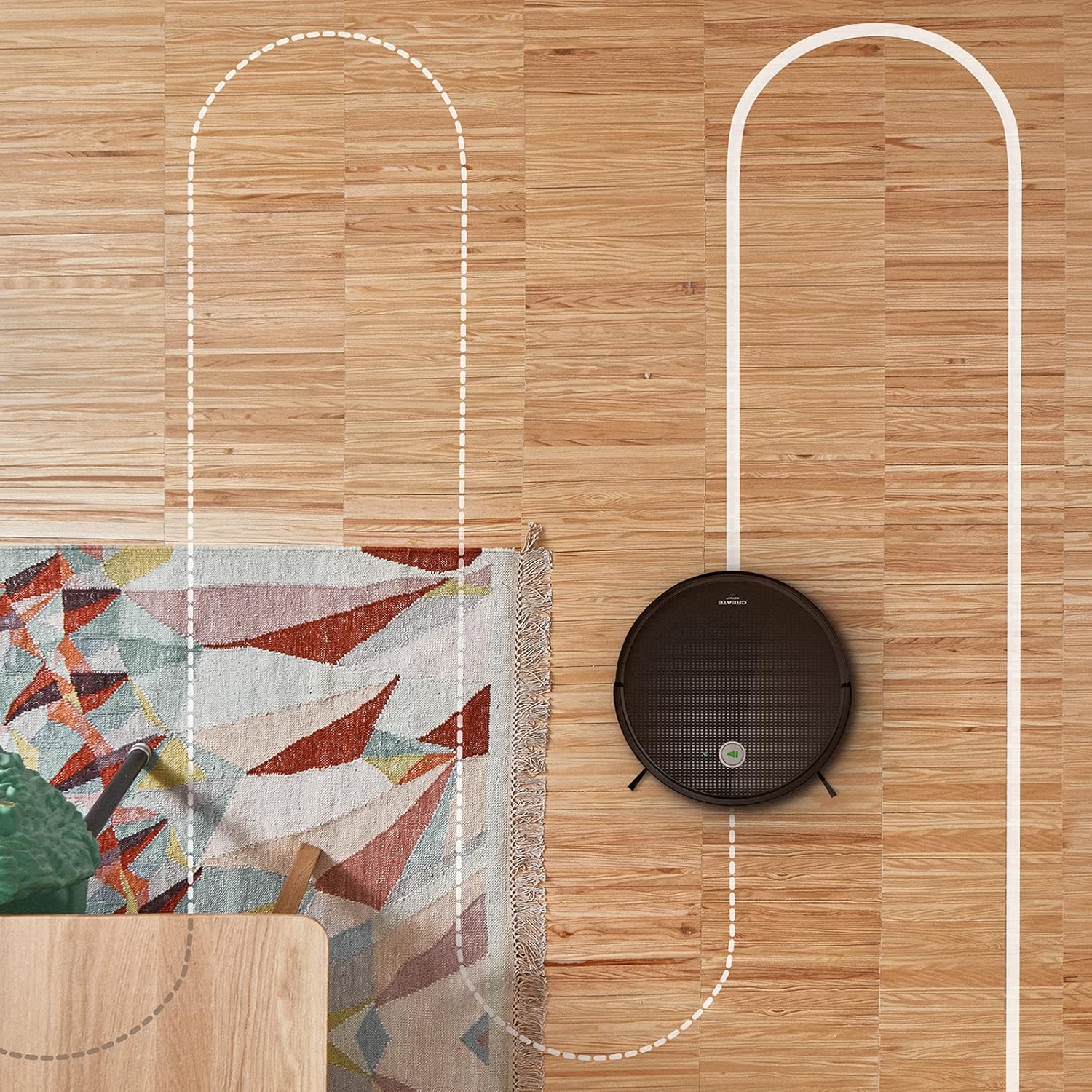
Antena view shows the CREATE NETBOT S15 Robot Vacuum Cleaner moving across a wooden floor, with a dotted line indicating its systematic cleaning path, highlighting its gyroscopic navigation.
5.2 Uporaba daljinskega upravljalnika
The included remote control allows for direct operation of the robot vacuum. Refer to the remote control diagram in your quick start guide for button functions. Common functions include:
- Zagon / premor Čiščenje
- Vrnite se na polnilno bazo
- Directional Control (manual steering)
- Čiščenje točk
- Čiščenje robov
- Nastavitev urnika
5.3 Magnetic Strip Usage
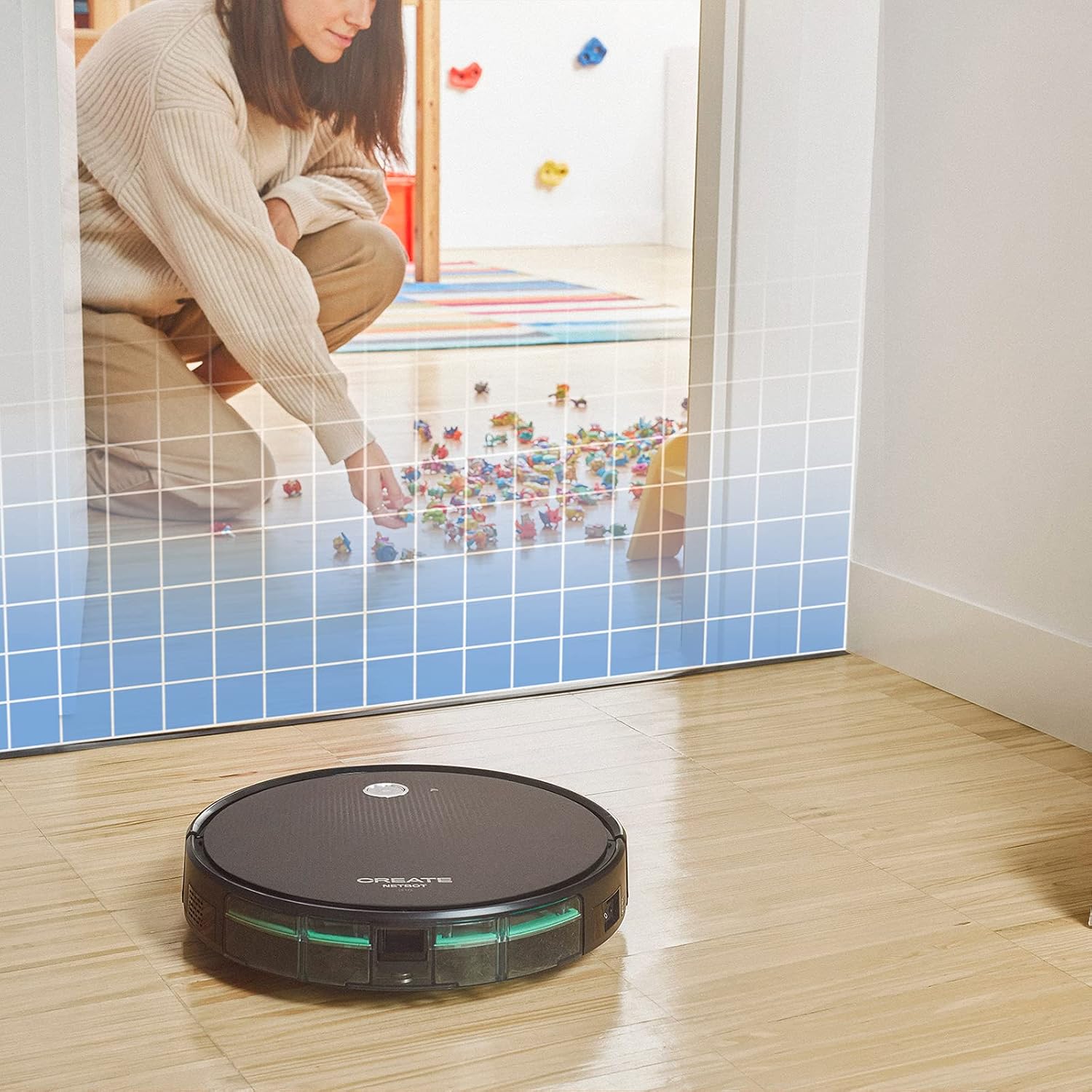
This illustration demonstrates the CREATE NETBOT S15 Robot Vacuum Cleaner approaching a virtual boundary, represented by a grid, which prevents it from entering a specific area, such as where toys are located.
Use the provided magnetic strip to create virtual boundaries that the robot will not cross. Place the strip on the floor to delimit areas where the robot should not enter, such as pet feeding zones or areas with delicate items.
5.4 Življenjska doba baterije
The NETBOT S15 is equipped with a long-lasting LG Lithium battery, providing up to 120 minutes of cleaning autonomy on a single charge, depending on the selected power mode.
6. Vzdrževanje
Redno vzdrževanje zagotavlja optimalno delovanje in podaljšuje življenjsko dobo vašega robotskega sesalnika.
6.1 Čiščenje posode za prah in rezervoarja za vodo
Empty the dustbin after each use. The 600 ml dustbin is easily removable. If using the mopping function, empty and rinse the 400 ml water tank after each use to prevent mold or odors.
6.2 Čiščenje krtač

Bližnji posnetek view of the CREATE NETBOT S15 Robot Vacuum Cleaner's side brush, showing its design for sweeping debris into the main suction path.
- Stranske krtače: Regularly check for hair or debris entanglement. Remove and clean as needed. Replace worn brushes with the provided spares.
- Glavna krtača: Odstranite pokrov glavne krtače in dvignite krtačo. Z orodjem za čiščenje odstranite zapletene lase in umazanijo.
6.3 Čiščenje/zamenjava filtra
The robot uses a double filter system: a sponge filter and a HEPA filter. Tap the filters to remove loose dirt. Do not wash HEPA filters with water. Replace filters every 3-6 months, or more frequently with heavy use, to maintain suction performance.
6.4 Čiščenje senzorja
Wipe the cliff sensors (located on the bottom of the robot) and the bumper sensors (on the front) with a clean, dry cloth to ensure proper navigation and obstacle detection.
7. Odpravljanje težav
If you encounter issues with your NETBOT S15, refer to the following common problems and solutions:
| Težava | Možen vzrok | rešitev |
|---|---|---|
| Robot se ne zažene ali ne odziva. | Prazna baterija; Stikalo za napajanje izklopljeno; Robot se je zataknil. | Napolnite robota; Prepričajte se, da je stikalo za vklop VKLOPLJENO; Odstranite morebitne ovire. |
| Slaba učinkovitost čiščenja. | Poln koš za prah; Zamašene krtače/filtri; Obrabljene krtače. | Empty dustbin; Clean brushes and filters; Replace brushes/filters. |
| Robot ne more najti polnilne baze. | Charging base obstructed; Robot too far from base; Base not powered. | Ensure clear space around base; Manually place robot closer; Check power connection to base. |
| Robot se pogosto zatika. | Cables/small objects on floor; Uneven surfaces; Dark colored carpets. | Clear floor of obstacles; Use magnetic strips for problem areas; Robot may struggle on very dark surfaces. |
| Težave z Wi-Fi povezavo. | Napačno geslo za Wi-Fi; usmerjevalnik predaleč; omrežje 5 GHz. | Verify password; Move robot closer to router; Ensure connection to a 2.4GHz Wi-Fi network. |
8. Specifikacije
Key technical specifications for the CREATE NETBOT S15 Robot Vacuum Cleaner:
- Znamka: USTVARJANJE
- Številka modela: Netbot S15
- barva: Black - Turquoise
- Dimenzije (D x Š x V): 33 x 33 x 7.5 cm
- Teža: 3 kilogramov
- moč: 25 vatov
- Sesalna moč: Do 1500 Pa
- Raven hrupa: 62 dB
- Vrsta baterije: Litij-ionski
- Življenjska doba baterije: Do 120 minut
- Kapaciteta koša za smeti: 600 ml
- Kapaciteta rezervoarja za vodo: 400 ml
- Filtrirni sistem: Double sponge Clean + HEPA filter
- Povezljivost: Wi-Fi, App Control
- Združljivost glasovnega pomočnika: Google Domov, Alexa
- Posebne lastnosti: Gyroscopic navigation, Magnetic strip boundary, 4 cleaning modes (sweep, vacuum, mop, wash)
9. Garancija in podpora
For warranty information, technical support, or service inquiries, please refer to the warranty card included with your product or visit the official CREATE webspletno mesto. Shranite račun kot dokazilo o nakupu.


