1. Uvod
The Maxell Bass 13 Wireless Headphones (Model B13-WHPS) are designed to provide a versatile audio experience. These headphones feature 40mm drivers for clear sound, an integrated microphone for communication, and comfortable ear pads for extended listening. They offer both wireless Bluetooth connectivity and a traditional 3.5mm wired option.
2. Kaj je v škatli
- Maxell Bass 13 Wireless Headphones
- USB polnilni kabel
- 3.5mm Audio Cable (if applicable, not explicitly listed but common for hybrid headphones)
- Uporabniški priročnik
3. Izdelek je končanview
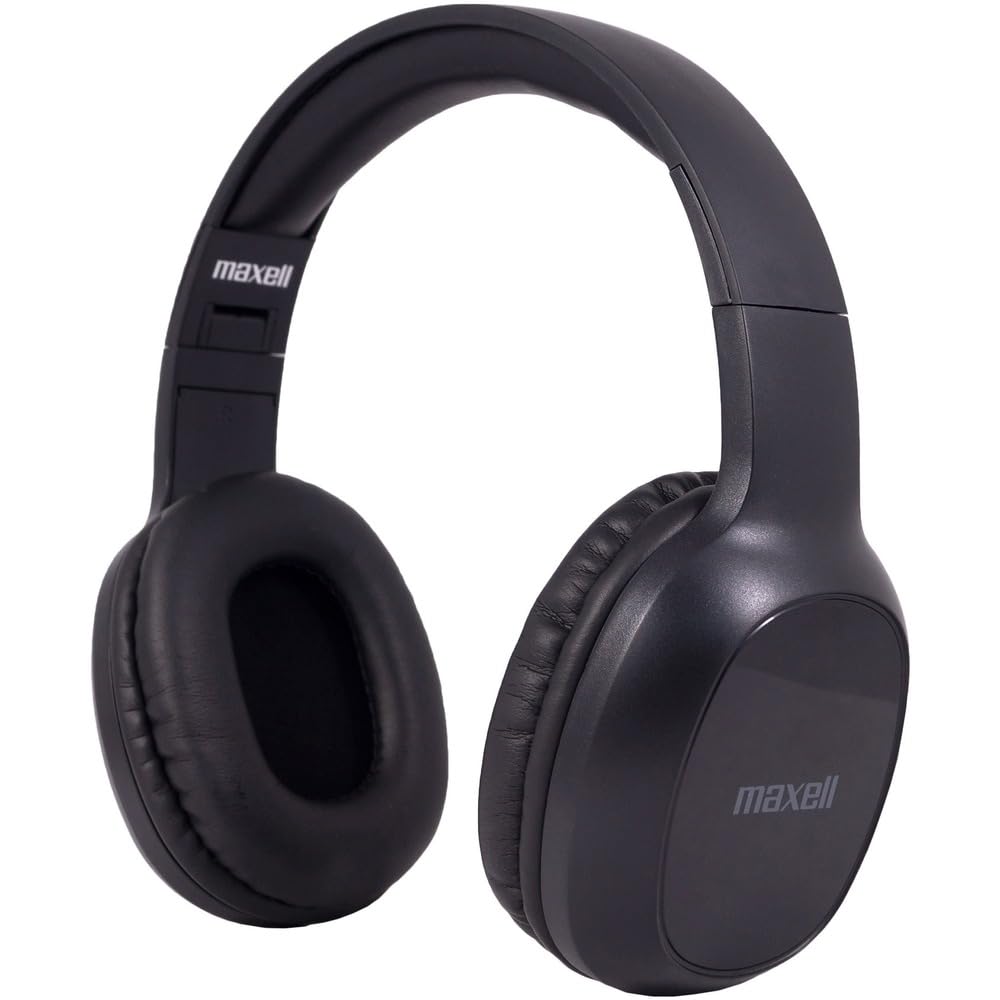
Figure 1: Maxell Bass 13 Wireless Headphones

Figure 2: Earcup Controls (Power, Volume, Play/Pause)
Ključne značilnosti:
- 40 mm dinamični gonilniki: Deliver clear and powerful audio performance.
- Integriran mikrofon: Omogoča prostoročno klicanje.
- Noise-Isolating Earpads: Provide comfort and help reduce external distractions.
- Povezljivost Bluetooth 5.0: Za stabilno brezžično povezavo.
- 3.5 mm avdio priključek: Allows for wired connection to compatible devices.
- Nastavljiv naglavni trak: Zagotavlja udobno prileganje različnim velikostim glave.
- Do 8 ur delovanja baterije: For extended listening and talk time.
4. Nastavitev
4.1 Polnjenje slušalk

Figure 3: Connecting the USB Charging Cable
- Locate the charging port on the headphone earcup.
- Connect the small end of the provided USB charging cable to the headphone's charging port.
- Večji konec kabla USB priključite na vir napajanja USB (npr. vrata USB računalnika, stenski adapter USB).
- The LED indicator on the headphones will illuminate to show charging status. It will typically turn off or change color when fully charged.
- A full charge provides up to 8 hours of continuous talk/play time.
4.2 Bluetooth seznanjanje
- Prepričajte se, da so slušalke popolnoma napolnjene.
- Pritisnite in držite gumb za vklop na ušesni školjki slušalk, dokler LED indikator ne utripa modro in rdeče, kar označuje način seznanjanja.
- V napravi (pametnem telefonu, tablici, računalniku) pojdite v nastavitve Bluetooth.
- Iskanje available devices. Select "Maxell Bass 13" from the list.
- Ko sta seznanjena, bo LED indikator običajno svetil modro ali počasi utripal modro.
- Če boste pozvani k vnosu gesla, vnesite »0000«.
4.3 Wired Connection (3.5mm Audio Jack)

Figure 4: Connecting the 3.5mm Audio Cable
For devices without Bluetooth or when battery is low, you can use the 3.5mm audio cable:
- Plug one end of the 3.5mm audio cable into the audio input jack on the headphone earcup.
- Drugi konec priključite v 3.5 mm avdio izhod na vaši napravi.
- Slušalke bodo delovale v pasivnem načinu, funkcija Bluetooth pa bo onemogočena.
5. Navodila za uporabo
5.1 Vklop/izklop
- Vklop: Pritisnite in držite gumb za vklop približno 3 sekundi, dokler se ne prižge LED indikator.
- Ugasniti: Pritisnite in držite gumb za vklop približno 3-5 sekunde, dokler se LED indikator ne izklopi.
5.2 Nadzor glasnosti
- Povečajte glasnost: Pritisnite gumb za povečanje glasnosti (+).
- Zmanjšaj glasnost: Pritisnite gumb za zmanjšanje glasnosti (-).
5.3 Predvajanje glasbe
- Predvajanje/pavza: Press the Multi-function button (often the Power button or a dedicated Play/Pause button) once.
- Naslednja skladba: Press and hold the Volume Up (+) button (or double-press, refer to specific product button layout).
- Prejšnja skladba: Press and hold the Volume Down (-) button (or double-press, refer to specific product button layout).
5.4 Upravljanje klicev
- Sprejmi/končaj klic: Enkrat pritisnite večfunkcijski gumb.
- Zavrni klic: Pritisnite in držite večfunkcijski gumb približno 2 sekundi.
- Ponovno klicanje zadnje številke: Dvakrat pritisnite večfunkcijski gumb.
6. Vzdrževanje
6.1 Čiščenje
- Slušalke obrišite z mehko, suho krpo, ki ne pušča vlaken.
- Ne uporabljajte abrazivnih čistil, topil ali aerosolnih razpršil.
- Izogibajte se vdoru vlage v morebitne odprtine.
6.2 Shranjevanje

Figure 5: Headphones Folded for Storage
- Slušalke shranjujte na hladnem in suhem mestu, stran od ekstremnih temperatur.
- When not in use for extended periods, ensure the headphones are fully charged before storage to preserve battery health.
- Slušalke imajo zložljivo zasnovo za kompaktno shranjevanje in prenosljivost.
6.3 Skrb za baterije
- Izogibajte se pogostemu popolnemu praznjenju baterije.
- Charge the headphones regularly, even if not used often.
- Baterije ne izpostavljajte prekomerni vročini ali neposredni sončni svetlobi.
7. Odpravljanje težav
| Težava | Možen vzrok | rešitev |
|---|---|---|
| Slušalke se ne vklopijo | Nizka baterija | Slušalke povsem napolnite. |
| Seznanitev prek Bluetootha ni mogoča | Slušalke niso v načinu seznanjanja; Bluetooth naprave izklopljen; Preveč daleč od naprave | Ensure headphones are in pairing mode (flashing blue/red). Turn on device Bluetooth. Move headphones closer to device. |
| Brez zvoka | Volume too low; Incorrect audio source; Headphones not connected | Increase headphone and device volume. Check if headphones are properly paired/connected. Verify audio output settings on your device. |
| Slaba kakovost klica | Weak Bluetooth signal; Microphone obstructed | Približajte se napravi. Prepričajte se, da mikrofon ni prekrit. |
8. Specifikacije
| Funkcija | Podrobnost |
|---|---|
| Številka modela | B13-WHPS |
| Znamka | Maxell |
| Tehnologija povezljivosti | Bluetooth 5.0 |
| Velikost zvočnega gonilnika | 40 mm |
| Življenjska doba baterije | Up to 8 Hours (continuous talk/play time) |
| Priključek za slušalke | 3.5 mm Jack |
| Funkcije za nadzor hrupa | Sound Isolation, Noise Cancelling |
| Impedanca | 32 Ohmov |
| Občutljivost | 100 dB |
| Frekvenčni odziv | 20 Hz |
| Namestitev ušesa | Na uho |
| Faktor oblike | Nad ušesi |
| Dimenzije izdelka | 7.25 x 3 x 9 palcev |
| Teža predmeta | 8.4 unč |
| Material | Electronic Components, Foam, Plastic, Wire |
| Združljive naprave | Tablets, Laptops, Desktops, Portable Devices with 3.5mm Audio Jack |
9. Uradni videoposnetek izdelka
Video 1: Maxell Bass 13 Bluetooth Headphones Overview. This video provides a visual demonstration of the headphones' features and design.
10. Garancija in podpora
Maxell products are designed for reliability and performance. For specific warranty information, please refer to the warranty card included with your purchase or visit the official Maxell website. For technical support or customer service inquiries, please contact Maxell customer support through their official channels.


