Uvod
The Gigaset E290A is a cordless telephone designed for ease of use, featuring an integrated answering machine. It combines a modern design with functions specifically developed for users with visual, auditory, or tactile needs. The large keys, highly readable backlit display, and ergonomic handset shape ensure comfortable operation for all ages. This manual provides essential information for setting up, operating, and maintaining your Gigaset E290A.
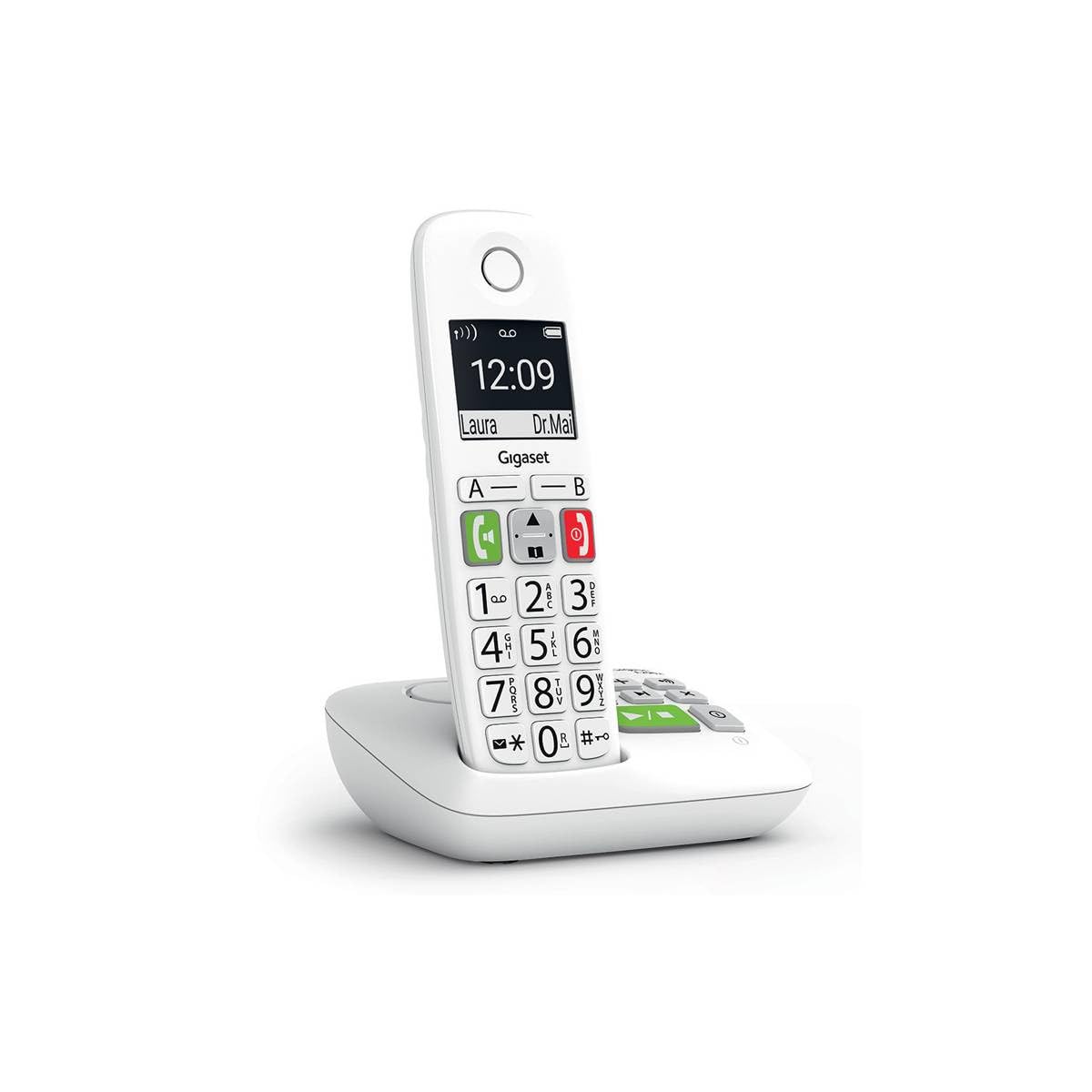
Image: The Gigaset E290A cordless phone, showing the handset and base station.
Varnostne informacije
- Use only the power adapter and telephone cord supplied with the device.
- Telefona ne izpostavljajte ekstremnim temperaturam, neposredni sončni svetlobi ali visoki vlažnosti.
- Avoid placing the phone near heat sources or in areas with strong electromagnetic fields.
- Use only approved rechargeable batteries. Do not dispose of batteries in fire.
- Ne odpirajte naprave casing. Popravila naj izvaja samo pooblaščeno servisno osebje.
- Telefon hranite izven dosega otrok.
Vsebina paketa
Preverite, ali vaš paket vsebuje naslednje elemente:
- 1 Gigaset E290A Handset
- 1 Gigaset E290A Base Station with integrated answering machine
- 1 Power Adapter for the base station
- 1 telefonski kabel
- 2 polnilni bateriji AAA
- 1 Pokrov baterije
- Ta uporabniški priročnik
Nastavitev
1. Priključitev bazne postaje
- Priključite napajalnik na bazno postajo in ga vključite v stensko vtičnico.
- Telefonski kabel priključite na bazno postajo, drugi konec pa v telefonsko vtičnico.
- Place the base station on a flat, stable surface, away from other electronic devices that might cause interference.

Image: The Gigaset E290A base station, illustrating the connection points for power and telephone line.
2. Inserting Batteries into the Handset
- Odprite pokrov prostora za baterije na zadnji strani slušalke.
- Insert the two supplied AAA rechargeable batteries, ensuring correct polarity (+/-).
- Zaprite pokrov prostora za baterije.
- Place the handset on the base station to charge. The display will indicate charging status. Allow at least 8 hours for the initial charge.
3. Registracija slušalke
The handset is usually pre-registered to the base station. If not, or if you are adding an additional handset:
- On the base station, press and hold the registration/paging key for approximately 3 seconds. The base station will enter registration mode.
- On the handset, navigate to the menu, select nastavitve, potem Registracija, and follow the on-screen prompts. You may need to enter a PIN (default is 0000).
- Once registered, the handset display will show the internal number (e.g., "HS 1").
Navodila za uporabo
Klicanje in sprejemanje klicev
- Klicanje: Enter the phone number using the large keypad and press the green call key (📞).
- Sprejem klica: Ko telefon zazvoni, pritisnite zeleno klicno tipko (📞) odgovoriti.
- Končanje klica: Pritisnite rdečo tipko za končanje klica (⛔).
- Prostoročno telefoniranje: During a call, press the hands-free key (🔊) to activate the speakerphone.

Image: Close-up of the Gigaset E290A handset, highlighting the large, easy-to-read keys for dialing.
Using the Answering Machine
The Gigaset E290A features an integrated digital answering machine with up to 30 minutes of recording time.
- Aktiviranje/Deaktiviranje: Access the answering machine menu on the handset or press the dedicated key on the base station.
- Predvajanje sporočil: Press the play key on the base station or navigate through the handset menu.
- Snemanje obvestila: Follow the menu prompts to record your personal greeting.
Imenik
Store up to 150 contacts in the phonebook.
- Dodajanje stika: Go to the phonebook menu, select "New Entry," and enter the name and number.
- Quick Dial Keys: The phone has two direct access keys (A and B) for quickly calling two pre-stored numbers. Assign these numbers via the phonebook settings.
Blokiranje klicev
Block unwanted calls by adding up to 32 numbers to a blacklist. You can also block anonymous calls.
- Adding to Blacklist: From the call list or phonebook, select a number and choose the "Block" option.
- Blocking Anonymous Calls: Enable this feature in the call blocking settings to automatically reject calls from hidden numbers.

Image: Illustration of the call blocking feature on the Gigaset E290A, showing how to manage unwanted calls.
Nastavitve zvoka
- Audio Boost Mode: Activate this mode for an even louder volume, facilitating high-definition listening.
- Združljivost s slušnimi aparati: The phone is compatible with hearing aids. You can also adjust the frequency range to suit personal hearing capabilities.
Nastavitve zaslona
- Jumbo Mode: In Jumbo mode, all dialed digits appear in large characters on the 34 x 37 mm backlit black and white display, which has increased contrast for optimal readability.
- Krmarjenje po meniju: Menu navigation is also simplified with an adapted character size.

Image: The Gigaset E290A display showing large characters in Jumbo Mode for enhanced readability.
Vzdrževanje
- Čiščenje: Slušalko in osnovno postajo očistite z mehko krpoamp krpo. Ne uporabljajte abrazivnih čistil ali topil.
- Vzdrževanje baterije: To maintain battery life, fully discharge and recharge the handset batteries periodically. If the phone will not be used for an extended period, remove the batteries.
- Shranjevanje: Ko telefona ne uporabljate, ga shranjujte na hladnem in suhem mestu.
Odpravljanje težav
| Težava | Možen vzrok | rešitev |
|---|---|---|
| Ni prikaza na slušalki | Baterije so prazne ali nepravilno vstavljene. | Charge batteries for at least 8 hours. Check battery polarity. |
| Ni znaka centrale | Telefonski kabel ni priključen ali je pokvarjen. | Check telephone line connection to base and wall socket. Try a different cord. |
| Slušalka se ne more registrirati | Base station not in registration mode or incorrect PIN. | Ensure base is in registration mode. Re-enter default PIN (0000). |
| Slaba kakovost zvoka | Handset too far from base, interference, or low battery. | Move closer to the base. Avoid other electronic devices. Charge handset. |
| Difficulty programming features | Complex menu navigation or unfamiliarity with settings. | Refer to the specific section in this manual for detailed steps. Contact support if issues persist. |
Specifikacije
| Znamka | Gigaset |
| Številka modela | E290A |
| barva | Bela |
| Vrsta telefona | Brezžično |
| Vrsta telefonskega odzivnika | Digitalno |
| Združljive naprave | Telephone networks (PSTN, ISDN), external communication devices |
| Potrebne baterije | 2 AAA (Alkaline) |
| Material | Plastika |
| Vir napajanja | Električni kabel |
| Dimenzije artikla (DxŠxV) | 22.4 x 16.6 x 8.8 cm |
| Teža predmeta | 169 gramov |
Garancija in podpora
For warranty information, please refer to the warranty card included with your product or visit the official Gigaset webspletno mesto. Informacije o razpoložljivosti rezervnih delov in posodobitvah programske opreme niso navedene v tem priročniku.
For technical support, frequently asked questions, or to download the full detailed manual, please visit the Gigaset Communication Store or the official Gigaset support webmesto.


