Uvod
Welcome to the user manual for your Picun Elite P80S Wireless Headset. This guide provides detailed instructions for setup, operation, maintenance, and troubleshooting to ensure you get the most out of your device. Please read this manual thoroughly before using the headset.
Vsebina paketa
- Picun Elite P80S Headset
- Detachable AUX Microphone
- USB polnilni kabel
- AUX Cable for Wired Transmission

Image: Picun Elite P80S Wireless Headset with detachable microphone, showcasing its design and included microphone.
Konec izdelkaview
Komponente in krmilniki slušalk
The Picun Elite P80S headset features an ergonomic design with easy-to-access media buttons for various functions. These include controls for music playback, call management, vibration mode, LED light display, and volume adjustments.

Image: The Picun Elite P80S Wireless Headset shown in its folded configuration, highlighting its portable design.

Image: The Picun Elite P80S Wireless Headset displayed on a stand, providing a clear view of its over-ear design, earcups, and adjustable headband.
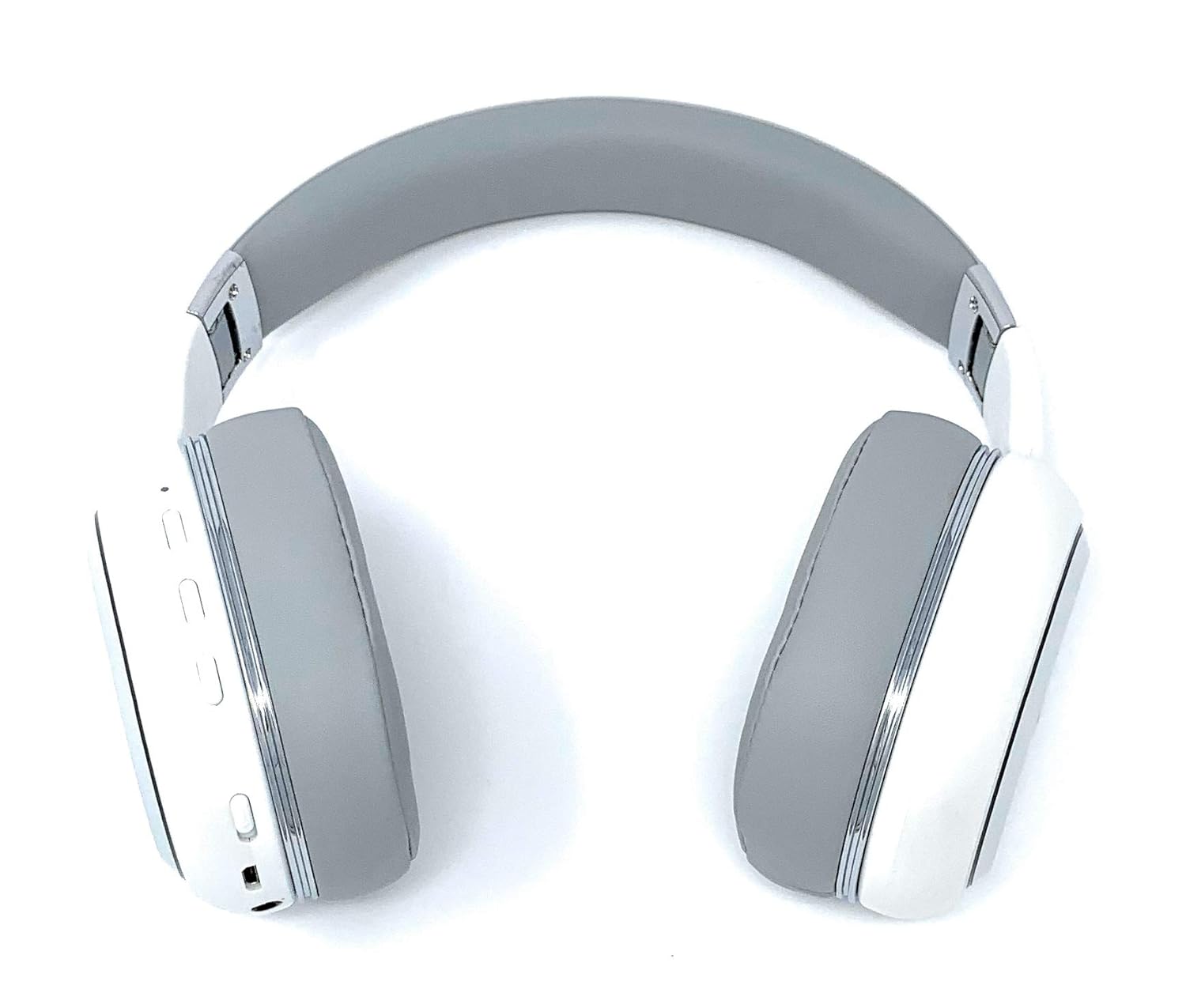
Image: A rear perspective of the Picun Elite P80S Wireless Headset, illustrating the placement of control buttons on the earcup.

Image: A detailed close-up of the right earcup hinge and the 'R' indicator on the Picun Elite P80S Wireless Headset, showing construction details.
Nastavitev
Polnjenje slušalk
Before initial use, fully charge the headset. Use the provided USB charging cable with any compatible USB adapter or device.
- Priključite polnilni kabel USB v polnilni vhod slušalk.
- Drugi konec kabla USB priključite na vir napajanja.
- A full charge provides approximately 40 hours of game time or 60 hours of music/media playback in wireless mode.
Bluetooth združitev
To connect your headset wirelessly:
- Prepričajte se, da so slušalke izključene.
- Pritisnite in držite gumb za vklop, dokler LED indikator ne utripa, kar označuje način seznanjanja.
- V napravi (pametnem telefonu, tablici, računalniku) omogočite Bluetooth in poiščite razpoložljive naprave.
- Select "Picun P80S" from the list of found devices.
- Ko je povezava vzpostavljena, bo LED indikator neprekinjeno svetil ali počasi utripal.
Žična povezava
For a wired connection, use the provided AUX cable:
- Connect one end of the AUX cable to the headset's AUX port.
- Drugi konec priključite na 3.5 mm avdio priključek vaše avdio naprave.
- The headset can be used indefinitely in wired mode, regardless of battery charge.
Pritrditev mikrofona
The headset includes a detachable microphone for clear communication:
- Locate the microphone port on the headset.
- Gently insert the detachable microphone into the port until it clicks into place.
- The microphone is designed to reduce ambient noise for high-definition vocals.
Navodila za uporabo
Vklop/izklop
- Vklop: Pritisnite in držite gumb za vklop nekaj sekund, dokler ne zasveti LED indikator.
- Ugasniti: Press and hold the power button for a few seconds until the LED indicator turns off.
Predvajanje glasbe
- Predvajanje/pavza: Enkrat pritisnite gumb Predvajaj/Premor.
- Naslednja skladba: Pritisnite in držite gumb za povečanje glasnosti.
- Prejšnja skladba: Pritisnite in držite gumb za »Zmanjšanje glasnosti«.
Upravljanje klicev
- Sprejmi/končaj klic: Enkrat pritisnite večfunkcijski gumb.
- Zavrni klic: Pritisnite in držite večfunkcijski gumb 2 sekundi.
Dual Shock/Vibration Mode
This mode enhances audio with deep bass and vibrations, ideal for music, movies, and gaming.
- Aktiviraj/deaktiviraj: Use the dedicated 'Vibration/Dual Shock Mode On-Off toggle switch' on the headset.
LED svetlobni zaslon
The headset features an LED light display.
- Vklop/izklop: Use the dedicated 'LED Light Display On-Off button' on the headset.
Nadzor glasnosti
- Povečajte glasnost: Pritisnite gumb »Povečaj glasnost«.
- Zmanjšaj glasnost: Pritisnite gumb »Zmanjšaj glasnost«.
Vzdrževanje
Čiščenje
- Slušalke obrišite z mehko, suho krpo.
- Ne uporabljajte abrazivnih čistil ali topil.
- Keep the charging port and audio jacks free of dust and debris.
Shranjevanje
- Slušalke shranjujte na hladnem in suhem mestu, stran od neposredne sončne svetlobe in ekstremnih temperatur.
- When not in use for extended periods, ensure the headset is fully charged before storing.
Odpravljanje težav
Brez moči
- Prepričajte se, da so slušalke popolnoma napolnjene.
- Verify the charging cable and power source are functioning correctly.
Brez zvoka
- Preverite glasnost tako na slušalkah kot na povezani napravi.
- Če uporabljate Bluetooth, se prepričajte, da so slušalke pravilno seznanjene in povezane.
- If using a wired connection, ensure the AUX cable is securely plugged into both the headset and the audio source.
- Preizkusite z drugim zvočnim virom ali napravo.
Težave s povezovanjem Bluetooth
- Prepričajte se, da so slušalke v načinu seznanjanja (LED utripa).
- Izklopite in vklopite Bluetooth na svoji napravi.
- Počistite prejšnje povezave Bluetooth v napravi in poskusite znova vzpostaviti povezavo.
- Ensure the headset is within the effective range of your Bluetooth device.
Specifikacije
| Funkcija | Opis |
|---|---|
| Ime modela | Elite P80S |
| Tehnologija povezljivosti | Bluetooth |
| Brezžična komunikacijska tehnologija | Bluetooth |
| Vključene komponente | Headset, Detachable AUX Microphone, USB Charging Cable, AUX Cable for Wired Transmission |
| Starostna skupina (opis) | Odrasel |
| Material | Umetno usnje |
| Vrsta nadzora | Nadzor glasnosti, daljinski upravljalnik |
| Funkcija kabla | Snemljiv |
| Teža predmeta | 820 g (0.82 kilograma) |
| Število elementov | 1 |
| Posebna funkcija | Odpravljanje hrupa |
| Proizvajalec | Picun |
| Platforma strojne opreme | Igralna konzola |
| Format mikrofona | Built-In, Detachable AUX Microphone |
| Potrebne baterije | Ne (notranja polnilna baterija) |
| Faktor oblike | Nad ušesi |
| barva | Bela |
| Nadzor hrupa | Aktivno odpravljanje hrupa |
| Priključek za slušalke | 3.5 mm Jack |
Informacije o garanciji
The Picun Elite P80S Wireless Headset is covered by a manufacturer's warranty. For specific details regarding warranty terms, duration, and claims process, please refer to the warranty policy provided at the time of purchase or contact Picun customer support.
Podpora uporabnikom
If you encounter any issues not covered in this manual or require further assistance, please contact Picun customer support through their official website or the contact information provided with your product packaging. Please have your product model (P80S) and purchase details ready when contacting support.


