1. Uvod
The Celly Pro Mount Screen/Dashboard Holder is a universal car mount designed to securely hold smartphones up to 6.5 inches. It features a strong suction cup for attachment to either the windshield or dashboard, an automatic locking function for optimal stability, and 360-degree rotation for flexible viewing angles. This manual provides instructions for proper installation, operation, and maintenance of your device.
2. Varnostne informacije
- Do not install the holder in a location that obstructs your view of the road, mirrors, or vehicle controls.
- Ensure the holder is securely attached before placing a device in it. A loose holder can become a projectile in an accident.
- Do not adjust the holder or your device while driving. Always pull over to a safe location to make adjustments.
- Avoid exposing the holder to extreme temperatures for prolonged periods, as this may affect the suction cup's performance.
- Hraniti izven dosega otrok.
3. Vsebina paketa
Prosimo, preverite, ali so prisotne vse komponente:
- Celly Pro Mount Holder Unit
- Podstavek za prisesek

Slika 3.1: Spredaj view of the Celly Pro Mount Holder Unit.
4. Nastavitev in namestitev
Follow these steps to install your Celly Pro Mount:
- Izberite lokacijo: Select a flat, clean, and smooth surface on your windshield or dashboard that does not obstruct your view ali motijo delovanje zračnih blazin.
- Očistite površino: Wipe the chosen surface with a clean cloth to remove any dust or grease. Allow it to dry completely.
- Pritrdite prisesek: Press the suction cup firmly against the cleaned surface.
- Pritrdite ročico: Push the locking lever down to create a strong vacuum seal. Ensure the holder is firmly attached and does not wobble.
- Prilagodi kot: Loosen the adjustment knob on the arm to set the desired viewing angle, then tighten it to secure the position.

Slika 4.1: Stran view of the holder showing the adjustable arm and suction cup base.
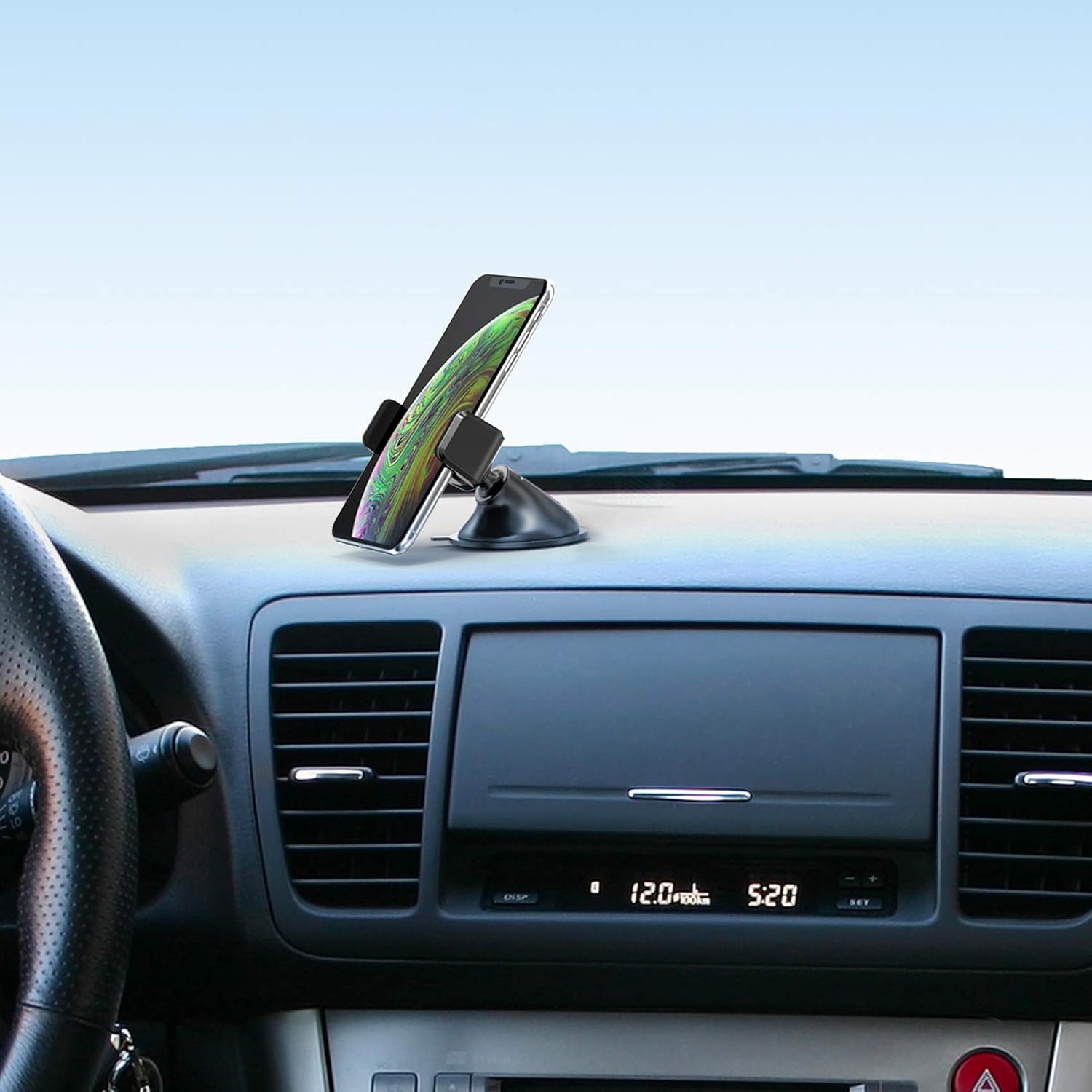
Slika 4.2: Primerample of the holder installed on a car dashboard with a smartphone.
5. Navodila za uporabo
Using your Celly Pro Mount is straightforward:
- Insert Smartphone: Gently pull apart the adjustable grips of the holder. Place your smartphone into the holder and release the grips. The automatic locking function will secure your device.
- Remove Smartphone: To remove your smartphone, gently pull apart the adjustable grips again and lift your device out.
- Rotate Device: The holder allows for 360-degree rotation. Simply rotate your smartphone to switch between portrait and landscape viewing modes as desired.

Slika 5.1: Bližnji posnetek view of the holder's grip mechanism.
6. Vzdrževanje
To ensure the longevity and optimal performance of your Celly Pro Mount:
- Čiščenje: Držalo in prisesek obrišite z mehko krpoamp krpo. Ne uporabljajte močnih kemikalij ali abrazivnih čistil.
- Nega priseske: If the suction cup loses its grip, rinse it with warm water and let it air dry. This can help restore its adhesive properties.
- Shranjevanje: When not in use for extended periods, detach the holder and store it in a cool, dry place away from direct sunlight.
7. Odpravljanje težav
- Holder not sticking to surface:
- Prepričajte se, da je površina čista, suha in gladka.
- Press the suction cup firmly before engaging the locking lever.
- Prisesek sperite z vodo in pustite, da se posuši na zraku, da ponovno postane lepljiv.
- Smartphone not held securely:
- Ensure your smartphone is within the compatible size range (up to 6.5 inches).
- Make sure the grips fully close around your device.
- Holder wobbles after installation:
- Tighten all adjustment knobs securely.
- Re-attach the suction cup, ensuring a strong vacuum seal.
8. Specifikacije
| Ime modela | MOUNTDASH |
| Znamka | Celly |
| Dimenzije (D x Š x V) | 10.2 x 18.4 x 5.4 cm |
| Teža | 80 gramov |
| Material | Plastika |
| Vrsta namestitve | Vetrobransko steklo, Armaturna plošča |
| Posebna funkcija | Rotatable (360 degrees) |
| Združljive naprave | Universal (Smartphones up to 6.5 inches) |
9. Garancija in podpora
Specific warranty and support information for the Celly Pro Mount Screen/Dashboard Holder is not provided in the available product data. Please refer to the product packaging or the manufacturer's official website for detailed warranty terms and customer support contact information.