Uvod
This manual provides essential instructions for setting up, operating, maintaining, and troubleshooting your Microsoft Surface Pro 2017. The Surface Pro 2017 is a versatile 2-in-1 device designed to function as both a powerful laptop and a portable tablet, offering a seamless computing experience.
Please read this manual thoroughly to ensure proper use and to maximize the lifespan of your device. Keep this manual for future reference.
Kaj je v škatli
Upon unboxing your Microsoft Surface Pro 2017, verify that all components are present:
- Microsoft Surface Pro 2017 device
- AC napajalnik
Note: Additional accessories such as the Surface Pen, Type Cover, or Surface Dial are sold separately and may not be included with your device.
Nastavitev
1. Začetni vklop in polnjenje
- Priključite napajalnik: Plug the AC power adapter into a wall outlet and then connect the magnetic charging connector to the charging port on your Surface Pro. The LED indicator on the connector will illuminate when charging.
- Vklop: Press and hold the power button located on the top edge of the device for a few seconds until the Microsoft logo appears on the screen.
2. Namestitev sistema Windows
Follow the on-screen prompts to complete the initial Windows setup. This process typically includes:
- Izbira regije in jezika.
- Povezovanje z omrežjem Wi-Fi.
- Sprejem licenčne pogodbe.
- Ustvarjanje ali prijava z Microsoftovim računom.
- Setting up security features like Windows Hello (facial recognition) or a PIN.
3. Povezovanje z Wi-Fi
- During Windows setup, you will be prompted to connect to a network. Select your desired Wi-Fi network from the list and enter the password if required.
- If you need to connect later, go to Začetek > nastavitve > Omrežje in internet > Wi-Fi. Turn Wi-Fi on, select your network, and click Povežite se.
Navodila za uporabo
Basic Device Orientation and Controls
The Surface Pro 2017 features a 12.3-inch PixelSense display with multi-touch support. Key physical controls include:
- Gumb za vklop: Located on the top edge, used to turn the device on/off, sleep, or wake.
- Gumbi za glasnost: Nahaja se ob strani in se uporablja za nastavitev glasnosti zvoka.
- Stojalo: Integrated on the back, allows for multiple viewing kotov.
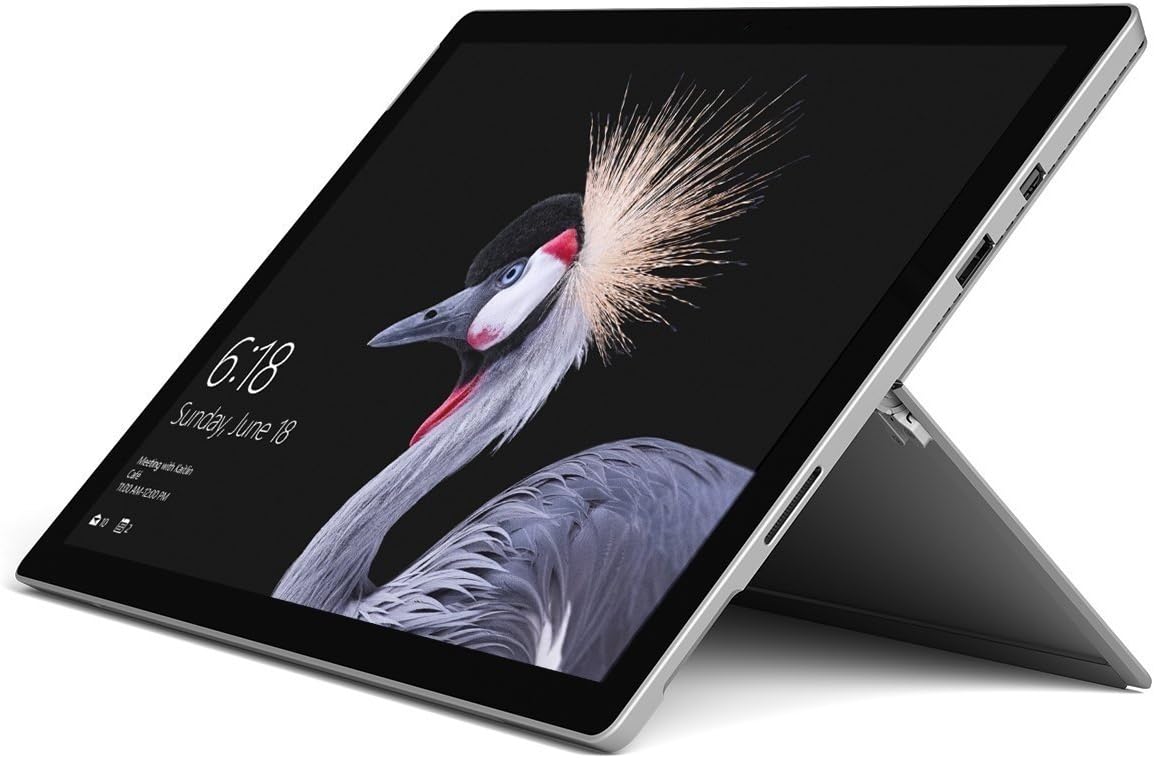
Image: Microsoft Surface Pro 2017 in laptop mode with its kickstand extended, showcasing the device's display.
Uporaba stojala
The integrated kickstand allows you to position your Surface Pro at various angles for comfortable viewing, typing, or drawing. Gently pull the kickstand out from the back of the device until it reaches your desired angle.
Upravljanje napajanja
- Spanje: Briefly press the power button to put the Surface Pro into sleep mode. Press it again to wake the device.
- Izklopi: Pojdi na Začetek > Moč > Zapri.
- Ponovni zagon: Pojdi na Začetek > Moč > Znova zaženite.
Povezovanje zunanjih naprav
The Surface Pro 2017 includes various ports for connecting external devices:
- Vrata USB 3.0: For connecting USB drives, keyboards, mice, and other compatible accessories.
- Mini DisplayPort: Za priklop zunanjih monitorjev ali projektorjev.
- Čitalec kartic microSD: Za razširitev shrambe ali prenos files pomnilniških kartic.
- Vrata Surface Connect: For power and connecting to Surface Dock accessories.
- 3.5 mm priključek za slušalke: Za avdio izhod.
Bluetooth: To connect Bluetooth devices (e.g., headphones, mice), go to Začetek > nastavitve > Naprave > Bluetooth in druge naprave. Ensure Bluetooth is turned on, then select "Add Bluetooth or other device" and follow the pairing instructions.

Slika: Stranski profesionalecfile of the Microsoft Surface Pro 2017, highlighting the various ports available for connectivity.
Vzdrževanje
Cleaning Your Surface Pro
- zaslon: Uporabite mehko krpo, ki ne pušča vlaken, dampened with water or an approved screen cleaner. Avoid harsh chemicals or abrasive materials.
- Telo: Wipe the exterior with a soft, dry cloth. Do not allow liquids to enter openings.
- Pristanišča: Keep ports free of dust and debris. Use compressed air carefully if needed, holding the can upright.
Skrb za baterijo
- Izogibajte se ekstremnim temperaturam, saj lahko skrajšajo življenjsko dobo baterije.
- For optimal battery health, avoid consistently discharging the battery completely or keeping it at 100% charge for extended periods.
- Use only the official Microsoft AC power adapter or a compatible charger.
Posodobitve programske opreme
Regularly update your Windows operating system and device drivers to ensure optimal performance, security, and compatibility. Go to Začetek > nastavitve > Posodobitev in varnost > Windows Update za preverjanje in namestitev posodobitev.
Odpravljanje težav
This section addresses common issues you might encounter with your Surface Pro 2017.
Device Will Not Turn On
- Prepričajte se, da je naprava napolnjena. Priključite napajalnik in počakajte nekaj minut, preden jo poskusite vklopiti.
- Perform a two-button shutdown: Press and hold the volume-up button and the power button simultaneously for at least 15 seconds, then release both. Wait 10 seconds, then press the power button again to turn on the Surface.
Screen Not Responding to Touch
- Ponovno zaženite napravo.
- Prepričajte se, da je zaslon čist in brez umazanije.
- Check for available Windows updates, as driver updates can resolve touch issues.
Težave s povezljivostjo Wi-Fi
- Prepričajte se, da je Wi-Fi omogočen v nastavitve > Omrežje in internet > Wi-Fi.
- Restart your Surface Pro and your Wi-Fi router.
- Pozabite na omrežje in se znova povežite: Pojdite na nastavitve > Omrežje in internet > Wi-Fi, click on your network, then Pozabi. Reconnect and enter the password.
Specifikacije
| Funkcija | Specifikacija |
|---|---|
| Ime modela | Surface Pro 2017 |
| Številka modela artikla | 7Y30 |
| Velikost zaslona | 12.3 palcev |
| Ločljivost zaslona | 2736 x 1824 slikovnih pik |
| Procesor | Intel Core m3-7Y30 (1 GHz Intel_Mobile_CPU) |
| RAM | 4 GB DDR4 SDRAM |
| Shranjevanje | 128 GB SSD |
| Grafična kartica | Integrated (Intel) |
| Operacijski sistem | Windows |
| Brezžična vrsta | 802.11abg |
| Teža predmeta | 1.89 funtov |
| Dimenzije izdelka | 11.5 x 7.9 x 0.3 palcev |
| barva | Srebrna |
Garancija in podpora
For detailed warranty information, please refer to the warranty card included with your purchase or visit the official Microsoft support webGarancijski pogoji se lahko razlikujejo glede na regijo in prodajalca.
For technical support, driver downloads, and additional resources, please visit the official Microsoft Support webspletno mesto: support.microsoft.com/surface


