Uvod
Vimtag Wifi 1080p UHD 2MP Security Camera is designed to provide comprehensive surveillance for your home or business. Featuring 1080p Ultra HD resolution, a 2MP lens, and Wi-Fi connectivity, this camera offers clear and smooth streaming. Key functionalities include an inbuilt LED floodlight for enhanced night vision, motion detection with siren alerts, two-way audio communication, and compatibility with mobile devices and Amazon Alexa. Its robust design is suitable for outdoor use, ensuring reliable performance in various environments.
Vsebina paketa
Pred začetkom namestitve preverite, ali so v paketu prisotne vse komponente:
- Vimtag Wifi 1080p UHD 2MP Security Camera
- Montažni nosilec
- Napajalni adapter
- Pritrdilni vijaki in stenski vložki
- Uporabniški priročnik (ta dokument)

Image: Contents of the Vimtag Security Camera package, showing the camera, mounting hardware, power adapter, and documentation.
Konec izdelkaview
Familiarize yourself with the various components and ports of your Vimtag varnostna kamera.

Image: Detailed diagram illustrating the various parts of the Vimtag camera, including the antenna, LED floodlight, reset button, LAN port, power cable, sensor, camera lens, and microphone.
- Camera Antenna: Za sprejem signala Wi-Fi.
- LED Flood Light: Provides illumination for full-color night vision and acts as a deterrent.
- Gumb za ponastavitev: Uporablja se za ponastavitev na tovarniške nastavitve ali ponovni zagon naprave.
- Vrata LAN: Za žično omrežno povezavo (neobvezno).
- Napajalni kabel: Povezuje se z napajalnikom.
- Senzor: Zaznava svetlobo v okolju za samodejno preklapljanje med dnevnim/nočnim načinom.
- Objektiv kamere: Zajame video footage.
- MIC: Built-in microphone for audio input and two-way communication.
Vodnik za namestitev
1. Začetna namestitev in namestitev aplikacije
- Prenesite program Vimtag Aplikacija: Iskanje "Vimtag" in your mobile device's app store (iOS or Android) and download the official application.
- Ustvari račun: Open the Vimtag app and follow the on-screen instructions to register a new user account.
- Vklopite kamero: Connect the power adapter to the camera's power cable and plug it into an electrical outlet. Wait for the camera to initialize (typically indicated by an LED status light).
- Dodaj napravo: In the Vimtag app, select the option to "Add Device" or scan the QR code located on the camera or its packaging.
- Povežite se z Wi-Fi: Follow the app's prompts to connect the camera to your home Wi-Fi network. Ensure the camera is within range of your Wi-Fi router for optimal signal strength. For best performance, consider the camera's proximity to the router.
2. Fizična namestitev
Vimtag camera comes with a universal mounting bracket for flexible installation on ceilings or walls.
- Izberite lokacijo: Izberite primerno zunanjo lokacijo, ki zagotavlja želeno viewing angle and is within Wi-Fi range. Ensure the power cable can reach an outlet.
- Montaža: Use the provided mounting screws and wall plugs to securely attach the mounting bracket to the chosen surface.
- Priložite kamero: Securely attach the camera to the mounting bracket. Adjust the camera's angle to cover the desired area.

Image: The Vimtag security camera mounted on its wall bracket, ready for outdoor surveillance.

Image: Two Vimtag cameras illustrating their connectivity options, including power and optional LAN connections.
Navodila za uporabo
V živo View in spremljanje
Once connected, you can monitor your camera feed anytime via the Vimtag mobile app or PC client. The F3.6mm 2MP lens with smart H.264 video encoding ensures smooth 1080P Ultra HD streaming even with lower internet speeds.
Dvosmerni zvok
Utilize the built-in microphone and speaker for two-way communication. This allows you to listen to the environment around the camera and speak through the camera from your mobile device.
Motion Detection and Siren
The camera features an inbuilt motion detection sensor that can trigger an alarm siren and activate the LED floodlight. This provides an immediate deterrent and illuminates the area for clear recording.

Image: The Vimtag camera demonstrating its LED floodlight and siren functionality, deterring an intruder.
Night Vision with LED Floodlight
The unique inbuilt LED floodlight provides clear night vision up to 32 feet. When motion is detected, the floodlight can automatically switch on, providing full-color video display even in complete darkness, unlike traditional infrared night vision which typically provides black and white images.
Storage Options: SD Card and Cloud Recording
- Shranjevanje kartice SD: The camera supports an SD card (up to 128 GB). Vimtag's unique compressed video technology allows the camera to save up to 75% more video on an SD card compared to other cameras.
- Snemanje v oblaku: A cloud function is available to securely store all videos in real-time. One month of free cloud storage is typically included.
Podpora Alexa
Vimtag camera supports Amazon Alexa Echo Show. You can control the camera with voice commands such as "Alexa, show live view," "turn left," or "turn right."
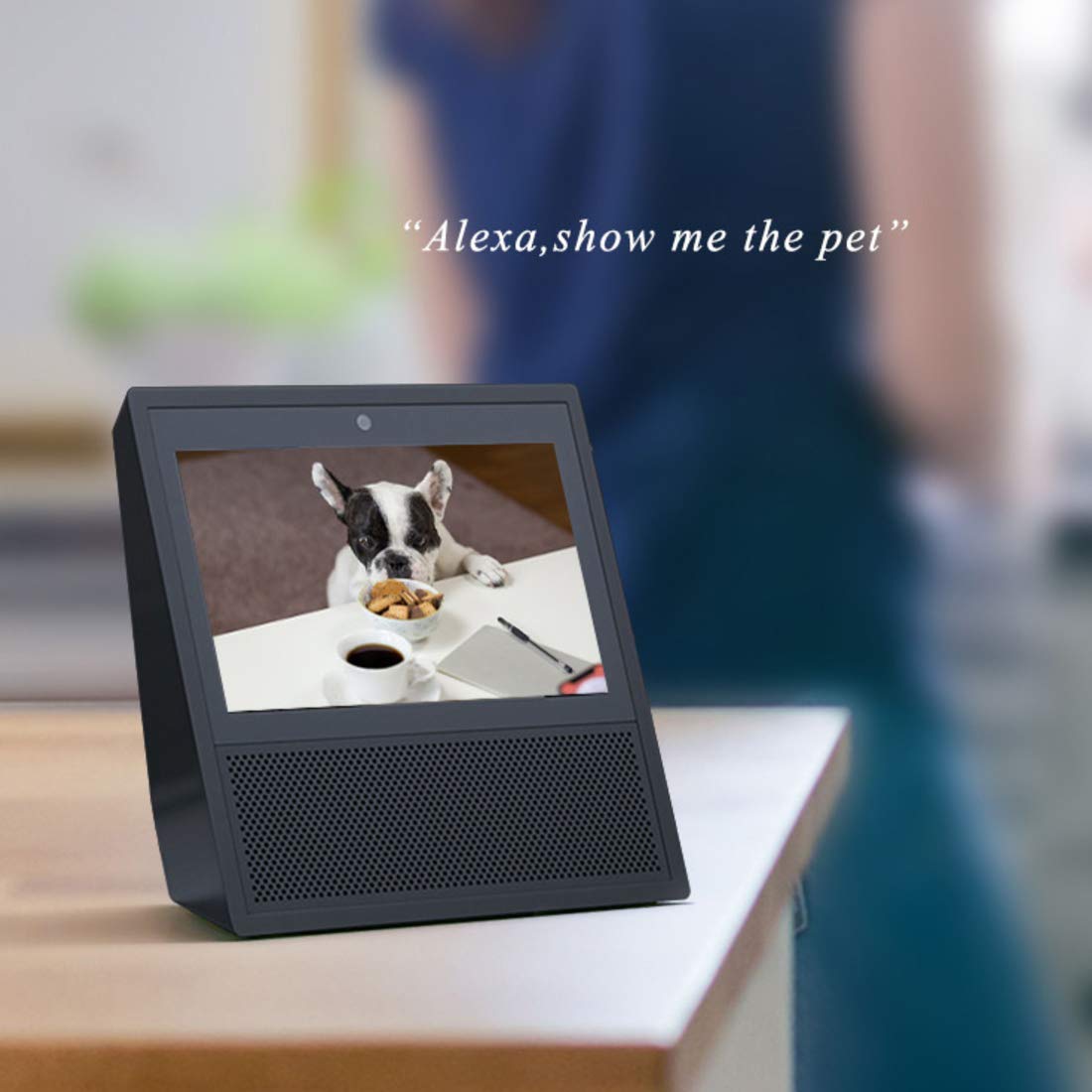
Image: An Amazon Echo Show device displaying a live video feed from the Vimtag camera, demonstrating Alexa integration.
Večuporabniški dostop
Multiple users can access the camera feed simultaneously. All user access is protected by a password.
Vzdrževanje
- Čiščenje: Regularly wipe the camera lens and body with a soft, dry cloth to remove dust and dirt. Avoid using harsh chemicals or abrasive materials.
- Upravljanje SD kartice: Periodically check the SD card status through the app. While Vimtag's compression technology maximizes storage, regular review and backup of important footage je priporočljivo.
- Posodobitve vdelane programske opreme: Keep your camera's firmware updated through the Vimtag app to ensure optimal performance, security, and access to new features.
- Cikel moči: If the camera experiences connectivity issues or unusual behavior, try power cycling it by unplugging and re-plugging the power adapter.
Odpravljanje težav
| Izdaja | Možen vzrok/rešitev |
|---|---|
| Fotoaparat se pogosto prekine z omrežjem Wi-Fi. |
|
| Motion detection is too sensitive (false alarms). |
|
| Cannot access recorded footage from SD card via app. |
|
| App settings for motion detection times are not working correctly. |
|
| Slaba kakovost slike ali nočni vid. |
|
Specifikacije
| Funkcija | Podrobnost |
|---|---|
| Številka modela | B4 2MP Outdoor IP Camera |
| Dimenzije izdelka | 15 x 8 x 6 cm |
| Teža predmeta | 400 g |
| Resolucija | 1080p Ultra HD (2MP) |
| Tehnologija povezljivosti | Wi-Fi |
| Posebne lastnosti | HD Resolution, Night Vision (with LED Floodlight), Motion Detection, Two-Way Audio |
| Notranja/zunanja uporaba | Na prostem |
| Vir napajanja | Električni na kabel |
| Združljive naprave | Tablet, iOS, Android, Amazon Alexa Echo Show |
| Max SD Card Storage | 128 GB |
Garancija in podpora
Informacije o garanciji
This Vimtag izdelek je opremljen z a 2 leta garancije od datuma nakupa. Za uveljavljanje garancije shranite dokazilo o nakupu. Garancija krije proizvodne napake in okvare pri normalnih pogojih uporabe.
Podpora uporabnikom
For any technical assistance, troubleshooting, or warranty inquiries, please contact Vimtag customer care:
- Telefonska linija za pomoč: +91-97114 11021
- Delovni čas: Monday - Saturday, 10:30 AM - 6:30 PM (IST)
You can also visit the official Vimtag store on Amazon for more information and resources: Vimtag Trgovina


