Uvod
Welcome to the user manual for your Google Pixel 3 smartphone. This guide provides comprehensive instructions on setting up, operating, maintaining, and troubleshooting your device. The Google Pixel 3 is designed to offer a seamless and intelligent smartphone experience, featuring an advanced camera system, the Google Assistant, and an all-day battery.
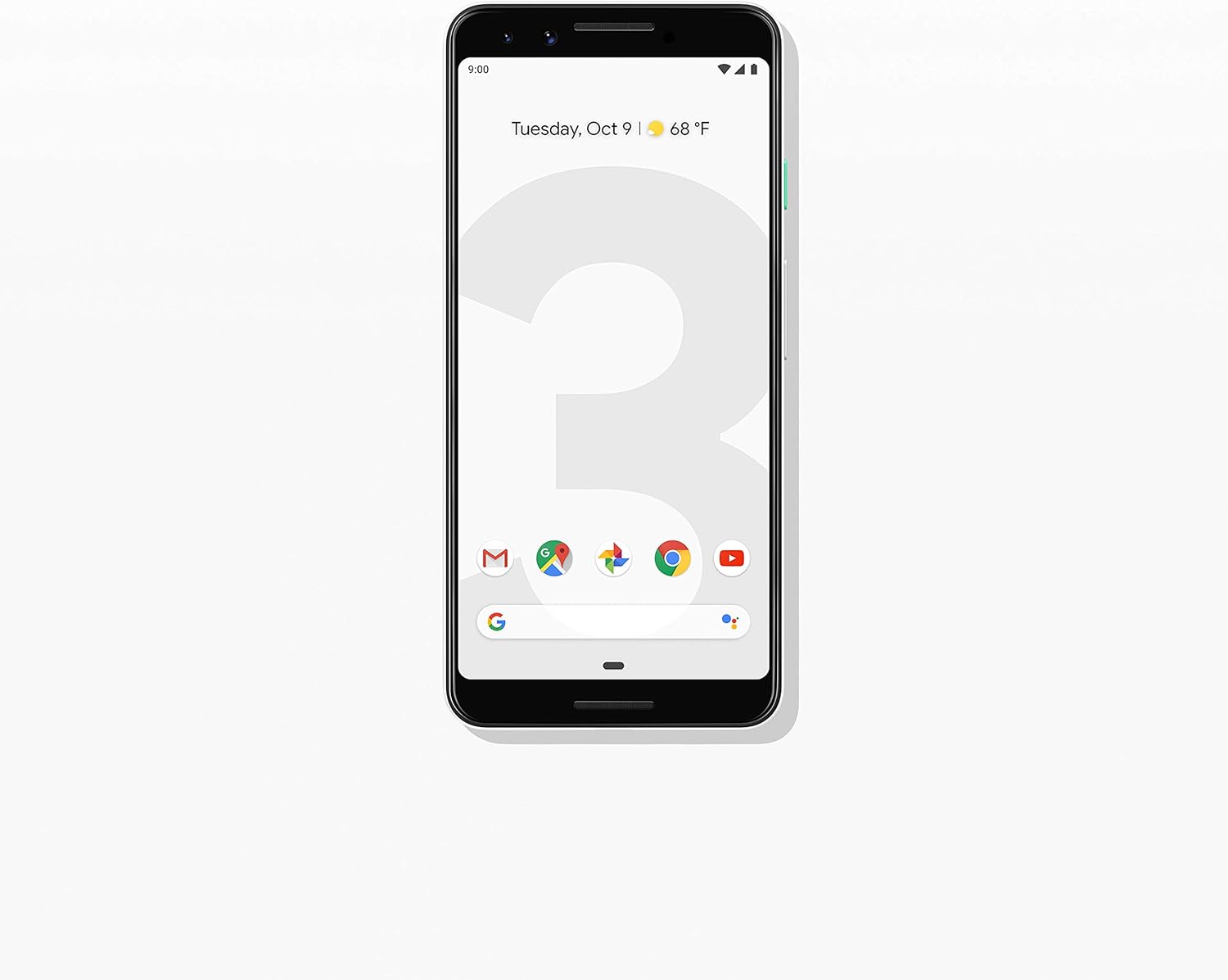
Slika: spredaj view pametnega telefona Google Pixel 3, razstavaasing its display and sleek design in Clearly White.
Nastavitev
1. Razpakiranje in prvi pregled
Upon opening the package, ensure all components are present and in good condition. The standard package for your Google Pixel 3 includes:
- Pametni telefon Google Pixel 3
- USB-C digital earbud
- Kabel USB-C v USB-C
- USB-C to 3.5mm headphone adapter
- Adapter za hitri preklop (USB-A na USB-C)
- orodje SIM
2. Namestitev kartice SIM
To install your Nano-SIM card:
- Poiščite pladenj za kartico SIM na levi strani telefona.
- Insert the SIM tool into the small hole on the tray to eject it.
- Vstavite kartico Nano-SIM v reži z zlatimi kontakti obrnjenimi navzdol.
- Pladenj nežno potisnite nazaj v telefon, dokler se ne zaskoči.

Slika: Stran view of the Google Pixel 3, highlighting the location of the SIM card tray and volume/power buttons.
3. Čarovnik za začetni vklop in nastavitev
Press and hold the power button on the right side of the phone until the Google logo appears. Follow the on-screen instructions to complete the initial setup, including connecting to Wi-Fi, signing in with your Google account, and setting up security features.
4. Polnjenje naprave
Connect the USB-C cable to the phone's charging port at the bottom and the other end to the power adapter. Plug the adapter into a wall outlet. The Pixel 3 supports fast charging and wireless charging. A full charge typically takes approximately 2 hours.
Navodila za uporabo
1. Basic Navigation (Android 9 Pie)
The Google Pixel 3 runs on Android 9 Pie, offering intuitive gesture navigation.
- Domači zaslon: Povlecite navzgor z dna zaslona, da se pomaknete na začetni zaslon.
- Predal za aplikacije: Za dostop do vseh aplikacij povlecite navzgor z začetnega zaslona.
- Nedavne aplikacije: Povlecite od spodaj navzgor in pridržite, da view nedavno uporabljene aplikacije.
- Nazaj: Tap the back arrow icon or swipe from the left or right edge of the screen (if gesture navigation is enabled).
- Obvestila: Povlecite navzdol z vrha zaslona do view obvestila in hitre nastavitve.

Image: The Google Pixel 3 display showing the home screen with various app icons and the date/weather widget.
2. Funkcije kamere
The Pixel 3 camera is equipped with advanced features to capture high-quality photos and videos.
- Skupinski selfiji: Utilize the wide-angle front camera to fit more people into your selfies.
- Pokončni način: Create professional-looking photos with a blurred background (bokeh effect).
- Najboljši strel: Automatically recommends the best shot from a burst of photos, ensuring no blinks or missed moments.
- Nočni vid: Enhances low-light photography, capturing vibrant details in dark environments.
- 4K video snemanje: Record high-resolution videos at 30 frames per second.
3. Google Assistant
Access the Google Assistant by squeezing the sides of your phone or by saying "Hey Google" or "Ok Google." The Assistant can help with tasks such as setting alarms, getting directions, making calls, sending messages, and providing information.
4. Pregledovanje klicev
The Call Screen feature allows the Google Assistant to answer calls from unknown numbers and provide a real-time transcription of the conversation, helping you avoid spam and nuisance calls.
5. Digitalno dobro počutje
Monitor and manage your screen time with Digital Wellbeing. Set app timers, enable Wind Down mode to grayscale your screen and mute notifications for better sleep, and focus on what matters.
6. Google Objektiv
Use Google Lens to search what you see. Point your camera at objects, text, or landmarks to get information, translate languages, or identify plants and animals.
Vzdrževanje
1. Skrb za baterijo
To maximize battery life (2915 mAh capacity):
- Izogibajte se ekstremnim temperaturam.
- Use the provided charger or a certified wireless charger.
- Enable Adaptive Battery in settings to limit battery usage for infrequently used apps.
- Consider using Battery Saver mode when battery is low.
2. Posodobitve programske opreme
Poskrbite za optimalno delovanje, varnost in dostop do novih funkcij, da bo programska oprema vaše naprave posodobljena. Pomaknite se do Nastavitve > Sistem > Napredno > Posodobitev sistema za preverjanje in namestitev posodobitev.
3. Čiščenje naprave
Use a soft, lint-free cloth to clean the screen and body of your Pixel 3. Avoid abrasive materials or harsh chemicals. For stubborn smudges, slightly dampen krpo z vodo.
4. Upravljanje shranjevanja
The Pixel 3 comes with 64GB of internal storage. To manage storage effectively:
- Regularly clear app caches.
- Izbrišite nepotrebno files, fotografije in videoposnetki.
- Utilize cloud storage services like Google Photos (which offers free unlimited storage for Pixel users at original quality for photos and videos uploaded from the device).
Odpravljanje težav
This section addresses common issues you might encounter with your Google Pixel 3.
| Težava | rešitev |
|---|---|
| Telefon se ne vklopi | Ensure the battery is charged. Connect to a charger for at least 15 minutes. If unresponsive, press and hold the power button for 30 seconds. |
| Slaba življenjska doba baterije | Check battery usage in settings to identify draining apps. Reduce screen brightness, disable unnecessary features (Bluetooth, GPS when not in use), and enable Adaptive Battery. |
| Aplikacije se sesuvajo ali zamrzujejo | Počisti predpomnilnik in podatke aplikacije (Settings > Apps & notifications > App info > [App Name] > Storage & cache). Update the app or reinstall it. Ensure system software is up to date. |
| Težave s povezljivostjo (Wi-Fi/Bluetooth) | Toggle Wi-Fi/Bluetooth off and on. Restart the phone. Forget and reconnect to the network/device. Reset network settings (Settings > System > Advanced > Reset options > Reset Wi-Fi, mobile & Bluetooth). |
| Phone is slow or unresponsive | Restart the phone. Clear cached data. Uninstall unused apps. Check for system updates. As a last resort, consider a factory reset (back up data first). |
Ponastavitev na tovarniške nastavitve
A factory reset will erase all data from your phone's internal storage. Pred nadaljevanjem varnostno kopirajte vse pomembne podatke.
- Pojdi na Settings > System > Advanced > Reset options.
- Tapnite Izbriši vse podatke (ponastavitev na tovarniške nastavitve).
- Potrdite svojo odločitev in po potrebi vnesite PIN/vzorec/geslo.
- Tapnite Izbriši vse podatke.
Specifikacije
Key technical specifications for the Google Pixel 3 (Model: G013A):
| Funkcija | Podrobnost |
|---|---|
| Dimenzije izdelka | 5.73 x 2.69 x 0.31 palcev |
| Teža predmeta | 12.8 unč |
| Operacijski sistem | Android 9.0 Pie |
| RAM | 4 GB |
| Zmogljivost pomnilnika | 64 GB |
| Velikost zaslona | 5.5 palcev |
| Resolucija | 2560 x 1440 |
| Kapaciteta baterije | 2915 milliamp ure |
| Čas polnjenja | 2 ure (približno) |
| Tehnologije povezljivosti | Bluetooth, 4G mobilno omrežje |
| Posebne lastnosti | 4K Video Recording, GPS |
| barva | Clearly White |
Garancija in podpora
Your Google Pixel 3 is covered by a limited warranty provided by Google LLC. For detailed warranty terms and conditions, please refer to the warranty information included with your device packaging or visit the official Google support webmesto.
Stik s podporo
For technical assistance, troubleshooting beyond this manual, or warranty claims, please contact Google Support:
- Spletna podpora: Obisk support.google.com/pixelphone
- Forumi skupnosti: Engage with other Pixel users and experts on Google's official forums.
When contacting support, please have your device's model number (G013A) and serial number ready.


