1. Uvod
Thank you for choosing the Gembird MUS-6B-01 Optical USB Mouse. This manual provides essential information for setting up, operating, maintaining, and troubleshooting your new mouse. Please read these instructions carefully to ensure optimal performance and longevity of your device.

Image: The official Gembird brand logo, featuring the company name in a stylized font with a geometric design.
2. Izdelek je končanview
The Gembird MUS-6B-01 is a reliable 6-button optical USB mouse designed for comfortable and precise navigation. Its ambidextrous design makes it suitable for both left and right-handed users.
Ključne značilnosti:
- Optično sledenje: Zagotavlja gladek in natančen nadzor kurzorja.
- 6 Gumbi: Includes standard left/right click, scroll wheel, DPI adjustment, and two side buttons for enhanced functionality.
- USB povezljivost: Simple plug-and-play connection to your computer.
- Ambidextrous design: Udobno tako za levičarje kot desničarje.
Sestavine:
- Gumb z levim klikom
- Desni klik Gumb
- Scroll Wheel (also functions as a middle click button)
- Gumb za nastavitev DPI
- Gumb za naprej (stranski)
- Gumb za nazaj (stranski)
- Optical Sensor (underside)
- USB Connector (at the end of the cable)
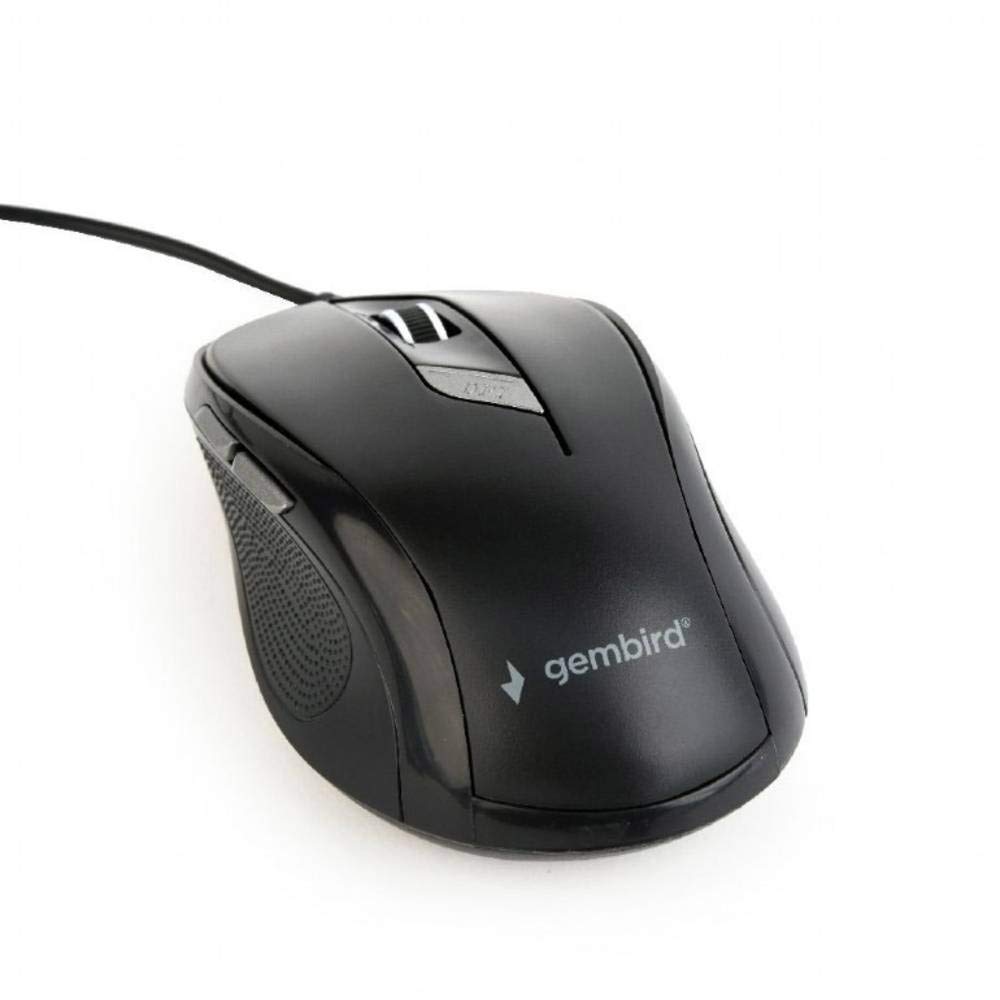
Slika: Pogled od zgoraj navzdol view of the Gembird MUS-6B-01 optical USB mouse. The mouse is black with a matte finish, featuring a scroll wheel, left and right click buttons, a DPI button, and two side buttons. A black USB cable extends from the front of the mouse.
3. Nastavitev
Setting up your Gembird MUS-6B-01 mouse is a simple plug-and-play process.
Koraki namestitve:
- Poiščite razpoložljiva vrata USB na vašem računalniku.
- Plug the USB connector of the Gembird MUS-6B-01 mouse firmly into the USB port.
- Your operating system (Windows, Linux) will automatically detect and install the necessary drivers. This process may take a few moments.
- Ko so gonilniki nameščeni, je miška pripravljena za uporabo.
No additional software installation is typically required for basic functionality.
4. Navodila za uporabo
Familiarize yourself with the functions of each button on your Gembird MUS-6B-01 mouse.
Osnovne funkcije:
- Levi klik: Primary action, selecting items, opening files.
- Desni klik: Opens context menus, provides additional options.
- Kolesce za pomikanje: Pomikajte se navzgor ali navzdol po dokumentih in web strani.
- Srednji klik (pritisk drsnega kolesca): Often used to open links in new tabs or for specific application functions.
Napredne funkcije:
- Gumb za nastavitev DPI: Located behind the scroll wheel, this button allows you to cycle through different sensitivity (DPI) settings. Press it to change the cursor speed to suit your preference.
- Gumb za naprej (stranski): Typically navigates forward in web brskalniki oz file raziskovalci.
- Gumb za nazaj (stranski): Typically navigates backward in web brskalniki oz file raziskovalci.
The functionality of the side buttons may vary depending on the application or operating system settings. Some operating systems allow customization of these buttons.
5. Vzdrževanje
Proper care will help extend the life of your Gembird MUS-6B-01 mouse.
Čiščenje:
- Pred čiščenjem miško odklopite iz računalnika.
- Uporabite mehak, rahlo damp, krpo, ki ne pušča vlaken, za brisanje površine miške.
- For stubborn dirt, a small amount of mild soap solution can be applied to the cloth (not directly to the mouse).
- Za čiščenje okolice drsnega kolesca in med gumbi uporabite vatirano palčko ali stisnjen zrak.
- Ensure the optical sensor on the underside is clean and free of dust or debris.
- Ne uporabljajte agresivnih kemikalij, abrazivnih čistil in miške ne potapljajte v vodo.
Shranjevanje:
Ko miške dalj časa ne uporabljate, jo shranite v čistem in suhem okolju, stran od ekstremnih temperatur in neposredne sončne svetlobe.
6. Odpravljanje težav
If you encounter issues with your Gembird MUS-6B-01 mouse, try the following troubleshooting steps:
| Težava | Možna rešitev |
|---|---|
| Miška se ne odziva |
|
| Erratic or jumpy cursor movement |
|
| Gumbi ne delujejo |
|
7. Specifikacije
Detailed technical specifications for the Gembird MUS-6B-01 Optical USB Mouse:
| Funkcija | Specifikacija |
|---|---|
| Znamka | Gembird |
| Ime modela | MUS-6B-01 |
| Tehnologija povezljivosti | Žično (USB) |
| Tehnologija zaznavanja gibanja | Optični |
| Količina gumbov | 6 |
| Ročna orientacija | Obojepravni |
| Združljivi operacijski sistemi | Linux, Windows 7, Windows XP (and newer versions) |
| Platforma strojne opreme | Osebni računalnik |
| Dolžina kabla | 5.0 metrov |
| Teža predmeta | 74 gramov |
| Material | Plastika |
| barva | Črna |
| Potrebne baterije | št |
8. Varnostne informacije
Upoštevajte naslednja varnostna navodila:
- Miške ne izpostavljajte vodi ali prekomerni vlagi.
- Izogibajte se padcem miške ali njeni izpostavljenosti močnim udarcem.
- Do not attempt to disassemble or repair the mouse yourself. Refer to qualified service personnel.
- Napravo ne izpostavljajte ekstremnim temperaturam in neposredni sončni svetlobi.
- Elektronske odpadke odvrzite odgovorno v skladu z lokalnimi predpisi.
9. Garancija in podpora
Gembird products are designed for reliability and performance. For specific warranty terms and conditions, please refer to the warranty card included with your product or visit the official Gembird website. For technical support or further assistance, please contact your retailer or the Gembird customer service department.


