1. Izdelek je končanview
The MOOER Micro Preamp 18 Custom 100 (MMPA18) is a compact digital preamp pedal designed to accurately recreate the sound, dynamics, and response of popular tube amplifiers. Utilizing advanced digital technology, this pedal offers a versatile solution for guitarists seeking high-quality amplifier tones in a miniature form factor.
Key features include dual channels for diverse tonal options, an integrated speaker cabinet simulation for direct recording or PA connection, and dual operating modes to adapt to various performance and recording setups.
2. Lastnosti
- Sonically accurate digital recreations of classic tube amplifier preamp razdelki.
- Dual channels for versatile clean and gain tones.
- Integrated speaker cabinet simulation for direct output.
- Dual operating modes to suit various user needs.
- Kompakten in trpežen dizajn.
3. Nadzor in povezave
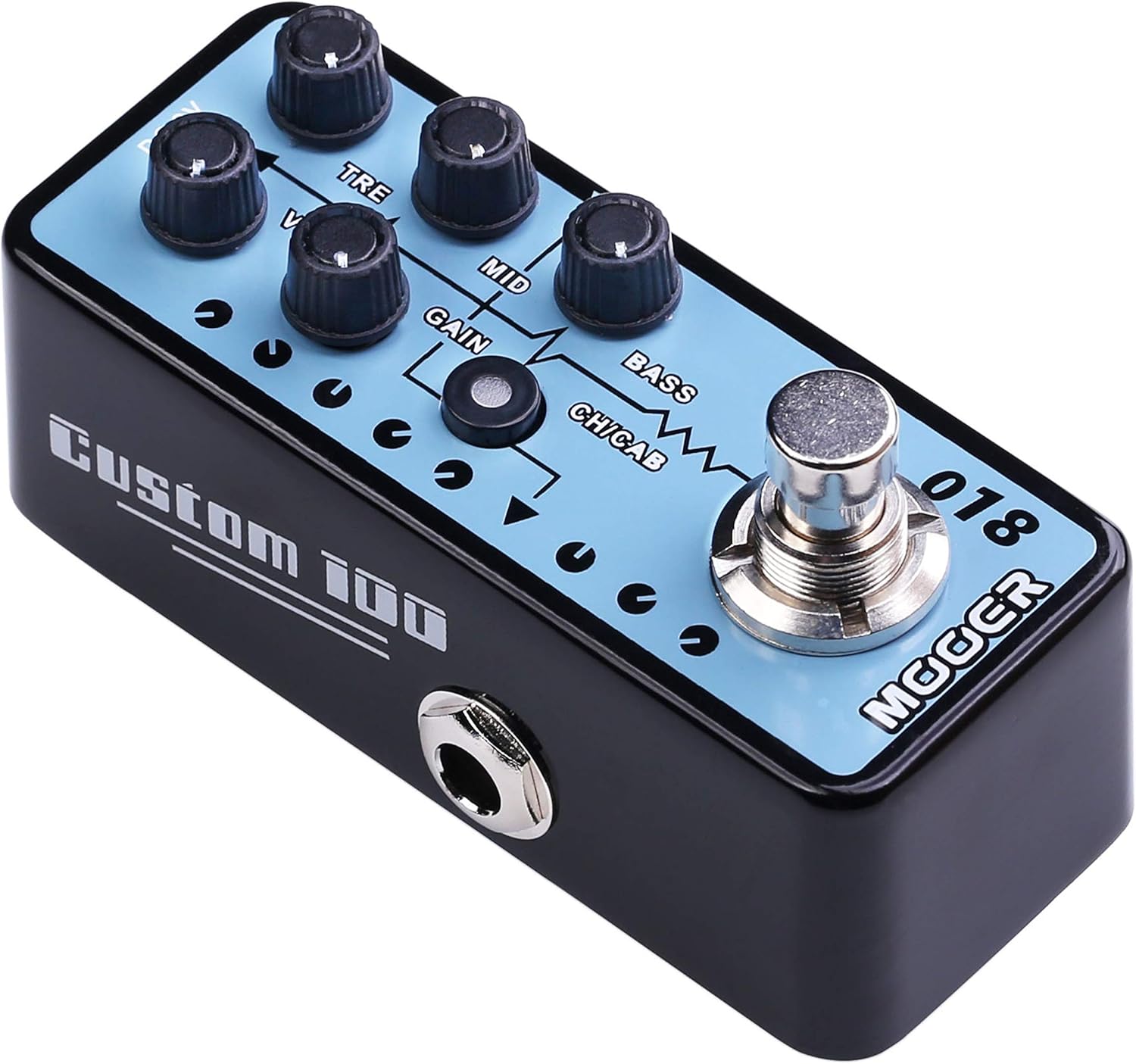
Slika 1: Zgornji del view of the MOOER Micro Preamp 18 Custom 100, highlighting the control knobs and footswitch.
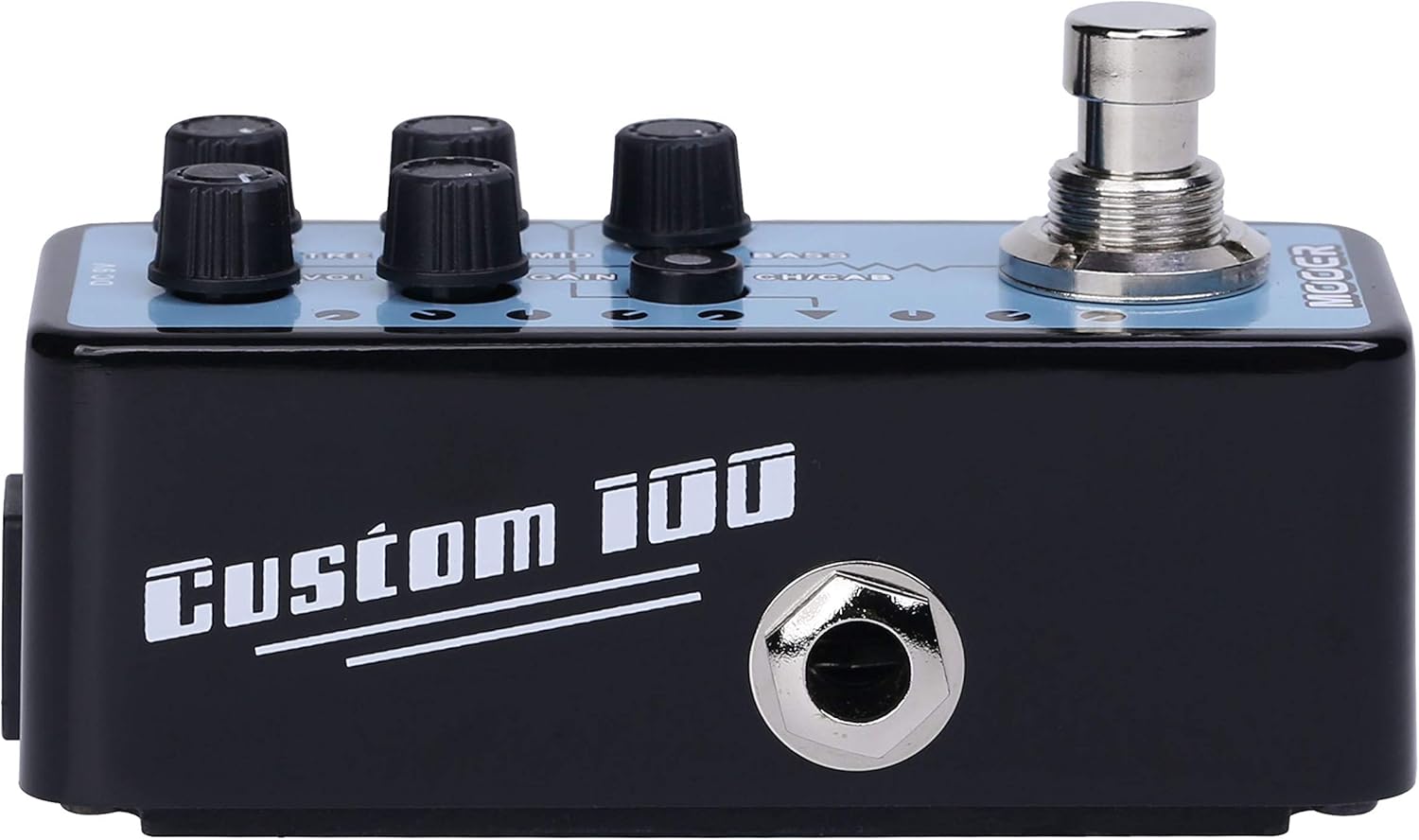
Slika 2: stran view of the MOOER Micro Preamp 18 Custom 100, illustrating the 1/4" input and output jacks.
Kontrole:
- VOL (glasnost): Prilagodi splošno izhodno raven predamp.
- TRE (Treble): Nadzoruje visokofrekvenčni odziv.
- MID (Middle): Prilagodi frekvenčni odziv srednjega območja.
- DOBITE: Nadzira količino overdrive/distortion.
- BAS: Prilagodi nizkofrekvenčni odziv.
- CH/CAB (Channel/Cabinet Simulation Switch): This switch serves two functions:
- In normal operation, it switches between the two available channels (e.g., Clean and Gain).
- When held down, it toggles the integrated speaker cabinet simulation on or off.
- Nožno stikalo: Engages or bypasses the pedal.
Povezave:
- Input Jack (1/4" / 6.35mm): Tukaj priključite svojo kitaro ali drug instrument.
- Output Jack (1/4" / 6.35mm): Povežite se s svojim amplifier, audio interface, or other effects pedals.
- DC 9V vhod: Connect a 9V DC power adapter (center negative, 300mA minimum).
- USB 2.0 (Hardware Interface): For firmware updates or potential software integration.
4. Nastavitev in delovanje
Začetna nastavitev:
- Zagotovite si amplifier and other audio equipment are turned off.
- Priključite svojo kitaro na Vhodni priključek of the MMPA18.
- Povežite Izhodni priključek of the MMPA18 to the input of your amplifier ali zvočni vmesnik.
- Connect a 9V DC power adapter (center negative, 300mA minimum) to the DC 9V vhod.
- Vklopite svoj amplifier and other audio equipment.
Osnovno delovanje:
- Engaging/Bypassing: Press the footswitch to turn the preamp effect on or off. The LED indicator will illuminate when the effect is active.
- Preklop kanalov: Na kratko pritisnite CH/CAB switch to toggle between the two channels (e.g., a clean channel and a gain channel). The LED color or state may change to indicate the active channel.
- Simulacija kabineta: Pritisnite in držite CH/CAB switch for a few seconds to activate or deactivate the integrated speaker cabinet simulation. This is particularly useful when connecting directly to a mixing console, audio interface, or headphones, providing a more natural, mic'd cabinet sound.
- Prilagajanje tona: Uporabite VOL, TRE, MID, GAIN, in BASS knobs to sculpt your desired tone. Experiment with different settings for each channel.
5. Vzdrževanje
- Čiščenje: Use a soft, dry cloth to clean the pedal. Avoid abrasive cleaners or solvents.
- Shranjevanje: Pedal shranjujte na hladnem in suhem mestu, stran od neposredne sončne svetlobe in ekstremnih temperatur.
- Napajanje: Always use a compatible 9V DC (center negative) power supply with a minimum of 300mA. Using an incorrect power supply can damage the unit and void the warranty.
- Povezave: Občasno preverite vse kabelske povezave glede obrabe. Prepričajte se, da so vtičnice brez prahu in umazanije.
6. Odpravljanje težav
- Ni zvoka:
- Check all cable connections (guitar, pedal, amplifier, power supply).
- Ensure the power supply is correctly connected and providing power.
- Verify the pedal is engaged (LED illuminated).
- Check the volume settings on the pedal and your amplifier.
- Poor Sound Quality / Excessive Noise:
- Prepričajte se, da so vsi kabli v dobrem stanju in pravilno zaščiteni.
- Try a different power supply to rule out power-related noise.
- Adjust the GAIN knob; very high gain settings can introduce noise.
- If using the cabinet simulation, ensure it is appropriate for your output device.
- Ensure the pedal is not placed too close to power transformers or other sources of electromagnetic interference.
- Pedal Not Responding:
- Odklopite in ponovno priklopite napajanje.
- If issues persist, contact MOOER support.
- Pregrevanje: While normal operation may cause some warmth, excessive heat could indicate an issue. Ensure proper ventilation and use the correct power supply. If the pedal becomes unusually hot, discontinue use and contact support.
7. Specifikacije
| Specifikacija | Vrednost |
|---|---|
| Številka modela | MMPA18 |
| Teža predmeta | 5.8 unče (165 grama) |
| Dimenzije izdelka | 3.54 x 3.54 x 3.54 palcev |
| Združljive naprave | Musical Instrument(s) |
| Vrsta priključka | 1/4" (6.35mm) Jack, 1/8" (3.5mm) Jack |
| Strojni vmesnik | USB 2.0 |
| Format signala | Digitalno |
| Izhodna vattage | 100 vatov |
| Vir napajanja | AC adapter |
| voltage | 9 volta |
| Znamka | MOOER |
| barva | Mehrfarbig |
8. Garancija in podpora
MOOER products are designed for reliability and performance. For specific warranty information, please refer to the warranty card included with your product or visit the official MOOER website. In case of any issues or technical support needs, please contact MOOER customer service through their official channels.
Za dodatno pomoč lahko obiščete Trgovina MOOER na Amazonu.


