Uvod
This manual provides essential information for the installation, operation, and maintenance of your ZOTAC Gaming GeForce RTX 2080 Ti Blower graphics card. Please read this guide thoroughly before proceeding with installation to ensure proper setup and optimal performance.
Konec izdelkaview
The ZOTAC Gaming GeForce RTX 2080 Ti Blower is a high-performance graphics card designed for demanding gaming and professional applications. It features NVIDIA's Turing architecture, 11GB of GDDR6 memory, and a blower-style cooling solution.
- New Turing architecture for advanced graphics processing.
- 11GB 352-bit GDDR6 memory for high-bandwidth performance.
- Virtual Reality Ready for immersive experiences.
- 4K ready for ultra-high-definition gaming.
- Boost Clock 1545 MHz for enhanced speed.

Slika: spredaj view of the ZOTAC Gaming GeForce RTX 2080 Ti Blower graphics card, showcasing its black shroud and single blower fan.

Image: Backplate view of the ZOTAC Gaming GeForce RTX 2080 Ti Blower graphics card, featuring a metal backplate for structural rigidity and heat dissipation.
Kaj je v škatli
Preverite, ali so v paketu prisotne vse komponente:
- ZOTAC GAMING GeForce RTX 2080 Ti Blower Graphics Card
- 2 x Dual 6-pin to 8-pin power cables
- Uporabniški priročnik (Vodnik za hitro namestitev)
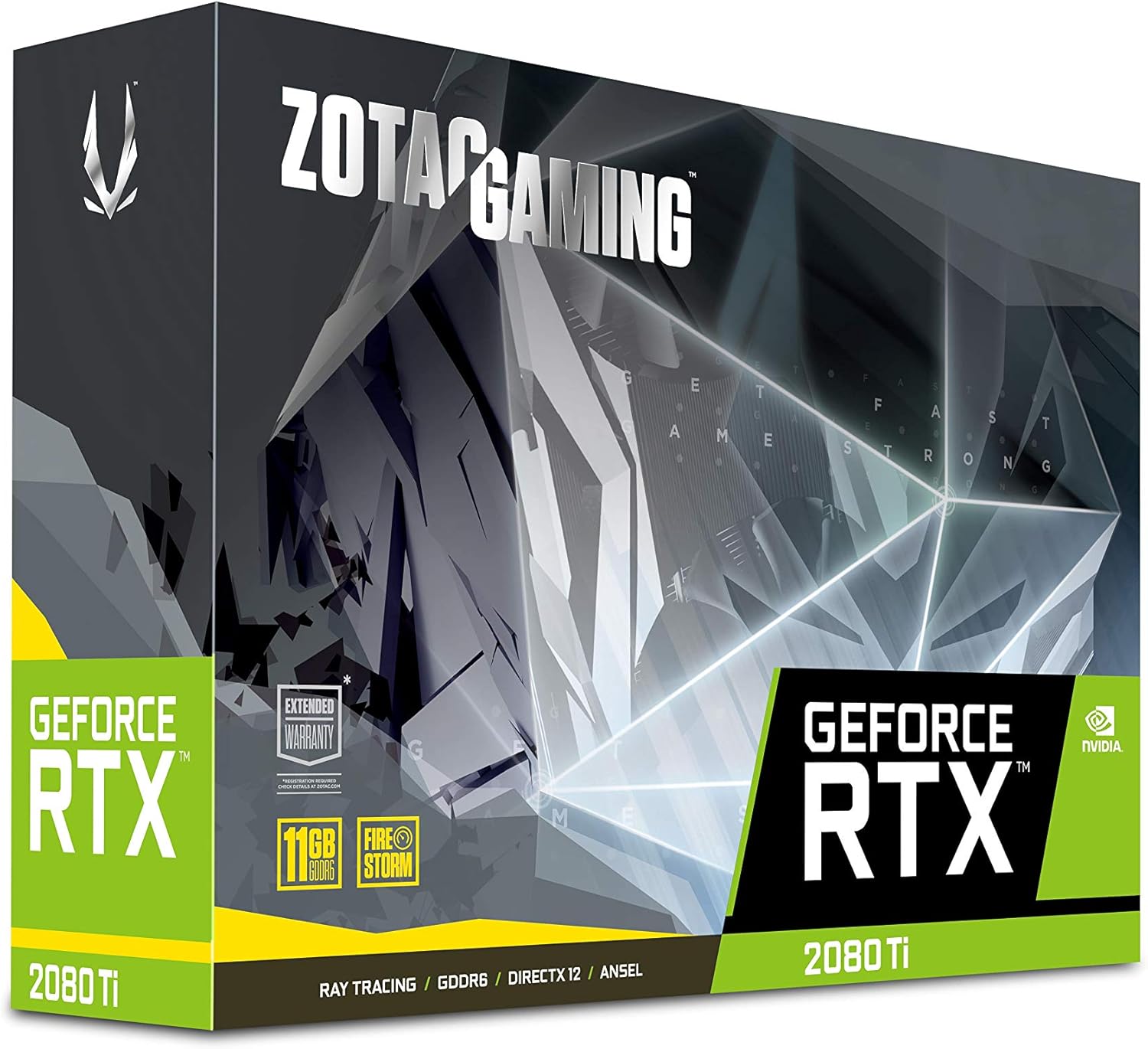
Image: The retail packaging for the ZOTAC Gaming GeForce RTX 2080 Ti Blower graphics card.

Image: The ZOTAC Quick Installation Guide, providing initial setup instructions.
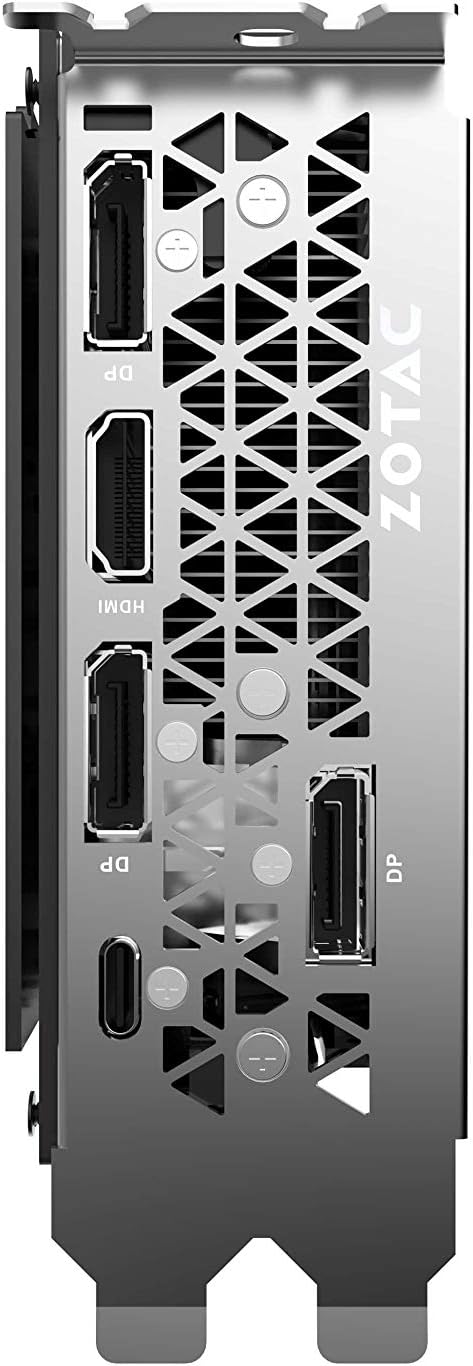
Image: The included 2 x Dual 6-pin to 8-pin power cables for connecting the graphics card to the power supply.
Nastavitev in namestitev
Za namestitev grafične kartice sledite tem korakom:
- Pripravite svoj sistem: Izklopite računalnik in odklopite napajalni kabel. Odprite ohišje računalnika.
- Poiščite režo PCIe: Na matični plošči poiščite prosto režo PCI Express 3.0 x16.
- Namestite kartico: Carefully align the graphics card with the PCIe slot and press down firmly until it is securely seated. Secure the card with the case's retention mechanism or screws.
- Priključite napajanje: Connect the required 8-pin power connectors from your power supply to the graphics card. Use the provided 6-pin to 8-pin adapters if necessary.
- Zapri ohišje in poveži zaslon: Zaprite ohišje računalnika, ponovno priključite napajalni kabel in priključite kabel(e) zaslona na izhodna vrata grafične kartice.
- Namesti gonilnike: Power on your computer. Once the operating system loads, install the latest NVIDIA drivers from the official NVIDIA webmesto.

Slika: Poševna view of the graphics card, illustrating its form factor for installation into a PCIe slot.
Zahteve glede napajanja
To ensure stable operation, your system must meet the following power specifications:
- Priporočeno napajanje: 650-watt power supply or greater.
- Največja poraba energije: 250 vatov.
Note: Insufficient power supply can lead to system instability or damage.
Povezave
The graphics card provides multiple display output options:
- 3 x DisplayPort 1.4
- 1 x HDMI 2.0B
- 1 x USB Type-C
The card is capable of supporting quad simultaneous displays.
Image: The rear I/O panel of the graphics card, showing the DisplayPort, HDMI, and USB Type-C outputs.
Združljivost programske opreme
Ensure your system meets the following software requirements for optimal performance:
- Operacijski sistem: Microsoft Windows 10/7 x64
- Vozniki: Game Ready Drivers (available from NVIDIA's official webspletno mesto)
- API-ji: Microsoft DirectX 12 API, Vulkan API, OpenGL 4.5
Navodila za uporabo
After successful installation and driver setup, your ZOTAC Gaming GeForce RTX 2080 Ti Blower graphics card will automatically enhance your system's graphical capabilities. For best performance, ensure your drivers are always up-to-date. You can monitor card performance and temperatures using ZOTAC's FireStorm utility or other compatible third-party software.
Vzdrževanje
Regular maintenance helps prolong the lifespan and performance of your graphics card:
- Odstranjevanje prahu: Periodically clean dust from the fan and heatsink using compressed air. Ensure the system is powered off and unplugged before cleaning.
- Pretok zraka: Maintain good airflow within your PC case to prevent overheating. Ensure no cables or other components obstruct the graphics card's fan.
- Posodobitve gonilnikov: Posodobite gonilnike grafične kartice, da boste imeli koristi od izboljšav zmogljivosti in popravkov napak.
Odpravljanje težav
Če naletite na težave, razmislite o naslednjih pogostih rešitvah:
- Brez zaslona: Ensure the display cable is securely connected to the graphics card and the monitor. Verify the monitor is set to the correct input.
- Nestabilnost/zrušitve sistema: Check power connections to the graphics card. Ensure your power supply meets the recommended wattage. Update or reinstall graphics drivers.
- Pregrevanje: Verify that the graphics card fan is spinning. Clean any dust buildup from the heatsink and fan. Ensure adequate case airflow.
- Težave z gonilniki: Izvedite čisto namestitev najnovejših grafičnih gonilnikov NVIDIA webmesto.
If problems persist, consult the ZOTAC support webspletno mesto ali se obrnite na njihovo službo za stranke.
Specifikacije
| Funkcija | Specifikacija |
|---|---|
| GPU | NVIDIA GeForce RTX 2080 Ti |
| Jedra CUDA | 4352 |
| Video pomnilnik | 11 GB GDDR6 |
| Pomnilniško vodilo | 352-bitni |
| Ura za povečanje tlaka motorja | 1545 MHz |
| Spominska ura | 14.0 Gbps |
| PCI Express | 3.0 |
| Prikaz izhodov | 3 x DisplayPort 1.4, 1 x HDMI 2.0B, 1 x USB Type-C |
| Podpora za več zaslonov | Quad Simultaneous Display Capable |
| Priporočeno napajanje | 650 W |
| Poraba energije | 250 W |
| Dimenzije (DxŠxV) | 10.55 x 4.45 x 1.5 palcev |
| Podpora za operacijski sistem | Windows 10/7 x64 |
Garancija in podpora
Your ZOTAC Gaming GeForce RTX 2080 Ti Blower graphics card may be eligible for an extended warranty. Registration is typically required to activate the full warranty period. Please refer to the official ZOTAC website for detailed warranty terms and conditions, and for information on how to register your product.
For technical support, driver downloads, and further assistance, visit the official ZOTAC support page:

Image: Information regarding ZOTAC's 5-year warranty, which typically requires product registration.