Uvod
This manual provides comprehensive instructions for the installation, operation, and maintenance of your LTS LTCMIP7342W-28M Platinum Network Vandal Dome IP Camera. Please read this manual thoroughly before using the product to ensure proper setup and functionality. Keep this manual for future reference.
The LTS LTCMIP7342W-28M is a 4MP high-definition network vandal dome IP camera designed for robust surveillance applications. It features a 2.8mm fixed lens, True WDR (120dB), Matrix IR 2.0 with up to 100 feet range, and supports H.265/H.265+/H.264/H.264+ video compression. It is rated IP67 for weather resistance and IK10 for vandal resistance, making it suitable for outdoor use. The camera also includes a MicroSD slot supporting up to 128GB for local storage and can be powered by DC 12V or Power over Ethernet (PoE).
Vsebina paketa
Preden nadaljujete z namestitvijo, preverite, ali so v paketu prisotni vsi elementi.
- LTS LTCMIP7342W-28M Platinum Network Vandal Dome IP Camera
- Predloga vrtanja
- Pritrdilni vijaki in stenski vložki
- Hex ključ
- Komplet vodoodpornih konektorjev
- Vodnik za hiter začetek (za podrobna navodila glejte ta priročnik)
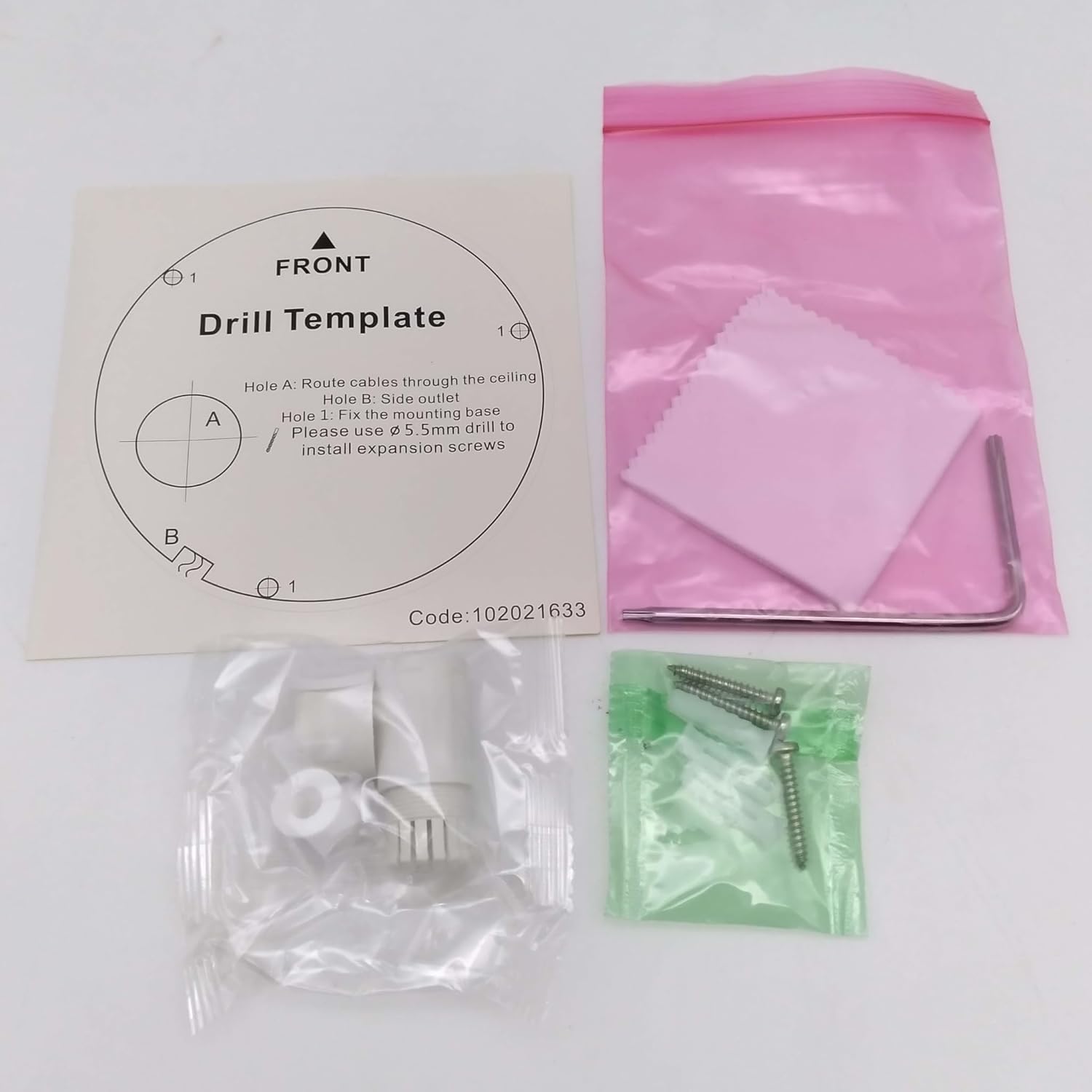
Slika: Contents of the camera package. This includes a drill template, mounting hardware (screws and wall plugs), a hex wrench for adjustments, and a waterproof connector kit for network cables. These components are essential for proper installation.
Nastavitev
1. Varnostni ukrepi
- Pred namestitvijo ali vzdrževanjem se prepričajte, da je napajanje odklopljeno.
- Use only specified power adapters (DC 12V) or PoE (Power over Ethernet) compliant equipment.
- Avoid exposing the camera to extreme temperatures, humidity, or corrosive environments.
- Do not attempt to disassemble the camera. Refer all servicing to qualified personnel.
2. Kamera je končanaview
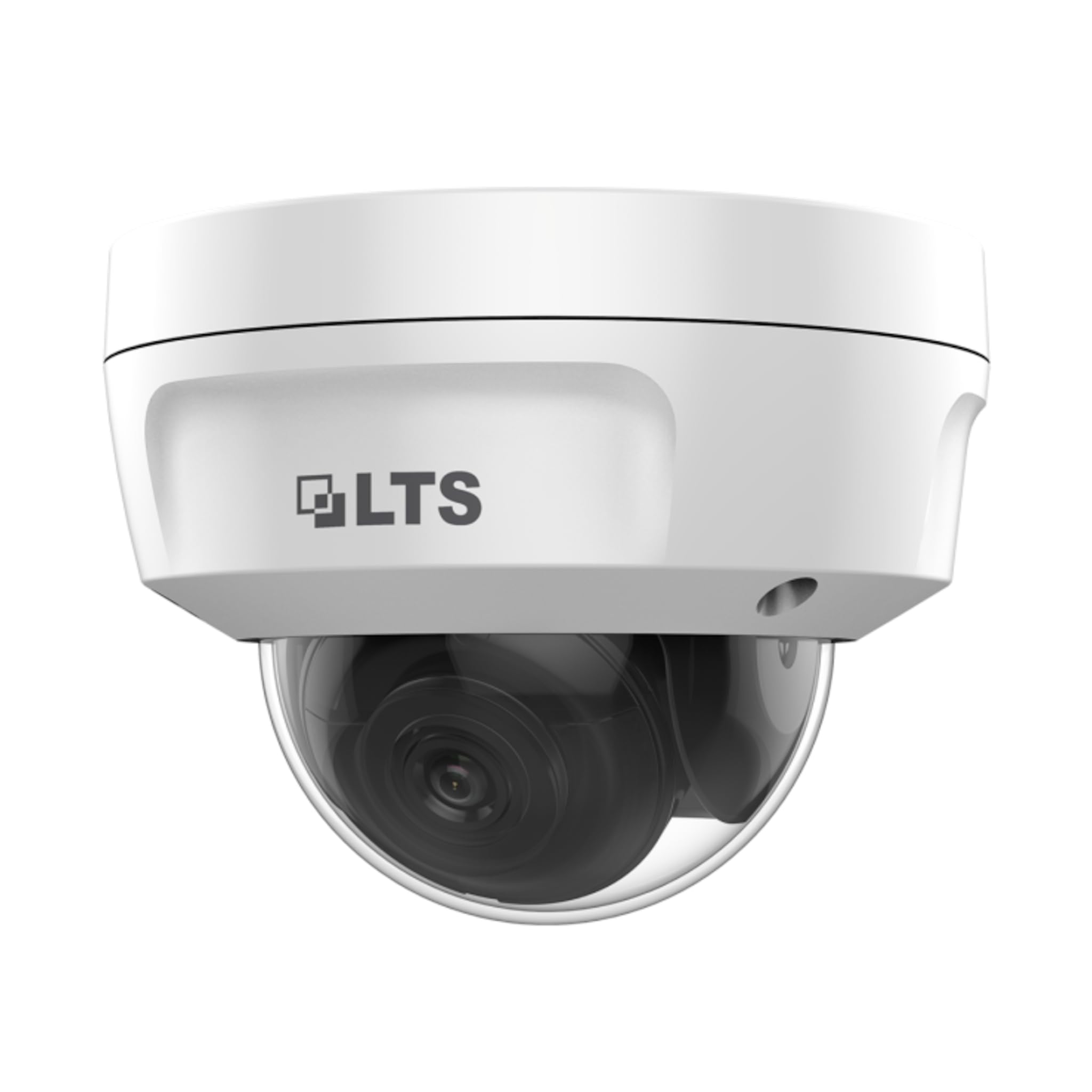
Slika: Spredaj view of the LTS LTCMIP7342W-28M dome camera. This image shows the main body of the camera with its dome cover, indicating its compact and discreet design.

Slika: Stran view of the LTS LTCMIP7342W-28M dome camera, showing the attached cables for power and network connectivity. This view highlights the integrated cable management for installation.
3. Wiring and Connectivity
The LTCMIP7342W-28M camera primarily uses a network cable for both data and power (PoE). It is not compatible with traditional DC power and BNC video connections.

Slika: This diagram illustrates the correct and incorrect wiring methods. On the left, a network cable (RJ45) is circled in green, indicating compatibility for both video and Power over Ethernet (PoE). On the right, DC power and BNC video connectors are circled in red, indicating they are not compatible with this camera model.
- Omrežna povezava: Connect a standard Ethernet cable (Cat5e or Cat6) from the camera's RJ45 port to a PoE-enabled switch or NVR. If not using PoE, connect to a standard network switch and provide 12V DC power separately.
- moč: The camera supports Power over Ethernet (PoE) or a 12V DC power supply. Ensure the power source meets the camera's requirements.
- Vodotesen konektor: Use the provided waterproof connector kit for outdoor installations to protect the RJ45 connection from moisture.
4. Namestitev kamere
- Pripravite montažno površino: Choose a suitable location, typically a ceiling or wall, ensuring it can support the camera's weight.
- Uporabite predlogo za vrtanje: Place the provided drill template on the desired mounting surface. Mark the positions for the mounting screws and cable routing hole.
- Vrtanje lukenj: Drill pilot holes for the mounting screws (typically 5.5mm diameter for expansion screws) and a larger hole for cable routing, if necessary.
- Smer kablov: Pass the network cable through the cable routing hole.
- Pritrdite podstavek kamere: Align the camera base with the drilled holes and secure it using the provided mounting screws and wall plugs.
- Prilagodi kot kamere: Loosen the adjustment screws (if applicable) to position the camera lens for the desired viewKot nastavitve. Po nastavitvi privijte vijake.
Delovanje
1. Initial Power-Up and Network Configuration
- After connecting the camera to power and the network, it will boot up. This may take a few minutes.
- Use the manufacturer's IP search tool (e.g., SADP Tool) to discover the camera's IP address on your network.
- Dostop do kamere web vmesnik tako, da vnesete njegov naslov IP v a web brskalnik.
- Follow the on-screen prompts to set a strong password for the camera (if it's a new installation or reset).
- Configure network settings (IP address, subnet mask, gateway, DNS) as required by your network infrastructure.
2. Video nastavitve
- Resolucija: The camera supports up to 4MP (2560x1440) resolution at 30 frames per second. Adjust as needed for bandwidth and storage considerations.
- Stiskanje: Utilize H.265+ or H.265 for efficient video storage and bandwidth usage. H.264+ and H.264 are also supported.
- WDR (širok dinamični razpon): Enable True WDR (120dB) in challenging lighting conditions to balance bright and dark areas in the image.
- Nočni vid: The camera features Matrix IR 2.0 with a range up to 100 feet. IR LEDs automatically activate in low light.
3. Snemanje in shranjevanje
- Snemanje na snemalniku (NVR): Connect the camera to a compatible Network Video Recorder (NVR) for continuous or event-based recording.
- Kartica MicroSD: Insert a MicroSD card (up to 128GB) into the camera's slot for local storage. Configure recording schedules and event triggers via the web vmesnik.
- Zaznavanje gibanja: Set up motion detection zones and sensitivity to trigger recordings or alerts.
4. Oddaljeni dostop
Za daljinsko viewing, configure port forwarding on your router or use a P2P/Cloud service provided by the manufacturer (if available) to access the camera feed via a mobile app or client software.
Vzdrževanje
- Čiščenje leč: Periodically clean the camera lens and dome cover with a soft, damp krpo. Izogibajte se abrazivnim čistilom, ki bi lahko opraskala površino.
- Posodobitve vdelane programske opreme: Preverite pri proizvajalcu website for firmware updates to ensure optimal performance and security. Follow update instructions carefully.
- Pregled kabla: Regularly inspect all cables and connections for signs of wear or damage, especially in outdoor installations.
- Okoljski pregledi: Zagotovite, da okolje kamere ostane znotraj določenih delovnih temperaturnih in vlažnostnih območij.
- Upravljanje gesel: Change passwords regularly and use strong, unique passwords for enhanced security.
Odpravljanje težav
| Težava | Možen vzrok | rešitev |
|---|---|---|
| Ni vira slik/videoposnetkov | No power; Network cable disconnected; Incorrect IP address; Camera malfunction. | Check power supply/PoE connection; Verify network cable is securely connected; Use IP search tool to find camera; Contact technical support if malfunction suspected. |
| Slaba kakovost slike | Dirty lens/dome; Low light conditions; Incorrect video settings; Network bandwidth issues. | Clean lens/dome; Ensure IR is active in low light; Adjust resolution, WDR, and other image settings; Check network connection speed. |
| Cannot access camera remotely | Incorrect port forwarding; Firewall blocking access; Dynamic IP address changed; P2P/Cloud service offline. | Verify router port forwarding rules; Check firewall settings on router/NVR; Use DDNS service for dynamic IPs; Check status of P2P/Cloud service. |
| SD kartica ne snema | SD card full or faulty; Incorrect recording schedule; SD card not formatted. | Check SD card status and remaining space; Format SD card via camera interface; Verify recording schedule and event triggers. |
Specifikacije
| Funkcija | Podrobnost |
|---|---|
| Model | LTCMIP7342W-28M |
| Ločljivost zajema videa | 4 milijone slikovnih pik (2560 x 1440) |
| Hitrost sličic | 30 sličic na sekundo |
| Objektiv | 2.8 mm fiksni objektivi |
| WDR | Pravi WDR 120dB |
| IR obseg | Up to 100 feet (Matrix IR 2.0) |
| Minimalna osvetlitev | 0.018 Lux @ F1.6 |
| Stiskanje videa | H.265, H.265+, H.264, H.264+ |
| Shranjevanje | MicroSD Slot (up to 128GB) |
| Napajalnik | DC 12V, PoE (802.3af) |
| Zaščita pred vdorom | IP67 |
| Vandalski odpor | IK10 |
| Tehnologija povezljivosti | Žično (Ethernet) |
| Vrsta namestitve | Stropni nosilec |
| Delovna temperatura | (Refer to manufacturer's full datasheet for exact range) |
| Dimenzije | Približno 7 x 7 x 7 palca (dimenzije paketa) |
| Teža | Pribl. 2.5 funta |
Garancija in podpora
For warranty information, technical support, and service inquiries, please contact your authorized TSL dealer or visit the official TSL webspletnega mesta. Račun shranite kot dokazilo o nakupu za uveljavljanje garancije.
Proizvajalec: LTS
Znamka: TSL


