Uvod
Hvala za nakupasing the MAJORITY Histon Portable DAB/DAB+ Digital Radio. This manual provides essential information for setting up, operating, and maintaining your radio. Please read it thoroughly before use to ensure optimal performance and longevity of your device.
Kaj je v škatli
- MAJORITY Histon Radio
- Omrežni napajalni kabel
- Priročnik za lastnika (ta dokument)

Image: The contents of the product packaging, including the Histon radio, its mains power cable, and the user manual.
Konec izdelkaview
The MAJORITY Histon radio is designed for portable and mains-powered listening, offering both DAB/DAB+ and FM radio reception. It features a clear LED display, dual alarm functionality, and a sleep timer.
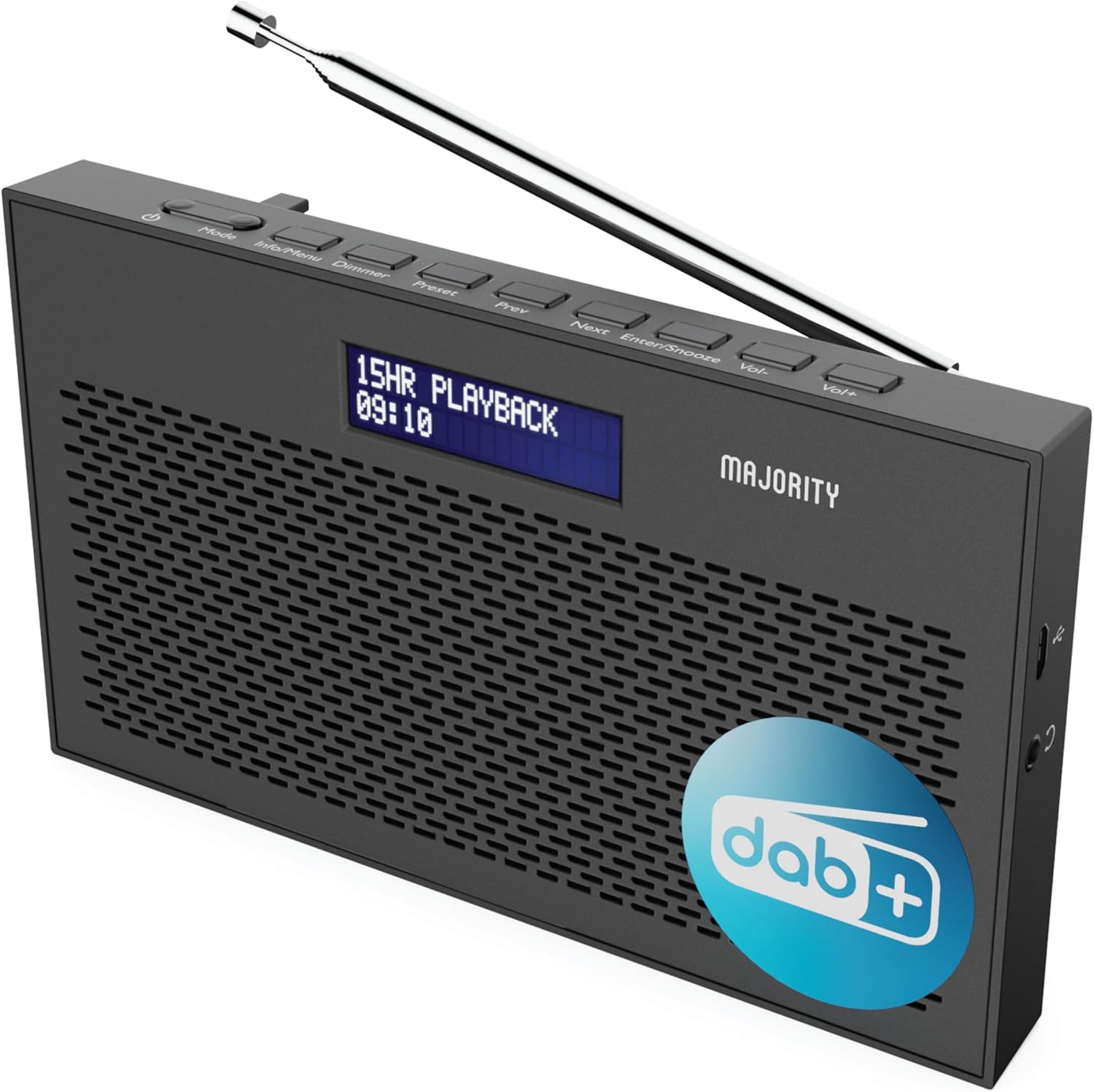
Slika: Podrobna view of the Majority Histon radio, highlighting its compact design and front speaker.
Kontrolniki in zaslon
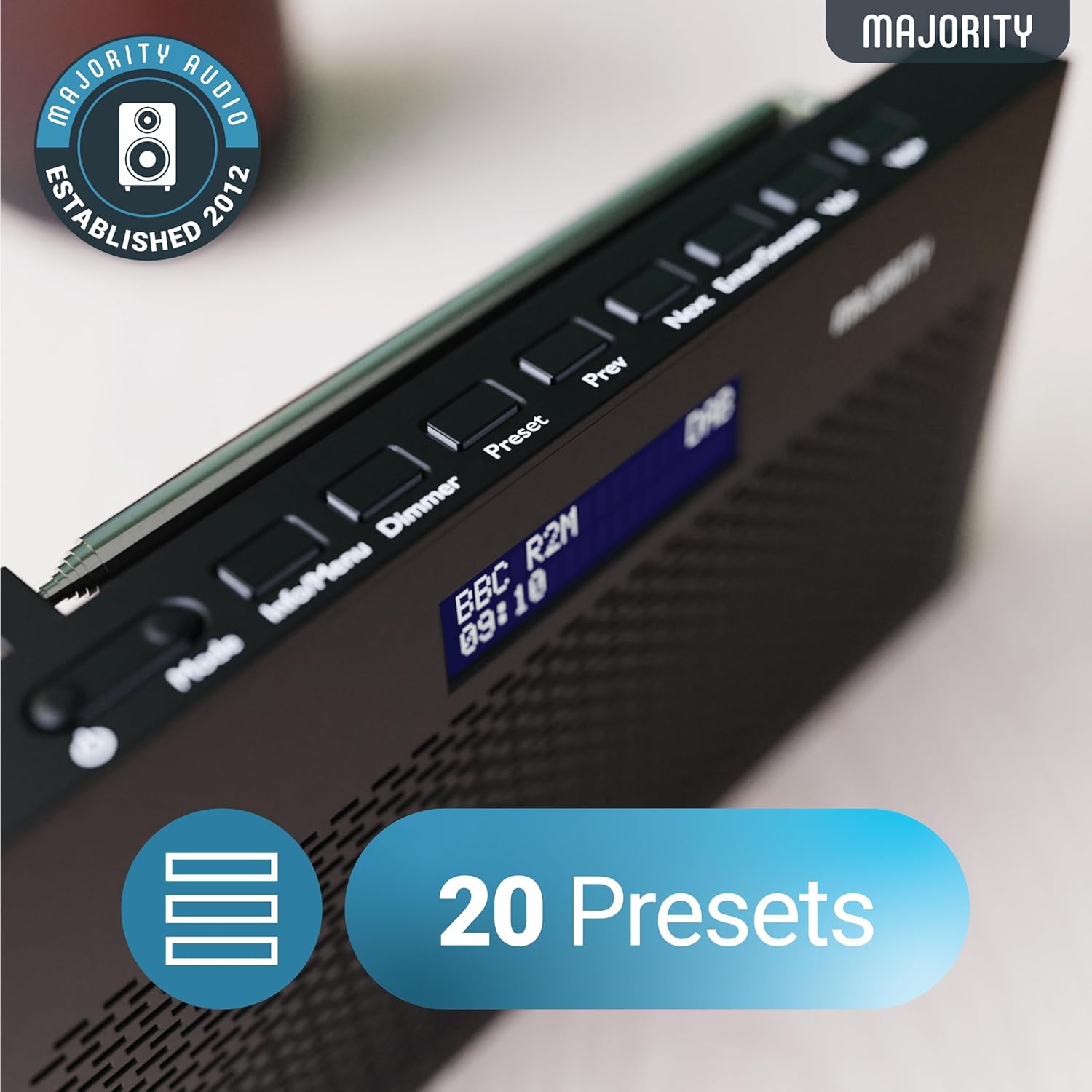
Image: A close-up of the radio's top panel, illustrating the various control buttons and the LED display showing station information.
- način: Switches between DAB, FM, and other modes.
- Informacije/Meni: Displays station information or accesses menu settings.
- dimmer: Prilagodi svetlost zaslona.
- Prednastavitev: Accesses or saves preset stations.
- Prejšnja/naslednja: Navigacija po postajah ali možnostih menija.
- Enter/Snooze: Confirms selections or activates snooze during an alarm.
- Vol-/Vol+: Prilagodi glasnost.
Vrata in povezave
- Vrata DC IN: For connecting the mains power cable.
- 3.5 mm priključek za slušalke: Za zasebno poslušanje.
- Predal za baterije: Located on the rear for 4 AA batteries (not included).
- Teleskopska antena: Extendable for optimal signal reception.
Nastavitev
Vklop
The Histon radio can be powered by either the included mains power cable or 4 x AA batteries (not supplied).
- Omrežna moč: Connect the mains power cable to the DC IN port on the radio and plug the adapter into a wall socket.
- Moč baterije: Open the battery compartment on the rear of the radio and insert 4 x AA batteries, ensuring correct polarity.

Image: The radio in a portable setting, emphasizing its 15-hour battery life capability.
Prilagoditev antene
Extend the telescopic antenna fully for the best possible signal reception, especially for DAB/DAB+ and FM broadcasts.
Začetno skeniranje (DAB/DAB+)
Upon first power-on, the radio will automatically perform a full scan for DAB/DAB+ stations. This process may take a few minutes. Once complete, the radio will tune to the first available station.
- If no stations are found, ensure the antenna is fully extended and reposition the radio, then perform a manual scan (see Operating Instructions).
Navodila za uporabo
Delovanje radia DAB/DAB+
- Selecting DAB Mode: Pritisnite Način gumb, dokler se ne prikaže »DAB«.
- Izbira postaje: Uporabite Prejšnji or Naprej buttons to scroll through available DAB stations. Press Vnesite , da izberete postajo.
- Celotno skeniranje: To perform a full scan for new stations, press and hold the Info/Meni button to enter the menu, then navigate to "Full Scan" and press Vnesite.
- Prednastavljene postaje:
- Shranjevanje prednastavitve: While listening to a station, press and hold the Prednastavitev gumb. Uporaba Nazaj/Naslednji , da izberete prednastavljeno številko (1–20), nato pritisnite Vnesite shraniti.
- Recalling a Preset: Na kratko pritisnite Prednastavitev gumb. Uporaba Nazaj/Naslednji to scroll through saved presets, then press Vnesite to tune.
Image: The radio's control panel, highlighting the capability to store up to 20 preset radio stations.
Delovanje radia FM
- Selecting FM Mode: Pritisnite Način gumb, dokler se ne prikaže "FM".
- Samodejno skeniranje: Pritisnite in držite Vnesite za samodejno iskanje naslednje razpoložljive FM postaje.
- Ročna nastavitev: Na kratko pritisnite Prejšnji or Naprej to fine-tune the frequency in 0.05 MHz steps.
- Prednastavljene postaje: Saving and recalling FM presets follows the same procedure as DAB presets.
Nastavitev alarmov
The Histon radio features a dual alarm function.

Image: The radio displaying "DUAL ALARM" on its screen, illustrating its dual alarm capability.
- Pritisnite in držite Info/Meni za vstop v meni.
- Uporaba Nazaj/Naslednji to navigate to "System Settings" and press Vnesite.
- Navigate to "Alarm" and press Vnesite.
- Select "Alarm 1" or "Alarm 2" and press Vnesite.
- Configure the alarm time, duration, source (Buzzer, DAB, FM), frequency (Daily, Once, Weekends, Weekdays), and volume using Nazaj/Naslednji in Vnesite.
- To activate/deactivate an alarm, select "On" or "Off" for the chosen alarm.
- Ko se oglasi alarm, pritisnite Vstopi/dremež to snooze for 9 minutes, or press the Moč gumb za izklop alarma.
Časovnik za izklop
Časovnik za spanje omogoča, da se radio po določenem času samodejno izklopi.
- Pritisnite in držite Info/Meni za vstop v meni.
- Navigate to "System Settings" and press Vnesite.
- Pomaknite se do »Spanje« in pritisnite Vnesite.
- Uporaba Nazaj/Naslednji to select the desired sleep duration (e.g., 15, 30, 45, 60, 90, 120 minutes) or "Off". Press Vnesite za potrditev.
Svetlost zaslona
Prilagodite svetlost LED-zaslona.
- Na kratko pritisnite Zatemnitev gumb za preklapljanje med stopnjami svetlosti.
Uporaba slušalk
For private listening, connect standard 3.5mm headphones to the headphone jack on the side of the radio. The internal speaker will automatically mute when headphones are connected.
Odpravljanje težav
| Težava | Možen vzrok/rešitev |
|---|---|
| Ni napajanja / Radio se ne vklopi. |
|
| Poor DAB/FM reception or no stations found. |
|
| Zvok je popačen ali prekinjajoč. |
|
| Alarm se ne oglasi. |
|
| Zaslon je prazen ali neberljiv. |
|
Specifikacije
- Model: Histon 2
- Dimenzije izdelka: 18 x 4.5 x 11 cm (D x Š x V)
- Teža: 249 gramov
- vir energije: Mains (via included adapter) or 4 x AA Batteries (not included)
- Podprti radijski pasovi: DAB/DAB+, FM
- Prednastavitve: 20 (DAB) / 20 (FM)
- Povezljivost: 3.5mm Headphone Jack, DC IN Port
- Posebne lastnosti: Portable, Lightweight, Automatic and Manual Tuning, Dual Alarm Clock, Sleep Timer, LED Display, Mono/Auto Switching in FM Mode

Image: A visual representation of the radio's dimensions for reference.
Vzdrževanje
- Čiščenje: Za čiščenje površine radia uporabite mehko, suho krpo. Ne uporabljajte abrazivnih čistil ali topil.
- Shranjevanje: Če radio shranjujete dalj časa, odstranite baterije, da preprečite puščanje. Shranjujte na hladnem in suhem mestu.
- Izpostavljenost vodi: Ta radio ni vodoodporen. Izogibajte se izpostavljanju vodi ali visoki vlagi.
- Skrb za anteno: S teleskopsko anteno ravnajte previdno, da se ne upognete ali zlomite.
Garancija in podpora
The MAJORITY Histon radio comes with a 3-letna garancija. To activate your warranty and for further support, please refer to the registration instructions provided with your purchase or visit the official MAJORITY webmesto.
For technical assistance or warranty claims, please contact MAJORITY customer support through their official channels. Keep your proof of purchase for warranty validation.

Image: A graphic highlighting the 3-year warranty provided with Majority audio products.


