1. Uvod
This manual provides essential information for the safe and effective use of your Amcrest IP8M-2493EB Outdoor PoE Bullet Camera. Please read these instructions thoroughly before installation and operation to ensure optimal performance and to prevent damage to the device.
2. Izdelek je končanview
2.1 Ključne lastnosti
- 2MP IP PoE Bullet Camera
- 1920x1080p @30fps Video Resolution
- Nightvision up to 98 feet (30 meters)
- IP67 Weatherproof Rating for outdoor use
- Cloud Storage Capability
- Wall Mount Design
- 4K Video Capture Resolution (for recording)
- Motion Sensor Special Feature
2.2 Vsebina paketa
Preverite, ali so v paketu prisotne vse komponente:
- Amcrest IP8M-2493EB Outdoor PoE Bullet Camera
- Pritrdilni material (vijaki, sidra)
- Vodnik za hiter začetek (ta priročnik)
2.3 Komponente kamere
Seznanite se s fizičnimi komponentami fotoaparata:

Slika 1: Spredaj view of the Amcrest IP8M-2493EB Bullet Camera, showing the lens, IR LEDs, and housing.
3. Nastavitev
3.1 Preden začnete
Ensure you have the following items and conditions:
- A Power over Ethernet (PoE) switch or PoE injector (802.3af/at compliant)
- Cat5e or Cat6 Ethernet cable
- A stable internet connection (recommended for remote viewing and cloud features)
- A drill and screwdriver for mounting
3.2 Fizična namestitev
- Izberite mesto namestitve: Select a suitable wall location that provides the desired viewpod kotom in je v dosegu vašega ethernetnega kabla.
- Označite vrtalne luknje: Use the provided mounting template (if included) or the camera base to mark the positions for drilling.
- Vrtanje lukenj: Če montirate na mavčne plošče ali zid, izvrtajte pilotne luknje in vstavite stenska sidra.
- Zavarujte kamero: Attach the camera base to the wall using the provided screws.
- Prilagodi kot: Loosen the adjustment screws on the camera body to position the camera for optimal coverage, then tighten them securely.
3.3 Omrežna povezava
Connect one end of the Ethernet cable to the camera's Ethernet port and the other end to a PoE port on your PoE switch or injector. The camera will power on automatically.
3.4 Začetna konfiguracija
For initial setup and configuration, download the Amcrest View Pro app on your mobile device or use the Amcrest web interface via a computer connected to the same network. Follow the on-screen instructions to discover and add your camera to your system.
4. Upravljanje kamere
4.1 Dostop do storitve Live View
Access the live video feed through the Amcrest View Pro app or the web interface. This allows real-time monitoring of your surveillance area.
4.2 Snemanje in shranjevanje
Kamera podpira različne možnosti snemanja:
- Lokalna shramba: If equipped with a microSD card slot (card sold separately), recordings can be stored directly on the camera.
- Omrežni video snemalnik (NVR): Connect the camera to a compatible Amcrest NVR for continuous recording and extended storage.
- Shramba v oblaku: Utilize Amcrest Cloud services for off-site storage of event-triggered recordings. Refer to the Amcrest webspletno mesto za podrobnosti o naročnini.
4.3 Zaznavanje gibanja
Configure motion detection settings via the camera's interface. You can define detection zones, sensitivity levels, and set up alerts (e.g., email notifications, push notifications to your phone) when motion is detected.
4.4 Nočni vid
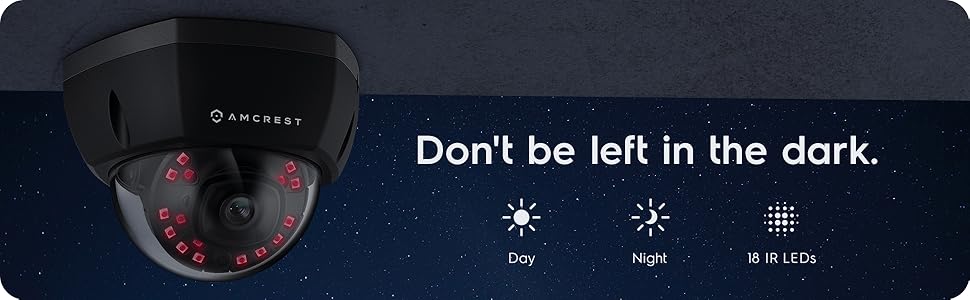
The camera features infrared (IR) LEDs for night vision, providing clear surveillance footage in low-light or no-light conditions up to 98 feet. The camera automatically switches between day and night modes.
Slika 2: Nprample of night vision capability, illustrating clear image capture in dark conditions.
5. Vzdrževanje
5.1 Čiščenje
Objektiv in ohišje fotoaparata občasno očistite z mehko krpoamp cloth. Avoid using harsh chemicals or abrasive materials that could scratch the lens or damage the finish.
5.2 Posodobitve vdelane programske opreme
Regularly check for and install firmware updates from the Amcrest webPosodobitve vdelane programske opreme pogosto vključujejo izboljšave delovanja, nove funkcije in varnostne izboljšave.
5.3 Zaščita pred vremenskimi vplivi
The IP8M-2493EB camera has an IP67 weatherproof rating, meaning it is protected against dust ingress and can withstand immersion in water up to 1 meter for 30 minutes. While designed for outdoor use, ensure all cable connections are properly sealed to maintain water resistance.
6. Odpravljanje težav
6.1 Pogoste težave in rešitve
- Brez napajanja/brez videa: Ensure the Ethernet cable is securely connected to both the camera and a functioning PoE port. Check the PoE switch/injector for power.
- Slaba kakovost slike: Clean the camera lens. Check network bandwidth. Adjust resolution and compression settings in the camera interface. Ensure sufficient lighting for optimal image clarity.
- Night Vision Halo Effect: This can occur if the IR light reflects off nearby surfaces or the camera housing. Ensure there are no obstructions close to the lens.
6.2 Video Support
For visual guidance on resolving common issues, including potential IR reflection, please refer to the following video:
Video 1: This video from Amcrest Direct provides instructions on resolving IR reflection issues that can affect night vision clarity in Amcrest cameras.
7. Specifikacije
| Funkcija | Specifikacija |
|---|---|
| Ime modela | IP8M-2493EB |
| Notranja/zunanja uporaba | Na prostem |
| Vir napajanja | AC/DC (via PoE) |
| Protokol povezljivosti | Ethernet |
| Vrsta namestitve | Stenski nosilec |
| Ločljivost zajema videa | 4K |
| barva | Črna |
| Število elementov | 1 |
| Število kanalov | 1 |
| Brezžična komunikacijska tehnologija | POE (napajanje prek etherneta) |
| Faktor oblike | Metka |
| Območje nočnega vida | 98 čevljev (30 metra) |
| Hitrost sličic | 30 sličic na sekundo |
| Mere predmeta (D x Š x V) | 6.1 x 6.1 x 5.4 palcev |
| Teža predmeta | 1.3 funtov |
| Ali so potrebne baterije? | št |
| Tehnologija slabe svetlobe | Nočna barva |
| Ocena mednarodne zaščite | IP67 |
| Največ Webcam ločljivost slike | 2 MP |
| Nadzorna metoda | aplikacija |
| Priporočene uporabe za izdelek | Varovanje na prostem |
| Tehnologija povezljivosti | Žično |
| Posebna funkcija | Senzor gibanja |
8. Garancija in podpora
Amcrest products typically come with a limited warranty. For specific warranty terms, registration, and technical support, please visit the official Amcrest website or contact Amcrest customer service directly. Keep your purchase receipt for warranty claims.
Amcrest Support: https://amcrest.com/support


