1. Uvod
This manual provides essential instructions for the proper setup, operation, and maintenance of your Brecknell LPS150 Portable Shipping Scale. Please read this manual thoroughly before using the scale to ensure safe and efficient operation. The LPS150 is designed for shipping, warehouse, and general-purpose weighing applications, offering portability and ease of use.
2. Varnostne informacije
- Tehtnice ne preobremenjujte preko njene največje nosilnosti 68 kg (150 lbs).
- Avoid dropping the scale or subjecting it to severe shocks.
- Do not immerse the scale or its components in water or other liquids.
- Use only the provided AC adapter or specified batteries.
- Tehtnico hranite stran od močnih elektromagnetnih polj.
- Ensure the scale is placed on a stable, level surface during operation.
3. Kaj je v škatli
Previdno razpakirajte vse komponente in preverite, ali ste prejeli naslednje predmete:
- Weighing Platform with Indicator and Bracket
- AC napajalnik
- 4 x AAA baterije
- Kabel RS-232
- Uporabniški priročnik (ta dokument)

Image 3.1: All components included with the Brecknell LPS150 Portable Shipping Scale.
4. Izdelek je končanview
4.1 Komponente
The Brecknell LPS150 scale consists of a stainless steel weighing platform and a remote LCD indicator connected by a coiled cable. The indicator features a digital display and control buttons.

Image 4.1: Labeled diagram of the LPS150 scale components.
4.2 Zaslon in upravljanje
The indicator features a 0.63-inch, 5-digit LCD display. The operator keys include:
- ON / OFF / ZERO: Powers the scale on or off, and zeros the display.
- ENOTE: Changes the weighing unit (lb, kg, lb/oz).
- TARA: Subtracts the weight of a container.
- HOLD / PRINT: Holds the displayed weight or sends data via RS-232.
5. Nastavitev
5.1 Namestitev
Place the weighing platform on a firm, level, and stable surface. Ensure there are no obstructions around the platform that could interfere with accurate weighing. The indicator can be placed on a desk or mounted to a wall using the included bracket.

Slika 5.1: Primerample of scale placement with wall-mounted indicator.
5.2 Napajalni priključek
The LPS150 scale can be powered by either the included AC adapter or four AAA batteries.
- AC adapter: Connect the AC adapter to the power input port on the indicator and plug it into a standard electrical outlet.
- Baterije: Open the battery compartment on the back of the indicator and insert four AAA batteries, observing correct polarity.
5.3 Connecting the Indicator to the Platform
Connect the coiled cable from the weighing platform to the corresponding port on the indicator. Ensure the connection is secure.
6. Navodila za uporabo
6.1 Osnovno tehtanje
- Pritisnite ON / OFF / ZERO button to power on the scale. The display will show "0.00" when ready.
- Predmet, ki ga želite stehtati, previdno postavite na sredino tehtalne ploščadi.
- Odčitajte težo, prikazano na LCD-zaslonu.
- Remove the item from the platform. The display should return to zero. If not, press ON / OFF / ZERO to re-zero.
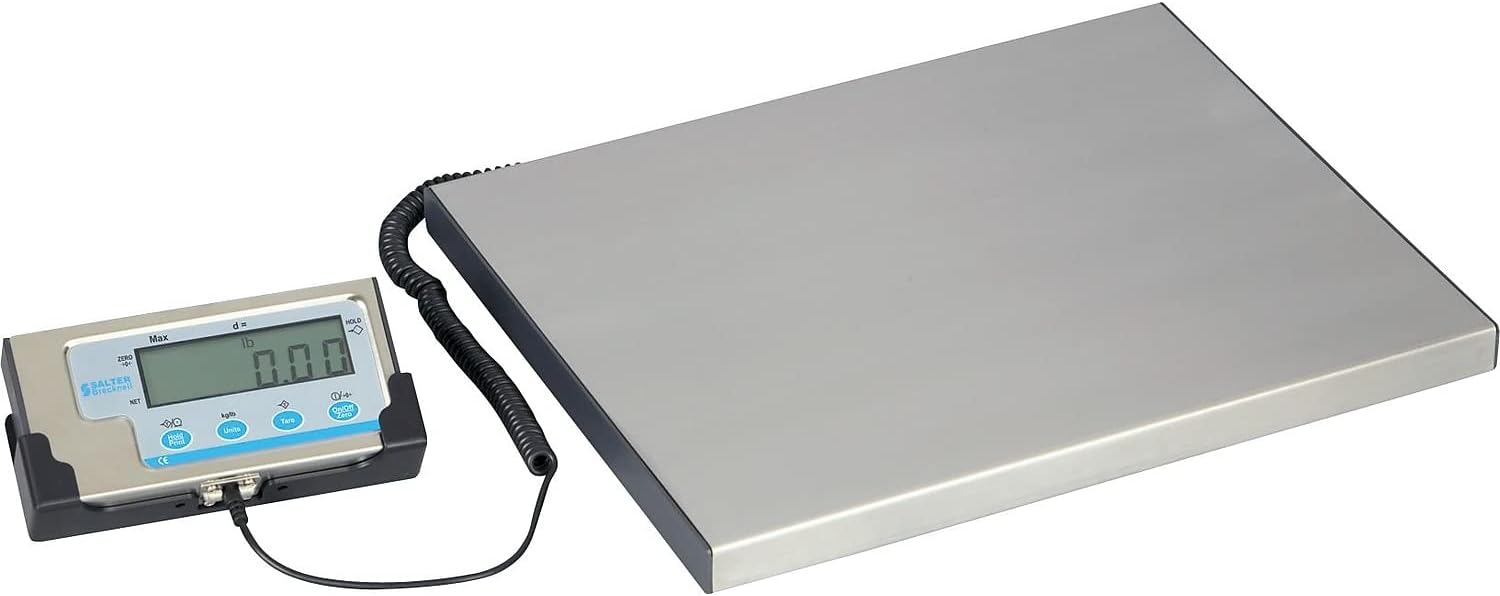
Image 6.1: The LPS150 scale ready for weighing.
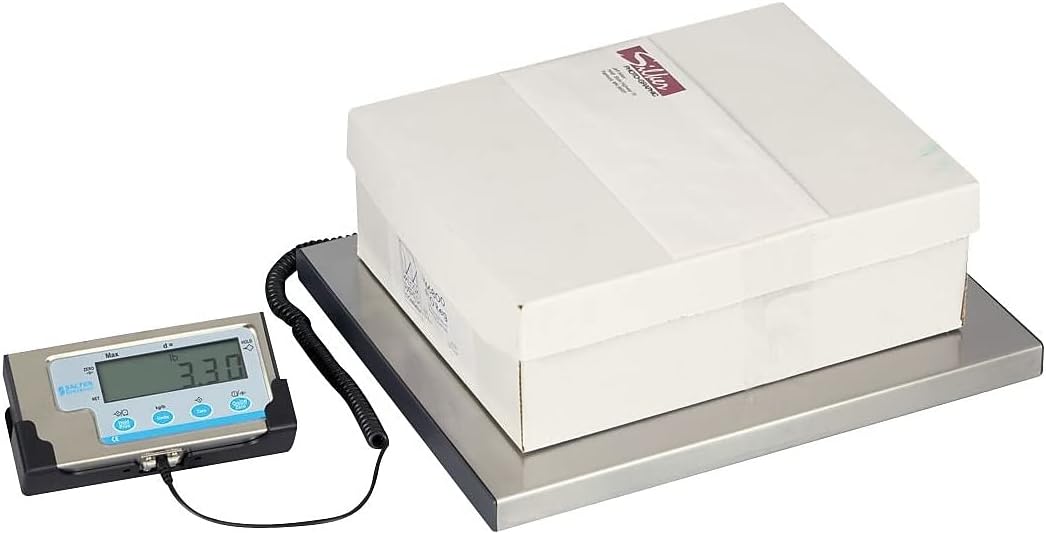
Image 6.2: Weighing a package on the LPS150 scale.
6.2 Pretvorba enot
Če želite spremeniti enoto za tehtanje:
- With the scale on and displaying weight, press the ENOTE gumb.
- The display will cycle through available units: pounds (lb), kilograms (kg), and pounds/ounces (lb/oz).
- Release the button when the desired unit is shown.
6.3 Funkcija tare
The Tare function allows you to subtract the weight of a container, so only the net weight of the contents is displayed.
- Na tehtalno ploščad postavite prazno posodo.
- Wait for the weight to stabilize.
- Pritisnite TARA button. The display will return to "0.00" and the TARE indicator will illuminate.
- Add items to the container. The display will show only the weight of the added items.
- Za brisanje tare odstranite posodo s ploščadi in pritisnite TARA gumb znova.
6.4 Funkcija zadrževanja
The Hold function allows you to temporarily freeze the displayed weight, which is useful for weighing large or awkwardly shaped items that might obscure the display.
- Postavite predmet na platformo.
- Ko je teža stabilna, pritisnite HOLD / PRINT button. The displayed weight will be held, and the HOLD indicator will illuminate.
- To release the held weight, press the HOLD / PRINT gumb znova.
6.5 RS-232 Communication Setup (for UPS Worldship)
The LPS150 scale includes an RS-232 port for data communication with compatible software, such as UPS Worldship. Correct configuration of both the scale and your computer's serial port is crucial for proper functionality.
6.5.1 Konfiguracija lestvice
- Ensure the scale is powered off.
- Pritisnite in držite ON / OFF / ZERO gumb in ENOTE button simultaneously until the display shows "P1". This enters the setup menu.
- Pritisnite TARA button repeatedly to cycle through the programming parameters (P1, P2, P3, etc.) until you reach P4.
- At P4, press the ENOTE button to change the setting to 7 (NCI protocol).
- Pritisnite TARA button to save the P4 setting and advance to P5.
- At P5, press the ENOTE button to change the setting to 2 (4800 baud rate).
- Pritisnite TARA button to save the P5 setting and advance to P6.
- At P6, press the ENOTE button to change the setting to 2 (7E1 data format).
- Pritisnite ON / OFF / ZERO button to save all settings and exit the setup menu.
6.5.2 Computer Serial Port Configuration (Windows PC)
- Connect the RS-232 cable from the scale indicator to an available serial port on your computer. If your computer does not have a serial port, a USB-to-serial adapter may be required.
- Open Device Manager (search for "Device Manager" in the Windows search bar).
- Expand the "Ports (COM & LPT)" section.
- Identify the COM port assigned to your scale (e.g., COM1, COM3). Double-click on it to open its Properties.
- Go to the "Port Settings" tab and configure as follows:
- Bit na sekundo: 4800
- Podatkovni biti: 7
- Pariteta: Celo
- Stop bitov: 1
- Nadzor pretoka: Brez
- Click "OK" to save the settings and close Device Manager.
6.5.3 UPS Worldship Configuration
- Open UPS Worldship software.
- Navigate to the "Tools" tab.
- Select "System Preferences" and then click on "Hardware".
- Under the Scale settings, change the "Scale port" to the COM port you identified in Device Manager (e.g., COM1).
- Change the "Scale Type" to "NCI 3835".
- Click "Test Scale" to verify communication. The weight from the scale should now be reported in Worldship.
7. Vzdrževanje
7.1 Čiščenje
To maintain accuracy and prolong the life of your scale:
- Wipe the platform and indicator with a soft, damp krpo.
- Ne uporabljajte abrazivnih čistil, topil ali agresivnih kemikalij.
- Ensure no liquids enter the indicator or the gaps around the platform.
7.2 Zamenjava baterije
If the scale is powered by batteries and the display becomes dim or erratic, it's time to replace the batteries. Open the battery compartment on the back of the indicator, remove the old batteries, and insert four new AAA batteries, ensuring correct polarity.
8. Odpravljanje težav
| Težava | Možen vzrok | rešitev |
|---|---|---|
| Tehtnica se ne vklopi. | No power (AC adapter unplugged, batteries dead/incorrectly installed). | Preverite priključek napajalnika. Zamenjajte baterije in pazite na pravilno polarnost. |
| Netočne ali nestabilne meritve. | Scale not on a level surface; item touching something else; overload; environmental factors (vibrations, drafts). | Ensure scale is level and stable. Re-zero the scale. Remove any obstructions. Do not exceed capacity. |
| Na zaslonu se prikaže "Err" ali koda napake. | Overload condition; internal error. | Remove weight from platform. Power cycle the scale. If error persists, contact support. |
| RS-232 communication not working with UPS Worldship. | Incorrect scale settings; incorrect computer serial port settings; incorrect Worldship settings; faulty cable. | Review Section 6.5 for detailed configuration steps for the scale, computer, and UPS Worldship. Ensure RS-232 cable is securely connected and not damaged. |
9. Specifikacije
| Funkcija | Podrobnost |
|---|---|
| Model | LPS150 |
| Zmogljivost | 150 lbs (68 kg) |
| Enote za tehtanje | lb, kg, lb/oz |
| Zaslon | 0.63" (16 mm), 5-digit LCD |
| Velikost platforme | 15" L x 12" W (381 mm x 305 mm) |
| Gradnja | Stainless Steel Platform, Mild Steel Understructure, Stainless Steel/ABS Indicator |
| Moč | 4 x AAA Batteries or 6 VDC AC Adapter (both included) |
| Vmesnik | RS-232 |
| Teža predmeta | 11 lbs (5 kg) |
| Dimenzije izdelka | 17 x 15 x 2.3 palca (skupaj) |
10. Garancija in podpora
Brecknell products are manufactured to high standards and are warranted against defects in materials and workmanship. For specific warranty terms and conditions, please refer to the warranty card included with your product or visit the official Brecknell webmesto.
For technical assistance, troubleshooting, or spare parts, please contact Brecknell customer support. Have your model number (LPS150) and purchase information ready when contacting support.
Brecknell Contact Information:
Please refer to the official Brecknell webZa najnovejše kontaktne podatke se obrnite na spletno mesto ali embalažo izdelka.


