1. Uvod
The Acer Predator Cestus 500 PMW730 is a high-performance wired gaming mouse designed for precision and customization. It features an ambidextrous ergonomic design, adjustable Omron switches, and programmable buttons to enhance your gaming experience. This manual provides detailed instructions for setting up, operating, maintaining, and troubleshooting your gaming mouse.
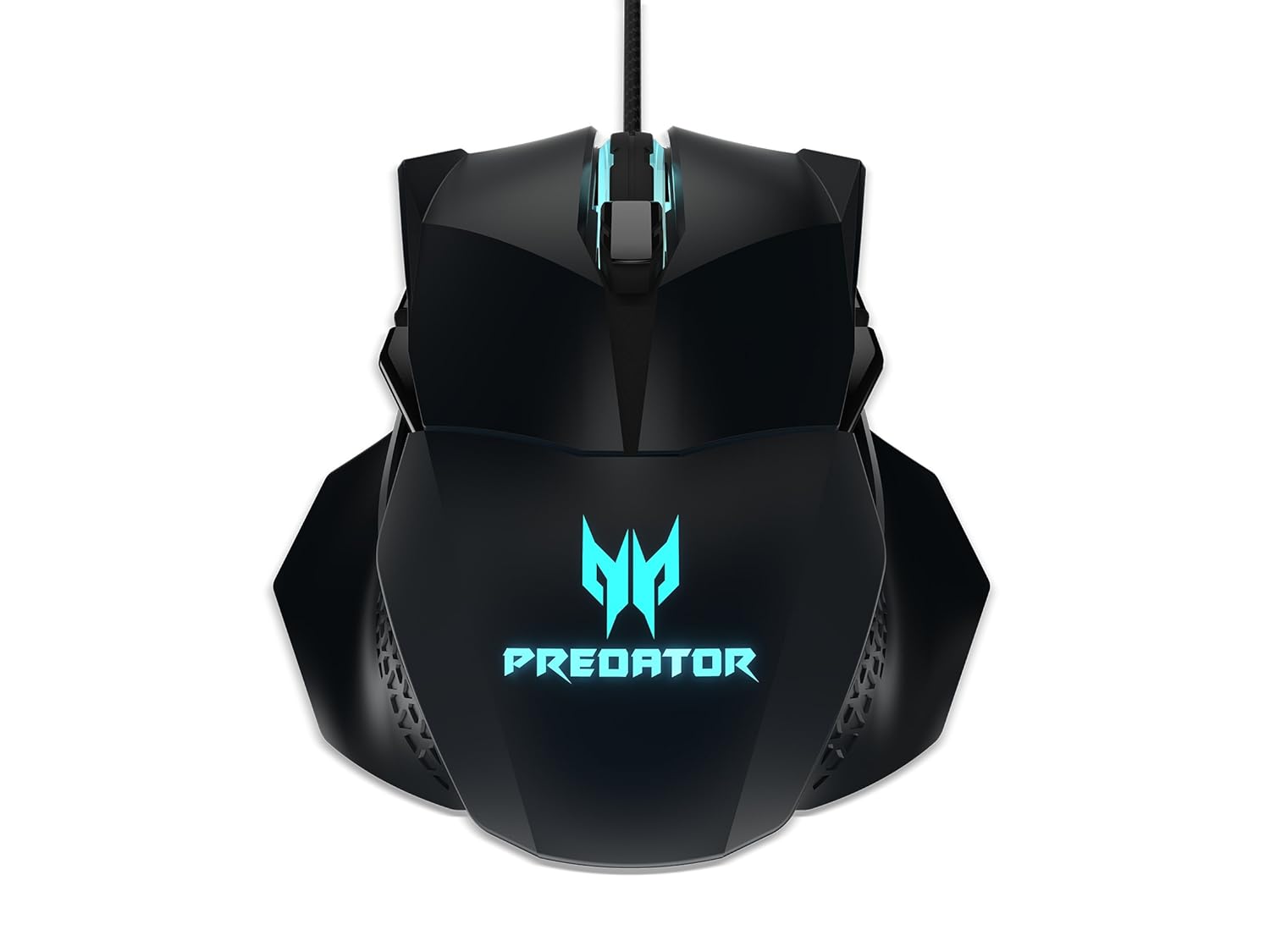
Slika 1: Zgornji del view of the Acer Predator Cestus 500 Gaming Mouse, showcasing its symmetrical design and illuminated Predator logo.
2. Vsebina paketa
Prosimo, preverite, ali so v vašem paketu vsi elementi:
- 1 x Acer Predator Cestus 500 Wired Gaming Mouse
- 4 x Magnetic Side Panels (2 sets for customization)
- 1 x vodnik za hiter začetek
- 1 x Carry Kit
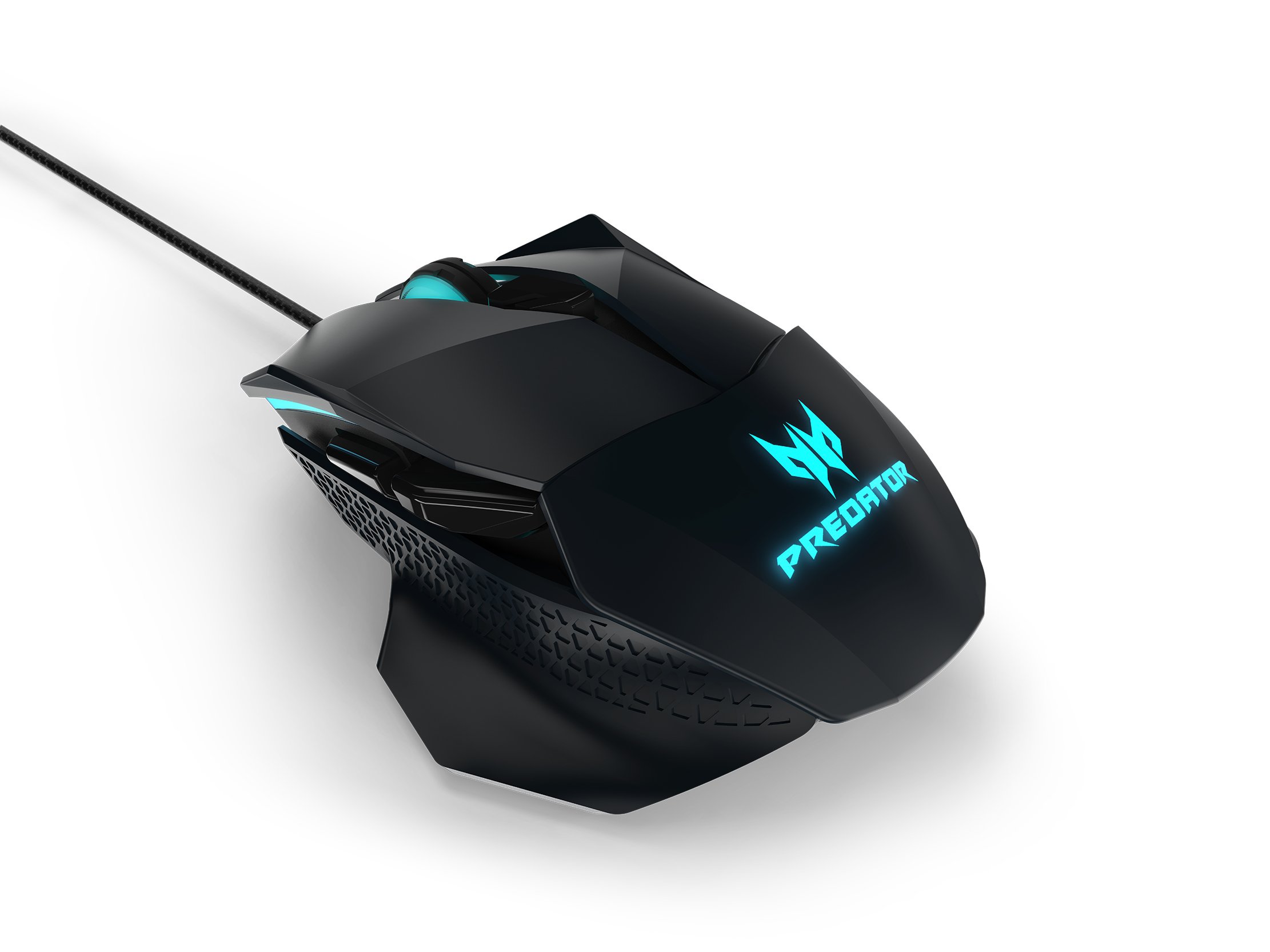
Figure 2: The Acer Predator Cestus 500 mouse with its detachable side panels, illustrating the customization options.
3. Nastavitev
3.1 Priklop miške
- Unpack the Acer Predator Cestus 500 gaming mouse from its packaging.
- Priključite kabel USB miške na prosta vrata USB na računalniku.
- Operacijski sistem bo samodejno zaznal in namestil potrebne gonilnike.
3.2 Attaching Side Panels
The mouse comes with two sets of magnetic side panels to accommodate different grip styles (claw or palm) and hand sizes. To attach or swap panels:
- Align the desired side panel with the magnetic connectors on either side of the mouse.
- Gently push the panel until it snaps securely into place.
- Ponovite za drugo stran.
3.3 Installing Predator Quartermaster Software
For full customization of DPI settings, programmable buttons, and RGB lighting, install the Predator Quartermaster software. This software can typically be downloaded from the official Acer support webspletno mesto za vaš specifični model.
- Visit the Acer support webmesto.
- Iskanje 'Predator Quartermaster' or navigate to the support page for the Predator Cestus 500 (Model NP.MCE11.008).
- Prenesite in zaženite namestitveni program.
- Za dokončanje namestitve sledite navodilom na zaslonu.
4. Navodila za uporabo
4.1 Osnovne funkcije miške
The mouse functions as a standard plug-and-play device for basic navigation (left-click, right-click, scroll wheel).
4.2 Prilagoditev DPI
The Predator Cestus 500 features a maximum DPI of 7200 and a tracking speed of 150 IPS. DPI settings can be adjusted on-the-fly using dedicated buttons on the mouse or through the Predator Quartermaster software. The software allows for precise configuration of multiple DPI levels to suit different gaming scenarios.
4.3 programabilni gumbi
The mouse is equipped with 8 programmable buttons. These buttons can be assigned various functions, macros, or key combinations using the Predator Quartermaster software. Refer to the software's user interface for detailed instructions on button mapping.
4.4 Adjustable Omron Switches
The mouse features dual Omron switches with a total lifespan of 70 million clicks (50M + 20M). A unique toggle on the base of the mouse allows you to adjust the click force, providing a personalized tactile response.
4.5 RGB Lighting Profiles
Customize the mouse's 16.8 million RGB lighting with five distinct profiles. Ti profiles can be configured and saved using the Predator Quartermaster software, allowing you to switch between different lighting effects and colors for various games or moods.

Slika 3: stran view of the Acer Predator Cestus 500, highlighting its ergonomic contours and side buttons.
5. Vzdrževanje
5.1 Čiščenje miške
Za ohranjanje optimalne zmogljivosti in videza:
- Pred čiščenjem miško odklopite iz računalnika.
- Za brisanje površine miške uporabite mehko, suho krpo, ki ne pušča vlaken.
- Za trdovratno umazanijo rahlo dampKrpo obrišite z vodo ali blago čistilno raztopino. Izogibajte se agresivnim kemikalijam.
- Use a can of compressed air to clear dust from crevices and around buttons.
- Miške ne potapljajte v vodo ali katero koli drugo tekočino.
5.2 Upravljanje kablov
Avoid sharp bends or kinks in the mouse cable to prevent damage. Store the mouse and its cable neatly when not in use, ideally in the provided carry kit.
6. Odpravljanje težav
6.1 Miška se ne odziva
- Prepričajte se, da je kabel USB varno priključen na delujoča vrata USB na računalniku.
- Poskusite miško priključiti na drug USB vhod.
- Preizkusite miško na drugem računalniku, da ugotovite, ali je težava v miški ali v vašem sistemu.
- Znova zaženite računalnik.
6.2 DPI or Button Settings Not Working
- Ensure the Predator Quartermaster software is installed and running.
- Check for software updates for Predator Quartermaster.
- Verify that the settings are correctly configured and saved within the software.
- If using multiple profiles, zagotovite pravilnega strokovnjakafile je aktiven.
6.3 Težave z osvetlitvijo RGB
- Confirm that the Predator Quartermaster software is installed and that lighting effects are enabled.
- Check for any conflicting software that might be controlling RGB lighting.
- Ensure the mouse firmware is up to date via the Predator Quartermaster software.
7. Specifikacije
| Funkcija | Specifikacija |
|---|---|
| Znamka | Acer |
| serija | Predator Cestus |
| Številka modela | NP.MCE11.008 |
| barva | Črna |
| Tehnologija povezljivosti | Žično |
| DPI | Do 7200 DPI |
| IPS Speed | 150 IPS |
| Število gumbov | 8 (programabilne) |
| Tip stikala | Omron (Adjustable Click Force) |
| Preklopite življenjsko dobo | 70 Million Clicks (50M + 20M) |
| RGB osvetlitev | 16.8 Million Colors, 5 Customizable Profiles |
| Oblikovanje | Ambidextrous, Ergonomic with 4 Magnetic Side Panels |
| Platforma strojne opreme | Prenosni računalnik, osebni računalnik |
| Združljivost operacijskega sistema | Linux, Windows 7, Windows XP (and newer Windows versions) |
| Dimenzije izdelka (DxŠxV) | 12.4 x 9.64 x 4.03 cm |
| Teža predmeta | 100 g |
| Vključene komponente | Gaming Mouse, 4 Side Panels, Quick Start Guide, Carry Kit |
8. Informacije o garanciji
For detailed warranty information, please refer to the warranty card included in your product packaging or visit the official Acer support webGarancijski pogoji se lahko razlikujejo glede na regijo in datum nakupa.
9. Podpora
If you encounter issues not covered in this manual or require further assistance, please contact Acer customer support through their official website or the contact information provided in your product documentation. Ensure you have your product model number (NP.MCE11.008) and serial number ready when contacting support.
Podpora Acer Webspletno mesto: https://www.acer.com/support


