1. Uvod
The HyperX Cloud Flight is a wireless gaming headset designed for extended use and immersive audio experiences. It features a robust 2.4GHz wireless connection, a long-lasting battery, and comfortable memory foam earcups. This manual provides essential information for setting up, operating, and maintaining your headset.
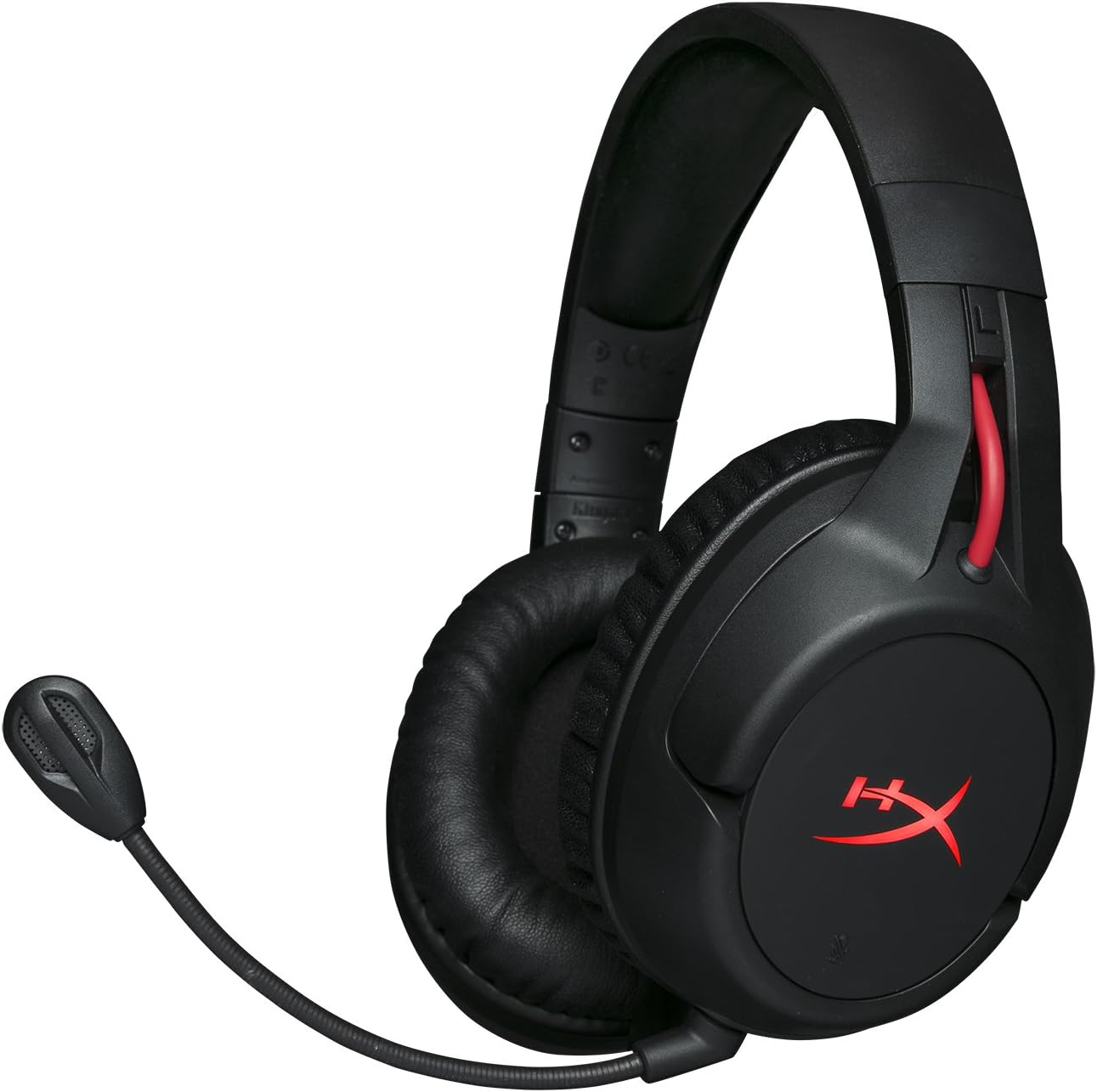
Figure 1.1: HyperX Cloud Flight Wireless Gaming Headset.
2. Vsebina paketa
Prepričajte se, da so v paketu prisotni vsi elementi:
- HyperX Cloud Flight Headset
- Snemljiv mikrofon za odpravljanje šumov
- USB polnilni kabel
- Brezžični vmesnik USB
- Uporabniški priročnik

Figure 2.1: Included components of the HyperX Cloud Flight headset.
3. Značilnosti izdelka
- Brezžično omrežje igralnega razreda: Utilizes a stable 2.4GHz wireless connection for reliable audio transmission.
- Podaljšana življenjska doba baterije: Up to 30 hours of battery life with LED lights off, allowing for prolonged gaming sessions.
- Signature HyperX Comfort: Features comfortable memory foam earcups and a durable, adjustable steel slider for a secure and pleasant fit.
- Združljivost z več platformami: Compatible with PC, PlayStation 4, and PlayStation 5.
- Rotating Ear Cups: Ear cups rotate 90 degrees for comfortable resting around your neck and feature LED lighting effects.
- Intuitivno upravljanje na vozilu: Convenient controls for LED effects, microphone mute, power, and volume are located on the ear cups.
- Snemljiv mikrofon z odpravljanjem šumov: Ensures clear communication and can be removed when not needed. The microphone functions only in wireless mode and is compatible with PC and PS4.
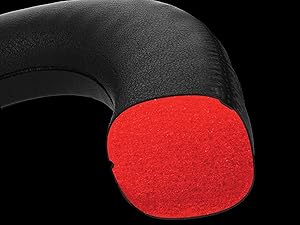
Figure 3.1: Headset designed for comfort during extended use.

Figure 3.2: Durable steel slider for adjustability and longevity.
4. Navodila za nastavitev
- Napolnite slušalke: Before first use, fully charge the headset using the provided USB charging cable. Connect the micro-USB end to the headset and the USB-A end to a powered USB port.
- Connect USB Wireless Adapter: Insert the USB wireless adapter into an available USB port on your PC, PS4, or PS5.
- Vklop slušalk: Press and hold the power button on the left earcup for 3-5 seconds until the LED indicator lights up. The headset will automatically pair with the USB adapter.
- Priključite mikrofon: Insert the detachable noise-cancelling microphone into the port on the left earcup. Ensure it clicks securely into place.
- Adjust Settings (PC/PS4/PS5):
- PC: Go to Sound Settings and select "HyperX Cloud Flight" as the default playback and recording device.
- PS4/PS5: Go to Sound/Audio Devices settings and ensure "HyperX Cloud Flight" is selected for both input and output.
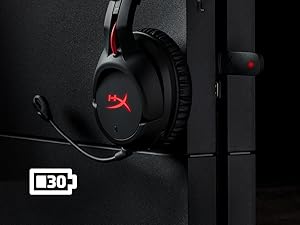
Figure 4.1: Connecting the USB adapter to a console for wireless operation.
5. Navodila za uporabo
- Vklop/izklop: Press and hold the power button on the left earcup for 3-5 seconds.
- Nadzor glasnosti: Use the volume wheel located on the bottom of the right earcup to adjust audio output.
- Izklop mikrofona: Press the button on the left earcup to mute/unmute the microphone. An audible indicator will confirm the status.
- LED učinki: Briefly press the power button to cycle through LED lighting effects (Solid LED, Breathing LED, LED Off).
- Chat Mixer (PC/PS4): The headset features a chat mixer on the left earcup. The front button prioritizes game volume, while the rear button prioritizes chat volume.
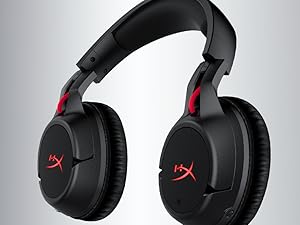
Figure 5.1: On-board controls for volume and microphone mute.
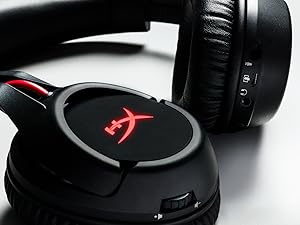
Figure 5.2: Detachable microphone for clear voice communication.
6. Polnjenje in življenjska doba baterije
The HyperX Cloud Flight headset offers impressive battery performance:
- LED ugasnjena: Do 30 ur
- LED za dihanje: Do 18 ur
- Trdna LED: Do 13 ur
Battery life is tested at 50% headset volume. Audible indicators will notify you of low battery status. Use the provided USB charging cable to recharge the headset.
Video 6.1: Izdelek je končanview razstavaasing features including battery life.
7. Vzdrževanje in nega
- Ko slušalk ne uporabljate, jih shranjujte na čistem in suhem mestu.
- Clean earcups and headband with a soft, damp krpo. Izogibajte se močnim kemikalijam.
- Do not expose the headset to extreme temperatures or direct sunlight.
- Pazite, da vam slušalke ne padejo ali da jih ne izpostavljate močnim udarcem.
8. Odpravljanje težav
- No Audio/Microphone:
- Prepričajte se, da so slušalke vklopljene in popolnoma napolnjene.
- Verify the USB wireless adapter is securely connected to your device.
- Check your device's sound settings to ensure "HyperX Cloud Flight" is selected as the default audio input/output.
- Confirm the microphone is properly attached and not muted.
- Poor Wireless Connection:
- Ensure the headset is within the 20-meter wireless range of the USB adapter.
- Minimize obstructions between the headset and the adapter.
- Avoid interference from other 2.4GHz devices.
- Slušalke se ne polnijo:
- Verify the USB charging cable is correctly connected to both the headset and a powered USB port.
- Poskusite z drugim USB-vhodom ali polnilnim kablom.
9. Specifikacije
| Funkcija | Podrobnost |
|---|---|
| Ime modela | Cloud Flight |
| Tehnologija povezljivosti | Brezžično (2.4 GHz) |
| Brezžično Domet | Do 20 metre |
| Združljive naprave | Računalnik, PS4, PS5 |
| Voznik | Dynamic, 50 mm z neodimskimi magneti |
| Vrsta slušalk | Circumaural, Zaprto nazaj |
| Frekvenčni odziv | 20Hz - 20,000Hz |
| Impedanca | 32 ohme |
| Raven zvočnega tlaka | 106 dBSPL/mW at 1kHz |
| THD | <2 % |
| Teža slušalk | 300g (315g with mic) |
| Element mikrofona | Elektronski kondenzatorski mikrofon |
| Polarni vzorec mikrofona | Odpravljanje hrupa |
| Frekvenčni odziv mikrofona | 100Hz - 7000Hz |
| Občutljivost mikrofona | -45dBV (0dB=1V/Pa, 1kHz) |
| Battery Life (LED off) | 30 uri |
| Battery Life (Breathing LED) | 18 uri |
| Battery Life (Solid LED) | 13 uri |
| Material | Memory Foam, Premium Leatherette, Steel |
| Dimenzije artikla (DxŠxV) | 7.48 x 3.43 x 7.36 palcev |
| UPC | 196188048207 |
10. Garancija in podpora
The HyperX Cloud Flight headset typically comes with a 2-year manufacturer's warranty. For technical support, warranty claims, or additional product information, please visit the official HyperX support webspletno mesto ali se obrnite na njihovo službo za stranke.
Več informacij in podpornih virov najdete na HyperX Store on Amazon.


