Uvod
Hvala za nakupasing the Klip Xtreme BluWave II KWS-616 2.1 Channel Stereo System. This system is designed to provide a rich audio experience for music, games, and movies. It features Bluetooth connectivity, USB and SD card playback, and an auxiliary input for versatile audio sources. Please read this manual thoroughly before operating the device to ensure proper use and to maximize your listening experience.
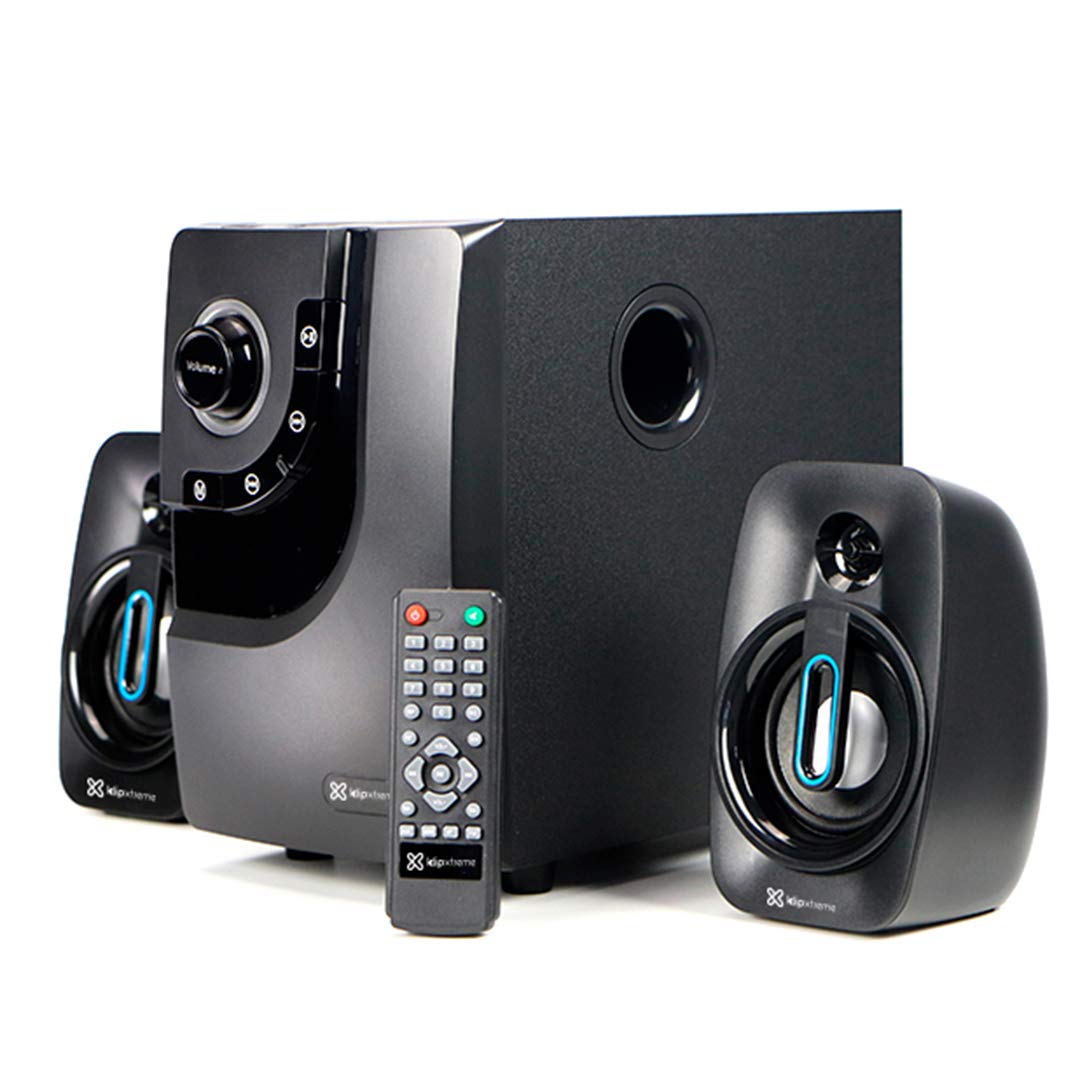
Image: The Klip Xtreme BluWave II KWS-616 system, including the subwoofer, two satellite speakers, and remote control, shown with its packaging and connecting cables.
Vsebina paketa
Prosimo, preverite, ali so v paketu prisotni vsi elementi:
- Enota nizkotonca
- Satelitski zvočniki (x2)
- Daljinski upravljalnik
- 3.5 mm avdio kabel
- Uporabniški priročnik (ta dokument)

Image: The Klip Xtreme BluWave II KWS-616 system components, including the subwoofer, satellite speakers, remote, and cables, displayed alongside its retail packaging.
Konec izdelkaview
Subwoofer Front Panel Controls

Slika: Podrobna view of the subwoofer's front panel, showing the volume knob with blue LED illumination, mode button, playback controls, and digital display.
- Gumb za glasnost: Rotate to adjust the master volume. Press to change input mode (Bluetooth, USB, SD, AUX).
- Gumb za bas: Prilagodi raven nizkih tonov.
- Nadzor predvajanja: Predvajanje/pavza, prejšnja skladba, naslednja skladba.
- Digitalni zaslon: Shows current mode, track number, or volume level.
Subwoofer Rear Panel Connections

Image: The rear panel of the subwoofer, displaying input and output ports, power switch, and AC power input.
- Input (R/L): RCA stereo vhod za priklop zunanjih avdio virov.
- Output (R/L): Connects to the satellite speakers.
- Vrata USB: Za USB-ključke.
- Reža za kartico SD: Za pomnilniške kartice SD.
- Stikalo za vklop: Vklopi ali izklopi sistem.
- AC vhod: Priključi se na napajalni kabel.
Nastavitev
1. Povezava zvočnika
- Connect the cables from the satellite speakers to the "Output (R/L)" ports on the rear panel of the subwoofer. Ensure correct polarity.
- Position the satellite speakers to the left and right of your listening area for optimal stereo separation. The subwoofer can be placed on the floor or a sturdy surface.
2. Napajalni priključek
- Ensure the power switch on the rear of the subwoofer is in the OFF position.
- Connect the AC power cord to the "AC Input" on the subwoofer's rear panel.
- Plug the other end of the power cord into a standard wall outlet (110V/220V 60Hz/50Hz auto-sensing).
Navodila za uporabo
Vklop/izklop
Flip the power switch on the rear panel of the subwoofer to the ON position to power on the system. Flip it to the OFF position to power off.
Volume and Bass Control
- obseg: Rotate the large knob on the front of the subwoofer or use the volume buttons on the remote control to adjust the overall volume.
- Bas: Use the dedicated bass knob on the front of the subwoofer or the bass control buttons on the remote to adjust the bass intensity.
Načini vnosa
Press the Volume knob on the front panel or the "Mode" button on the remote control to cycle through available input modes: Bluetooth, USB, SD, and AUX.
Bluetooth združitev
- Switch the system to Bluetooth mode. The digital display will show "BT" and an indicator light may flash, indicating it's in pairing mode.
- V napravi, ki podpira Bluetooth (pametni telefon, tablični računalnik, računalnik), omogočite Bluetooth in poiščite razpoložljive naprave.
- Select "Klip Xtreme KWS-616" (or similar name) from the list of devices.
- Once paired, the system will confirm the connection, and you can begin playing audio from your device. The effective wireless range is approximately 33 feet (10 meters).
Predvajanje USB/SD
- Insert a USB flash drive or an SD card containing audio files into the respective port on the subwoofer's rear panel.
- Switch the system to USB or SD mode. The system will automatically detect and begin playing audio files.
- Use the playback controls on the front panel or remote control to play, pause, skip tracks, or adjust volume.
Priključek AUX
- Connect one end of the provided 3.5mm audio cable to the "Input (R/L)" RCA ports on the subwoofer (using an adapter if necessary).
- Connect the other end of the 3.5mm audio cable to the headphone jack or audio output of your external audio device (e.g., TV, DVD player, gaming console, MP3 player).
- Switch the system to AUX mode.
- Predvajajte zvok iz povezane naprave.
Funkcije daljinskega upravljanja
The included remote control provides convenient access to all major functions:
- moč: Turns the system on/off (standby).
- način: Cycles through input sources (Bluetooth, USB, SD, AUX).
- Glasnost +/-: Prilagodi glavno glasnost.
- Bas +/-: Prilagodi raven nizkih tonov.
- Mute: Izklopi/vklopi zvok.
- Predvajanje/pavza: Controls playback for USB/SD/Bluetooth.
- Prejšnji/Naslednji: Skips tracks for USB/SD/Bluetooth.
Vzdrževanje
- Sistem hranite stran od neposredne sončne svetlobe, virov toplote in vlage.
- Clean the exterior surfaces with a soft, dry cloth. Do not use abrasive cleaners or solvents.
- Zagotovite ustrezno prezračevanje okoli nizkotonca, da preprečite pregrevanje.
- Do not block the subwoofer's bass port.
Odpravljanje težav
| Težava | Možna rešitev |
|---|---|
| Brez moči |
|
| Brez zvoka |
|
| Bluetooth povezovanje ne uspe |
|
| Popačen zvok |
|
Specifikacije

Image: The Klip Xtreme BluWave II KWS-616 subwoofer and satellite speakers displayed with rulers to indicate their physical dimensions.
| Vrsta naprave | 2.1 speaker system with Bluetooth technology |
| Največja izhodna moč (RMS) | 40 W (največja moč 80 W) |
| AC vhod | 110V/220V 60Hz/50Hz (autosensing) |
| Satellite Driver Unit | 3 palca (76 mm) |
| Moč satelita RMS | 10W each (20W total) |
| Satellite Frequency Response | 120Hz-18kHz |
| Satellite Impedance | 8Ω |
| Subwoofer Driver Unit | 4 palca (102 mm) |
| Moč nizkotonca (RMS) | 20 W |
| Frekvenčni odziv globokotonca | 20Hz-150Hz |
| Impedanca nizkotonca | 4Ω |
| Razmerje med signalom in šumom | 60 dB |
| Povezljivost | Bluetooth, SD, USB, 3.5mm (via RCA input) |
| Brezžično Domet | Do 33 čevljev (10 metrov) |
| Mere globokotonca (ŠxVxG) | 6.1 x 9.8 x 10.8 palcev (15.5 x 24.9 x 27.4 cm) |
| Satellite Dimensions (WxHxD) | 3.9 x 6.3 x 3.8 palcev (9.9 x 16.0 x 9.7 cm) |
| Teža izdelka | 6.8 lbs (3.08 kg) |
| Dolžina kabla | 4.9 čevljev (1.5 metrov) |
| Številka modela | KWS-616 |
Garancija in podpora
The Klip Xtreme BluWave II KWS-616 system comes with a enoletna omejena garancija od datuma nakupa. Ta garancija krije napake v materialu in izdelavi pri normalni uporabi. Ne krije škode, ki jo povzroči napačna uporaba, nesreča, nepooblaščena sprememba ali zunanji vzroki.
For technical support or warranty claims, please contact your local Klip Xtreme authorized dealer or visit the official Klip Xtreme webspletno mesto za kontaktne podatke.


